Best Cameras for Livestream: A Buyer Checklist for 2026
Disclosure: We may earn a commission when you buy through links on this page, at no extra cost to you. As an Amazon Associate I earn from qualifying purchases. Learn more

Use this checklist to compare the best cameras for livestream by output, connection path, power, light and budget before you buy your first setup.
Most first livestream setups fail at a small joint in the chain rather than at the camera itself, such as a cable that is too short or a battery that fades mid lesson. This checklist was built to catch those joints before you spend, so working through best cameras for livestream becomes a series of clear yes or no checks. Stop at the first firm no that affects your kind of show.
The order here is deliberate. Connection comes first, then session duty, then the picture criteria most buyers expect, and only then price. The comparison table below summarises the main classes, while the sections that follow explain how to test each class against your room and your schedule.




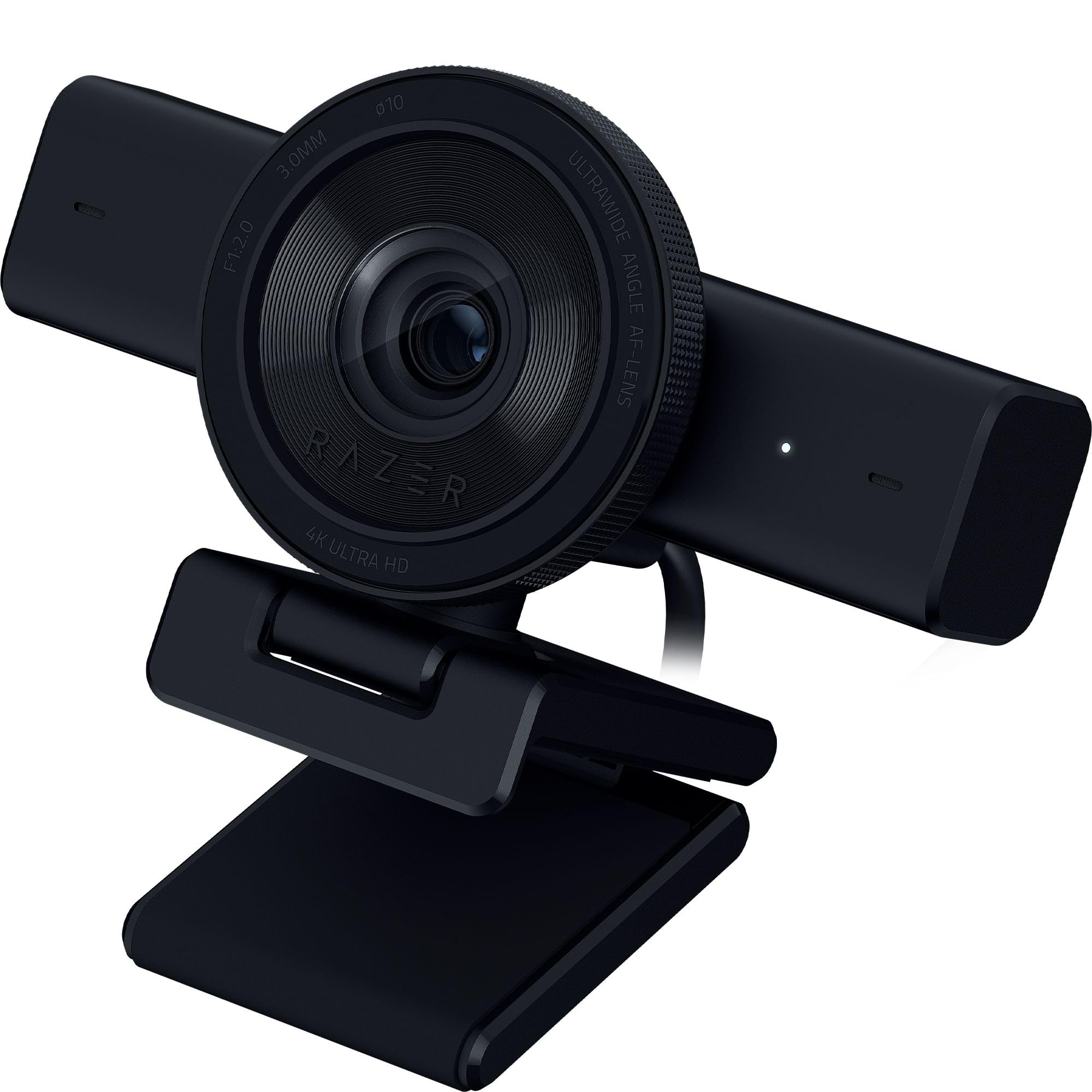
The Connection Box Comes Before the Camera Choice
Start with a simple truth about this purchase. The cable and capture path are half the purchase, because a camera alone is not a stream. Price the whole path for any camera on your list, including the lead of the right length, any capture device, and a spare lead you can swap in during a show.
Test the path as one unit rather than trusting each part on its own. Some capture devices add delay that ruins a music lesson where hands and sound must agree. Lay the full chain out on your actual desk, tilt the screen, plug in the microphone and confirm that everything fits at once before you judge the picture at all.
Write the results into your checklist notes. Note the port type, the lead length you needed, whether a capture device was required, and whether the feed stayed live when the menu was opened and closed.
Duty Over a Whole Session, Not a Demo Clip
Next, check duty in plain terms. A camera that overheats ends the stream on the spot, so the duty class for long sessions is a buying fact, not a detail to discover later. Look for maker guidance on continuous video use, for vents or active cooling on video led bodies, and for a mains power option.
Your own rehearsal completes this check. Set the camera at the output setting you plan to use, switch on your show lights and let the setup run past your longest scheduled session. If warnings appear, lower the output setting or improve airflow around the body.
Checklist Criteria for Livestream Cameras
With connection and duty cleared, work through the picture criteria below in order. As you compare best cameras for livestream candidates side by side, give each criterion a pass, a borderline note or a fail in your notebook.
Features That Matter for Livestream
For a livestream, the feature list is shorter and stricter than for general video. The camera must keep a face in focus while the presenter reads comments and gestures, and it must accept sound from a microphone rather than a distant built in pickup. A screen you can see from your presenting position is essential for solo shows. Controls for exposure and white balance must be lockable.
Sensor Size and Image Quality
Use sensor size as a light and depth check rather than a status symbol. A 1 inch sensor in a compact body gives tidy desk pictures and forgiving focus. An APS C sensor adds cleaner results in ordinary room light and more background separation, while full frame suits larger rooms and softer backdrops. Ask how faces look at the sensitivity your room will demand on a winter evening.
Video Capabilities and the Signal You Send
Judge this criterion by the signal, stated plainly in checklist form. A livestream camera is judged on the signal it sends out, and a clean output class matters more than a recording class your audience never sees. Confirm that the outgoing feed carries no menus or focus frames, that it matches the resolution your platform accepts, and that autofocus stays active while the feed runs.
Durability and Weather Sealing
Most livestream cameras work indoors, so durability here means surviving weekly handling rather than storms. Check that the mount thread is firmly seated, that port doors close positively, and that buttons still work when your hands are hurried.
Battery Life and Charging
Treat battery figures printed for stills shooting as a poor guide to live work, because a live feed draws power continuously. Ask whether the camera can run and charge over USB C at the same time, and whether a mains adapter exists for its battery shape. For a fixed desk, mains power should be your normal plan and the battery your backup.
Low Light Performance
Score low light behaviour in your own room, not from a bright showroom clip. Sit in your presenting chair at your usual streaming hour and look at shadow noise on your clothing and at the wall behind you. A camera that needs extreme sensitivity in a normally lit room will struggle on darker days. One extra soft light often moves a borderline camera to a clear pass.
What Passing the Checklist Looks Like at Three Spending Levels
The First Kit Level for a Single Desk
At the First Kit level, at about $250 to $500 for the camera side of the setup, expect a capable webcam or an entry compact with a fixed lens. The passes that matter here are a stable USB connection or a clean feed, lockable exposure and a mount that places the lens at eye level.
The Steady Show Level for Weekly Presenters
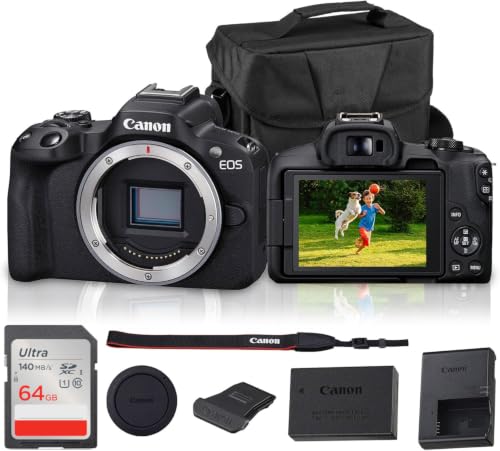
At the Steady Show level, at about $700 to $1,300, an APS C mirrorless body with a standard bright lens becomes realistic. The extra passes are mains power for long duty, eye autofocus that holds while you read chat, and a microphone input with a headphone socket.
The Studio Step Level for a Fixed Room
At the Studio Step level, at about $1,800 to $3,200, you are paying for duty and flexibility in a room that stays set up. Expect video led bodies with active cooling and two camera positions. The passes here include a spare capture path, matched colour between the two angles and a power plan that survives one failed socket.
Quick Buyer Checklist
Run these eight questions against any final candidate, using your rehearsal notes rather than the brochure.
- Does the camera send a clean feed with no menus or focus boxes over the picture?
- Does the full cable and capture path fit your desk or stand at the length you need?
- Can the camera run from mains power for longer than your longest planned session?
- Did a full rehearsal finish with no heat warning at your chosen output setting?
- Does autofocus hold your eyes while you read, gesture and look down at notes?
- Can you lock exposure and white balance so the picture stays steady as light changes?
- Can you connect the microphone you plan to use and check its level before going live?
- Does the total cost, including leads, capture, power and light, stay within your budget?
Red Flags to Watch For
Some warning signs should pause a purchase even when a checklist mostly passes. Vague output wording is the first, because a maker who will not state the live feed behaviour clearly leaves you to discover limits after delivery.
- A headline 4K claim with no clear statement of the resolution available on the live output.
- A short automatic shutdown or sleep behaviour that the manual says cannot be switched off.
- No mains power option and no statement about running while charging, for a camera sold for long sessions.
- A very short warranty or unclear repair route for a body you plan to use every week.
- A flood of glowing comments that never mention cables, heat or setup, alongside detailed complaints that repeat the same fault.
One red flag on its own may have a workaround. Two red flags in the same area, for example vague output wording plus a fixed sleep timer, usually mean the camera was designed for clips rather than for live duty.
Picking the Right Cameras for Different Uses
For orientation, livestream models form one group inside the wider family covered by guides to best digital cameras, namely the group built to send a live feed out rather than only to save files.
Best Cameras to Livestream on Facebook: What to Check
For this platform class, check the feed format the platform accepts and how the picture survives its compression. A steady 1080p feed with strong sound usually looks better to followers than a higher setting that stutters on home upload speeds.
Hybrid shooters need a different balance. If your week mixes a livestream with family portraits and event stills, the guidance in our guide to best cameras for photography helps you weigh stills handling alongside the live checks here. Buy the body that passes the livestream checklist, then choose lenses that cover your stills work too.
Quality questions deserve a calm definition before you spend. In the context of guides to best quality cameras, quality for a livestream means a stable feed, honest colour and sound that stays in step, repeated show after show.
Learners should keep the first rig simple. The models discussed in guides to best starter cameras suit a first livestream when they pass the connection and duty checks, because a beginner benefits more from a short setup routine than from advanced colour tools.
Weekly classes and coaching sessions add one more use to plan for, because the camera must frame both a face and a working surface. Place the camera high enough to see a notebook, a keyboard or a small whiteboard without losing eye contact when you look up to speak. A wider view at the desk, checked in rehearsal from the student seat on a phone screen, usually serves this format better than a tight portrait crop. Note the exact tripod height and lens setting that balanced both needs, and mark the floor position with tape so the same framing returns each week without a fresh round of guessing.
How to Make Your Camera Last Longer
Use a lens cloth, not your shirt, and keep a second cloth in your streaming drawer so a clean one is always within reach. Carry a spare battery and rotate your packs so none sits flat for months. Keep the camera in a padded bag inside a dry cupboard away from radiators, with caps fitted. Once a month, inspect cable ends for looseness.
Livestream Cameras: Questions Answered
What should a first livestream checklist include that a stills checklist misses?
A first livestream checklist must include the live output, the capture path and session duty, which a stills checklist can safely ignore. It should also note who handles comments and technical problems while you present, because that role does not exist in stills work. Add one practical line most buyers forget, a clock you can see without turning away, so your pace stays steady and endings stay tidy.
Do I need 4K for a first livestream show?
No, a first livestream show does not need 4K, and a clean 1080p feed is the wiser starting point for most home connections. The smaller feed is kinder to your computer, your upload link and the camera processor, which also helps with heat. A camera that can output 4K later still helps for reframing, since you can crop a closer view in software, but treat that as a future option.
How can I power a livestream camera through a whole evening class?
Use a mains adapter made for your camera battery shape, and secure its cable so a chair leg or a passing student cannot pull it loose. Keep one fully charged battery in the bag as a swap in reserve. Glance at the power indicator at each natural break and note the level in your log, because patterns there warn you weeks ahead that a battery is ageing.
When does a webcam beat a larger camera for a livestream?
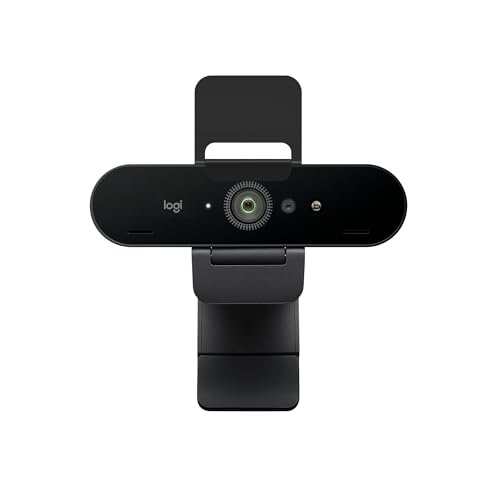
A webcam beats a larger camera when setup time is short, the room light is fair and the presenter sits within a few feet of the screen. It also wins in shared spaces, where a small camera can stay mounted and ready between uses. The point buyers miss is guest handling, because a webcam makes it simpler to bring a second person into frame on a call.
Should I run a private test stream before my first public livestream?
Yes, run a private test stream first and watch it back on a phone as your audience will. That second screen reveals small text that is unreadable, music that swamps your voice and framing that feels cramped on a small display. Invite one trusted viewer to comment in the test chat, which proves the moderation tools work before strangers arrive.
Final Thoughts on the Checklist
Return to the product table above with your ticked checklist in hand, and let it do the deciding. A camera that passes connection, duty and power checks, and then scores well on focus, light and sound, is the right buy even if another model lists more features.
That is the real promise of choosing best cameras for livestream by checklist rather than by headline. You buy a routine you can repeat and a chain you have already rehearsed. Start with the simplest class that passes every essential check, and let real experience tell you when to step up.