Best Cameras for Computer Vision for 2026: Matching the Right Model to Your Routine
Disclosure: We may earn a commission when you buy through links on this page, at no extra cost to you. As an Amazon Associate I earn from qualifying purchases. Learn more

Not all cameras fit every routine. See which best cameras for computer vision match how you actually use them, what features to prioritize, and what to skip.
There is no single camera that suits every computer vision job, because the software can only work with the images you feed it. A robot tracking moving parts, a researcher training a model, and a line inspector rejecting faulty items all need different sensors, lenses, and connections. The best cameras for computer vision for your project match your scene, your lighting, and your computer, not the longest spec sheet.
Start by naming the task, the distance to your subject, and how fast things move. Those answers narrow the field faster than resolution alone, and they help you read the comparison table below.



Who Should Buy Which Cameras for Computer Vision?
Your routine decides which tradeoffs matter. Buy for the job you run most often, and let the groups below point you toward the right type.
Robotics Builders Who Need Precise Timing
You need a camera that reacts at the exact moment your robot or conveyor expects it. Prioritize a global shutter, a hardware trigger input, and a cable connection that locks in place. Board level and compact boxed cameras suit tight spaces inside machines. Frame rate matters less than timing accuracy, because a sharp image that arrives late still makes the robot miss its target.
Researchers and Developers Testing New Models
You need flexibility while you experiment, because your scene and your code will change many times. Prioritize strong software support, easy connection to a laptop or a small single board computer, and a lens mount that lets you swap focal lengths. A midrange USB camera often serves best here. You can move it between benches and record training data at modest cost.
Inspection Teams Checking Parts on a Moving Line
You need consistent images hour after hour, because your software judges every part against the same standard. Prioritize a rugged housing, a locking connector, strobe control, and a sensor that stays reliable at high frame rates. GigE models suit longer cable runs across a factory floor. Consistency matters more than maximum resolution, since small changes in exposure can look like defects to your software.
Key Features to Compare
When you compare the best cameras for computer vision side by side, start with the shutter and the interface, because those two choices are the hardest to fix later with software.
Sensor Size and Shutter Type
The sensor captures the light, and its size affects detail, sensitivity, and lens choice. Larger sensors, such as 1 inch or APS C formats, gather more light and handle shadows better, but they need larger and costlier lenses. A global shutter exposes every pixel at once, so moving parts stay true to shape. A rolling shutter exposes the sensor in lines, and fast motion can bend straight edges. Choose global for motion and rolling only for still scenes.
Resolution and Frame Rate in Balance
Resolution tells you how much detail the software can measure, while frame rate tells you how often it gets a fresh view. Raising both at once demands more bandwidth and processing power, and your computer may drop frames. Match resolution to the smallest detail you must detect. A camera that sees that detail at a steady rate beats a higher resolution model that stutters. Test with your own images, because paper specs cannot show if your software keeps up.
Lens Mount and Focal Length
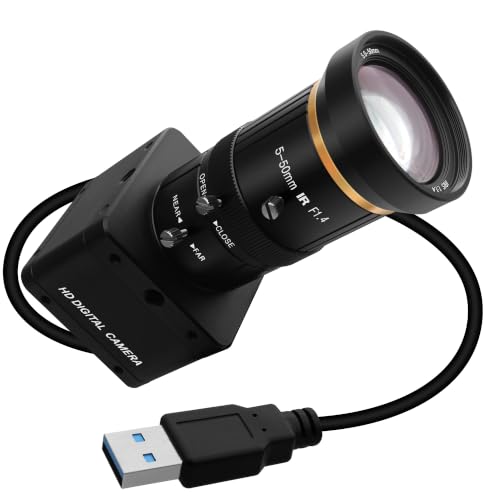
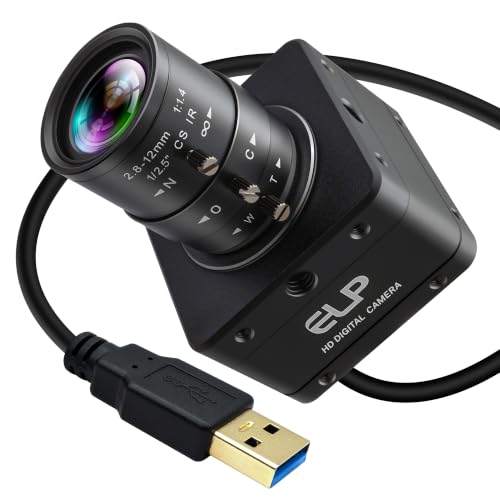
The lens decides your field of view and how large your subject appears, and the mount decides which lenses you can use. C mount and CS mount lenses suit many boxed cameras, while small board level cameras often use an M12 mount. A short focal length sees a wide area but makes objects smaller, so fine defects get harder to spot. A longer focal length magnifies a small area from farther away. Measure your working distance first, then pick a focal length that fills the frame.
Interface, Triggering, and Sync
The interface carries images to your computer, and it limits speed and cable length. USB 3 suits short runs and simple setups, while GigE carries data farther and lets several cameras share one network. MIPI CSI connects board level cameras to small computers with very low delay. Triggering matters when timing counts. A hardware trigger input lets a sensor or a strobe fire the camera at one exact moment, keeping frames aligned with the action.
Low Light Sensitivity and Dynamic Range
Pixel size and sensor design decide how cleanly a camera works when light is scarce. Larger pixels gather more light, so images stay usable at shorter exposure times, which helps when subjects move. Dynamic range describes how much detail survives in bright and dark areas of one scene, such as a shiny part beside a shadowed belt. If your scene is outdoors at night, see our guide to the best night vision cameras for models built around darkness first.
Software Support and Framework Compatibility
A camera is only useful if your tools can talk to it. Check that the maker provides a software kit for your operating system and that the camera works with libraries such as OpenCV and robotics tools such as ROS. Clear sample code saves days of setup time. You also want exposure, gain, and white balance you can lock in code, because settings that drift between frames confuse software.
Camera Types Compared for Computer Vision Work
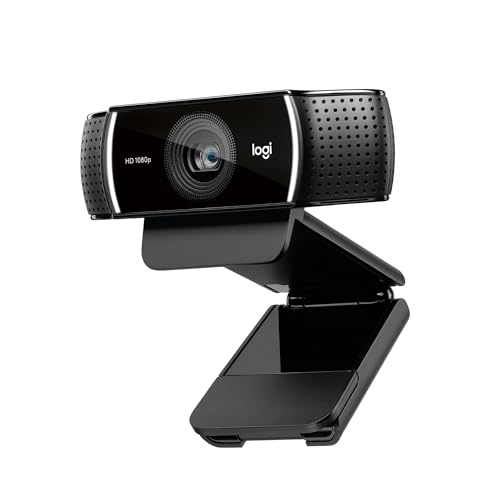
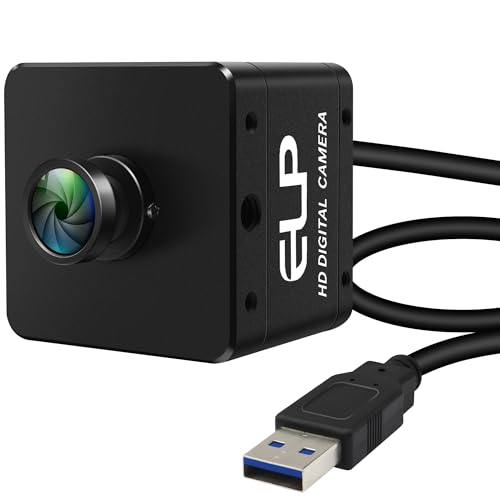
Boxed USB and GigE cameras are the general purpose choice. They arrive in a housing with a standard mount, connect easily, and fit most benches and machines. If your project only needs a general camera attached to a PC for simple capture, see our guide to the best computer cameras before paying for machine vision features you may never use.
Board level cameras are bare circuit boards with a small lens mount. They weigh very little and fit inside robots and custom enclosures, but they need careful handling. Stereo and depth cameras add a second viewpoint or a depth sensor, so software can judge distance as well as shape. They suit robot navigation and object sizing, though they cost more.
Smart cameras do some processing inside the camera itself, so they can pass a pass or fail result to a machine without a separate computer. They simplify fixed inspection tasks but offer less freedom to change your code. Readers weighing broader options can also see our guide to the best vision cameras.
Common Mistakes to Avoid
Poor purchases come from judging cameras alone.
- Buying on megapixels alone, so you pay for detail your software never uses while frame rate suffers.
- Choosing a rolling shutter for moving parts, so straight edges bend and measurements drift.
- Ignoring the lens and lighting budget, so a strong sensor still produces dim and noisy images.
- Skipping the trigger and sync check, so frames arrive out of step with your machine or strobe.
- Assuming your computer can handle the data, so high frame rates overwhelm the connection and frames drop.
Care and Maintenance for Computer Vision Cameras
Clean the lens with a proper lens cloth and a blower, never your shirt, because grit dragged across the glass leaves fine scratches that soften every image. Keep a cap on the lens or sensor whenever you swap lenses, since dust on the sensor shows as dark spots on every frame. Hold the camera facing down during a lens change.
Protect cables and connectors, because they fail more often than sensors. Add strain relief where a cable leaves the camera, avoid sharp bends, and leave slack for vibration. Store the camera in a dry, padded bag away from heat, and keep spare cables on hand. Record your working settings so you can restore them after an update.
Frequently Asked Questions
What features matter most in cameras for computer vision?
The shutter, the interface, and software support matter most. A global shutter keeps moving subjects true to shape, the interface decides whether frames reach your computer without dropping, and a good software kit decides how fast you start working. One point buyers often miss is calibration. A camera that holds its settings steady lets you calibrate once and trust the results for weeks.
Which type of camera for computer vision works better in low light?
A camera with larger pixels and a larger sensor works better in low light. Bigger pixels collect more light during a short exposure, so moving subjects stay sharp without heavy gain and noise. Pair it with a wide aperture lens and added lighting where you can. In a fixed indoor setup, a steady light often improves images more than stepping up one camera tier.
How much should I spend on a first camera for computer vision?
Most first projects do well with a camera around $150 to $400, plus a lens and a light. That range buys a reliable sensor, a standard mount, and proper software support without locking you into costly parts. Keep part of the budget aside for a calibration target and spare cables. Spending everything on the camera body is the most common budgeting error.
What specs matter most for beginners setting up a computer vision camera?
Beginners should focus on easy connection, clear sample code, and a shutter that suits their scene. A USB camera with a standard lens mount removes most setup friction, so you spend your time on code rather than drivers. Start with one fixed scene and one lens. Changing one variable at a time teaches you what each setting does and makes faults easier to trace.
Is a smartphone enough instead of a dedicated camera for computer vision?
A smartphone is enough for early tests of an idea, but not for most working systems. Its automatic processing changes exposure and focus without asking, it offers no hardware trigger, and it cannot mount standard lenses. Use a phone to gather sample images and prove your software concept. Move to a dedicated camera once timing, consistency, or mounting matters.
Our Verdict
Match the camera to the routine first. Decide whether your scene moves, how much light you control, and how the images must reach your computer, then choose the shutter, lens mount, and interface that serve those answers. Locking exposure will do more for your results than chasing the highest resolution. Chosen that way, the best cameras for computer vision become a dependable part of your system, so review the product table above and pick the type that fits your task.