
Best Budget Smart Thermostats: Types Compared and Buying Guide for 2026
Disclosure: We may earn a commission when you buy through links on this page, at no extra cost to you. As an Amazon Associate I earn from qualifying purchases. Learn more

Basic WiFi, learning or sensor ready? Compare accuracy, platform support and cost to find the best budget smart thermostat for your home.
A basic dial gives you no schedule, no phone control, and no alert when the house gets far too hot or cold. Choosing a best budget smart thermostat fixes those gaps without paying for extras you may never use. The comparison table below sums up the main types by accuracy, platform support, and what each type does best.
This guide covers which type fits a simple forced air system, which fits a heat pump, what a C wire does, and which features are worth paying for at each price level. For the broader picture, see our guide to the best smart thermostat options for all budgets.
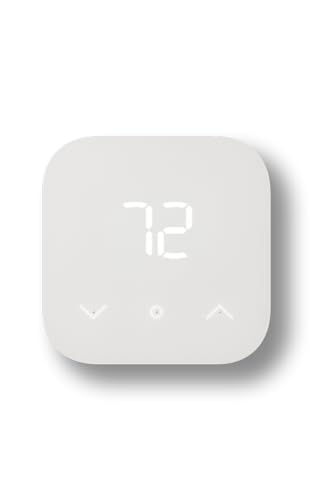
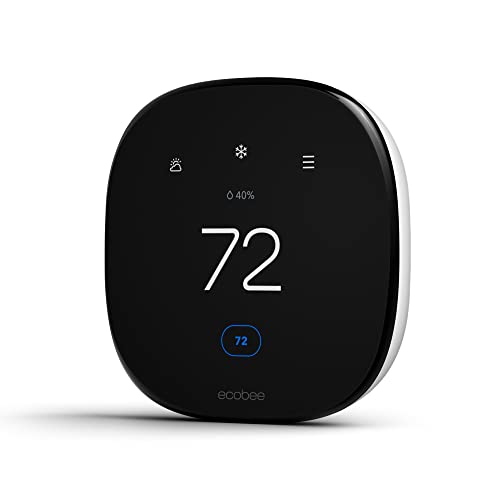
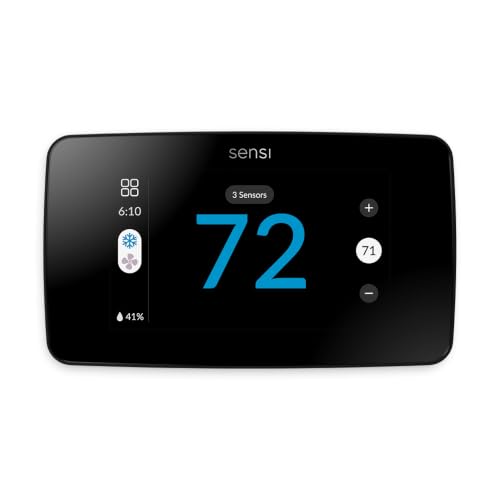


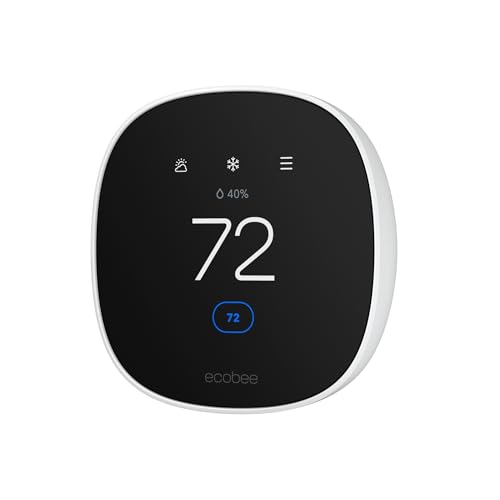
Budget Types at a Glance
At this price level the market splits into three groups. Basic WiFi programmable models hold a schedule, take app commands, and report room temperature with solid accuracy. Learning models adjust the schedule around your routine. Sensor ready models add remote room sensors and wider platform coverage, including Matter in many newer designs.
How the Main Budget Types Compare
Basic WiFi Programmable Type for the Lowest Cost
This type covers the core job well. You set a schedule in the app, change the target from your phone, and get alerts if the house drifts far from target. Control is usually accurate within about one degree, enough for most forced air and boiler systems. Limits include plain screens and few sensor options.
Choose this type if your system is simple and rooms heat evenly. Many models sit under $100, and some fall under $50 on sale. You give up learning behavior, but keep the main source of savings, a sensible schedule.
Learning Type for Hands Off Scheduling
A learning type watches changes you make during the first one to two weeks and builds a schedule from them. If you turn heat down each night and up each morning, it starts doing that on its own. This helps if you will not program seven days by hand.
The trade off is price and patience. These models often cost about $100 to $250, and the early days can feel uneven while the unit learns. Correct wrong guesses in the app so bad habits do not stick.
Sensor Ready Type for Uneven Rooms
This type works with wireless sensors in other rooms, then averages readings or favors the room you choose. That matters if the thermostat sits in a sunny hall while bedrooms stay cool, a layout problem no schedule can fix. Sensor support most often justifies spending more.
The costs add up in two ways. The thermostat sits near the top of the budget range, and extra sensors are sold apart at around $30 to $50 each. Choose this type only when room to room comfort gaps are your main complaint, not as a default upgrade for an even home.
How the Budget Types Were Compared
We weighed five factors that decide daily satisfaction at this price. Reliability and temperature accuracy came first, since a cheap unit that short cycles your system saves nothing. Next came compatibility with Alexa, Google Home, Apple HomeKit, and Matter, plus clear wiring support for common systems.
We also weighed install effort, subscription costs, and privacy practices. Our view draws on maker spec sheets and patterns in verified buyer feedback about install trouble and app stability.
Who Should Buy Which Budget Smart Thermostat
Apartment Renters With Landlord Approval
Renters need a swap that is simple to reverse and works on common low voltage wiring. A basic WiFi programmable type fits best, since it adds app control without extra sensors in several rooms. Confirm approval in writing, and keep the old unit plus photos of the wire labels so you can restore the setup when you move out.
Owners of Homes With One Problem Room
If one bedroom or office is always off target, the sensor ready type earns its higher price. Place a sensor in that room and let the system favor it during sleeping or working hours. A thermostat cannot fix undersized ducts or a blocked vent, so check those first.
Heat Pump Owners in Mild to Cold Climates
Heat pump owners need correct control of backup heat, which some very cheap models handle poorly. Look for clear heat pump support on the specification sheet, including balance point and lockout settings where offered. Our separate guide to the best smart thermostat for heat pump systems explains those settings in depth.
How to Choose the Right Smart Thermostat
Type
Match the type to your heating and cooling gear. WiFi programmable and learning models suit most single stage forced air systems and many boilers. Line voltage systems, such as electric baseboard heat, need a different class built for high voltage, and low voltage models must never be wired to them.
Heat pump models must handle backup heat staging, and zoned homes need confirmed control panel compatibility. Touchscreen size is a comfort choice only, and it should come last.
Features Worth Paying For
Remote sensors are worth paying for when room readings differ. Occupancy sensing helps when your schedule changes often, since the unit can ease off when the house is empty. Geofencing does a similar job, but it needs location permission.
A C wire adapter kit is worth its small cost if your home lacks a C wire. Clear energy reports in the free app tier are also worth having, since they show whether your schedule saves runtime. Skip paid report add ons, decorative faceplates, and oversized screens, which add cost without improving control.
Ecosystem Compatibility
Pick a model that speaks to the platform you already use. If your house runs on Alexa, start from models built for that system, as our guide to the best smart thermostat for alexa setups shows. Google Home and Apple HomeKit each have their own app and voice paths, and a model may support one well and another only in part.
Matter lets one device join several platforms over WiFi or Thread, adding flexibility if you switch gear later. Check the fine print, since some models use Matter for basic control only. See also our roundup of the best wifi smart thermostat choices.
Wired vs Battery Power
Most smart thermostats need a C wire, which supplies steady power from the furnace control board. Without it, some models borrow power through heating wires, a method that can cause short cycling. Battery models exist, but heavy WiFi use drains them fast.
Before you buy, pull your current thermostat off its wall plate and look for a wire on the C terminal. If there is none, your options are an adapter kit, an unused spare wire in the cable, or a model rated to work without one. Our step by step guide on how to install a smart thermostat covers each path.
Subscriptions and Local Storage
Basic control should never sit behind a paywall, and on budget models it usually does not. Paid plans cover extras such as long term reports or monitoring alerts. Read what the free tier includes before assuming a plan is required.
Schedules are stored in the cloud on most models. An internet outage limits remote changes, though the wall unit keeps running its last schedule. If local control matters, favor Matter or HomeKit models, which can keep basic control inside the home network.
Privacy and Security
A thermostat learns when you are home, so treat its account with care. Turn on two factor sign in, use a unique password, and let app and firmware updates run on their own. Turn off data sharing options you do not need.
How Much Should You Spend?
Under $50, expect a basic WiFi programmable unit with a plain screen, one voice platform, and no sensor support. That tier is fine for a small home with even heating. Between about $50 and $100, you gain better screens, wider platform support, and more reliable power handling for homes without a C wire.
Between about $100 and $150, learning behavior and occupancy sensing become common. Between about $150 and $250, you pay for sensor ready designs and the widest platform coverage.
Budget vs Other Smart Thermostats: Pros and Cons
Budget models win on cost and simplicity. The app covers schedules, remote changes, and basic reports. For a single system home with even airflow, a budget model often delivers nearly all the savings of a premium model, since savings come mostly from setbacks while you sleep or are away.
The limits show up at the edges. Screens are smaller, and sensor support, multi stage control, and humidity control may be trimmed or absent. If you run a zoned system or a home with big comfort gaps, a higher tier model may pay for itself.
- Pro: Low upfront cost, often under $100, with the core schedule and app control most homes need.
- Pro: Same setback savings potential as pricier models when the schedule fits your routine.
- Con: Fewer sensors and thinner support for complex systems such as zoned setups.
- Con: Very cheap models may handle backup heat staging poorly on heat pump systems.
Common Mistakes to Avoid
- Buying before checking for a C wire, which leads to power trouble and surprise adapter costs.
- Wiring a low voltage model to electric baseboard heat, which is a safety risk and will damage the unit.
- Skipping photos of the old wire labels, which turns a simple swap into guesswork at the furnace board.
- Leaving the factory schedule in place, which wastes the main source of savings the device offers.
- Placing remote sensors in direct sun or near a kitchen, which skews readings and causes long runtimes.
FAQ
What is the best budget smart thermostat?
For most homes it is the basic WiFi programmable type, since it covers schedules, app control, and alerts at the lowest cost. Step up to a learning type if you will not program a schedule by hand, and to a sensor ready type if one room is always off target. In every case, wiring fit and platform support matter more than screen style, so confirm both before you order.
Are budget smart thermostats worth it?
Yes, if your current unit is a dial or a basic model with a schedule you never set. Value comes from setbacks during sleep and away hours, plus alerts that catch a failed system early. If you already own a well programmed unit and your routine is fixed, added savings will be small. See our analysis of do smart thermostats save money for the math.
How to install a smart thermostat?
Turn off power to the system at the breaker, label each wire with its terminal letter, and photograph the setup. Mount the new wall plate, connect wires to matching terminals, attach the display, and restore power. Most swaps take under an hour. If you see thick wires or a line voltage warning, stop and call a licensed technician instead.
Do smart thermostats save money?
They save when the schedule cuts runtime while you sleep or are away, and when alerts stop a system running against an open window. Homes with long away hours gain the most, while homes occupied all day gain the least. Climate, insulation, and energy price set the ceiling, so treat any single savings figure in ads as a best case, not a promise.
What is a C wire?
A C wire, or common wire, carries steady low voltage power from the furnace control board to the thermostat. It lets the display, WiFi radio, and sensors run without borrowing power from the heating circuit. Many older homes lack one because older units ran on batteries. Adapter kits can stand in for a missing C wire by combining signals at the furnace board.
How long does a smart thermostat last?
Hardware often lasts about ten years, but software support usually ends sooner, and that limit matters more. Once app and security updates stop, remote control can fail even if the wall unit still works. Budget models may get shorter support than premium ones, so check the maker support policy before buying, and plan to replace the unit when updates end.
Final Thoughts
Start with wiring and system type, then pick the simplest type that fits. The product table above shows how the three budget types split by accuracy, platform support, and sensor options, so use it to narrow the field before you shop. For most homes, a best budget smart thermostat in the basic WiFi group delivers the control that matters, at a price that pays back fast.


