
Best Brushless Drill for 2026: Everything to Know Before Your First Purchase
Disclosure: We may earn a commission when you buy through links on this page, at no extra cost to you. As an Amazon Associate I earn from qualifying purchases. Learn more

Learn how to choose a brushless drill by power, battery platform, chuck size, and weight, plus first use safety tips and answers to common questions.
Choosing the best brushless drill is easier when you understand a few key terms before you shop. A brushless drill uses a motor without carbon brushes, which means fewer wearing parts inside the motor and a tool that can run cooler and more efficiently than a brushed model. This guide explains power, batteries, chuck size, and weight in plain language so you can pick a drill that fits your projects. The comparison table below gives you a quick overview before you read the details.
Most first time buyers need a drill for hanging shelves, assembling furniture, drilling pilot holes, and driving screws around the home. You do not need the most powerful tool on the shelf for those jobs, but you do need a drill that feels balanced, holds its charge well, and offers enough control for delicate work. Options vary mainly in voltage platform, torque, and included accessories, and this guide walks through each choice step by step.
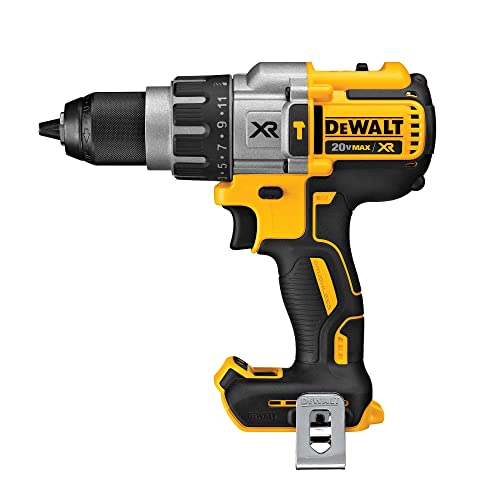


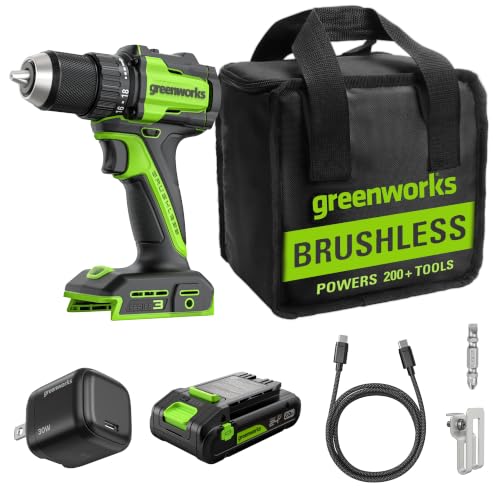


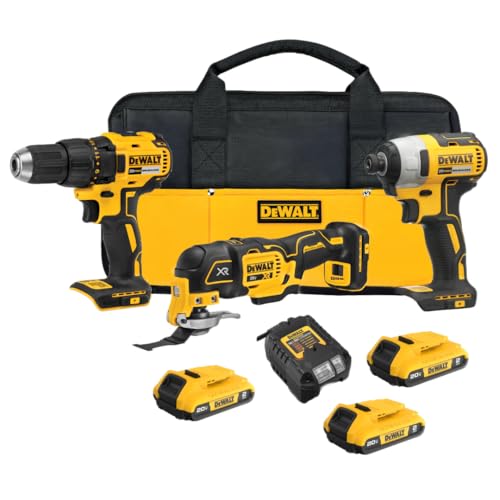

Brushless Drills 101: The Basics
A drill spins a bit or a driver bit to make holes or drive screws. In a brushless model, an electronic controller switches power to the motor coils instead of relying on brushes that press against a spinning part. The result is a motor with less friction, less heat buildup, and no brushes to wear out and replace. Many brushless drills also adjust power delivery to the load, so the tool can work harder in dense wood and ease off in softer material.
The terms you will meet most often are voltage, torque, speed, and chuck size. Voltage describes the battery platform, torque describes twisting force, speed is given in revolutions per minute, and chuck size tells you the largest bit shank the drill can hold. A variable speed trigger lets you start slowly and build up speed, which helps when you start a hole or drive a small screw. Wear eye and hearing protection whenever you drill, and follow the maker safety guidance for your tool and work area.
Key Specs Explained in Plain English
The specs below explain what each number means in real use. Give the most weight to battery platform and weight, since those choices affect every job you do with the drill.
Corded vs Cordless Battery Platform
Most brushless drills for home use are cordless, since a battery gives you freedom to work anywhere without hunting for an outlet. Common home platforms are 12 volt and 18 volt or 20 volt systems, and batteries and chargers usually stay within one brand platform. A 12 volt drill is lighter and easier to handle overhead, while an 18 volt or 20 volt drill offers more power for larger holes and longer screws.
Corded drills still suit buyers who drill for long stretches without breaks, but they are less common in brushless home ranges and they tie you to an outlet and a cord. For most first time buyers, a cordless drill on a platform you can expand later is the practical choice. If you already own tools on one battery platform, staying on that platform can save money on spare batteries and chargers.
Durability and Brushless Motors
A brushless motor lasts longer in daily use mainly because it has no brushes wearing against a commutator. That design also tends to run cooler, which helps the motor and the electronics cope with repeated short jobs around the home. Durability also depends on the housing, the chuck, and the gearbox, so look for a solid feel, a chuck that grips bits firmly, and a gearbox that shifts cleanly between speeds.
Brushless drills often cost more than brushed drills at first, but the price gap can be worth it for a tool you plan to keep for years. A longer motor life matters most if you drill often or work in dense material. For very light use, such as a few screws a month, a brushed drill may still serve, but a brushless model gives you more headroom as your projects grow.
Accessories Included
What comes in the box changes the true cost of a drill. Some kits include two batteries, a fast charger, a belt hook, and a carry case, while others include only one battery and a basic charger. Two batteries help a lot on bigger jobs, since one can charge while you work with the other. A carry case keeps the drill, batteries, and bits together and protects the tool in storage.
Bits and bit holders are sometimes included, but a starter set of twist bits and driver bits is a useful separate purchase if your kit comes bare. Check whether the charger fits your outlet and whether spare batteries are easy to buy for your platform. For starter bit collections, see our guide to best drill sets.
Power and Performance Specs
Torque, measured in inch pounds or Newton meters, tells you how much twisting force the drill can apply. Higher torque helps with large screws and dense wood, while lower torque with a sensitive trigger suits small screws and soft material. Speed settings matter too: a low speed range gives control for driving screws, and a high speed range suits drilling clean holes in wood and light metal.
Do not judge a drill by one number alone. A drill with very high torque but poor balance can feel awkward, and a very fast drill without a good low speed range can be hard to control. Look for a clutch with many settings, since the clutch slips before a screw is overdriven and helps protect both the screw and the work surface. Test the trigger feel if you can, since smooth speed control matters more in daily use than a headline torque figure.
Warranty and Brand Ecosystem
Warranty length for brushless drills often runs from three to five years, and the terms usually cover the tool and sometimes the battery for a shorter period. Read the maker warranty terms before you buy, and note what counts as normal wear, since batteries are consumables with a limited lifespan. A clear warranty and easy access to spare parts add real value to a tool you plan to keep.
The brand ecosystem matters because batteries, chargers, and accessories stay within one platform. Choosing a platform with a wide range of tools gives you room to add a saw, a driver, or a light later without buying into a second battery system. Avoid judging a platform by one tool alone, and check that batteries and chargers for your chosen voltage are widely available. For help lining up holes and keeping work straight, see our best drill guide.
Rookie Mistakes to Avoid
- Buying the highest voltage available without checking weight, since a heavy drill tires your arm fast.
- Skipping pilot holes in hardwood, which can split the wood and strain the drill.
- Using a dull bit and pressing harder, which overheats the bit and gives a rough hole.
- Running the drill at full speed for every job, which overdrives small screws and damages surfaces.
- Buying into a battery platform without checking spare battery cost and availability.
Each mistake comes from rushing a step that takes only a few seconds. A pilot hole, a sharp bit, and a low starting speed give cleaner results and put less strain on both the drill and your arms.
Getting Started: Setup and First Use
Start by charging the battery fully and reading the maker manual for your drill, including the clutch, speed selector, and reverse switch. Insert a bit firmly and tighten the chuck by hand, then test on scrap wood with a pilot hole before you work on a finished piece. Wear eye and hearing protection, keep loose clothing and hair away from the spinning bit, and let the tool do the work rather than forcing it.
Practice driving a few screws at a low clutch setting, then raise the setting until screws sit flush without sinking too deep. Keep your work clamped or held steady, and never hold a small piece in your hand while drilling. Store the drill, batteries, and charger in a dry place, and follow the maker guidance for battery care and long term storage.
Frequently Asked Questions
What specs matter most for home projects with a brushless drill?
Weight, battery platform, clutch range, and chuck size matter most for home projects with a brushless drill. Weight decides comfort during overhead and extended work, battery platform decides future tool choices, clutch range protects screws and surfaces, and chuck size decides the largest bits you can use. One point buyers often miss: a drill that feels balanced in your hand will serve you better than a more powerful drill that feels awkward, since control affects hole quality on every job.
Corded or cordless: which is better for DIY brushless drilling?
Cordless is better for most DIY brushless drilling, since it lets you work anywhere without an outlet or a cord in the way. Corded drills suit long, continuous drilling sessions where battery swaps would interrupt the work, but they are less common in home brushless ranges. One extra point: if you choose cordless, buy into a battery platform with affordable spare batteries, since a second battery turns a cordless drill from a sometimes tool into a dependable workshop tool.
Can I use batteries across brands for a brushless drill?
No, you generally cannot use batteries across brands for a brushless drill, since each brand uses its own battery shape, voltage, and connector. Adapters exist for some platforms, but they may affect warranty coverage and safety, so follow the maker guidance before using one. One useful habit: label your batteries by platform and charge state if you own more than one system, since grabbing the wrong battery wastes time and can delay a job.
Is a brushless motor worth it for a first drill?
Yes, a brushless motor is worth it for a first drill if you plan to keep the tool for several years and use it regularly. You gain a motor with fewer wearing parts, cooler running, and often better efficiency, which can mean longer run time per charge. One point to weigh: for very occasional use, such as a few screws a year, the higher upfront cost may not pay back, so match the motor choice to how often you realistically expect to drill.
How do I choose the right chuck size for a brushless drill?
Choose a chuck size that covers the largest bits you plan to use, with a half inch chuck suiting most home projects and a smaller chuck suiting light assembly work. A larger chuck accepts bigger bits but can add weight and length to the drill. One practical tip: check the bit shanks you already own before you buy, since a chuck that cannot hold your most used bits will limit the drill from the first day, no matter how good its motor is.
Our Verdict
The best first brushless drill balances weight, battery platform, and control rather than chasing the highest torque figure. A mid voltage cordless drill with a good clutch range, a comfortable grip, and a battery platform you can expand later covers most home jobs well. Check warranty terms and spare battery cost before you settle, since those factors shape the long term value of the tool.
Start with a charged battery, a sharp bit, and a test piece, and build confidence with pilot holes and low clutch settings. Best brushless drill choices are the ones that feel steady in your hand, start smoothly, and keep enough charge for a full session. Use the product table above to compare platforms side by side, then pick the drill that fits your projects, your strength, and your budget.

