
Best Bluetooth OBD2 Scanner Android: Our 2026 Checklist and Buying Guide
Disclosure: We may earn a commission when you buy through links on this page, at no extra cost to you. As an Amazon Associate I earn from qualifying purchases. Learn more

Compare the best bluetooth obd2 scanner android adapters by protocol coverage, app support, live data and power draw.
A check engine light tells you something is wrong, but not what, how serious it is, or what a repair might involve. Choosing the best bluetooth obd2 scanner android setup pairs a small adapter in your car with an app on your Android phone, so you can read the code, view live sensor readings, and plan your next step with facts.
This guide works as a checklist rather than a set of product reviews. It covers who benefits most and the adapter types that suit different jobs, starting with the comparison table below. Use it to judge any model on compatibility, app support, and diagnostic depth.

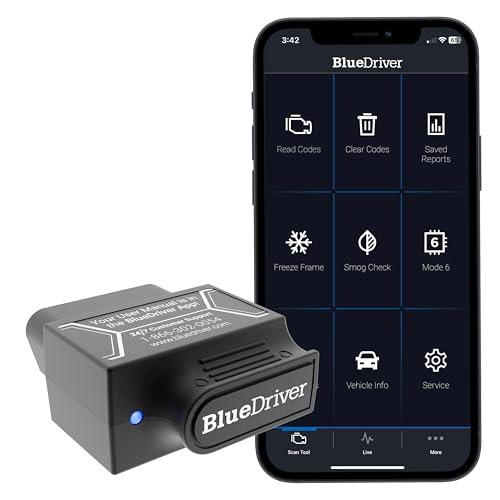



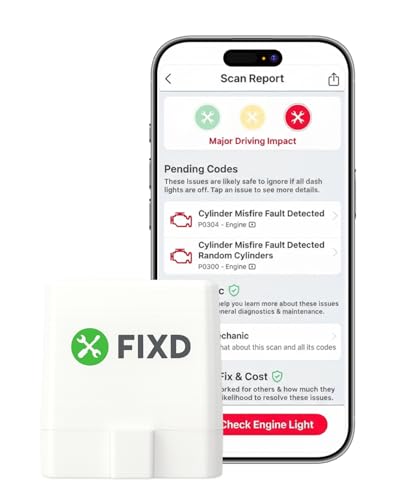
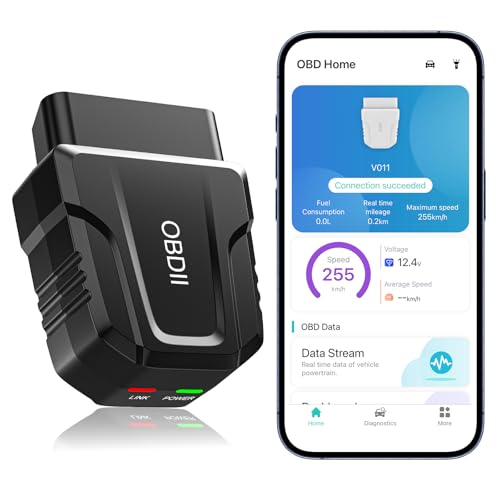


Who Should Buy a Bluetooth Scanner for Android?
Every group below is shaped by Android ownership, because your phone becomes the screen for the tool.
Android Owners With a Check Engine Light
If a warning light sends you to a parts store for a free reading, an adapter of your own puts that first answer in your driveway. You can read the code, view a plain language description, and save the result before anything is cleared. That record helps you spot a repair quote that does not match the reported fault.
Used Car Shoppers With an Android Phone
A quick scan during a test drive adds facts a visual inspection cannot show. Readiness monitors reveal whether emissions self tests have completed since codes were last cleared, and a recently cleared car shows incomplete monitors instead. You can also check for stored codes the seller never mentioned. Ask permission first, and treat a refusal as useful information.
Drivers Who Log Trips and Sensor Trends
Some drivers want more than fault codes. An app can show coolant temperature, fuel trim, intake pressure, and charging voltage as live gauges, and log trips so a pattern that appears on cold starts stays visible later. An Android tablet makes a readable screen for this, provided the adapter holds its connection over a full journey.
Key Features to Compare
When you compare any best bluetooth obd2 scanner android listing, work through the five factors below in order, because a failure on an early one makes later strengths irrelevant.
Vehicle Compatibility and OBD2 Protocols
In the United States, cars and light trucks sold from 1996 onward carry an OBD2 port and speak one of five standard protocols, and a sound adapter supports all five so it can move between household vehicles. Check the listing against your make, model years, and fuel type, taking extra care with diesel trucks. For a view beyond Android, see our guide to the best bluetooth obd2 scanner range.
Bluetooth Pairing and Connection Stability
Classic Bluetooth adapters pair through the Android Bluetooth settings, while Bluetooth Low Energy models usually connect inside the app itself, so follow the route the maker describes. A stable link stays connected through a full session and reconnects when you return to the car. Dropouts during live data point to a weak radio or poor clone chipset, which no app update can repair.
Android App Support and Ease of Use
The app is where you will spend your time, so check which apps an adapter works with before you buy. Some adapters include their own app, others work with popular third party apps from the Google Play store, and a few lock you into one paid program. Confirm the app still receives updates, shows code definitions in plain English, and runs on your version of Android. For detail, see our guide to the best android obd2 scanner options.
Diagnostic Depth and Code Information
Every adapter in this class reads and clears standard engine and emissions codes, but depth beyond that varies a great deal. Better setups add freeze frame data, recording speed, load, and temperature when a fault set, plus access to antilock brakes and airbag systems on supported vehicles. Definitions matter too, because a bare number means little. Remember, a code names a system that reported a problem, not a part to replace automatically.
Live Data, Readiness and Power Draw
Live streaming turns the adapter into a monitoring tool, so ask how many sensors it shows at once and how smoothly values refresh. Readiness checks show whether emissions monitors have run, which matters before an inspection. Power draw is the quiet factor, because a plugged in adapter draws current with the engine off, so look for a sleep mode. Check which functions an app for the best obd2 scanner bluetooth app experience can graph and export.
Which Adapter Type Fits Which Android User?
Price says less than design intent, and matching the type to your habits matters more than the longest feature list.
Basic Adapters for Simple Code Checks
A basic adapter, often around $15 to $35, reads and clears engine codes and shows a modest set of live values through a free or low cost app. It suits drivers who want to know why the light came on and whether the problem sounds urgent. For occasional checks on one car, it covers the job most owners have.
Advanced Adapters for Deeper System Access
Advanced adapters, often about $60 to $140, add access to more vehicle systems, faster data rates, and stronger app support, including manufacturer specific data for brakes, airbags, and transmissions on some models. They suit home mechanics who repair their own cars. Confirm the advanced functions cover your exact make before paying, because that coverage is never universal.
Adapters for Live Data and Trip Logging
A third group is built to stay plugged in and feed dashboards, trip logs, and fuel records to an Android app over weeks of driving, with automatic reconnection and a low sleep draw. If logging is your priority, see our guide to the best obd2 bluetooth android adapters for models built around that job. Choose it only if you will actually review those records.
Eight Checks Before You Buy an Android Scanner
Run through these questions before you order. A no on the first three should stop the purchase, while a later no names your compromise.
- Does the listing confirm support for your vehicle year, make, and fuel type?
- Does the adapter support all five standard OBD2 protocols?
- Is a maintained Android app named as compatible with this adapter?
- Can the app show code definitions and freeze frame data?
- Does the adapter list a sleep mode or low standby draw?
- Is the housing slim enough to avoid crowding your knees?
- Does the maker state a warranty period and returns route?
- Do recent app reviews mention pairing problems with phones like yours?
Common Mistakes to Avoid
- Buying the cheapest adapter available, because clone chipsets drop the connection mid scan and leave you with half a reading.
- Assuming every scanning app works with every adapter, because many apps support only certain models.
- Clearing a code and treating the repair as done, because the fault usually returns within a few drives.
- Leaving a high draw adapter plugged in for weeks on an older battery, because the slow drain can leave the car unable to start.
- Holding your phone to watch live gauges while driving, because your attention leaves the road.
- Replacing the part named in a code description without further checks, because the true cause is often a sensor, wire, or vacuum leak.
Setup and Care for Your Adapter
Setup takes a few minutes and needs no tools. Park, switch the ignition off, plug the adapter into the port, then turn the ignition on as the app directs. Enable Bluetooth, open the app, select the adapter, and run your first scan while parked. If the app cannot see it, unplug and reconnect it, and check that no other phone is connected, because most adapters hold one connection at a time.
Unplug the adapter when the car will sit unused for a long stretch, and wipe dust from the connector pins if readings turn erratic. Keep the app updated, store a removed adapter in the glove box, and pull it straight out rather than rocking it, because bent pins in the vehicle port are costly to repair.
Frequently Asked Questions
How long does a Bluetooth OBD2 scanner for Android last?
A Bluetooth OBD2 adapter for Android use usually lasts for years, because it has no battery and no moving parts. Life ends when the app stops receiving updates or a new phone drops an older Bluetooth standard. Store it out of direct cabin heat to protect the housing.
Does a Bluetooth OBD2 scanner for Android need professional installation?
No, a Bluetooth OBD2 scanner for Android use needs no professional installation and no tools. The factory fitted the port for plug in tools, and pairing happens in software. If the port seems dead, check the fuse that also powers the cabin accessory socket, as the owner manual directs.
Will a Bluetooth OBD2 scanner work with every vehicle an Android owner drives?
No, a Bluetooth OBD2 scanner will not work with every vehicle, even though most gasoline cars from 1996 onward are covered. Fully electric vehicles have no emissions system to report on, so many expose little standard data, and hybrids often share only part of theirs. Older imports and some commercial trucks also sit outside the standard, so treat their readings as partial.
Can a Bluetooth OBD2 scanner for Android clear codes before an emissions test?
Yes, the scanner can clear codes, but clearing them right before an emissions test usually causes a fail rather than a pass. Clearing resets the readiness monitors to incomplete, and stations treat incomplete monitors as a car not ready to be judged. The monitors complete again only after the required drive cycles, which can take several trips over a few days.
Is watching live OBD2 data on an Android phone while driving safe?
Watching live OBD2 data while driving is safe only when a passenger reads the screen or the phone sits in a fixed mount you glance at like a gauge. Holding the phone or scrolling through sensor lists is a distraction and may break local device rules. Pull over before studying a graph in detail, and check state laws before running a dashboard display full time.
The Bottom Line
Start with compatibility, because no feature rescues an adapter your car cannot talk to. Then judge the Android app and the stability of the Bluetooth link, since those two shape every scan. Depth, logging, and low power draw come after that core is sound. The best bluetooth obd2 scanner android setup becomes a small tool you trust whenever a light appears, so compare your shortlist against the product table above.


