
Best bluetooth obd2 2026 Buying Guide for Everyday Use
Disclosure: We may earn a commission when you buy through links on this page, at no extra cost to you. As an Amazon Associate I earn from qualifying purchases. Learn more

Pick the best bluetooth obd2 adapter by car compatibility, app quality, live data and power behavior, with simple safety advice.
The best bluetooth obd2 adapter can turn a confusing warning light into useful information, without a trip to a workshop for every small question. It plugs into your car, sends data to your phone, and helps you understand codes, live readings, and basic checks. This guide explains compatibility, app features, and safety so you can choose with care, and the comparison table below summarises the main options.
Start with your car, not the adapter. Most petrol cars from the mid 1990s onward and many diesel cars from a later date support the standard port, but support varies by market and model. Check your manual, confirm the port location, and make sure the adapter and app you consider cover the checks you actually want.
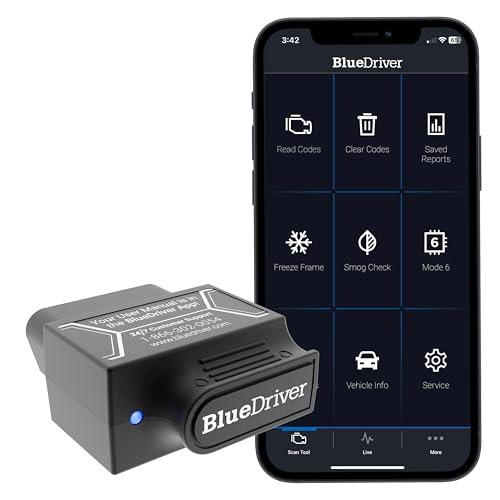

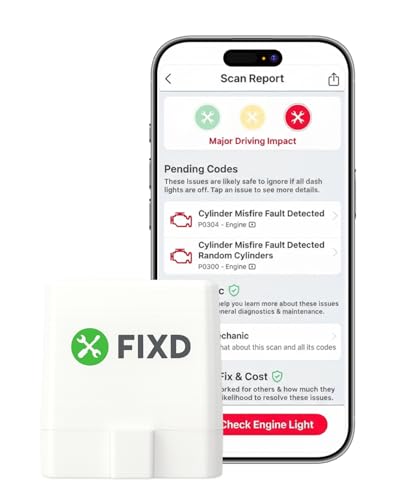


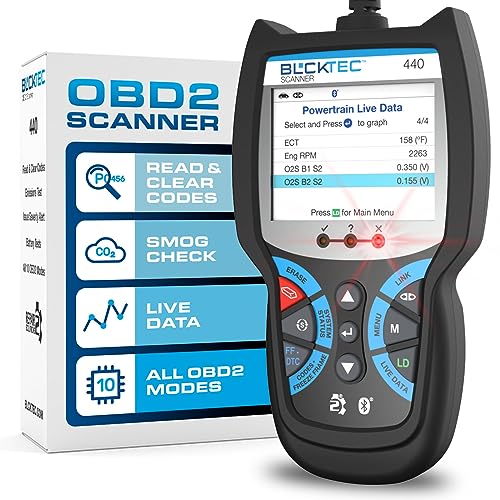

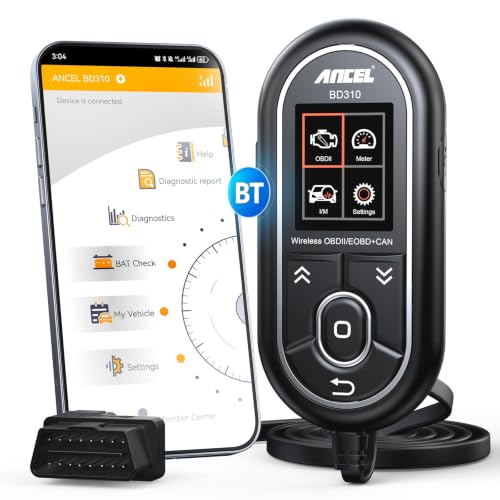


Who Should Buy Which Option
For Everyday Drivers
Everyday drivers usually want a simple way to read a code, clear it after a repair, and check whether a warning needs urgent attention. Look for clear explanations in plain language, a stable connection, and an app that does not hide basic readings behind complex menus. Simple, reliable checks beat a long list of advanced tools you will never open.
For Used Car Buyers
Buyers checking a used car want to spot stored codes, readiness status, and basic live data before they commit. A portable adapter that works quickly is useful at a viewing, and a clear report helps you ask better questions. Bring a charged phone, allow time for a proper scan, and treat any code as a prompt for a professional inspection, not a final verdict.
For DIY Maintainers
People who do their own basic maintenance want live data, freeze frame details, and the ability to monitor a repair over time. Look for stable readings, useful graphs, and export options if you track work. Keep expectations realistic, because a consumer adapter cannot replace workshop tools for deep manufacturer systems.
Key Features of the Best Bluetooth OBD2 Adapters
Vehicle Compatibility
Compatibility is the first filter. Check the model year, fuel type, and market for your car, and confirm that the adapter supports the protocols your car uses. If support is unclear, check the maker guidance and the app notes before you buy, and avoid adapters that promise coverage for every car without detail.
Connection and App Quality
A good app explains codes clearly, shows live data without lag, and stores past scans for comparison. Check whether the app needs a subscription for basic features, whether it works offline for simple reads, and how it handles privacy. A clean app with honest limits is better than a flashy app with confusing menus.
Codes, Live Data, and Readiness
Codes point to a system, not a single part, so use them as a starting point. Live data can show sensor values and engine behaviour, while readiness status helps after a repair or before an inspection. Learn what each reading means in general terms, and do not replace parts based on one code alone.
Power, Sleep, and Security
Some adapters draw power when parked, so check sleep behaviour and remove the adapter if you leave the car for a long time. Keep the wireless link in mind too, and use the app security settings offered. A well behaved adapter should not drain the battery during normal short term use.
Build and Port Fit
The adapter should fit firmly without blocking pedals or trim, and it should survive heat inside a parked car. Check the shape, the port location in your model, and whether an extension cable would help. A firm fit avoids dropouts during a drive, which can interrupt a live reading.
How to Choose with Confidence
Before you buy, confirm your car year and port type, list the checks you want, and compare app costs honestly. A low adapter price can hide a subscription, while a higher price may include clearer reports. Read the app terms, check update frequency, and make sure the phone system you use is supported.
Try the adapter soon after it arrives. Pair it, run a basic scan, and compare the results with what you already know about the car. Check live data at idle, check that codes are explained, and note any connection drops. Early testing is the best way to confirm a good match.
Keep safety first. Do not use live data while driving in a way that distracts you, and stop the car safely before reading detail. If a warning suggests a brake, steering, airbag, or overheating problem, seek professional help promptly rather than continuing to drive while you investigate.
Care, Safety, and Everyday Use
Store the adapter in a cool, dry place, and keep the port clean and free of dust. Update the app when updates are offered, and remove the adapter during long storage to protect the car battery. A short check after any repair helps you confirm that a code has cleared and stayed clear.
Use the adapter as a learning tool, not a repair manual. Note codes, dates, and symptoms together, and share that record with a workshop when you need help. Clear notes save time, reduce guesswork, and help a technician focus on the real fault.
Using Your Adapter Well
When you use a diagnostic adapter, start by recording the exact code, the date, and any symptom you noticed, such as a rough idle, a warning light, or a change in fuel use. That record helps you spot patterns over time, and it helps a workshop focus quickly if you need professional help. A single code without context can mislead, while a code with symptoms and timing gives a much clearer picture.
Learn the difference between a stored code, a pending code, and a live fault, because each means something different for urgency. A pending code may clear on its own, while a live fault that returns after clearing deserves attention. Do not clear codes repeatedly without investigating, because that can hide a developing problem and erase useful history for a technician.
Check live data at idle and during a gentle drive as a passenger, noting sensor values that look stable or erratic. You do not need to understand every value, but you can learn the normal range for your car and spot sudden changes. Share unusual readings with a workshop, along with your notes, rather than guessing at a repair.
Also consider app privacy and data handling, because diagnostic apps may collect vehicle and location data. Read the privacy notes, limit permissions to what the app needs, and avoid sharing full reports publicly. A trustworthy app explains data use clearly and lets you delete past scans when you want.
Finally, keep a simple maintenance log that links scans to work done, such as oil changes, filter changes, and repairs. Over time, that log shows whether a code relates to recent work or to wear, and it helps you plan servicing. A calm, recorded approach turns a diagnostic adapter into a useful learning tool.
Related Guides to Explore
For related reading, see our guides on best bluetooth obd2 scanner, best obd2 bluetooth adapter, best obd2 bluetooth app, best obd2 bluetooth iphone, and best obd2 bluetooth android, which cover closely related choices and may help you compare options before you decide. The product table above gives the main overview, while related guides add detail on neighbouring products.
Frequently Asked Questions
Will this work with my car?
Most cars built after the standard became common support the port, but the exact year depends on fuel type and market. Check your manual and the maker guidance for your model, and look for protocol support rather than a blanket promise. If you are unsure, a quick check with a workshop can confirm support before you buy.
Can an adapter tell me exactly which part failed?
No, a code usually points to a system or a range of possible causes, not a single part. Use the code, live data, and symptoms together, and treat the result as a clue. Replacing parts on one code alone can waste money and miss the real fault.
Is it safe to leave the adapter plugged in?
For short periods it is usually fine, but some adapters draw power when the car is off, which can drain a weak battery over time. Remove the adapter during long parking, and check sleep behaviour in the maker notes. If the battery is old, be extra careful.
Do I need a paid app?
Basic code reading is often free, while advanced graphs, reports, and manufacturer features may need payment. Decide which features you will actually use, and compare the total cost over a year. A free app with clear basic readings can be enough for everyday checks.
What should I do after a warning light appears?
Note the light, any change in driving feel, and any unusual sound or smell, then scan when it is safe to do so. If the car drives poorly, overheats, or shows a brake or steering warning, stop safely and seek help. For a steady minor warning, a scan and a professional check can guide the next step.
Final Thoughts
A wireless adapter is most useful when it matches your car, explains results clearly and fits how you actually maintain a vehicle. That is what separates the best bluetooth obd2 choice from a cheap plug. Use the comparison table above, check compatibility first, and choose an app you find easy to read.
With a calm approach, you can turn warning lights into better questions and better decisions. Keep notes, respect safety limits, and let a professional handle faults that affect brakes, steering, airbags, or engine temperature.


