
Best Bluetooth Mechanical Keyboards 2026: A Practical Buying Guide
Disclosure: We may earn a commission when you buy through links on this page, at no extra cost to you. As an Amazon Associate I earn from qualifying purchases. Learn more

Choose the best bluetooth mechanical keyboards by switch feel, layout, battery life and device pairing for a quiet desk or a travelling bag.
The best bluetooth mechanical keyboards combine the tactile feel of mechanical switches with the freedom of a wireless desk, and that combination suits people who move between a laptop, a tablet, and a desktop during the day. The comparison table below gives a quick overview, while the rest of this guide explains what actually matters before you spend money.
Before you compare models, think about where you type most often. A keyboard that lives on a desk can be heavier and taller, while a board that travels in a bag needs a compact layout and a battery that lasts through a working week. Switch feel, keycap material, and software support all shape daily comfort more than any single headline feature.
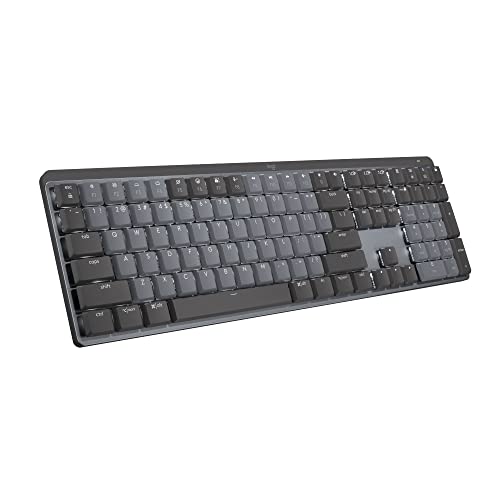

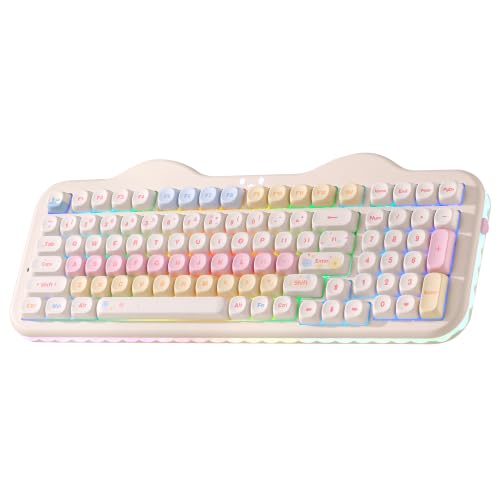


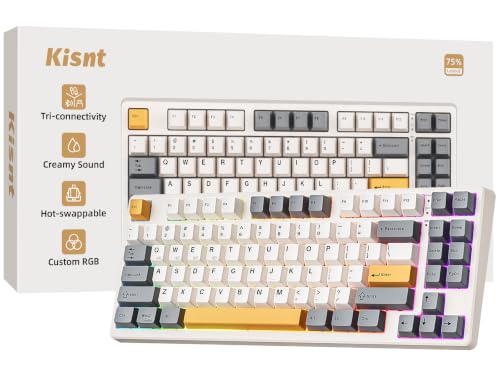
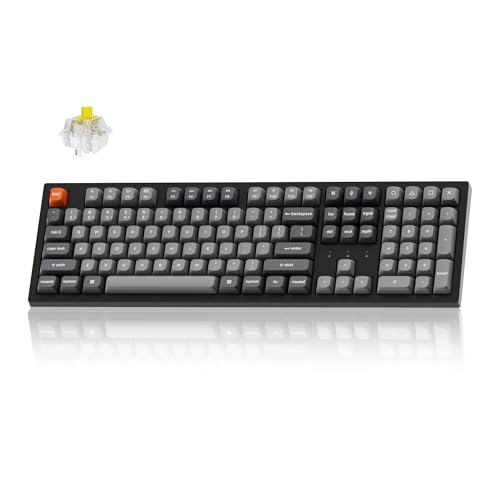


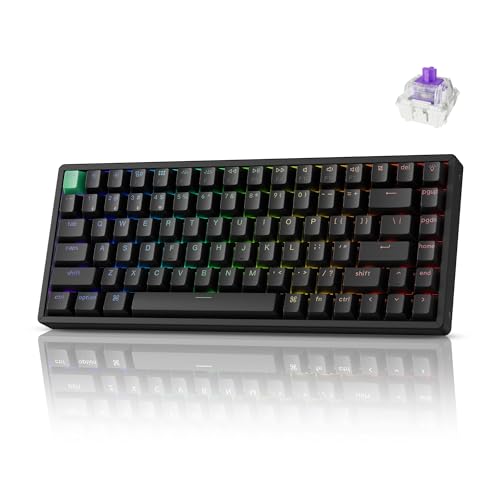
Who Should Buy the Best Bluetooth Mechanical Keyboards
Wireless mechanical boards suit typists who want a satisfying keystroke without a cable trailing across the desk. Writers, programmers, and students who work in shared spaces often prefer them because the board can move to a quiet corner or a meeting room in seconds. If you switch between devices, multi device pairing is a genuine daily benefit rather than a gimmick.
They are less suited to competitive players who need the lowest possible input delay at all times. Many modern boards offer a wired mode for those sessions, so you can enjoy wireless convenience during the day and plug in when timing matters. Check whether the board you like supports both modes before you commit.
Switch Types and How They Feel
Switches decide how each keystroke feels and sounds. Linear switches move smoothly from top to bottom, which suits fast typing and gaming. Tactile switches add a small bump that confirms each press, which many writers prefer for long documents. Clicky switches add an audible click, which can be satisfying at home but distracting in a shared office.
If you are unsure, a hot swap board lets you change switches later without soldering. That flexibility is worth paying for if this is your first mechanical board, because your preference often changes after a few weeks of daily use. Try different switch types in a shop when you can, even if you plan to buy online.
For a closer look at quieter options, see best silent mechanical keyboards and compare their sound profile with the board you have in mind. Sound dampening foam and lubricated switches can also soften a loud board after purchase.
Battery Life, Charging, and Connection Stability
Battery life varies widely, from a few days with bright backlighting to several weeks with lighting switched off. Treat manufacturer claims as best case figures, because backlight brightness and polling rate drain power quickly. A board with a USB C charging port and a clear battery indicator is easier to live with than one that dies without warning.
Bluetooth range is usually fine across a room, but thick walls and crowded wireless environments can cause missed keystrokes. Boards that pair with up to three devices let you switch with a key combination, which is handy when you move from a work laptop to a personal tablet. If your desk has many wireless gadgets, test the board in that exact spot during the return window.
General wireless boards are covered in our guide to best bluetooth keyboards, which is useful if you want to compare membrane and mechanical options side by side before deciding.
Layout, Size, and Keycap Quality
Full size boards include a number pad, while tenkeyless boards drop it for a smaller footprint. Compact 75 percent and 65 percent layouts save even more space but move or remove keys you may use often, such as function keys and navigation keys. Think about the keys you press daily before choosing a smaller layout, because relearning shortcuts takes time.
Keycap material affects durability and feel. ABS keycaps are common and affordable but can become shiny with heavy use. PBT keycaps resist shine and feel slightly textured, which many typists prefer. Printed legends matter too: double shot legends last longer than pad printed ones, especially on keys you press constantly.
Typing focused readers may also want to read about best mechanical keyboards for typing for more detail on switch weight and layout choices for long writing sessions.
Mac Compatibility and Software
Mac users should check for Mac specific key legends and a physical switch that changes the layout between Mac and Windows. Without that switch, modifier keys sit in the wrong place and shortcuts feel awkward. Some boards ship with extra Mac keycaps in the box, which is a welcome touch.
Companion software lets you remap keys, adjust lighting, and update firmware. Check whether the software runs on your operating system, because some tools are Windows only. If you use a work computer with installation restrictions, a board that stores settings on the device itself is a better choice than one that needs software running constantly.
Apple users can compare options in our guide to best mechanical keyboards for mac, which covers layout and shortcut differences in more depth.
Sound, Desk Setup, and Daily Comfort
Sound is personal. A board that sounds delightful to one person can irritate a housemate or colleague. Desk mats, foam inside the case, and softer switches all reduce noise without changing the layout you like. If you record audio or join calls often, a quieter switch choice pays off every day.
Typing angle matters as much as switch choice. Many boards include flip out feet, and a wrist rest can reduce strain during long sessions. Keep your wrists fairly straight and your elbows near a right angle, and take short breaks when your hands feel tired. Persistent wrist pain, numbness, or tingling deserves a conversation with your clinician rather than a new keyboard alone.
Sound focused buyers should also look at best sounding mechanical keyboards to understand how case material and switch choice shape the final sound.
A Final Check Before You Order
Measure your desk space and check the return policy before ordering. A board that looks compact in photos may still dominate a small desk once a mouse and a notebook sit beside it. Confirm the layout matches your language, because some compact boards use a layout that moves the enter key or shrinks the right shift key.
Read the warranty terms for battery coverage, since batteries age faster than switches. A two year warranty is more reassuring than a short one, especially for a board you plan to carry daily. Keep the original packaging until you are sure the board suits your hands, your devices, and your daily routine.
Living With a Wireless Mechanical Board
Daily life with a wireless mechanical board improves once you settle a few habits. Charge on a regular evening each week rather than waiting for a low battery warning, keep a spare cable at your desk for wired sessions, and clean keycaps occasionally with a soft brush to prevent dust building under switches. These small routines keep typing feel consistent and avoid the frustration of a dead board before an important meeting or deadline.
If you share a desk or work in an open office, consider how your switch sound affects others over a full day rather than a short test. A switch that feels lively for ten minutes can become tiring for colleagues after hours of typing, so a quieter switch or a desk mat is a courteous investment. Over time, the best board is the one you stop noticing, because it simply supports your work without demanding attention.
Frequently Asked Questions
Do bluetooth mechanical keyboards lag when typing?
Most modern bluetooth boards feel instant for typing, writing, and everyday work, and any delay is too small to notice in normal use. Fast paced gaming is the main exception, where a wired connection still gives the most consistent response. If you play competitively, choose a board with a wired mode and use the cable for matches while keeping bluetooth for daily work.
How long does the battery last on a wireless mechanical board?
Battery life depends on backlighting, switch type, and how many hours you type each day. With lighting off, many boards last several weeks, while bright RGB lighting can reduce that to a few days. Switching the backlight off when you do not need it is the simplest way to stretch each charge. A board with a visible battery indicator helps you avoid surprise shutdowns.
Are hot swap switches worth it for a first mechanical keyboard?
Hot swap sockets are worth it if you are unsure about switch feel, because they let you try different switches without soldering or buying a new board. You can start with a common switch and change to a lighter or quieter one later. The feature usually adds a small amount to the price, but it can save a full replacement. It also makes repairs easier if a single switch stops working.
Can one bluetooth keyboard pair with a laptop, tablet, and phone?
Many bluetooth mechanical boards pair with up to three devices and switch between them with a key combination. This is useful when you move from a work laptop to a tablet for reading and then to a phone for messages. Pairing steps vary by brand, so keep the manual handy for the first setup. Remember that some tablets and phones may not support every shortcut key.
What layout should I choose for a small desk?
A tenkeyless or 75 percent layout is a good compromise for a small desk, because it keeps arrow keys and function keys while freeing space for the mouse. A 65 percent layout saves more room but removes the function row, which suits minimal setups. If you enter numbers often, a separate number pad can restore that function without a full size board. Measure your desk before choosing.
Final Thoughts
Choosing best bluetooth mechanical keyboards comes down to switch feel, battery habits, layout, and device compatibility rather than any single specification. Start with the switch type and layout that suit your daily work, then check battery life and software support. The product table above can help you compare options side by side once you know your priorities.
Take your time during the return window and test the board in your real setup, with your real devices and your real desk. A board that feels right after a full working week is the right board, whatever its price tier. If wrist discomfort persists, talk with your clinician about ergonomics and rest habits alongside any new equipment.


