
Best Bluetooth Headsets for Truckers Made Simple in 2026: A Clear Buying Guide
Disclosure: We may earn a commission when you buy through links on this page, at no extra cost to you. As an Amazon Associate I earn from qualifying purchases. Learn more

Shopping for the best bluetooth headsets for truckers for the first time? Learn the terms, compare options, and avoid rookie mistakes with this easy guide.
If you drive for a living, your headset has to work through engine noise, long shifts, and calls you cannot afford to repeat. The best bluetooth headsets for truckers make your voice clear to dispatch and family while keeping your hands on the wheel. This guide starts with the basics, explains each spec in plain English, and uses the comparison table below to help you match a style to your route.
You do not need audio terms before you shop. You only need to know how you drive, how long you wear a headset each day, and where you take calls.


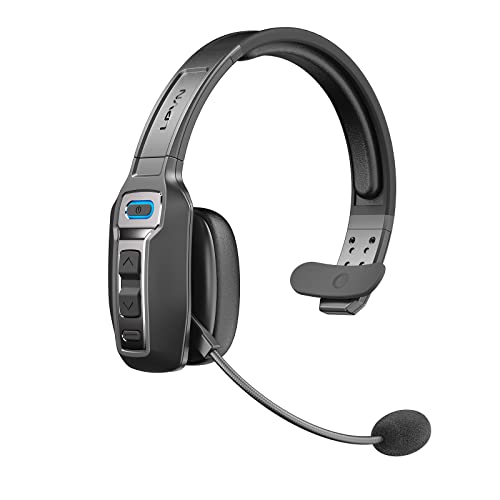
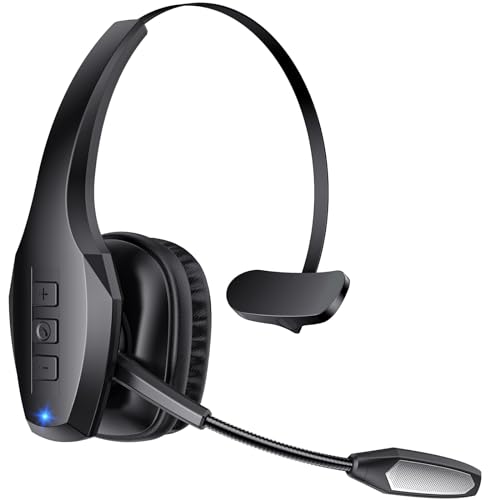

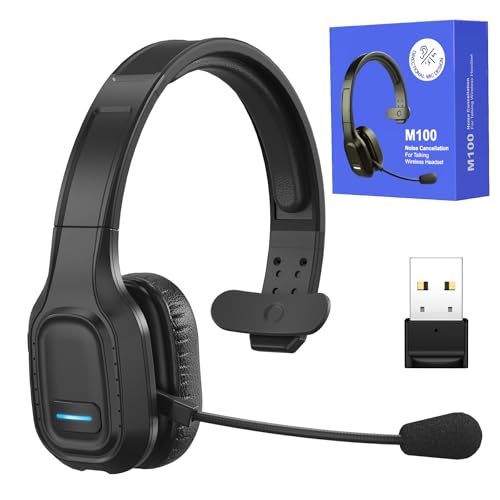


Who Should Buy Which Bluetooth Headset for Trucking?
Start with your schedule, because the right shape for a solo driver can annoy a team driver. If you are also weighing wired styles for rest breaks, see our guide to the best headsets for truckers.
Long Haul Solo Drivers on Multiday Routes
You wear a headset for most of your shift and take calls in all kinds of road noise. Put battery life and comfort first, and choose a padded headband that spreads pressure instead of pressing one spot. A single ear style leaves one ear open for traffic sounds and alarms in the cab.
Team Drivers Who Share One Cab
You and a partner trade driving time, so your headset lives in a bunk or a bag between shifts. Choose a hard case, a boom that folds away, and pairing that reconnects to your own phone without confusion. A clear mute button matters because the other driver may be sleeping nearby.
Regional Drivers Who Move Between Cab and Yard
Your day mixes driving with loading checks, paperwork, and short walks in rain or dust. You need a secure fit that stays put when you climb in and out, plus controls you can press while wearing work gloves. A lighter single ear model often suits you better than a bulky stereo model.
Bluetooth Headsets 101: The Basics for New Buyers
A Bluetooth headset pairs wirelessly with your phone, so your voice travels through its microphone instead of the phone speaker. Most truck models use a boom near your cheek, because a mic close to your mouth picks up less cab noise than one built into an earbud. Calls, directions, and music all travel over the same link.
Two shapes cover most drivers. Mono models cover one ear and keep the other ear aware of the road, while stereo models cover both ears and sound fuller for music during breaks. Expect mono work headsets at about $50 to $150, with stereo models costing more. Confirm that your company policy and state rules allow your pick while driving, because hands free laws and carrier rules vary.
Key Features to Compare
Work through the six factors below in order, and the best bluetooth headsets for truckers for your route will narrow quickly.
Microphone Clarity in a Loud Cab
The microphone matters most, because dispatch hears you through it on every call. Look for a boom you can bend toward your mouth and for noise reduction that filters steady engine sound while keeping your voice natural. If clear calls matter more than music, see our guide to the best bluetooth headsets for calls. Place the boom tip about two fingers from the corner of your mouth.
Battery Life for Full Driving Shifts
Battery life is listed as talk time, and that number decides whether a headset survives your longest day. Many truck models offer about 30 to 60 hours of talk time, far more than small earbuds, because the larger body holds a larger battery. Choose enough talk time for two full shifts, so one forgotten charge does not leave you silent. A short charging boost during a meal stop is a useful backup.
Comfort and Fit for Long Wear
A headset that feels fine for ten minutes can ache by hour six, so weight and padding shape your whole shift. Look for a soft ear cushion, an adjustable headband, and a total weight you barely notice. If you wear glasses, pick a cushion that seals gently around the frames instead of pressing them into your temple. Drivers who dislike headbands can choose ear hook styles, though they may feel less stable on rough roads.
Bluetooth Range, Version and Multipoint Pairing
Bluetooth 5.3 is now common and gives a steadier link and better power use than older versions. Range ratings near 100 feet assume open space, but in a cab you only need a solid link from seat to phone mount. Multipoint pairing connects two devices at once, such as your phone and a tablet running your log app, and it switches to whichever one rings.
Hearing the Road: Isolation, Cancellation and Awareness
Padding that seals your ear gives isolation, while ANC uses electronics to reduce steady low sounds such as diesel hum. Strong cancellation helps you hear a caller without raising volume, yet covering both ears can hide horns. Most drivers do best with one ear open while moving and fuller coverage only when parked. If parked calls in noisy truck stops are your main problem, see our guide to the best noise cancelling bluetooth headsets for truckers.
Durability, Water Resistance and Controls You Can Feel
Your headset will meet rain at the fuel island, dust at job sites, and drops onto cab floors. IP ratings describe water and dust protection, and a rating such as IP67 means the unit can handle heavy splashes and brief soaking better than a basic splash proof model. Big raised buttons for volume, answer, and mute let you act by touch. For build quality cues, see our guide to the best quality bluetooth headsets.
Getting Started: Setup and First Use for Truckers
Charge the headset fully before your first route, then pair it while parked, never while moving. Turn Bluetooth on in your phone, put the headset in pairing mode, and select its name from the list. Make a test call and ask how your voice sounds at idle and with the fan running.
- Adjust the headband and boom, then save your phone as the main paired device.
- Set call volume at a parked idle, so you are not tempted to raise it later.
- Store the headset in its case in the same spot after every shift.
Keep firmware updated through the maker app when you are parked with a strong signal, because updates often improve pairing and call clarity.
Common Mistakes to Avoid
- Choosing a stereo headset for driving and then missing horns or alarms because both ears stay covered.
- Buying on music sound alone and then sounding muffled to dispatch because the microphone was an afterthought.
- Trusting a huge range number and then leaving your phone in the sleeper while you walk around the trailer.
- Skipping the test call, so the first real call reveals a boom position that makes your voice sound distant.
- Wearing a loose fit on rough roads and then pushing the cushion tighter all day until your ear aches.
Care and Maintenance of Your Truck Headset
Wipe the ear cushion and headband with a lightly damp cloth after dusty days, and let them dry fully before storage. Keep the boom hinge clean and move it gently, because forcing it can loosen mic placement. Charge before the battery sits empty for weeks, and store the case away from dash heat. Replace worn cushions when they crack, since a poor seal makes you raise volume.
FAQ: Bluetooth Headsets for Truck Drivers
What features matter most in a bluetooth headset for truckers on long drives?
Microphone clarity, battery life, and comfort matter most on long drives. Start with those three, then add multipoint if you juggle two devices. A useful tie breaker is button size, because controls you can find by touch keep your eyes forward. If two models still tie, pick the one with the better case.
How long does the battery in a bluetooth headset for truckers last on one charge?
Most truck headsets last about 30 to 60 hours of talk time on one charge. Standby time runs far longer, so the number on the box can look bigger than your real call time. Your result drops when volume stays high in a loud cab. Check the battery level in the maker app on each rest day, and top up then instead of waiting for a warning mid route.
Can a bluetooth headset for truckers connect to a phone and a tablet at the same time?
Yes, a multipoint headset can stay connected to a phone and a tablet at the same time. It holds both links and switches to the device that starts a call or plays audio. You still answer with one press, so there is no menu to open while parked. Turn off audio on the device you use less often if alerts from both units distract you on breaks.
Do truck drivers need a special codec in a bluetooth headset?
No, truck drivers do not need a special codec for clear calls. A codec packs audio for the wireless link, and standard options handle voice well. Codec choice matters more for music detail on breaks, where AAC can sound a bit cleaner with phones that support it. Spend your money on the microphone and fit first, because callers notice those far more.
What IP rating does a bluetooth headset for truckers need for rain and dust?
Most truckers do fine with splash protection, while drivers who work in rain should look for IP67 or similar strong ratings. The first digit covers dust and the second covers water, so read both instead of only the bigger number. Even a strong rating does not protect the charging port if its cover sits open. Dry the headset and close the cover before charging after a wet shift.
The Bottom Line
For a first purchase, rank microphone clarity first, battery life second, and comfort third, then choose mono or stereo by how much road awareness you need. Set the headset up while parked, test your voice before a real dispatch call, and store it in its case every day. Chosen that way, the best bluetooth headsets for truckers for your route will stay clear, comfortable, and ready, so compare your finalists in the product table above.


