
Best Bluetooth Headsets for Business: A First Time Buyer's Guide for 2026
Disclosure: We may earn a commission when you buy through links on this page, at no extra cost to you. As an Amazon Associate I earn from qualifying purchases. Learn more

Learn how to choose Bluetooth headsets for business with clear guidance on microphones, battery life, multipoint pairing, comfort and call quality.
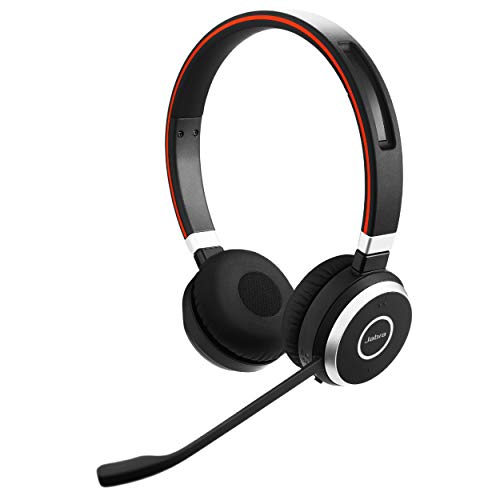
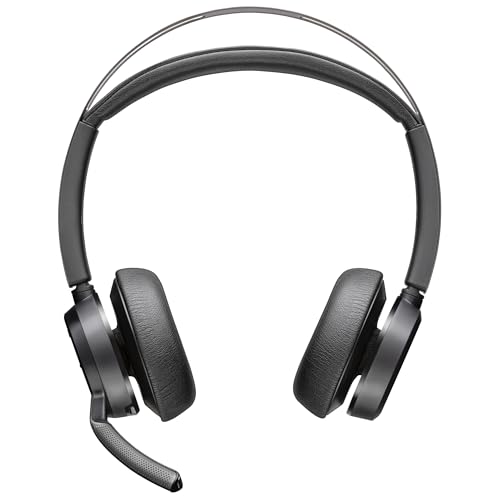
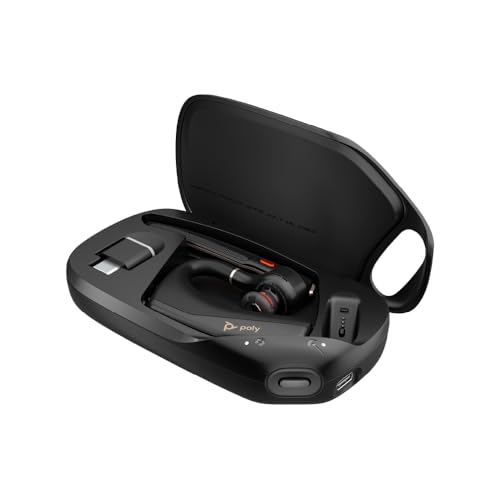
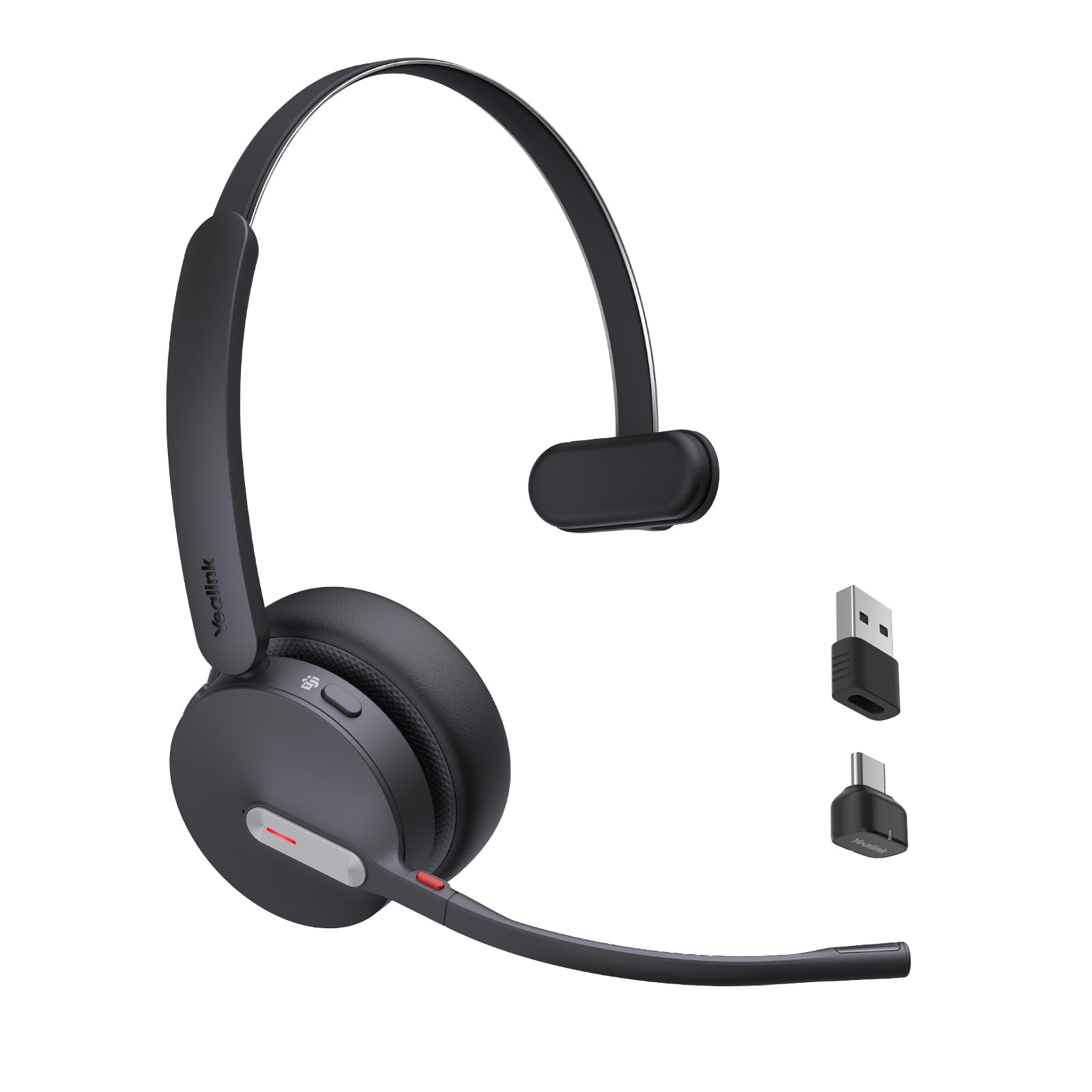
Buying your first headset for work can feel confusing, because shops lead with music terms while meetings live or die on your voice. The best bluetooth headsets for business make your speech clear, stay comfortable for hours, and connect to your phone and laptop. Use the comparison table below to match each type to your workday.
This guide starts with plain basics, then walks through microphones, sound, battery, pairing and comfort in the order you should judge them. You will learn what each term means and which tradeoffs matter most for your desk, home office or travel bag.





Bluetooth Headsets 101: The Basics for Business Use
A Bluetooth headset combines listening speakers with a microphone in one wearable unit, and it sends sound to your phone or computer over a short range radio link instead of a cable. Your voice travels one way, the other voices travel back, and you stay free to move around your desk or room.
A model made for work puts your voice first, gives you a clear mute control, pairs with two devices at once, and stays light during long wear. If you are still weighing corded desk models against wireless ones, see our guide to the best headsets for business before you narrow your choice.
Who Should Buy Which Bluetooth Headsets for Business Work?
Start with the place where you take most calls, because that place decides how much isolation and portability you need.
Desk Based Callers Who Talk for Hours
You stay at one desk and join back to back meetings, sales calls or support calls through the day. Choose a headband style that covers both ears, with a boom microphone you can lower for calls and lift to mute. A charging stand keeps the battery ready on your desk.
Hybrid Workers Who Split Time Between Home and Office
You work in two places and carry your gear in a bag between them. Choose a lighter headband or sturdy earbuds with a protective case, simple controls and pairing for both a laptop and a phone. Look for cushions you can replace, because daily packing wears a headset faster than desk use alone.
Travelers and Commuters Who Take Calls Away From a Desk
You join calls from trains, cars as a passenger, hotel rooms and busy streets. Choose a compact style with strong noise handling for your voice, a case that fits a small bag, and enough battery for a full travel day. A one ear style keeps one ear open to announcements around you.
The Specs That Shape Your Workday Calls
Finding the best bluetooth headsets for business gets easier once you judge the voice chain first and the music extras last.
Microphone Quality and Noise Handling for Calls
The microphone decides how clients and coworkers hear you, so it matters more for work than any music spec. A boom arm places the microphone near your mouth, which helps it capture your voice above keyboard noise and nearby talkers. Software noise handling then reduces steady background sound before it reaches the call. If clear calls are your top need, see our guide to the best bluetooth headsets for calls for call focused designs.
Sound Quality and Tuning for Voices
Sound tuning describes how loud different pitches feel when you listen. A neutral tuning keeps voices natural and easy to follow, while a bass heavy tuning can make low voices sound thick and tiring in long meetings. Frequency response is often listed as about 20 Hz to 20,000 Hz, but that range alone tells you little about clarity. If refined sound matters most, see our guide to the best quality bluetooth headsets as you compare.
Talk Time and Quick Charging for Workdays
Battery ratings mix talk time and listening time, so read the talk time figure first because calls drain power faster than music. Many headband models offer about 20 to 40 hours of talk time, while small earbuds often offer about 6 to 10 hours plus extra charges from the case. Quick charging helps on busy mornings, because a short charge before a meeting can cover that meeting when you forgot to charge overnight.
Connectivity, Bluetooth Version, Codecs and Multipoint
Bluetooth 5.3 is a recent radio version that can hold a steadier link and use less power than older versions, with a typical indoor range of about 30 feet before walls weaken the signal. A codec packs sound for travel over that link, and common options include SBC, AAC and aptX. Multipoint means the headset stays paired to two devices at once, so a laptop meeting and a phone call can share one headset without repeated pairing.
Active Noise Cancellation for Focus at Work
Active noise cancellation, often shortened to ANC, uses small microphones and opposing sound to reduce steady noise around you, such as fans, engines and office air systems. It helps you hear callers at a lower volume and focus in a shared room. It does less against nearby voices, which change too fast to cancel well. Choose stronger ANC for a busy shared space, and skip paying for it if your room is already quiet.
Comfort, Wearing Style, Controls and App Features
Comfort decides whether a good headset stays on your head or in a drawer. Headband models spread weight across your head, earbuds place all weight in your ears, and a one ear style leaves one ear open at the cost of isolation. Look for a mute button you can find by touch and an app with equalizer settings and firmware updates. Try the fit during one full meeting, because pressure points often appear after about 30 minutes.
Setting Up Before Your First Business Call
Good setup takes about ten minutes and prevents most first week frustration.
- Charge the headset fully, then turn it on and pair it with your phone first.
- Pair it with your laptop second if you plan to use multipoint each day.
- Open your meeting app and select the headset as both the speaker and the microphone.
- Place the boom tip about two finger widths from the corner of your mouth.
- Record a short test message and play it back to check your voice.
- Update the firmware through the maker app before an important call.
End by testing mute during the playback, so you learn what callers hear when you mute and unmute.
Rookie Mistakes to Avoid
First time buyers tend to repeat the same few errors.
- Choosing by music sound alone leaves you with a weak microphone that makes your voice sound distant in meetings.
- Buying a one ear style for a noisy room leaves outside sound competing with every caller.
- Skipping the multipoint check forces you to pair again each time you switch between phone and laptop.
- Wearing a tight headset all day without a trial causes sore ears and headaches that end in returns.
- Ignoring the mute button position leads to hot microphone moments when you thought a comment stayed private.
Care and Maintenance for Business Bluetooth Headsets
Wipe ear cushions and the headband with a soft cloth that is lightly damp with water, then let them dry fully before storage. Keep oils and lotions off the cushions where you can, because they soften some cushion covers over time. Store the headset in its case when you travel, so the boom and hinges stay safe from bag pressure.
Check the boom arm and hinges each month for loose movement, and stop forcing any joint that resists its normal range. Replace worn cushions when they flatten or crack, because flat cushions change comfort and sound seal. Charge the battery before long storage and keep the headset away from heat in a parked car, because heat ages batteries fast.
Frequently Asked Questions
What features matter most in Bluetooth headsets for business calls and meetings?
Clear microphone pickup matters most, followed by comfort, multipoint pairing and a mute control you can trust. One useful test is to record the same short sentence in your quiet room and in your loudest room, then listen for background sound. If the loud room sample stays clear, the headset will likely serve your real meetings well.
Do business Bluetooth headsets need a special codec for clear calls?
No, business Bluetooth headsets do not need a special codec for clear calls. Meeting apps compress your voice before it leaves your device, so the basic SBC codec already carries speech well. Codecs such as aptX or AAC can help music detail when both devices support them, but they rarely improve how callers hear you.
What IP rating do business Bluetooth headsets need for commuting and travel?
Most business Bluetooth headsets need no formal IP rating for normal commuting and travel. The IP code rates protection against dust and water, and a high rating such as IP67 describes gear that can survive dust and brief immersion in water. Most headband models carry no rating, so keep them under a coat in rain and dry them before charging.
Do wired headsets sound better than Bluetooth headsets for business calls?
Wired headsets can sound a little more stable than Bluetooth headsets for business calls, because a cable avoids radio interference and battery limits. The gap is small for speech, and wireless freedom lets you stand and fetch notes during long calls. Many workers keep a simple wired USB headset as a backup for dense offices where many wireless devices compete.
Is ANC worth the extra cost for business Bluetooth headsets?
ANC is worth the extra cost for business Bluetooth headsets if steady noise fills your work space for much of the day. It reduces fans, road rumble and air systems well, but it helps far less against a loud talker at the next desk. In a quiet home office, a good cushion seal alone may give enough isolation without the added cost and battery drain.
The Bottom Line
Judge a first headset by three things: how your voice sounds to others, how it feels after an hour, and how smoothly it moves between phone and laptop. Use the product table above to compare talk time, wearing style and controls against those tests.
When you shop with those tests in mind, the best bluetooth headsets for business for your workday become much easier to spot. Start simple, test the fit and mute control early, and keep the model that makes meetings feel effortless.


