
Best bluetooth desktop speakers 2026: A Practical Buying Guide
Disclosure: We may earn a commission when you buy through links on this page, at no extra cost to you. As an Amazon Associate I earn from qualifying purchases. Learn more

Find bluetooth desktop speakers that fit a home office, with guidance on sound balance, desk placement, wired options, and controls for daily work and music.
Desktop speakers live where you work, so the best bluetooth desktop speakers need to sound good at low volume and stay out of your way. A speaker that shines in a living room may overwhelm a small office, while a tiny speaker may disappear in a larger room. The comparison table below gives a quick side by side view to start your short list.
This guide looks at desktop speakers through a home office lens: clear voices for calls, pleasant music during focused work, and simple controls you can reach without thinking. Use it to match a speaker to your room, your desk, and your routine.

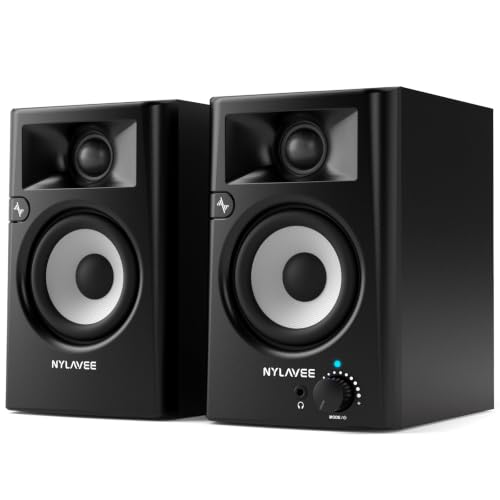
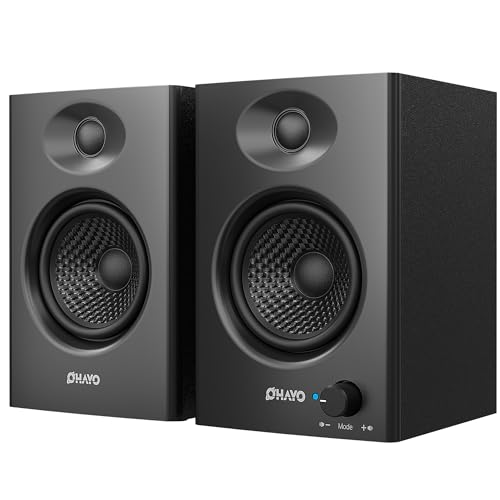
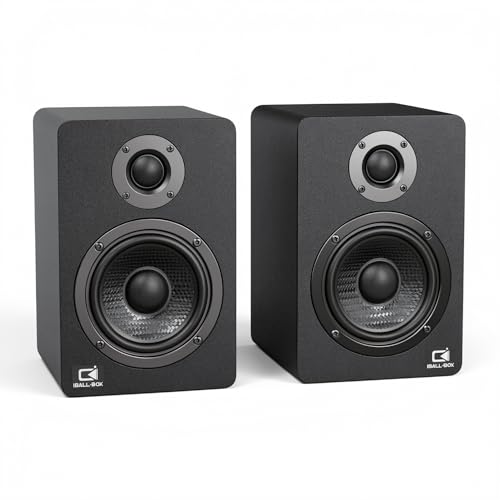
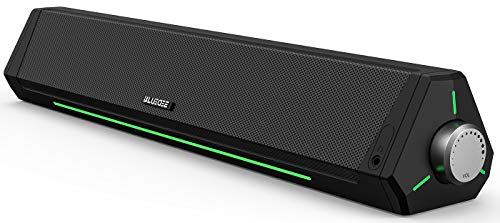

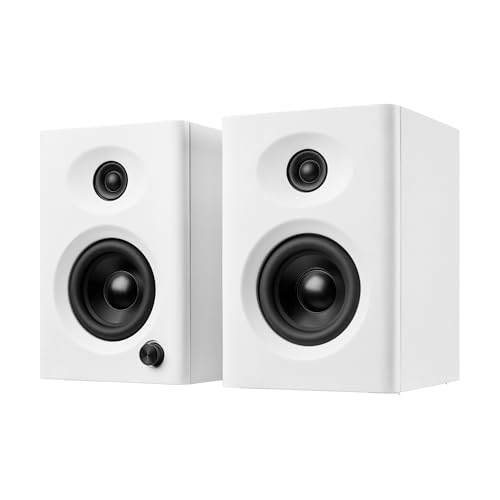

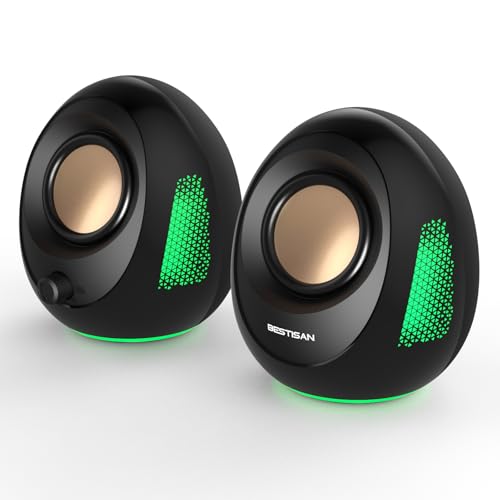
Who Should Buy Desktop Speakers
Desktop speakers suit home office workers, students, and anyone who spends long hours at a desk and wants sound that does not require headphones. They work well for background music, video lessons, and calls, and they let you share audio when a colleague or family member joins you.
If you work in a shared space, consider volume control and headphone output. A speaker with a front headphone jack lets you switch to private listening quickly without unplugging cables behind the desk.
Balanced Sound for Work and Music
For a desk, balanced sound beats exaggerated bass. Voices should stay intelligible during calls, and music should sound natural at moderate volume. A speaker with a tone control or a few sound modes lets you adjust for calls versus music without digging through software settings.
Driver size gives a rough hint about bass, but placement and room size matter just as much. A speaker placed near a wall gains bass, while one on an open desk sounds leaner. Test placement options before you judge a speaker, since moving it a few inches can change the sound noticeably.
Bluetooth and Wired Connections
Bluetooth lets you play music from a phone without cables, while a wired input keeps video and calls in sync. A speaker with both covers the widest range of daily tasks. Check whether switching inputs is simple, since a confusing input button can turn a quick music break into a fiddly chore.
Auto standby can also affect daily use. Some speakers sleep quickly and take a moment to wake, which may clip the first second of a call notification. If that bothers you, look for an adjustable standby setting or a speaker that stays ready during work hours.
Desk Placement and Room Size
Place desktop speakers at ear height and roughly an equal distance from your seat. Angle them slightly inward so the sound reaches you directly rather than bouncing off the desk. Avoid tucking one speaker behind a monitor stand while the other sits in open air.
Room size guides your choice more than brand claims. A small room needs only modest volume, while a large open plan space benefits from larger drivers. The product table above lists typical sizes, but your own room and desk measurements are the final check.
Controls and Daily Convenience
A front volume knob is the most convenient control for desk use, since you can adjust it without looking. A mute button helps during calls, and a clear power indicator avoids confusion about whether the speaker is on or sleeping. Keep controls simple if several people share the desk.
Cable management also deserves attention. Short cables, a single power brick, and a tidy route behind the desk reduce clutter and prevent accidental unplugging. Plan the cable path before you order so you know the speaker will fit your setup.
Questions to Ask Before You Order
Before you order, list your inputs, your desk dimensions, and your typical volume. Confirm the speaker supports your computer's outputs and your phone's bluetooth, and check whether a wired backup is included or needs a separate cable.
Test the speaker during a normal workday, not just with favorite music. Calls, notifications, and quiet background listening reveal more about daily fit than a loud demo track. Use the return window for this real world test.
Setting Up Speakers in a Small Office
Small offices benefit from compact speakers placed close to the desk edge, angled toward your seat. Avoid pushing speakers against a wall, since the wall boosts bass and muddies voices. A few inches of space behind a rear ported speaker usually improves clarity noticeably.
If your desk faces a wall, consider small foam pads under the speakers to reduce vibration transfer to the desk. Keep the speakers clear of papers and books that can block drivers, and leave the volume control within easy reach for quick adjustments during calls.
Balancing Music and Focused Work
Background music can aid focus, but volume and genre matter. Keep music at a level where you can still hear notifications and think clearly, and choose familiar, low lyric music for deep work. A speaker with a simple volume knob makes these adjustments effortless.
Some workers prefer silence for writing and music for routine tasks. A speaker that powers on quickly and reconnects reliably supports this rhythm, since you will not waste time troubleshooting each time you switch modes. Test this daily flow during the return window.
Sharing a Desk Speaker With Others
Shared desks need a simple, predictable setup. Label the input button, keep the volume at a moderate default, and agree on a mute habit for calls. A speaker with a clear power light avoids confusion about whether it is on or sleeping.
If several people pair phones to one speaker, agree on a pairing routine so one person does not accidentally hijack playback. Some speakers remember multiple devices, which helps, but a quick manual disconnect habit keeps shared use smooth.
Choosing Speakers for Video Lessons and Courses
Video lessons need clear speech above all, since you listen for hours and must catch every word. A speaker with a strong midrange and low distortion at moderate volume suits lessons better than a bass heavy speaker that muddies dialogue. Test with a real lesson during the return window.
If you take notes while listening, keep volume at a level that lets you hear both the lesson and your own thoughts. A speaker with a simple volume knob helps you adjust quickly when a lesson section gets quiet or loud. Avoid speakers that require an app for basic volume changes.
For courses with video, a wired connection keeps audio in sync with the instructor's lips and slides. Use bluetooth for music breaks and a cable for lessons, so you get convenience and accuracy in the same setup.
Related Guides
For related choices, see our guides to best quality bluetooth speakers, best sounding desktop speakers, best exterior bluetooth speakers, best bluetooth speakers for outside and best tiny bluetooth speakers.
Frequently Asked Questions
What makes a good desktop speaker for a home office?
A good home office speaker gives clear voices, balanced music at moderate volume, and simple controls you can reach easily. It should fit your desk without crowding your keyboard, and it should switch between bluetooth and wired input without fuss. Room size and placement matter as much as driver size.
Should desktop speakers sit at ear height?
Yes, ear height usually gives the clearest sound, because high frequencies travel in a straight line. Small stands or risers can lift speakers to the right height on a low desk. If stands are not practical, tilting the speakers slightly upward can help, though it rarely matches a true ear height placement.
Do desktop speakers need a wired connection?
A wired connection is useful for video calls and games because it avoids bluetooth delay, but it is not required for music alone. Many buyers prefer speakers with both options so they can use bluetooth for a phone and a cable for a computer. Choose based on how often you watch video or join calls.
How do I reduce desk vibration from speakers?
Place speakers on a stable surface and keep them away from hollow desk sections that resonate. Small isolation pads can reduce vibration transfer, and lowering the bass slightly often helps. Avoid placing speakers directly on a monitor stand or a thin shelf, since those surfaces amplify vibration.
Can desktop speakers replace a soundbar?
For a desk, desktop speakers often sound better than a soundbar because they give true stereo separation at close range. A soundbar suits a television across a room, while a pair of speakers suits a person sitting at a desk. Choose speakers for desk use and a soundbar for television viewing.
Can desktop speakers damage my hearing at close range?
Close range listening at high volume for long periods can strain hearing, so keep volume moderate and take breaks. A good rule is to lower volume until you can comfortably hear someone speaking nearby. If you notice ringing after sessions, reduce volume and consider headphones with volume limiting for long listening periods.
Can desktop speakers help with hearing difficulty?
Speakers can help by placing clear sound close to your ears, but they do not replace hearing assistance devices. If you regularly struggle to hear speech, talk with a hearing professional about options suited to your needs. A speaker with clear midrange and adjustable tone can complement, but not replace, professional advice.
Final Thoughts
Choosing well comes down to matching the product to your space, your routine, and your real needs. The product table above is a helpful starting point, but your own measurements and daily habits are the final check. Take time to compare, test during the return window, and choose the best bluetooth desktop speakers option that you will enjoy using every day.


