
Best Blue Iris Compatible Cameras in 2026: A Checklist for a Stable Setup
Disclosure: We may earn a commission when you buy through links on this page, at no extra cost to you. As an Amazon Associate I earn from qualifying purchases. Learn more

Pick the best blue iris compatible cameras with checks for ONVIF, RTSP, PoE power, night vision and recording that keep your system reliable.
Blue Iris can record and manage cameras from many brands on one computer, but only when each camera shares its video in an open way. The best blue iris compatible cameras give you a direct RTSP stream, honest ONVIF support and settings you can change yourself. Use the comparison table below to check those basics before you judge picture quality.
Start with the job each view must do, such as reading a face at a door or watching a driveway. Then match the stream, power and night performance to that job. A camera that looks sharp in its own app can still be a poor choice if it hides its stream or needs a paid cloud plan to record.




Who Should Buy Which Cameras for Blue Iris?
Your building, your wiring and your retention needs will point you to different cameras, but every group below needs full control of the stream inside Blue Iris.
Homeowners Who Want Local Recording Without a Monthly Plan
You want continuous recording on your own drive and alerts that do not depend on a camera brand cloud service. Choose wired turret or bullet models with Power over Ethernet for doors and the driveway. Pick moderate resolution, strong night range and a sub stream to keep a family system easy to review.
Small Shops and Workshops With Several Zones to Cover
You need entrances, stock areas and a parking area recorded at once, with clear export of clips when an incident matters. Choose cameras with a varifocal lens for tight aisles and wider models for open floors. Favor cameras that report motion events to Blue Iris so staff can search by zone and time.
Owners Replacing a Closed Recorder Kit
You already have cable runs and a recorder you have outgrown, and you want a system that can grow one camera at a time. Check each existing camera for ONVIF and RTSP before you assume it will move across. If you are still weighing the platform itself, see our guide to the best blue iris cameras before you spend on replacements.
Key Features to Compare
Compare compatibility first, picture second and price last. A low price means little if Blue Iris cannot discover the camera, pull both streams or receive its motion events.
ONVIF and RTSP Access That Blue Iris Can Actually Use
ONVIF is the shared language that lets Blue Iris find a camera, read its streams and, on supported models, control pan and tilt or receive motion events. RTSP is the path that carries the live video itself. A camera qualifies as one of the best blue iris compatible cameras only when both stay available without a brand subscription and you can turn them on in the camera settings. If a listing pushes app only viewing, treat that as a warning. For wider background, see our guide to the best ip cameras for blue iris.
Main Streams, Sub Streams and Video Codecs
Blue Iris works best when a camera sends two streams at once. The main stream carries full detail for recording, while the lighter sub stream feeds the live grid and motion checks, which lowers the load on your computer. Choose H.264 for the widest ease of setup, and use H.265 only when every stream setting is confirmed, since a mismatched sub stream can cause blank views or high processor use.
Power and Network Connection for Each Camera Position
Power over Ethernet, often shortened to PoE, sends power and data on one cable and is the most stable choice for fixed outdoor views. It avoids weak signal spots and removes the need for an outlet at each mount. WiFi suits a rented home or a single indoor view where cable is not practical, but distance and walls can cause dropped frames. Battery models rarely suit continuous recording because they need frequent charging.
Resolution, Sensor Size and Field of View
Resolution sets how much detail you can pull from a scene, but placement and lens choice matter just as much. A 4 to 8 megapixel camera over a door can record a useful face, while the same camera high on a wall may only show the top of a head. A larger sensor size generally helps in dim light, and a wide field of view covers more ground with less detail in each part. Choose optical zoom when one view must stay tight on a gate.
Night Vision and Wide Dynamic Range
At night, infrared range, sensor sensitivity and exposure control decide whether a clip is useful. Look for infrared that reaches the target area rather than a headline number. Wide dynamic range helps where bright headlights meet a dark yard, because it holds detail in both bright and shaded areas. Test the night view at the real mount height, since foliage can bounce infrared back into the lens.
Motion Detection, Audio and Alert Handling
Blue Iris can watch the video itself for motion, and many cameras can also send their own person or vehicle events. Camera side detection can cut false alerts from rain or moving shadows, but quality varies a lot by brand. Decide in advance whether you need sound, since a built in microphone must be supported over the same stream to reach Blue Iris.
Which Camera Type Fits Each View, Plus a Quick Buyer Checklist
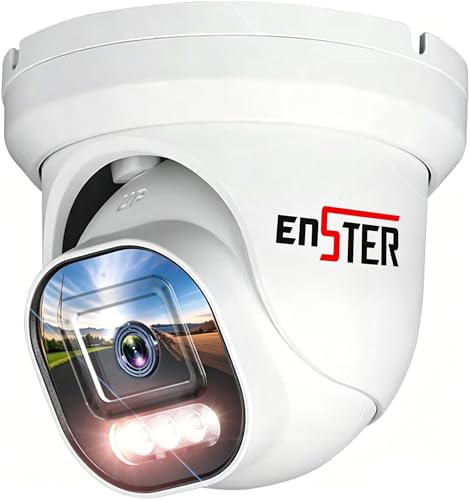
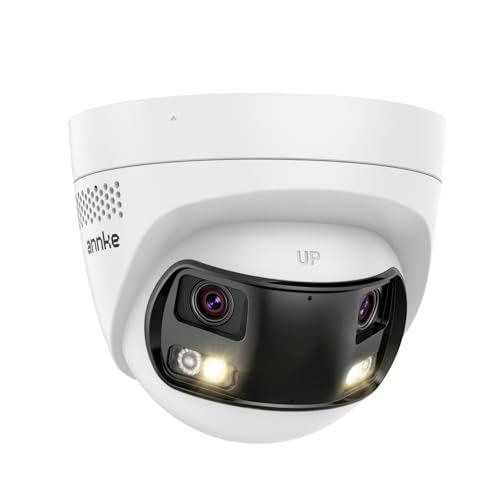
Turret cameras suit most doors and eaves because they resist glare and are easy to aim. Bullet cameras act as a visible deterrent and often carry longer infrared for driveways. Dome cameras fit low ceilings and shops, while pan and tilt models with optical zoom suit one large yard. Doorbell and indoor models can join Blue Iris when they expose RTSP, but many do not.
Setup follows a steady order. Give the camera a fixed address, create a dedicated ONVIF user, turn on RTSP, then add it in Blue Iris and assign the sub stream. Households that prefer a phone led ecosystem can instead see our guide to the best homekit compatible cameras.
- Can you turn on ONVIF and RTSP in the camera settings without paying for a cloud plan?
- Does the camera send both a main stream and a sub stream at the same time?
- Can the camera run on PoE at the place you want to mount it?
- Does the field of view match the distance where you need to recognize a person?
- Will the night range reach the far edge of that view in full darkness?
- Can Blue Iris receive motion or person events from this camera model?
Common Mistakes to Avoid
Most Blue Iris problems start at the buying stage.
- Buying a cloud only camera that blocks RTSP leaves Blue Iris with no stream to record.
- Running every outdoor camera on weak WiFi causes dropped frames and gaps in key clips.
- Recording only full resolution main streams from many cameras overloads the computer and fills drives fast.
- Leaving a default camera password in place and exposing the camera to the internet invites unauthorized access.
- Mounting a camera too high to read faces wastes resolution on roofs, hats and shoulders.
Care and Maintenance for Blue Iris Cameras
Wipe each lens and dome cover with a soft, clean cloth every few months, and more often near roads or trees. Check outdoor seals, cable glands and drip loops after storms, because slow water entry often kills a camera months later. Clear spider webs from the front, since webs near the lens reflect infrared and trigger motion all night.
Once a month, play back an older clip from each camera to confirm that recording and time stamps still work. Save each camera configuration before a firmware update, and update one camera at a time so a fault is easy to trace.
FAQ
Does a Blue Iris camera need ONVIF to work at all?
No, a Blue Iris camera can work over RTSP alone, but ONVIF makes setup and daily use much smoother. Without ONVIF you may need to type stream paths by hand and you can lose pan and tilt control or camera side motion events. Test one unit in a trial install before you buy more, since ONVIF support can differ between models from the same brand.
How much storage does a Blue Iris system need for four cameras?
Storage need depends on bitrate more than on camera count alone. A camera streaming at about 4 megabits per second uses roughly 40 gigabytes per day, so four such cameras can use about 160 gigabytes daily. Lowering frame rate on quiet views can stretch the same drive from days to weeks. Keep a spare margin, because a full drive forces the oldest clips out sooner.
Why does a camera show video in its own app but not in Blue Iris?
This gap usually means the app uses a private cloud path while Blue Iris needs the local stream. Confirm the fixed address, the ONVIF user and password, and the RTSP port, then check that the keyframe interval matches the frame rate. A camera with only a cloud path and no local stream setting will not be fixed by changes inside Blue Iris.
Should Blue Iris cameras sit on a separate network segment?
Yes, a separate segment is worth doing once your system grows beyond a camera or two. Placing cameras on their own virtual network or on a second network card keeps camera traffic off your daily network and lets you block cameras from reaching the internet.
Can wireless cameras stay reliable for continuous recording in Blue Iris?
Wireless cameras can stay reliable for one or two views when the access point is close and the channel is quiet. Reliability drops when several cameras share a busy band and each one sends a main stream all day. Put the access point on the same floor where possible, and review the dropped frame count in Blue Iris after the first full day.
The Bottom Line
Buy for open access first, then for picture. Confirm ONVIF and RTSP, plan PoE where you can, use sub streams to keep the computer calm and place each camera where it captures the detail you need. Use the product table above to compare those points before you order.
Chosen that way, the best blue iris compatible cameras become the quiet part of the system, recording day and night while Blue Iris handles searching, alerts and playback.


