
Best Automated Thermostat: A First Time Buyer's Guide for 2026
Disclosure: We may earn a commission when you buy through links on this page, at no extra cost to you. As an Amazon Associate I earn from qualifying purchases. Learn more
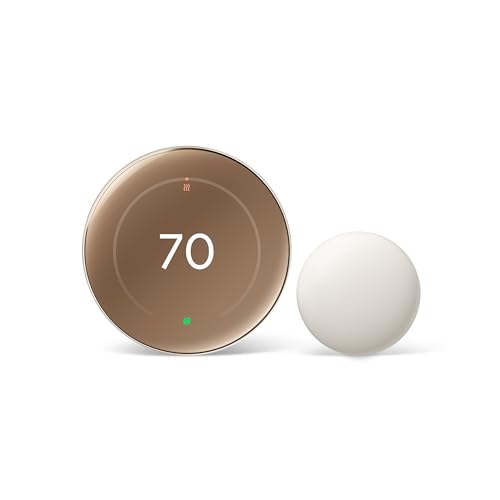
Shopping for the best automated thermostat for the first time? Learn the key terms, compatibility checks, and features that matter in this simple guide.
Buying your first automated thermostat can feel confusing because the box talks about wiring, sensors, and schedules instead of simple comfort. This guide starts with the basics and walks you toward a confident choice, step by step. If you want the best automated thermostat for your home, the right starting point is not the fanciest screen. It is whether the unit matches your heating and cooling system.
Below, you will learn the plain English meaning of common specs, the mistakes new buyers make most often, and what to do on day one. You can compare the main types side by side in the comparison table below before you read the details. By the end, you will know which questions to ask about your own system, your rooms, and your daily routine.

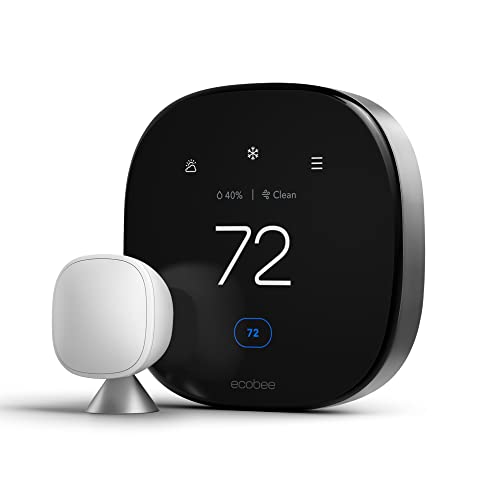
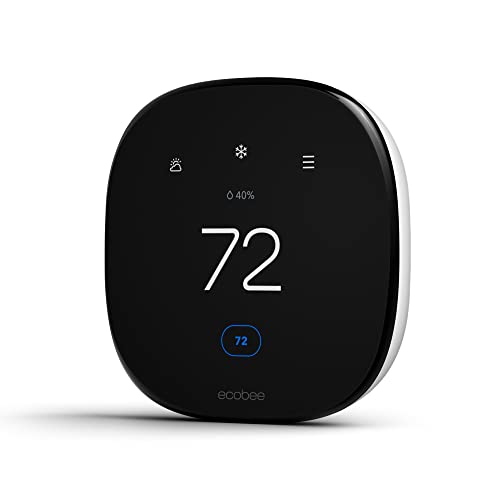


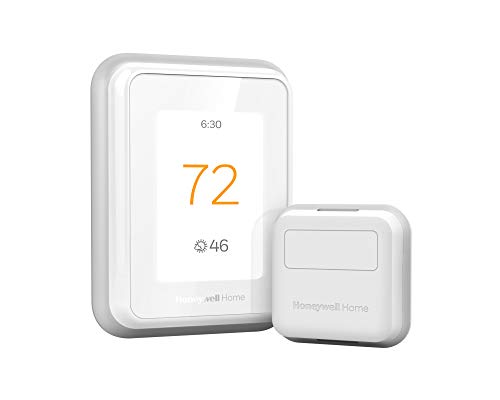
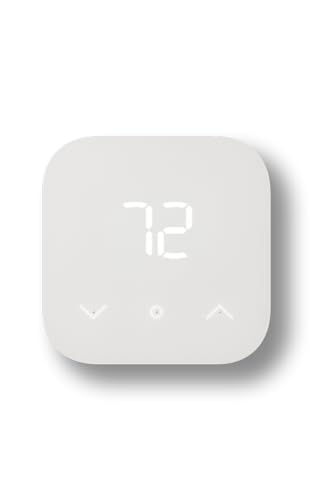
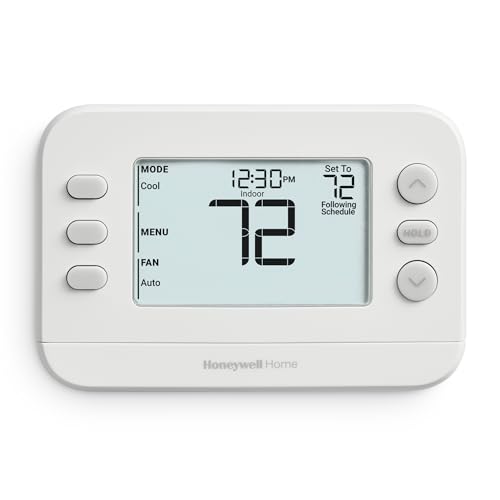
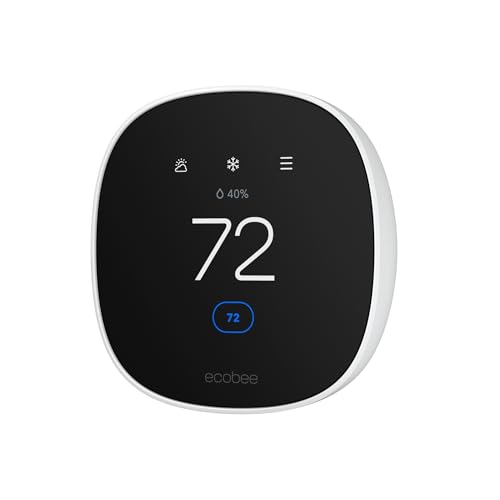
Automated Thermostats 101: The Basics
An automated thermostat controls your heating and cooling by learning or following a schedule, instead of holding one fixed temperature all day. It reads the room temperature with a built in sensor, compares it with your target, and tells the furnace, air conditioner, or heat pump when to start and stop. Many models add remote room sensors, phone control over Wi Fi, and alerts when something looks wrong.
The automation part is the schedule and the adjustments. A good unit can lower heating while you sleep, ease off while you are at work, and recover comfort before you get home. Some models adjust on their own after watching your routine for a week or two. Others simply follow the timetable you set, which many first time buyers actually prefer because it is predictable.
Three terms cover most of the confusion. A stage is one level of heating or cooling output, and many homes have one or two. A C wire is the common wire that gives the thermostat steady power. A sensor is just the part that measures temperature, and extra sensors help in rooms that run hot or cold.
Key Specs Explained in Plain English
Room Size and Coverage
For a thermostat, coverage means the area its sensors can judge well, not the size of the device itself. One thermostat in a hallway can serve a small apartment, but a large home with closed doors often needs extra room sensors. Each sensor reports its own reading, so the system can average readings or favor the room you are in. If your bedroom is far from the thermostat, a sensor there matters more than a bigger display. Homes with separate floors or additions may need more than one zone, each with its own control.
Performance Ratings
Performance here is about control quality, not cleaning power. Look at how many heating and cooling stages the thermostat supports, because it must match your equipment. A two stage furnace controlled by a one stage thermostat loses its gentler, quieter low setting. Check sensor accuracy as well, since a unit that reads a degree or two off will cycle your system at the wrong times. The BTU rating on your furnace or air conditioner describes system capacity, and your installer can confirm that the thermostat supports that equipment type, including heat pumps with backup heat.
Safety Features
Safety starts with electrical fit. Choose a thermostat with a recognized safety listing such as UL or ETL, and confirm the voltage matches your system, because most smart models are built for low voltage home systems, not line voltage baseboard heaters. Useful protections include freeze protection that starts heat if the home gets dangerously cold, and high and low temperature alerts sent to your phone. A lock setting also helps in homes with children or guests, so the schedule cannot be changed by accident. If you are unsure about wiring, a qualified heating technician can install it safely.
Installation and Placement
Placement shapes every reading the thermostat takes. Put it on an inside wall, about chest height, away from direct sunlight, kitchen heat, supply vents, and drafty doors. A unit near a sunny window will think the home is warmer than it is and short change the other rooms. Installation usually means turning off power, photographing the old wires, and matching each wire to the labeled terminal. If there is no C wire, some models use an adapter or a power kit, but that adds a step worth planning for.
Energy Efficiency and Operating Cost
The thermostat itself uses very little power, often just a few watts for the display and Wi Fi radio. The real cost question is how well it trims heating and cooling run time. An ENERGY STAR certified model has met a set standard for energy saving features such as scheduling and occupancy based setbacks. Savings depend on your old habits, though. If you already set back temperatures by hand, automation adds convenience more than savings. If your system used to hold one temperature around the clock, a sensible schedule can cut waste in a noticeable way. Look for energy reports in the app so you can see run time by week and adjust.
Noise Level and Sleep Mode
A thermostat makes almost no sound, apart from a faint click in some models when a relay switches. The noise you notice at night comes from your heating and cooling equipment, and a smart schedule can reduce it. A sleep mode or night setback lets the temperature drift a few degrees while you sleep, so the system runs less often. Pair that with a slower recovery setting if your system allows it, and the morning warm up becomes gentler. If a bedroom sensor is included, the unit can favor that room overnight instead of the hallway.
Rookie Mistakes to Avoid
- Skipping the compatibility check. Counting wires and naming your system type takes ten minutes and prevents the most common return.
- Buying for the screen, not the sensors. A bright display does nothing for a cold back bedroom, while one extra sensor can fix it.
- Setting extreme setbacks. Dropping the temperature too far makes the system work hard to recover and can erase the savings, especially with heat pumps.
- Ignoring the C wire question. If your old unit used batteries, check whether steady power is available before you order.
- Placing it near heat or sun. Bad placement gives bad readings, and no amount of smart software can fix a sensor baking in sunlight.
Most of these mistakes share one cause, which is ordering before looking at the system you already own. Spend a few minutes with the cover off your old thermostat, take a clear photo of the wiring, and write down your system type. That small bit of homework makes the rest of this guide much easier to apply. If you want a second view on general thermostat quality, see our guide to the best rated thermostat options and the features owners value most.
Getting Started: Setup and First Use
Start by turning off power to your heating and cooling system at the breaker, then photograph the old wiring before you remove a single wire. Mount the new back plate, connect each wire to its labeled terminal, and restore power. The setup screens will ask for your system type, so enter exactly what you have, because a heat pump set up as a furnace will behave badly.
Next, connect the thermostat to your home Wi Fi and set a simple first schedule with three parts: wake, away, and sleep. Live with it for a week before you fine tune it. Change one setting at a time so you can tell what helped. Also put a reminder on your calendar to replace or clean your system air filter on schedule, since a clogged filter makes any thermostat look bad by starving airflow. Keep doors and windows closed while the system runs during setup, so your first readings reflect normal conditions.
Finally, run both heating and cooling once, even if the season only calls for one of them. Confirm the equipment that starts matches the mode you chose, and listen for anything unusual. If the system cycles on and off every few minutes, stop and check the settings or call a technician. Readers who like connected controls may also enjoy our guide to the best intelligent thermostat features that learn routines over time.
Frequently Asked Questions
What size automated thermostat do I need for my room?
You do not size a thermostat by room the way you size a heater. One thermostat controls one zone, so the real question is how many zones and sensors your layout needs. A compact apartment usually needs one unit. A home with a hot upstairs or a cold addition benefits from extra room sensors. If rooms differ by more than a few degrees, ask an installer about zoning instead of buying a larger display.
How often should I replace the filter with an automated thermostat?
Most homes should check the system air filter every month and replace it about every one to three months. Homes with pets, dust, or heavy system use sit at the short end of that range. A clogged filter forces longer run times, which your thermostat energy reports may reveal as a slow climb. Some models send filter reminders based on run hours, which is a handy prompt, but a quick visual check is still worthwhile.
Is an automated thermostat expensive to run all day?
No, the thermostat itself uses only a few watts, so its own running cost is tiny. The expense it controls is your heating and cooling, which is far larger. A sensible setback schedule lowers that cost by reducing run time while you sleep or are away. Avoid extreme setbacks with heat pumps, though, because recovery can trigger costly backup heat. Small, steady adjustments save the most over a season.
Where is the best place to put an automated thermostat?
The best place is an inside wall in a room you use often, away from sunlight, vents, kitchens, and exterior doors. Height around chest level gives readings that match where people actually sit and stand. Hallways are common because wiring is already there, and that is fine if the hallway is not drafty. If one room always feels off, add a remote sensor there instead of moving the main unit and rewiring the wall.
Do automated thermostats really work?
Yes, automated thermostats work by doing the setbacks and schedule changes that people forget to do by hand. The benefit is consistency: temperatures ease off every workday and every night, not just when you remember. Learning models can refine timing, but even a simple programmable schedule delivers most of the value. Results depend on your system and habits, so judge success by comfort plus the run time reports after a full month of use.
The Bottom Line
For a first purchase, put compatibility first, sensor coverage second, and the schedule third. Confirm your wiring and system type, add a room sensor if one space always feels off, and pick controls you find easy to adjust. If you want connected features compared in more depth, our guide to the best rated wifi thermostat models is a useful next read. The best automated thermostat for you is the one that fits your system and quietly keeps comfort on schedule. Compare your shortlist in the product table above and choose with your wiring photo in hand.

