Best Android Tablets for Watching Movies in 2026: A Buyer Checklist
Disclosure: We may earn a commission when you buy through links on this page, at no extra cost to you. As an Amazon Associate I earn from qualifying purchases. Learn more

Use this buyer checklist for the best android tablets for watching movies to compare screens, speakers, battery life, storage, and value before you buy.
A tablet can be the best screen in your home for a late night film or the one you regret buying, and the gap comes down to the display, the speakers, and the battery. When you shop for the best android tablets for watching movies, glossy spec sheets rarely tell you how a panel handles dark scenes or whether dialogue stays clear at low volume. This guide gives you a checklist you can apply to any model in minutes.
Run each candidate through the criteria below, then check the comparison table below to see how current options line up on price and screen specs. By the end you will know which numbers deserve your money and which ones are marketing filler.




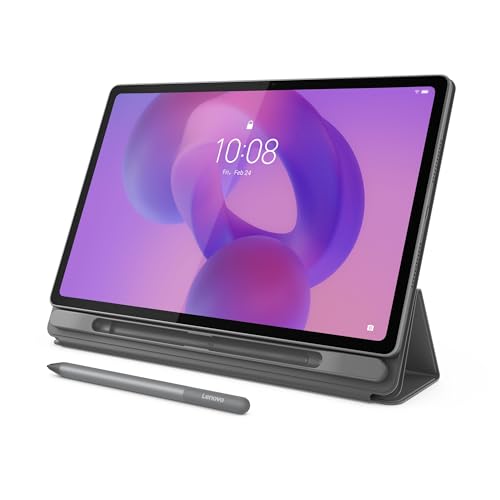
How to Evaluate the Best Android Tablets for Watching Movies
Treat the six criteria in this section as a scoring card. A tablet does not need to win every category, but it should never fail the display or battery checks, because those two shape every single viewing session.
Features That Matter for Watching Movies
Movie watching rewards contrast, color accuracy, and sound more than raw speed. Look for an OLED panel if your budget allows, because true blacks make night scenes and letterbox bars disappear into the bezel. If you choose LCD, a resolution of at least 2000 by 1200 pixels keeps faces and subtitles crisp. Widevine L1 certification is a quiet must have, since it allows full HD playback in major streaming apps. Without it, some services limit you to standard definition no matter how good the screen is. For wider context, our guide to the best tablets for watching movies covers other platforms too.
Processor and Performance Tier
Streaming video is light work, so even a modest modern processor plays films smoothly. Where the processor tier shows up is in app switching, downloads, and how the tablet feels after two years of updates. A current midrange chip is the sweet spot for a movie tablet, because it keeps menus snappy without draining the battery. Avoid very old chips with slow storage, since they stutter when you scrub through a film. Gamers who also play should weigh performance more heavily, and our guide to the best android tablets for gaming explains what extra power buys.
Weight and Portability
You will hold this tablet on a couch, in bed, and on planes, so weight matters more than spec sheets suggest. Most 10 to 11 inch tablets weigh around 1 to 1.2 lb, which most people can hold for a while before wanting a stand. Larger 12 to 13 inch models feel cinematic but usually need a case with a kickstand or a lap pillow. A practical know how point: check the weight with a case on, because a sturdy case can add a third more heft. Balance matters too, since a tablet that feels even in both hands causes less wrist strain.
RAM and Storage
For streaming, 6 to 8 GB of RAM is plenty, and 8 GB gives you comfortable headroom for split screen browsing while a film downloads. Storage matters more than RAM for travelers: a two hour HD film can take about 2 to 4 GB, so a 128 GB tablet holds a healthy offline library alongside apps. A microSD slot is genuinely useful here, because downloaded films can live on the card while apps stay on fast internal storage. If you mostly stream at home on WiFi, 64 GB can work, but it leaves little margin.
Graphics (Integrated vs Dedicated GPU)
Tablets use graphics built into the main processor rather than a separate dedicated GPU, and for movies that is completely fine. Video decoding is handled by fixed function hardware inside the chip, so even entry level models can play 4K streams without heating up. What varies is HDR support: check that the chip and the screen both support the HDR formats your streaming services use. If a listing brags about gaming graphics but never mentions HDR or Widevine, it is aimed at a different buyer than you.
Display Size, Resolution, and Brightness
Screen size is a comfort decision. Around 10 to 11 inches suits one viewer at arm length, while 12 inches and up feels better for two people sharing. Aim for at least 400 nits of brightness for living rooms with lamps on, and 500 nits or more if you watch near bright windows. Aspect ratio shapes the black bars you see: taller screens show bigger bars on wide films, while wider screens fill more of the panel. In store, play a dark scene rather than the bright demo loop, because dark scenes expose weak contrast instantly.
What Passing Options Look Like at Each Tier
With the checklist in hand, use these tier profiles to judge the product table above. Each profile describes what a strong option at that level should deliver, plus the compromise you accept.
Overall Balance to Aim For
A balanced movie tablet pairs an 11 inch class OLED or high quality LCD screen with quad speakers, at least 8 GB of RAM, and 128 GB of storage, often around $300 to $500. Stereo sound should stay clear at half volume, and the battery should cover about 10 to 12 hours of video. This tier suits most households because it handles films, reading, and light work without weak spots. The compromise is price: you pay notably more than entry level for screen and speaker quality that casual viewers may not fully appreciate.
Value Tier to Aim For
Value tier tablets, often around $150 to $300, can be excellent film machines when the panel is honest. Expect a good LCD screen, dual or quad speakers of modest power, and battery life around 8 to 10 hours of playback. This is the tier where Widevine L1 checks matter most, because a few cheap models still ship without it. If you want help sorting this price band, our guide to the best affordable android tablets focuses on value picks across uses. Accept slower charging and plastic bodies as fair trade offs here.
Heavy Use Tier to Aim For
If the tablet will stream daily, travel weekly, or serve as a shared family screen, the heavy use tier earns its price around $500 to $800. Look for a large bright OLED display, strong speakers tuned for dialogue, fast charging over USB C, and a manufacturer that promises several years of updates. A fingerprint reader speeds up unlocking for multiple users in some households. The trade off is size and cost: these tablets are less casual to toss in a bag, and a cracked screen costs more to repair.
Quick Buyer Checklist
- Does the tablet have Widevine L1 so streaming apps play in full HD or better?
- Is the screen at least 2000 by 1200 pixels with brightness around 400 nits or more?
- Are the speakers stereo, placed on both sides in landscape, and clear at low volume?
- Will the battery cover your longest viewing day, about 9 hours or more of video?
- Is storage at least 128 GB, or is there a microSD slot for offline films?
- Does it support the HDR formats your main streaming services offer?
- Is the weight comfortable to hold, or does the case you want include a stand?
- Does the maker promise at least a few years of security updates?
Red Flags to Watch For
- Vague display claims like HD quality without a stated resolution, which often means a dim 720p class panel that makes films look soft.
- No mention of Widevine level anywhere in the specs, a common sign that streaming will be capped at standard definition.
- Very short warranty coverage or no clear support channel, which turns a small fault into a full replacement cost.
- Suspiciously uniform praise with no critical detail, a pattern that suggests the listing feedback may not reflect real owners.
- Old Android versions at launch with no update promise, which slowly locks you out of newer app versions and security fixes.
Setup and Care Tips
On day one, update the system and your streaming apps, then download a film over WiFi to confirm offline playback works before a trip. Set the display to its natural color profile for films, since vivid modes often push skin tones too far. Keep the tablet out of long sessions at full charge on a hot charger, use a padded sleeve when commuting, and wipe the screen with a soft cloth so oils do not dull the picture. A small folding stand costs little and saves your wrists on long viewing nights.
Android Tablets: Your Questions Answered
What features matter most in android tablets for watching movies?
The display, speakers, and Widevine certification matter most. A high resolution panel with strong contrast makes films look right, side firing stereo speakers keep dialogue clear, and Widevine L1 unlocks HD streams. One factor buyers overlook is headphone support: if you watch on trains or beside a sleeping partner, check Bluetooth codec support and whether a USB C adapter is included, since many tablets no longer have a headphone jack.
Is a dedicated GPU worth it?
No, a dedicated GPU is not a tablet feature, and you do not need one for films. Video playback uses efficient decoder hardware built into every modern chip, so a modest processor streams smoothly. The money a gaming tablet spends on graphics power is better spent on screen quality and speakers for your use. Only consider a higher tier chip if you also edit video or play demanding games on the same device.
How much RAM do I need?
For movie watching, 6 GB of RAM works and 8 GB is comfortable. Streaming apps are not memory hungry, but extra RAM keeps the tablet responsive when you pause a film to browse, message, or download the next episode. Storage deserves more of your budget than RAM beyond 8 GB. Spend on 128 GB or more first, because an offline film library fills space far faster than apps fill memory.
How long should an android tablet last?
A good Android tablet should last about four to six years as a movie device, longer than its life as a gaming machine. Screens and batteries age slowly when the tablet mostly streams at moderate brightness. The real limit is software: once security updates stop and streaming apps drop support for your Android version, replacement makes sense. Choosing a maker with a clear multi year update policy stretches that timeline the most.
Should I buy a laptop or a tablet?
Buy a tablet if films, reading, and casual browsing are the main jobs, because it wakes instantly, runs quietly, and lasts longer per charge. Buy a laptop if you type long documents daily or need desktop software. Many households end up happiest with a tablet as the shared entertainment screen and an older laptop for paperwork. Our overview of the best android tablets can help you place movie models within the wider market.
The Bottom Line
Judge every candidate by the screen first, the speakers second, and the battery third, and confirm Widevine L1 before anything ships to your door. The best android tablets for watching movies are not the fastest tablets; they are the ones whose panels and sound make a two hour film feel effortless. Compare your shortlist against the comparison table above, and if you are torn between two sizes, visit our guide to the best tablets for movies for one more angle before you decide.