
Best Amazon Smart Plug (2026): Alexa Plugs Compared
Disclosure: We may earn a commission when you buy through links on this page, at no extra cost to you. As an Amazon Associate I earn from qualifying purchases. Learn more

Best Amazon Smart Plug guide: how the Alexa only Amazon plug compares with Amazon Basics options for size, Matter support and price.
Choosing a smart plug sounds simple until you compare voice platforms, plug sizes, protocols, and extra features that may or may not matter in your home. If you use Alexa, the best amazon smart plug is the one that responds reliably, fits your outlet without blocking the socket below it, and handles the appliance you plan to control. This guide compares plug types by reliability, compatibility with Alexa, Google Home, Apple Home, and Matter, and by how easy each type is to install and live with.
Use the product table below to see real plugs side by side, then read on for the criteria that separate a plug you forget about from one that drops offline every week.


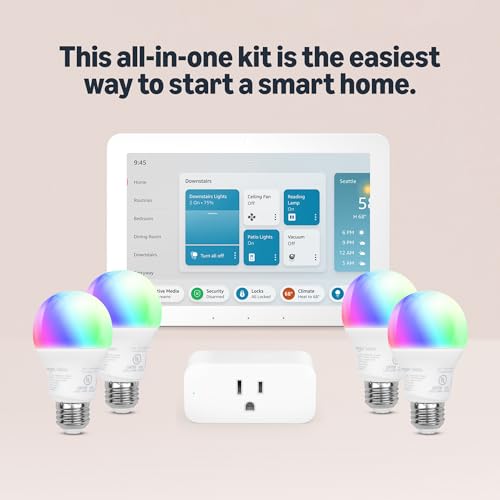
Plug Types at a Glance
Amazon sells its own branded plug, and it also sells many plugs from other makers that work with Alexa. That distinction shapes everything else in this guide. The Amazon branded plug is a single compact WiFi plug built for Alexa households. Plugs from other makers come in mini sizes, multipacks, outdoor versions, and power strip formats, and some add energy monitoring or Matter support.
Think of the choice in three broad groups. A single plug suits one lamp or one fan. A multipack suits several rooms at a lower cost per plug. An outdoor plug suits patio lights and yard equipment, because its housing is sealed against rain and dust.
Who Should Buy an Amazon Smart Plug?
Alexa Households That Want Simple Voice Control
You already speak to an Echo speaker to play music and set timers, and you want a lamp or a coffee maker to join that routine. The Amazon branded plug fits you well, because setup runs inside the Alexa app and the plug answers to the same routines as your speakers. You can group it with lights in one room and turn everything on with one voice command.
Renters Who Cannot Rewire Anything
You want automation without changing switches, fixtures, or wiring that belongs to your landlord. A plug gives you scheduling and remote control while leaving the outlet exactly as you found it. When you move, you unplug it and take it with you. Choose a compact body if your outlets sit behind furniture, because a bulky plug can stop a couch or a bed frame from sitting flush against the wall.
Households That Want Schedules More Than Gadgets
Your goal is practical: lights on before you get home, a fan off after you fall asleep, a holiday display that runs itself each evening. Almost any reliable plug covers scheduling, so your decision rests on other points, such as whether the app stays easy to use and whether the plug reconnects on its own after a power cut.
Key Features to Compare
Reliability and Reconnection
Reliability is the feature you notice only when it fails. A dependable plug holds its WiFi connection, responds within a second or two, and comes back online by itself after a router restart or a brief outage. Look for clear status lights, a physical button for manual control, and an app that shows whether the plug is online. A weak signal in a far bedroom or a garage causes more dropouts than the plug itself usually does.
Ecosystem Compatibility
Compatibility decides which app and which voice assistant run your plug. The Amazon branded plug works with Alexa only, so it will not answer to Google Assistant or Siri. If your home mixes platforms, look at our guide to the best smart plug for alexa for Alexa focused options, and compare them with the best smart plug for google home if Google speakers run part of your home. Matter support matters here too, because a Matter plug can join several platforms at once.
Size and Form Factor
Plug bodies vary more than photos suggest. A compact plug leaves the second socket on a duplex outlet free for another plug or a phone charger, while a wide body can block both sockets. Measure the space around your outlet before you buy, especially behind a TV stand where appliances already crowd the wall. Power strip formats suit an entertainment center, but each outlet on the strip may or may not be controlled on its own, so read the listing closely.
Protocol: WiFi, Matter, Zigbee, and Thread
Most plugs, including the Amazon branded one, connect straight to your 2.4 GHz WiFi network with no hub. That is simple, but each plug adds one more device to your router. Matter plugs can run over WiFi or over Thread, a mesh network that needs a Thread border router, which some Echo and hub models already provide. Zigbee plugs need a compatible hub. Local control through Matter or Zigbee keeps schedules running when your internet drops, while a cloud only WiFi plug may pause.
Energy Monitoring and Extra Features
Energy monitoring plugs track how much power an appliance draws and show usage in the app over days and weeks. That helps you spot an old fridge that costs more to run than you expected. The Amazon branded plug does not include energy monitoring, so choose a plug from another maker if tracking usage is a priority. Other extras include away mode, which turns lights on and off at varied times, and timers that switch a plug off after a set number of hours.
How to Choose the Right Smart Plug
Start with the appliance, not the plug. A smart plug suits lamps, fans, coffee makers, and similar devices with a simple on and off switch. It does not suit an appliance that needs a button press after power returns, because restoring power alone will not start it. Check the plug rating against the appliance draw, and be careful with space heaters and other high draw devices, which many plug makers advise against controlling this way.
Next, count your outlets and your platforms. One plug for one lamp keeps things simple, while a four pack lowers the cost per room when you automate several lamps at once. For use outside, shop the best outdoor smart plug options instead of moving an indoor plug outside, because outdoor models use sealed housings that shed rain. For a wider view across brands, see our roundup of the best smart plug choices.
How Much Should You Spend?
A single plug from most brands costs about $10 to $25, and the Amazon branded plug usually sits near the top of that range at about $25 before sales. Multipacks bring the cost down to about $8 to $12 per plug. Outdoor plugs and energy monitoring plugs cost more, often about $20 to $40, because of the sealed housing or the added metering hardware. Sales are frequent in this category, so a plug that looks pricey today may drop during a seasonal event.
Setting Up Your Smart Plug
Setup follows the same pattern for most plugs. You plug it into the outlet, open the companion app, add the device, and connect it to your 2.4 GHz home WiFi. The Amazon branded plug uses the Alexa app, and some Echo setups can add it in very few steps. Our walkthrough on how to set up a smart plug covers the general sequence and building your first routine. Name each plug for the appliance it controls, such as living room lamp, so voice commands stay obvious.
The Amazon Smart Plug Lineup Explained
Amazon keeps its Echo branded plug to one main model, with a few Amazon Basics plugs alongside it, which makes the best amazon smart plug question mostly a question of fit rather than of trim levels. The Amazon branded plug offers Alexa only control, a compact body that leaves the second outlet open, routines and schedules inside the Alexa app, and no subscription. It does not offer energy monitoring, Google Home or Apple Home support, or a Thread radio.
That narrow focus is a strength if Alexa runs your home and a limit if it does not. Shoppers who need usage data or a second platform usually buy an Alexa compatible plug from another maker instead, and Amazon sells plenty of those on the same store pages. Decide which of those two paths you are on, and the rest of the comparison gets much shorter.
Common Mistakes to Avoid
- Buying an Alexa only plug for a home that runs on Google Home or Apple Home, which leaves you controlling it from an app you otherwise never open.
- Plugging in a space heater or another high draw appliance without checking the plug rating, which can overheat the plug and damage it.
- Choosing a wide plug body for a crowded outlet, which blocks the second socket you still need.
- Connecting the plug to a 5 GHz only network name, which most plugs cannot join because they use the 2.4 GHz band.
- Controlling an appliance that needs a button press to start, which means the plug restores power but the device stays off.
- Skipping the safety listing, which means you miss a basic check that the plug passed an independent electrical safety review.
How to Make Your Smart Plug Last Longer
Keep the plug in a dry indoor spot unless it is an outdoor model, and give it a little air space instead of burying it behind heavy drapes. Update the firmware through the app when a new version appears, because updates often fix connection bugs. If a plug starts dropping offline, move it closer to the router before you replace it, because signal problems mimic hardware failure. Unplug the unit before you clean it, wipe the housing with a dry cloth, and never spray liquid cleaner into the sockets.
FAQ
Does an Amazon smart plug need a subscription?
No. The Amazon branded plug works inside the Alexa app with no monthly fee, and its schedules, routines, and voice control are all included. Some third party plugs offer optional paid plans for extra app features, but basic switching and scheduling stay free on nearly every plug. If a listing pushes a plan during setup, you can skip it and keep full control of the outlet itself.
Can a smart plug lower an electric bill?
A plug can trim small amounts of waste by cutting standby power to devices that sip electricity while idle, such as older game consoles and chargers. The savings per device are modest, often cents each month, so the bigger win is convenience and scheduling. An energy monitoring plug helps you find the few appliances where the waste is large enough to matter.
What happens to a smart plug during a power outage?
The plug goes dark with everything else, and most plugs restore their prior state or stay off once power returns, depending on the model and its app settings. Schedules stored in the cloud resume after the plug reconnects to WiFi. Check the return behavior setting in your app if the plug runs something sensitive, and never rely on a plug as the only safeguard for critical equipment.
How long does a smart plug last?
A plug used within its rating often lasts several years, because it has no battery to wear out and few moving parts beyond its internal relay. You may hear a soft click each time it switches, and that relay is the part that eventually wears. Replace a plug that runs hot, buzzes, smells of burnt plastic, or shows scorch marks, and stop using it right away rather than moving it to a lighter load.
Can one smart plug control several devices at once?
Yes, if you connect it through a basic power strip, every device on that strip switches together as one group. That works well for a TV setup where the screen, a soundbar, and a streaming box should wake and sleep together. The total draw of all devices combined must stay within the plug rating.
Final Thoughts
If Alexa runs your home and you want the simplest setup on the market, the Amazon branded plug is a sound pick, while shoppers who need energy data or a second platform should look at Alexa compatible plugs from other makers. Match the plug to your platform, your outlet space, and the appliance it will control, then check the product table above before you order. For most homes, the best amazon smart plug is simply the one you set up once and never have to think about again.


