Best AM4 Motherboards for Gaming 2026
Disclosure: We may earn a commission when you buy through links on this page, at no extra cost to you. As an Amazon Associate I earn from qualifying purchases. Learn more

Choosing the best am4 motherboards for gaming: B550 or X570, power delivery, memory, storage and the BIOS checks that avoid a bad match.
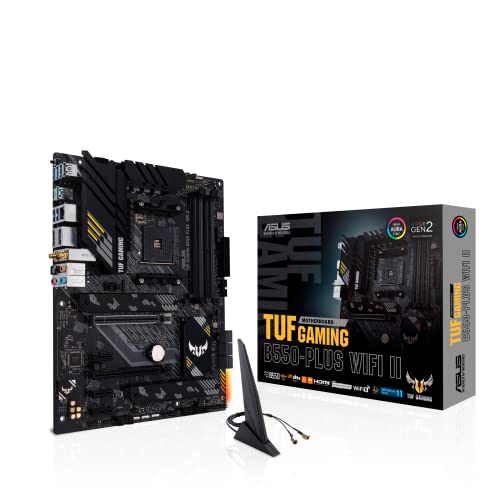
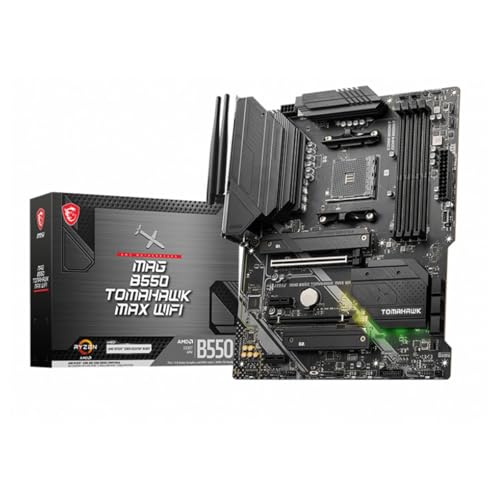
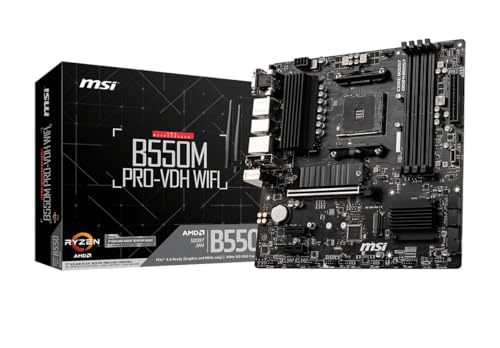
AM4 is still a sensible base for a gaming PC: Ryzen 5000 processors are fast, DDR4 memory is cheap, and good boards cost far less than their AM5 cousins. If you are choosing the best am4 motherboards for gaming, the real task is matching chipset, power delivery and size to your processor and your graphics card. The product table below gives a quick look at current options.
This guide explains which chipset to pick, what the power stages and heatsinks do for a gaming load, and the compatibility checks that stop an expensive mistake.

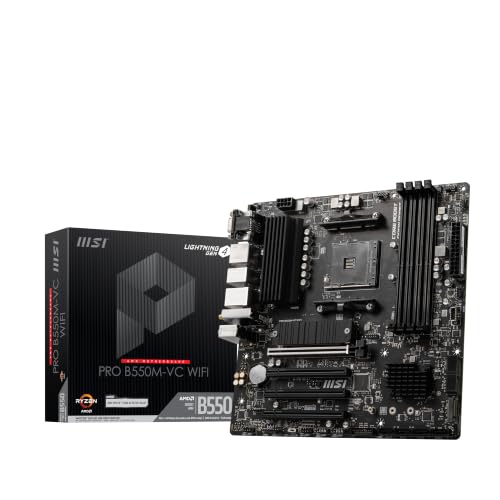
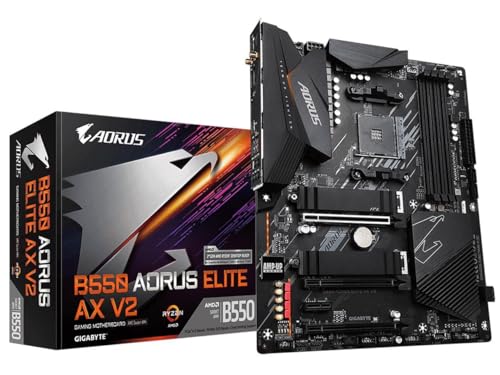


Who Should Buy an AM4 Gaming Board
An AM4 board suits builders who already own a Ryzen 3000 or 5000 processor, anyone upgrading an older AM4 system, and budget builders who want strong frame rates without paying for DDR5. A Ryzen 5 5600 or Ryzen 7 5700X3D paired with a good B550 board still runs most current games well at 1080p and 1440p.
It is a weaker choice if you want the longest upgrade path. AM4 has reached the end of its processor releases, so a new build aimed at many years of upgrades is better placed on a newer socket. For related reading, see best motherboards am4.
Chipset Choice: A520, B450, B550 or X570
The chipset sets which features the board can offer. A520 boards are the cheapest and cover basic gaming, but they limit the graphics slot and storage to PCIe 3.0 speeds in many cases. B450 boards are older and still capable, though they often need a BIOS update for Ryzen 5000.
B550 is the sweet spot for most gamers. It brings PCIe 4.0 for the graphics card and a fast NVMe drive, better power delivery than A520 and a wide range of prices. X570 adds more PCIe 4.0 lanes and more storage options, which matters if you plan several fast drives, but it costs more and some models use a small chipset fan.
Power Delivery and Cooling
A gaming load keeps the processor busy for hours, so the voltage regulator (VRM) has to stay cool. Look for real metal heatsinks over the power stages and a board that lists a decent number of power phases. An eight core Ryzen 7 on a bare budget board can slow down in long sessions, while a six core Ryzen 5 rarely stresses a mid range B550.
Check case airflow as well. A front intake fan and a rear exhaust fan help the area around the socket stay cool, which is better than relying on the board alone.
Memory, Storage and Expansion
AM4 uses DDR4. A kit of two 8 GB or 16 GB sticks running in dual channel is the standard choice, and 16 GB is enough for most games while 32 GB helps streamers and heavy multitaskers. Four memory slots leave room to expand, although two slot mini boards save space.
For storage, count the M.2 slots and SATA ports. One fast NVMe drive for the system and games is the minimum, and a second M.2 slot is useful later. For the graphics card, the main slot should have clearance for a large cooler and be reinforced on better boards.
Board Size and Connectivity
ATX boards give the most slots and the easiest layout. Micro ATX boards fit smaller cases and keep the essentials, while Mini ITX boards suit compact builds but have only one expansion slot and two memory slots. Match the board to your case before you order.
On the rear panel, count the USB ports you use, and check the network speed and whether built in Wi-Fi is included. A board with Wi-Fi 6 saves a separate adapter if your PC is far from the router.
Compatibility Checks Before You Buy
Confirm that your exact processor is on the board support list, and note the BIOS version it needs. Some boards ship with an older BIOS that does not boot a Ryzen 5000 chip until it is updated, so look for a model that offers a BIOS flashback button or one marked as ready for Ryzen 5000 out of the box.
Check cooler clearance, the length of your graphics card and the power connectors your power supply provides. The board needs the main 24 pin cable and an 8 pin (or 4+4 pin) processor connector.
Common Mistakes to Avoid
The usual mistakes are buying a board that cannot run the processor out of the box, picking a cheap board for a high core count chip, and paying extra for looks. Another is forgetting that DDR5 memory does not fit AM4 boards. Spend your budget on power delivery and storage options before RGB lighting.
It also pays to look at the warranty and the maker support page, because a BIOS update for a newer chip is easier when the manufacturer publishes clear notes. For another angle on gaming boards, see best pc motherboards for gaming.
Care and Upkeep
A good gaming board keeps working for years if you look after it.
Keep BIOS and chipset drivers current, but only update the BIOS when you need support for a new processor or a clear fix, and never interrupt a flash. Clean dust from filters and heatsinks every few months and keep an eye on temperatures during long play sessions.
Frequently Asked Questions
Is AM4 still good for gaming?
Yes. A Ryzen 5000 processor on a B550 board runs most games well, and DDR4 keeps the total cost low. Newer platforms offer more headroom, but for many gamers the graphics card matters more than the socket.
Do I need to update the BIOS?
Sometimes, when you pair a newer processor with an older board. Check the support list for your exact chip and the BIOS version required, and follow the maker instructions carefully.
B450 or B550 for gaming?
B550 is the better buy if prices are close because it adds PCIe 4.0 and usually better power delivery. A B450 board is fine for a budget build with a lower core count processor and a PCIe 3.0 graphics card.
How much memory do gaming PCs need?
16 GB of DDR4 in two sticks is enough for nearly all games. Choose 32 GB if you stream, edit video or keep many apps open while you play.
Can I reuse an AM4 board for a future upgrade?
Within the AM4 processor range, yes, subject to BIOS support. Moving to a newer socket later means a new board and new memory.
Final Thoughts
The best am4 motherboards for gaming pair a B550 or X570 chipset with solid power delivery, enough storage slots and the right size for your case. Use the product table above to compare current boards, then confirm processor support before you order.