
Best Alienware Desktop in 2026: Buying Guide
Disclosure: We may earn a commission when you buy through links on this page, at no extra cost to you. As an Amazon Associate I earn from qualifying purchases. Learn more

Compare Alienware Aurora and Area-51 gaming desktops by graphics, cooling and upgrade room to find the tower that fits your games and budget.
The best alienware desktop is the one whose graphics card, processor and cooling match the games you play and the monitor you play them on. Alienware sells ready-built towers in a distinctive case, so you are choosing a complete configuration rather than picking parts one by one.
This guide explains what separates the Aurora and Area-51 families, which specifications deserve your money, and which extras you can ignore. Use the product table to compare current configurations side by side, then read the sections that match your situation.


Which Alienware Desktop Line Fits You
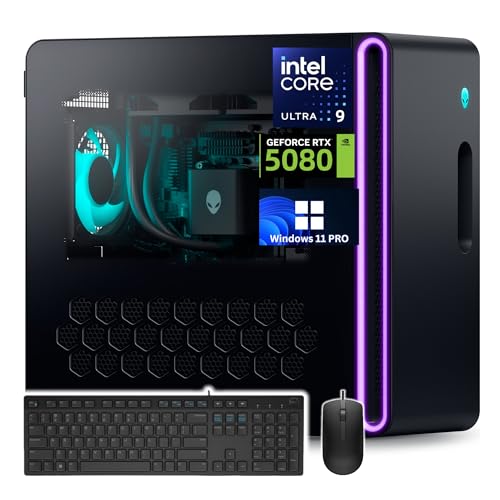
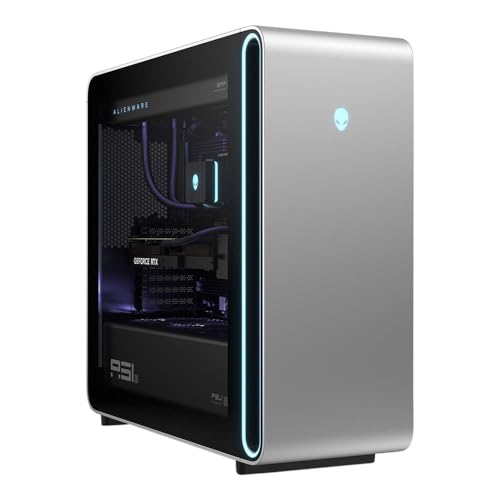
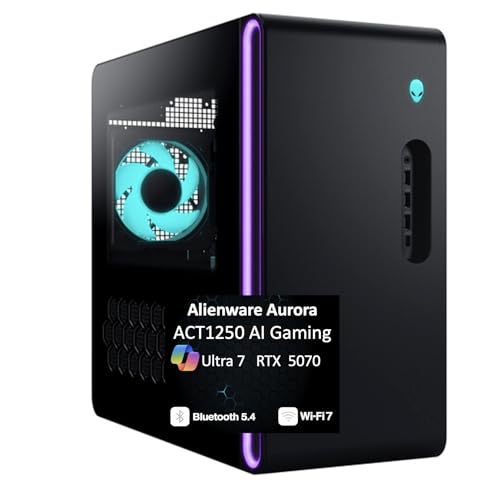
Alienware desktops fall into two broad groups. Aurora towers are the mainstream line, with a compact case, a choice of mid-range to high-end graphics cards and optional liquid cooling. Area-51 towers are the flagship line, with a larger chassis, top-tier processors and graphics, and more room for airflow and future upgrades.
Players who run 1080p or 1440p monitors at high refresh rates are usually well served by an Aurora with a mid-range graphics card. Anyone aiming at 4K, heavy streaming or video editing alongside gaming should look at the stronger graphics and extra memory found in higher Aurora models and Area-51 builds.
Key Features to Compare
Graphics card
The graphics card sets which games and settings run smoothly, so it deserves the largest share of your budget. Match it to your monitor: a mid-range card is plenty for 1080p, while 4K play calls for a high-end card with more video memory.
Processor
A current multi-core processor keeps frame rates steady in open-world and strategy games and handles streaming in the background. Very few players gain from the most expensive chip if the graphics card is modest, so keep the two balanced.
Memory and storage
Sixteen gigabytes of memory is the minimum for current games, and 32 GB gives breathing room for streaming and creative software. A fast solid-state drive cuts loading times, and a second drive slot makes it easy to add space later.
Cooling and noise
Air cooling is fine for most mid-range builds. Optional liquid cooling on the processor helps sustained loads and keeps fans quieter during long sessions, which matters if the tower sits on your desk.
Upgrade room and power supply
Alienware cases use some proprietary parts, so upgrade freedom is narrower than in a generic tower. Check the power supply rating and free slots before you plan a graphics card swap, and expect the case and board choice to limit what fits.
Choosing the Best Alienware Desktop by Budget
Entry Aurora configurations with a mid-range graphics card start around the price of a good gaming laptop and suit 1080p and many 1440p setups. Spending more brings a stronger card, a faster processor, more memory and a larger drive, and the gains show most clearly at 4K and in demanding titles with ray tracing.
The top of the range, the Area-51 builds, costs several times more than an entry model. That money buys cooling headroom, top-tier parts and room to grow, but it only pays off if your monitor and games can use the extra power. For most players, the middle of the range gives the best balance of frame rates and cost. When two configurations look close, compare memory, drive size and cooling rather than the name on the case.
Look at the graphics card first, then the processor, then memory and storage. A configuration that spends sensibly across all four will age better than one that puts everything into a single part.
Who Should Buy an Alienware Desktop
Competitive and story-driven gamers who want a ready-to-play machine with support and a warranty are the natural buyers. Creators who also game benefit from the stronger graphics and memory options in higher models. First-time desktop buyers appreciate that the system arrives configured by the maker, with the software and drivers already in place.
If you enjoy tuning every component or want the lowest price per frame, a build from separate parts or a less expensive prebuilt tower may suit you better. Our guides to best prebuilt gaming desktops and best gaming desktop pcs compare other brands.
Setup and Everyday Use
Place the tower where its vents have clear space, and avoid carpet or tight cabinets. Run the included update tool, install the latest graphics driver and set your monitor to its highest refresh rate in the display settings, since many screens default to 60 Hz.
Alienware Command Center lets you pick performance modes and adjust lighting. Quiet modes are useful for office work, and performance modes make sense for long sessions.
Care and Long-Term Value
Clean dust from the filters and vents every few months, and keep drivers and firmware current. Back up saves and projects to an external drive or cloud storage. A clean interior and steady airflow protect performance over years of use.
Think about the total cost as well as the sticker price. A monitor, keyboard and mouse may be extra, and the warranty length and on-site service terms add real value on a machine in this price range.
Common Mistakes to Avoid
- Spending heavily on graphics while accepting minimal memory or a small drive.
- Pairing a high-end tower with a basic 60 Hz monitor that cannot show what it can do.
- Ignoring the power supply rating when planning later upgrades.
- Blocking the vents against a wall or inside a closed desk compartment.
- Skipping warranty and support terms before ordering.
Frequently Asked Questions
What is the difference between Aurora and Area-51 desktops?
Aurora is the compact mainstream line, while Area-51 is the larger flagship line with top processors and graphics and more cooling headroom. Choose Aurora for value and desk space, and Area-51 for maximum performance.
Can I upgrade an Alienware desktop?
Yes, memory, storage and often the graphics card can be changed, but proprietary parts limit some swaps. Check the power supply and case dimensions before buying a new graphics card.
How much graphics power do I need?
A mid-range card is enough for 1080p and many 1440p setups. Choose a high-end card for 4K or very high refresh rates, and match your monitor to the card.
Is an Alienware desktop good for streaming and editing?
Yes, models with a strong processor, 32 GB of memory and a fast drive handle streaming and video editing well. Look at the cooling option if you plan long render sessions.
Does it come with a monitor?
Usually not. Plan for a separate monitor, keyboard and mouse, and check what is included in the listing before you order.
Final Thoughts
Choosing the best alienware desktop comes down to a balanced graphics card, processor, memory and cooling for your monitor and your games. Use the product table to compare configurations, then check warranty terms and total cost before ordering.
Pick the line that matches your resolution and desk space, and it will serve you well for years of gaming.


