
Best Adsl2 Routers by Budget: A Complete Guide for 2026
Disclosure: We may earn a commission when you buy through links on this page, at no extra cost to you. As an Amazon Associate I earn from qualifying purchases. Learn more

Compare the best adsl2 routers at every price point. Learn what you get at budget, midrange, and premium levels and where spending more pays off.
ADSL2 routers span a wide price range, from basic boxes under $50 to full featured units several times that price, and the spec sheets rarely explain what the extra money actually buys. Since an ADSL2 line tops out near 24 Mbps downstream, some premium features help a lot and others barely matter. This guide to the best adsl2 routers sorts the tiers honestly, shows which features earn their cost, and flags the compatibility checks that come first. Start with the comparison table below, then read the tier breakdown before you spend.


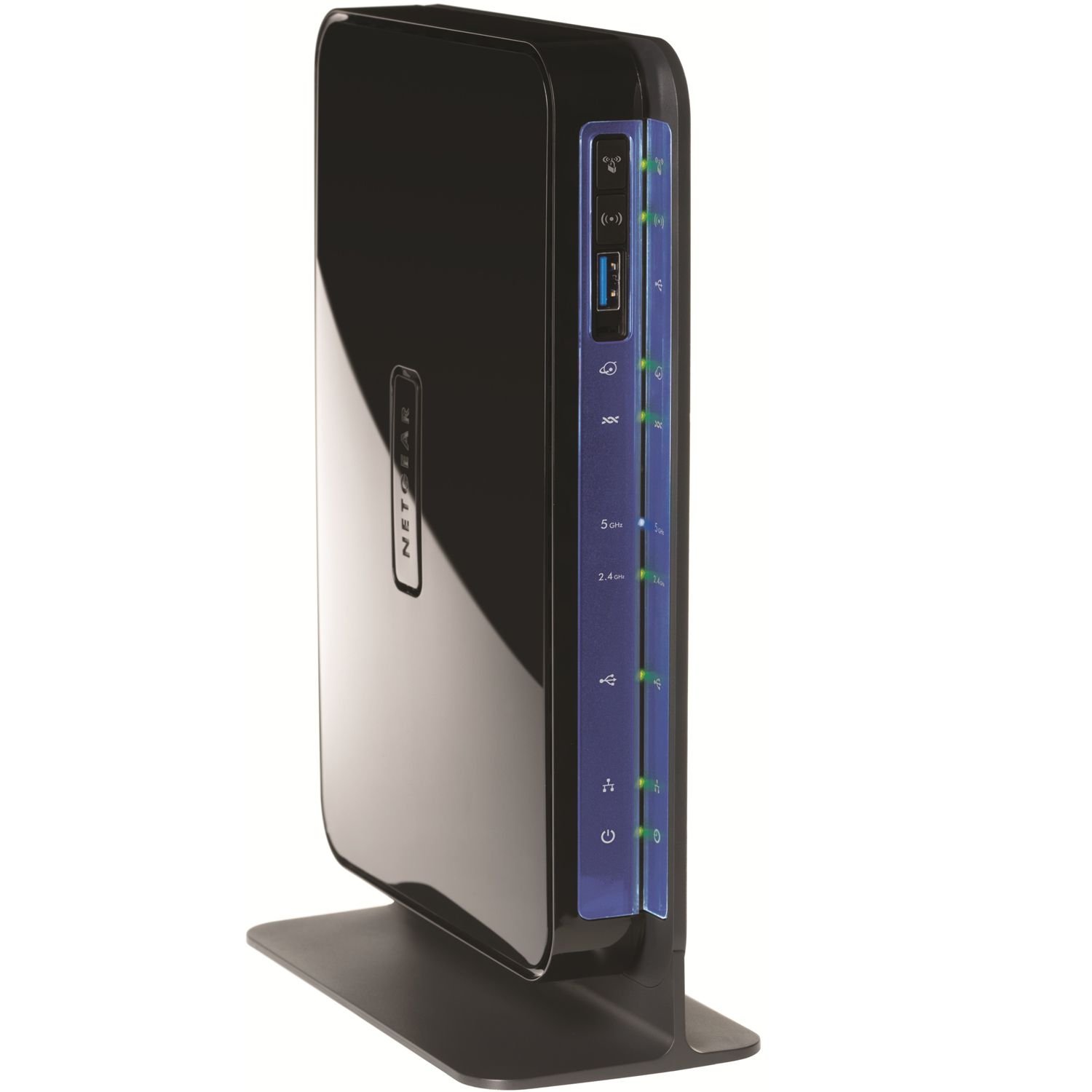


Top Choices by Budget: What Each Tier Means
These three tiers describe what you typically get for the money. Match them to your line speed, home size, and device count.
Budget Tier Choice: Simple and Sufficient
Budget ADSL2 modem routers, often around $40 to $70, combine the DSL modem and a basic router in one box. Expect WiFi 4 or basic WiFi 5, a few Ethernet ports at 100 Mbps, and simple setup through a web page or app. For a small apartment with a handful of devices and a line under 24 Mbps, that covers email, browsing, and one video stream at a time. The limits show up in busy homes: weaker coverage at the far rooms, fewer controls, and little priority handling when several people share the line at once.
Midrange Tier Choice: The Sweet Spot
Midrange units, often around $70 to $130, add dual band WiFi 5 or WiFi 6, gigabit Ethernet ports, and better antennas or beamforming for coverage across a typical house. Quality of service controls let you protect a work call or a game from a big download on the same line. USB ports may appear for sharing a printer or a drive. This tier suits most families on ADSL2, because it fixes the real bottlenecks, namely coverage and congestion inside the home, without paying for speed your phone line can never deliver.
Premium Tier Choice: Power and Flexibility
Premium picks, often around $130 to $250, focus on control and future flexibility rather than raw DSL speed. You may get a stronger processor for many simultaneous devices, detailed traffic statistics, VPN support, parental controls, and in some cases a separate high end router paired with a basic modem in bridge mode. That split setup pays off if you plan to move to cable or fiber later, because the router carries over. If you will stay on ADSL2 for years in a small home, much of this spending brings little daily benefit.
What Your Money Gets You at Each Price Tier
Budget Tier: What to Expect
At the budget level you are buying a working connection, not headroom. The modem side must still support ADSL2 and ADSL2 Plus and your provider settings, and that part matters more than WiFi branding. Coverage usually suits one floor or a small flat. Firmware updates may be rare, so change the default passwords on day one. This tier is a fair choice for a single user, a guest house line, or a backup connection, as long as you accept simpler controls and slower local network speeds between your own devices.
Midrange Tier: The Sweet Spot for Most Buyers
Midrange spending removes the everyday annoyances. Dual band WiFi lets you place video calls on the less crowded 5 GHz band while smart home gadgets stay on 2.4 GHz. Gigabit ports make local file moves and a wired desktop connection fast, even though the internet line itself stays at ADSL2 speed. Guest networks keep visitors off your main network. Readers comparing general router value can also scan our notes on the best reviewed routers to see how midrange models stack up across connection types.
Premium Tier: When Spending More Pays Off
Premium money pays off in three situations: a large or multi story home with dead zones, a household with dozens of connected devices, or a planned move to faster service where a quality standalone router will be reused. It also buys better security features and longer update support. What it cannot do is make the DSL line itself faster; if your sync speed is 12 Mbps, no router at any price will stream like fiber. Spend at this level for coverage, control, and reuse value, not for internet speed.
Features Worth Paying For (and Ones to Skip)
Number of Devices and MU MIMO and OFDMA
Modern homes easily reach 20 to 40 connected devices once phones, TVs, bulbs, and speakers are counted. MU MIMO and OFDMA, found in WiFi 6 gear, help the router talk to several devices at once instead of making them queue. On a slow ADSL2 line this will not raise your download speed, but it does keep the local network responsive when the line is saturated. If your home has only a few devices, skip paying for these features; a simple dual band router will feel the same.
Gaming Features (QoS, Low Latency)
On a narrow ADSL2 connection, quality of service is the one gaming feature that truly matters. Good QoS lets you cap or deprioritize bulk downloads so a game or a video call keeps low, steady latency. Look for controls by device or by application, and a total bandwidth setting where you enter about 85 to 90 percent of your real line speed. Fancy gaming branding, glowing lights, and extreme WiFi speed claims add cost without helping a 24 Mbps line. A wired Ethernet connection to the gaming machine helps more than any of them.
Wired Ports (Multi Gig, WAN and LAN)
Count ports before you buy. Most homes want at least three or four LAN ports for a TV, a desktop, and a game console. Gigabit ports are worth having for local transfers and future service; multi gig ports at 2.5 Gbps only matter if you will soon pair the router with fast cable or fiber and fast local storage. Some ADSL2 boxes let one LAN port act as a WAN port, which turns the unit into a plain router later. That small feature greatly extends the useful life of a midrange purchase, a point we also stress in our guide to the best wlan routers for flexible home setups.
WiFi Standard (WiFi 6, 6E, 7)
Be clear eyed here: your ADSL2 line delivers at most about 24 Mbps, so even WiFi 5 is far faster than your internet connection. A newer standard still helps inside the home, moving files between your own devices and handling many connections smoothly. WiFi 6 is a reasonable midrange choice. WiFi 6E and WiFi 7 add the 6 GHz band and very high local speeds, which only pay off for local tasks or a future fiber upgrade. Do not let a WiFi 7 badge push you up a tier on its own if the line stays ADSL2.
Coverage and Home Size
Coverage, not speed, is the usual reason an ADSL2 setup feels bad. A single router placed centrally covers most small and medium homes; thick walls, metal, and multiple floors create dead zones that no single box fully solves. Options include moving the router near the center, adding a wired access point, or using a mesh kit with the DSL modem in bridge mode. If you expect to switch providers soon, our overview of the best routers for comcast shows how cable setups handle coverage, so you can buy gear that survives the change.
Long Term Costs to Factor In
The purchase price is only part of the cost. Renting a modem router from your provider often runs about $5 to $15 a month, so a midrange purchase can pay for itself in about a year; after that it is pure saving. Electricity is minor, since these boxes draw roughly 5 to 15 watts around the clock. Budget a little for a replacement power supply or a surge protector, and remember that DSL gear has a limited resale and reuse life once you leave DSL service. A model with a WAN capable port softens that risk, because it can live on as your main router on a new connection.
Frequently Asked Questions
Mesh or a single router: which is better for ADSL2?
A single router is better for most ADSL2 homes, because the line is slow and one well placed box covers a typical flat or small house. Mesh earns its cost in large, multi story, or thick walled homes where one router leaves dead zones. If you go mesh, keep your DSL modem and switch it to bridge mode, or buy a mesh kit and a basic modem. Do not pay for mesh speed ratings; on ADSL2 you are buying coverage only.
Will a new router speed up my internet on ADSL2?
Only up to the limit of your line. A new router can fix slowdowns caused by an old, overheating, or poorly placed unit, and it can raise your WiFi speeds inside the home. It cannot raise the sync speed your line negotiates with the provider, which depends on line length and condition. Check your current modem sync rate first; if the new box syncs at the same rate, any gain will come from better coverage and traffic control, not raw speed.
How often should I replace my ADSL2 router?
Replace it when it starts dropping the connection, when security updates stop arriving, or when your home outgrows its coverage and port count, which for most people lands around five to seven years. There is no speed based reason to upgrade often on ADSL2, because the line itself is the ceiling. A practical trigger: if a restart fixes your connection more than once a week, the hardware is telling you it is done.
Do I need WiFi 7 yet on an ADSL2 line?
No. WiFi 7 brings high local speeds and the 6 GHz band, but your internet traffic is capped by the ADSL2 line at a small fraction of that capacity. Buy WiFi 7 only as part of a plan to move to fiber or cable soon, with a router you will keep after the switch. For a line you will keep for years, WiFi 5 or WiFi 6 covers every realistic need at a lower price, and the savings can go toward better placement or a second access point.
The Bottom Line
Check DSL compatibility first, then spend for coverage and traffic control rather than headline WiFi speed. Most households land happily in the midrange, and the best adsl2 routers at that level balance price, ports, and quality of service controls. Look back at the product table above, match two finalists to your home size and device count, and buy the one whose features fit your line today and your plans for the next few years.


