
Best 4K TVs under 400: Every Type Explained Side by Side for 2026
Disclosure: We may earn a commission when you buy through links on this page, at no extra cost to you. As an Amazon Associate I earn from qualifying purchases. Learn more

Panel types, pros, cons and price ranges compared to help you choose the best 4k tvs under 400.
Shopping at this price feels confusing because the boxes all promise the same things. Every model claims sharp 4K detail, rich HDR color, and smart features, yet the picture quality varies a lot once you get the TV home. The difference usually comes down to the type of panel and where the maker spent the budget.
This guide compares the main types side by side so you can match one to your room, your light, and your habits. If you want a simple shortlist of best 4k tvs under 400, start with the comparison table below, then read the type breakdown that follows.
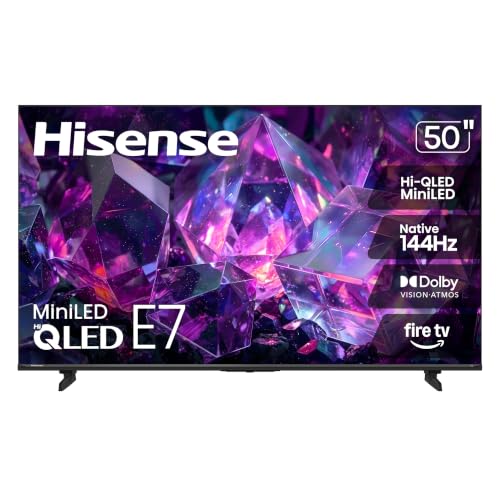
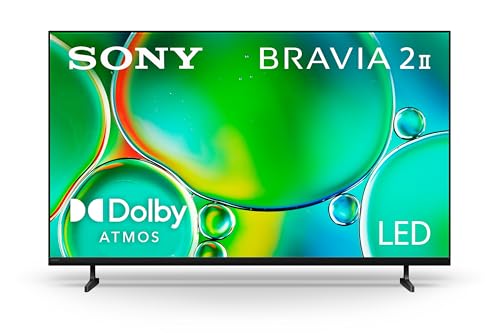
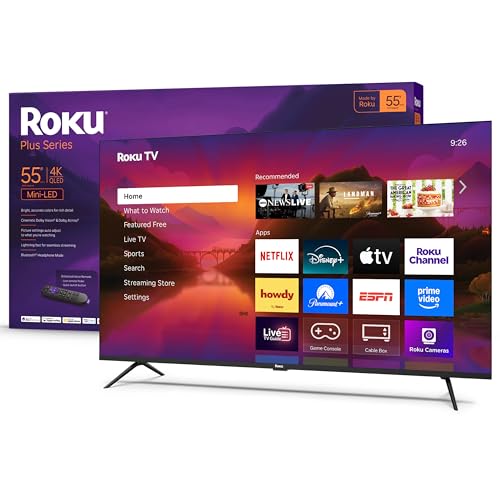


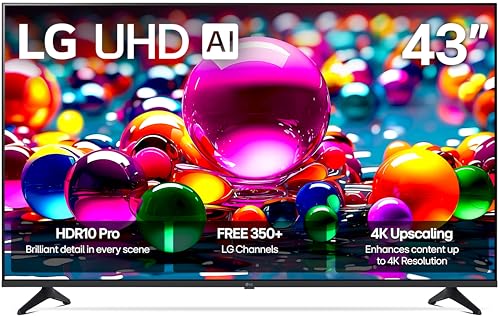

Types of 4K TVs Compared
At around $400 or less, you will mostly find LED TVs with VA or IPS panels, a small number of entry gaming models, and very rarely true OLED. Each type trades contrast, brightness, viewing angle, and motion handling in a different way. Understanding that trade off matters more than chasing one extra smart feature.
Think first about your room. A bright living room with windows needs brightness and glare control. A dark bedroom or movie corner rewards deep black levels more. A shared family room with wide seating needs a panel that holds color from the side seats.
OLED Displays
OLED pixels make their own light, so each pixel can turn off completely. That gives you perfect black levels, instant response time, and color that stays accurate from wide angles. Movies with dark scenes look dramatic because bright objects sit against true black instead of gray.
The catch at this budget is simple. True OLED TVs almost never sell new under $400 except in very small sizes or during rare clearance sales. OLED also needs some care with static images, and its peak brightness is lower than good LED sets, so a sunny room can wash it out.
Budget Displays
Budget displays are LED TVs, usually with a VA or IPS panel and basic HDR support. They are the realistic core of this price range, typically around $250 to $400 for sizes from 43 to 55 inches. You get a sharp 4K picture, a smart platform, and several HDMI ports without paying for extras.
The compromises show up in brightness, local dimming, and motion processing. Many have no local dimming at all, so dark scenes can look flat, and native refresh rate is almost always 60Hz. For news, sports, streaming shows, and casual gaming, most buyers find that trade perfectly acceptable.
Gaming Displays
Gaming focused TVs at this price are still LED sets, but they spend the budget on low input lag, a game mode that actually works, and sometimes HDMI 2.1 features on one port. Look for auto low latency mode and variable refresh rate support, often called adaptive sync, in the specification list.
Response time on these sets feels snappy for console play, and some support 1080p at 120Hz even when native 4K gaming stays at 60Hz. The trade off is usually picture tuning for movies, which can look less refined, and speakers that are an afterthought. A soundbar budget helps here.
OLED Displays vs Budget Displays: Which Should You Choose?
Compare them on five points. For contrast, OLED wins clearly because of its per pixel light control. For brightness, a decent budget LED often wins in a lit room. For viewing angle, OLED holds color from the side while many VA budget panels fade off center, though IPS budget panels do better.
For gaming, OLED response time is superb, but a budget gaming LED with variable refresh rate can feel close at a fraction of the price. For value and screen size per dollar, budget displays win by a wide margin. Choose OLED only if you find a small size at a rare discount and watch mostly in a dim room. Choose a budget LED if you want the biggest screen and the least worry for everyday viewing.
If you are also weighing slightly different budgets, our guide to the best tvs under 400 covers sets where resolution varies, which helps you judge whether 4K itself is where your money should go.
How to Choose the Right 4K TV
Stand, Mounting, and Ergonomics
Check the stand style before you buy. Wide feet at each end need a wide TV bench, while a center pedestal fits narrow furniture. Measure your furniture and compare it with the foot spacing in the product dimensions, not just the screen size.
For wall mounting, confirm the VESA pattern, commonly 200 by 200 or 300 by 300 at these sizes, and keep the mount weight rating above the TV weight. TVs rarely swivel or adjust in height at this price, so plan viewing height carefully. The center of the screen should sit near eye level from your main seat.
Panel Technology (IPS, VA, OLED, Mini LED)
VA panels give the strongest native contrast among budget LED sets, so they suit movie watchers in darker rooms. Their weakness is viewing angle, since color and contrast drop when you sit far to the side. IPS panels reverse that trade, holding color wide but showing weaker black levels that look gray in the dark.
Mini LED improves LED contrast with many small dimming zones, but it is uncommon under $400 and usually appears only in smaller sizes or sale models. OLED remains the contrast leader, with the burn in caution noted earlier. Match the panel to your seating and light first, then worry about brand.
What You Can Realistically Get Under $400
A realistic expectation is a 43 to 55 inch LED TV with a 60Hz panel, HDR10 support, a decent smart platform, and three HDMI ports. Around $300 to $400, some models add Dolby Vision, better brightness, or a voice remote. Around $200 to $300, expect dimmer panels and slower smart menus.
Do not save money on the panel itself or on having too few HDMI ports for your devices. You can safely skip fancy extras like premium onboard sound, ambient modes, and hands free voice control. If you can stretch a little, the sets in our guide to the best 4k tvs under 500 show what the next step up usually adds in brightness and dimming.
HDR and Brightness
HDR labels can mislead at this price. HDR10 is the baseline format, and Dolby Vision adds scene by scene tuning that helps on supported streaming content. The label matters less than brightness, because a dim TV cannot show HDR highlights with real impact.
Look for brightness figures around 300 to 400 nits as a workable minimum for a typical living room, and more if you face windows. Turn off the vivid picture mode at home, since it oversaturates color. A movie or filmmaker style mode usually gives the most accurate picture without any calibration tools.
Best 4K TVs under 400: Setup and Care Tips
Start by calibrating the picture settings. Turn off vivid mode, set sharpness low, and disable motion smoothing if dialogue scenes look unnaturally smooth. Turn off energy saving brightness limits in a bright room, since they can dim the picture unevenly.
On an OLED, run the built in pixel refresh when the TV prompts you and avoid leaving static news banners on for hours. Clean any screen with a dry microfiber cloth only, never paper towels or household glass cleaner. For tighter budgets, our guide to the best 4k tvs under 300 explains which of these setup steps matter most when the panel itself is more basic.
4K TVs: Your Questions Answered
Can you get a good 4k tv under $400?
Yes, you can get a genuinely good one for streaming, sports, and casual gaming. Expect a 43 to 55 inch LED model with solid color and a usable smart platform. What you give up is high brightness, strong local dimming, and true 120Hz gaming. Buy during major sale periods and the same money often lands a noticeably brighter panel.
How long do 4k tvs under $400 last?
Most last about seven to ten years of typical home use before brightness fades or parts fail. The smart platform usually ages first, and a streaming stick can fix that for around $30 to $50. Keep vents clear of dust, avoid wall mounting above a heat source, and use a surge protector to guard the power supply.
Does refresh rate matter for non gamers?
Only a little for most non gamers. Movies and TV shows are filmed at low frame rates, so a native 60Hz panel handles them well. Sports fans may notice smoother motion on a set with good motion processing, but advertised numbers like 120 or 240 on budget TVs usually describe software effects, not the true panel rate. Check the native rate in the full specifications.
IPS vs OLED: which is better?
OLED is better for contrast and response time, while IPS is better for wide seating on a budget. IPS panels in this price range keep color accurate from side chairs, which suits family rooms. OLED wins every dark room movie comparison but costs far more per inch. If your seats are mostly front and center, a VA panel often beats both on value.
Is 4K worth it?
Yes, 4K is worth it at normal viewing distances for screens of 43 inches and up. Streaming services now deliver most major releases in 4K with HDR, so the content is there. The benefit shrinks on small screens viewed from far away. If you sit more than about eight feet from a 43 inch screen, spend on brightness and panel quality before resolution.
What size should I get for my room or desk?
Choose 43 inches if you sit about four to six feet away, and 50 to 55 inches for six to nine feet. On a desk, 43 inches is already large, so ensure your chair sits back at least three feet.
Final Thoughts
Focus on three things: the panel type that fits your room light and seating, enough brightness for real HDR, and the ports and stand that fit your setup. Ignore headline extras you will never use. The product table above pulls those priorities together so you can compare the best 4k tvs under 400 by type instead of by marketing claims, and for a history of standout models see our look at the best tvs of all time.

