Best 3D Printer and Scanner for 2026: A First Time Buyer Guide
Disclosure: We may earn a commission when you buy through links on this page, at no extra cost to you. As an Amazon Associate I earn from qualifying purchases. Learn more

A plain English guide to the best 3d printer and scanner for beginners, covering print type, resolution, running costs, setup, build volume, and scan quality.
If you are shopping for the best 3d printer and scanner for the first time, the jargon can feel like a second language, with terms such as layer height, build volume, and scan resolution all competing for attention. This guide starts with the basics, explains each spec in plain English, and helps you match your gear to the projects you actually plan to make or copy. Use the product table to see the main tradeoffs at a glance, then read the detail for the specs that matter most to you.
A 3D printer builds objects layer by layer, and a scanner turns a physical object into a digital file. Using the two together suits hobby makers, students, and small workshops that want to copy a broken part, scale a model, or print a replacement. Some buyers choose a single combo unit, while others pair a printer with a separate scanner, and a dedicated machine may do one job better. The sections below help you decide what makes sense and what to check before you spend.


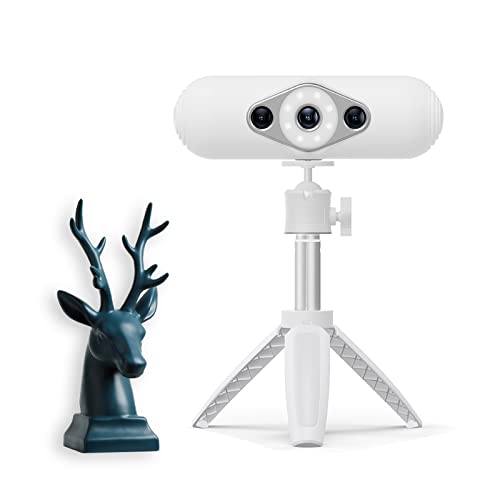

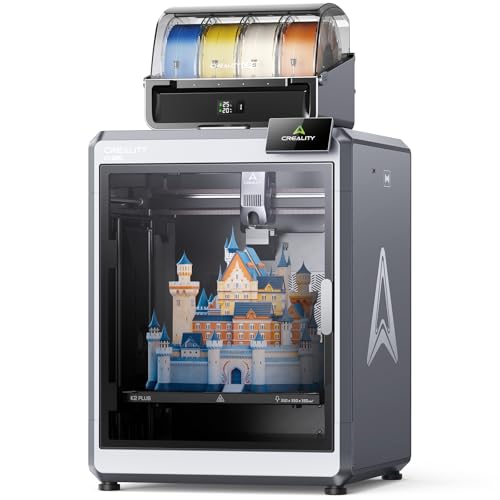



3D Printer and Scanners 101: The Basics
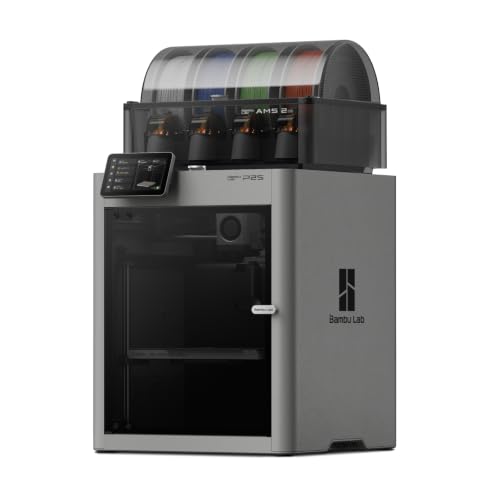
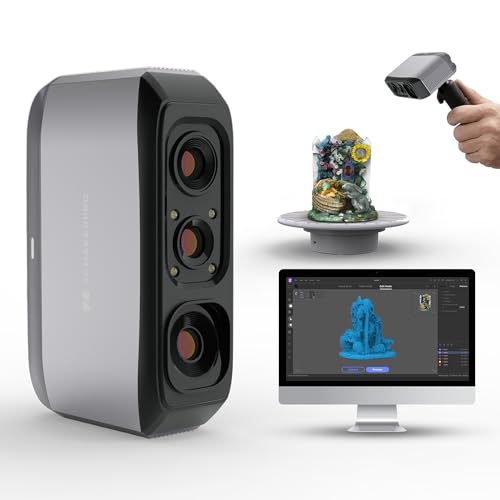
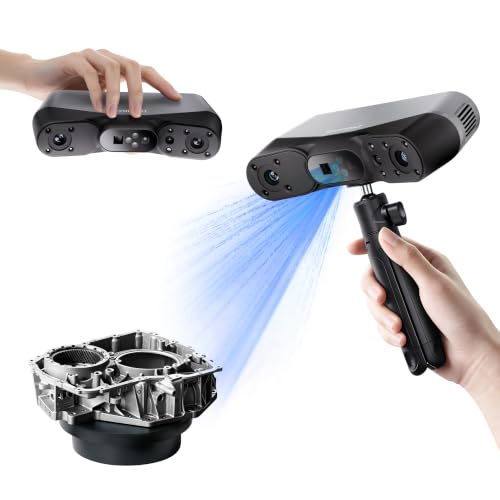
A 3D printer builds an object by adding thin layers of material, one on top of another, following instructions from a digital file. Most home units use melted plastic filament, while resin units cure liquid resin with light to form finer detail. A scanner, by contrast, reads the shape of a physical object and creates a digital model that you can edit, resize, or print. Some scanners use a turntable and a camera, while others use a laser or structured light to map the surface.
For a first time buyer, the key point is that printing and scanning are two skills, not one, and each needs its own setup, space, and patience. Printing needs a level bed, the right material, and time, because even a small object can take an hour or more. Scanning needs good light, a steady object, and clean software steps to turn a rough scan into a printable file. Allow time to practice with simple shapes before you tackle a complex project.
Choosing the Best 3D Printer and Scanner: Key Specs Explained
Printer Type
Filament printers, often called FDM printers, melt plastic thread and lay it down in layers, which makes them a friendly starting point for sturdy parts, brackets, toys, and prototypes. Resin printers cure liquid resin with light and can capture finer detail, which suits small figures, jewelry patterns, and detailed models, but they need more careful handling and cleanup. If you mainly want strong, useful parts, a filament unit is usually the simpler first choice, while fine detail work may point you toward resin.
Print Quality and Resolution
Print quality in 3D printing is often described by layer height, which is the thickness of each printed layer, measured in small fractions of a millimeter. Thinner layers give smoother curves and finer detail, but they also take longer to print, so a model that takes two hours at a thick layer setting may take five hours at a fine setting. Scan resolution matters in a similar way, because a scanner that captures fine surface detail will copy textures and small shapes more faithfully. For everyday parts, a medium layer setting is a good balance, while display models and tiny details repay the extra time of a finer setting.
Running Costs and Filament
Running costs are easy to underestimate, because the machine price is only the first expense. Filament or resin, replacement nozzles or tanks, electricity, and failed prints all add up over time, and a cheap machine that wastes material can cost more than a steadier unit. The useful measure is cost per print, which depends on model size, infill, and failed attempts. Buy material in sizes you will actually use, store it dry, and start with small practice prints so you learn settings before you commit a large spool to a big model.
Ease of Setup and Calibration
Setup and calibration decide whether a first printer feels welcoming or frustrating, so give them as much weight as raw specs. Auto bed leveling helps a great deal, because it adjusts for a bed that is not perfectly flat and reduces failed first layers. Clear on screen guidance, a simple filament loading path, and software that previews a model before printing also help new users.
Follow the maker guidance for assembly, leveling, and first use, and keep the machine on a stable, level surface away from drafts. If you are choosing between similar units, the one with simpler calibration will often give you good results sooner, and our guide to the best hobby 3d printers can help you compare beginner friendly designs.
Build Volume and Scan Area
Build volume is the largest object a printer can make, measured in width, depth, and height, and it is one of the hardest limits to work around after purchase. A small build volume suits ornaments, brackets, and spare parts, while a larger volume suits helmets, vases, and multi part assemblies, though larger prints take longer and use more material. Scan area matters in the same way, because a scanner can only capture objects that fit its working range and turntable. Measure your largest planned project before you choose, and our guide to the best 3d printers explains build volume choices in more depth.
Rookie Mistakes to Avoid
- Choosing on price alone, then finding that running costs, failed prints, or a tiny build volume limit every project.
- Skipping bed leveling and calibration, which causes first layers to peel up and ruins prints that would otherwise succeed.
- Printing a large, complex model first, instead of learning settings with small shapes that use little material.
- Expecting a scan to print perfectly at once, when most scans need cleanup, scaling, and repair in software first.
- Ignoring ventilation and workspace safety, because resin handling and heated plastic need fresh air and maker guidance.
- Storing filament in a damp room, which can cause rough surfaces, weak layers, and repeated print failures.
Getting Started: Setup and First Use
Start by placing the unit on a stable surface with room around it for ventilation, filament loading, and removing finished prints. Follow the maker guidance step by step for assembly, bed leveling, and software setup, and run the first print suggested by the maker before you try your own model. Keep the first projects small and simple, such as a calibration shape, a hook, or a small bracket, so you can learn how layer height and print speed affect the result.
For scanner use, start with a matte, medium sized object in good light, because shiny or very small objects are harder to capture cleanly. A dedicated 3D focus is covered in our guide to the best 3d scanner options.
FAQs
Which 3D printer is easiest for beginners?
A filament printer with auto bed leveling, simple software, and clear maker guidance is usually the easiest 3D printer for beginners. It forgives small setup errors better than a resin unit, uses material that is simpler to store and handle, and prints sturdy parts that suit learning. Look for a unit with a guided first print, a preview in the software, and a community of users who share settings for common materials. One extra point is noise, because a quieter unit is easier to live with when prints run for several hours in a shared room.
What does scan resolution mean for a 3D scanner?
Scan resolution means how finely a scanner captures the surface of an object, so higher resolution copies small textures, edges, and curves more faithfully. It does not guarantee a perfect print, because the scanned file still needs cleanup, scaling, and repair before printing. For spare parts and simple shapes, a moderate resolution is often enough, while detailed figures and textured objects repay finer capture. A useful extra point is object finish, because matte surfaces scan more cleanly than shiny or transparent ones, which can confuse many scanners.
Is a combo unit better than separate machines?
A combo unit is better when desk space, budget, and simplicity matter more than top performance in either printing or scanning alone. It suits hobby makers who print and scan occasionally and want one machine to learn. Separate machines are better when you need fine scan detail, a large build volume, or heavy daily use, because each dedicated unit can focus on one job. An extra point worth weighing is repair, because a fault in one half of a combo can leave you without both functions while it is fixed.
How much does it cost to run a 3D printer?
Running a 3D printer costs about $20 to $50 per spool of common filament, plus electricity, replacement parts, and material lost to failed prints. Resin and its cleaning supplies usually cost more per print, and large or finely detailed models use more material and time. You can keep costs down by starting with small prints, choosing sensible infill levels, and storing filament dry so it prints cleanly. A practical extra point is that a failed large print can waste more material than several small successful prints combined.
What build volume do I need as a beginner?
As a beginner, a medium build volume that fits ornaments, brackets for home use, and small household parts is usually enough, because most first projects are modest in size. A larger volume helps only if you already plan helmets, vases, or large multi part models, and those prints take much longer. You can also split a large design into parts and join them later, which keeps print times manageable. One extra point is desk space, because a larger machine needs more room for ventilation, filament, and removing finished prints safely.
Final Thoughts
Choose your gear by starting with your projects, not with the longest spec list, and give build volume, calibration, and running costs the weight they deserve. A filament printer with auto bed leveling suits most first time buyers, while finer detail work may justify resin and more careful handling. Check scan area and software cleanup steps before you assume a scan will print at once, and follow maker electrical and safety guidance for ventilation, heat, and resin handling. With a patient start and small first prints, the best 3d printer and scanner for your home will be the one that fits your space, your budget, and the projects you will actually finish, as the product table shows.