
Best 13x19 Photo Printers: What Actually Matters Before You Buy for 2026
Disclosure: We may earn a commission when you buy through links on this page, at no extra cost to you. As an Amazon Associate I earn from qualifying purchases. Learn more
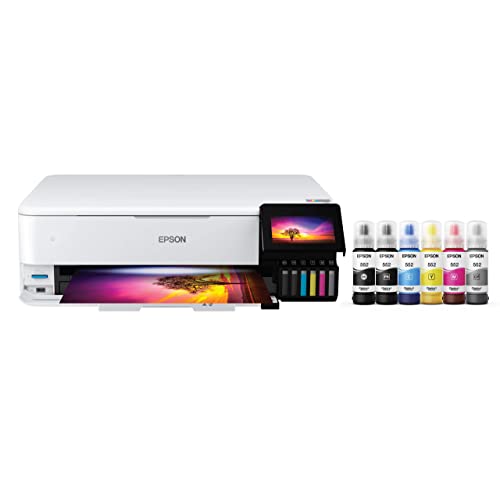
A practical checklist for choosing the best 13x19 photo printers, from ink costs and paper handling to desk space.
Printing at 13x19 gives your photos room to breathe, but a large printer is a real commitment of money, ink, and desk space. This guide uses a simple scoring checklist so you can judge any model the same way, from print quality and paper handling to running costs and noise.
By the end, you will know which specs deserve your budget and which ones you can safely ignore when you shop for the best 13x19 photo printers for your home or studio. Start with the product table, then use the criteria here to read it with confidence.

How to Choose the Best 13x19 Photo Printers
Score each candidate against the seven criteria below before you look at price. A printer that fails on paper handling or ink cost will frustrate you for years, even if the first few prints look stunning. A printer that passes most criteria at a fair price is usually the smarter long term buy.
Printer Type
Nearly every model in this size is an inkjet, because inkjet heads lay down the fine droplets and wide color range that photos need. Laser printers excel at sharp text and fast office pages, but their toner and fusing process flatten subtle photo tones. Ink tank designs refill from bottles and suit people who print often. Pigment ink models favor prints that resist fading and handle matte paper well, while dye ink models often give glossier color on shiny paper. Match the type to your paper and volume first.
Print Speed
Speed ratings in pages per minute mostly describe plain text pages, so they tell you little about a full color 13x19 print. A large photo can take several minutes, and that is normal when the head makes multiple careful passes. What matters more is consistency. A good printer keeps a steady pace without long pauses to clean its nozzles. If you print batches for a show or a client, look for honest photo print times in the specs. If you print one image at a time, speed should rank low on your list.
Footprint and Noise
A printer that handles 13x19 paper is wide, deep, and heavier than a standard home printer, and it needs clearance behind it for a straight paper path. Measure your shelf or desk, then add room for the output tray and for loading thick sheets from the rear slot. Noise matters in a shared room. Most photo models are quiet while printing but make short cleaning sounds at startup. If the printer will live in a bedroom or a small office, a closed cabinet or a separate stand helps a lot.
Print Quality and Resolution
Resolution numbers alone do not guarantee beautiful prints. Droplet size, the number of ink colors, and the quality of the driver all shape gradients, skin tones, and shadow detail. Models with extra gray or light color inks usually render smooth skies and black and white images with fewer harsh steps between tones. Look for support for borderless printing at full 13x19 size if you want edge to edge enlargements. Your paper choice matters just as much, since a fine file on cheap thin paper will still look dull.
Paper Handling and Duplex
Check which paper weights and finishes the printer accepts, not just the maximum size. A rear manual slot that feeds one thick sheet at a time is valuable for fine art and matte papers. A straight path prevents bending and protects delicate surfaces. Automatic duplex, meaning printing on both sides without your help, is handy for documents but rarely used for photos, so do not pay extra for it here. A roll paper option helps only if you truly plan to print panoramas or long banners.
If you also print everyday snapshots, our guide to the best printers to print photos explains how smaller formats compare for casual use.
Ease of Setup and Calibration
Setup should include clear steps for installing ink, aligning the print head, and loading a color profile for your chosen paper. Good software walks you through alignment prints and stores paper settings so you do not repeat them each time. A small screen on the printer helps you confirm paper type before a costly large print starts. Plan about an hour for careful setup, including a trial print on cheaper paper. Rushing this stage wastes more ink than any other mistake new owners make.
Connectivity and Mobile Printing
WiFi printing lets several computers share one large printer without a cable across the room. AirPrint and similar phone tools are convenient for quick snapshots, but serious photo work still belongs on a computer with a calibrated screen and the full driver. A wired network or USB connection gives the most stable link for very large files. Check that the maker still updates drivers for your operating system. If broad photo quality across sizes is your main concern, see our guide to the best photo quality printers for the quality factors that matter most.
Three Tiers That Pass Our Checklist
Instead of chasing a single winner among the best 13x19 photo printers, sort candidates into tiers. Each tier below describes what you should expect, who it suits, and the one limit you should accept before you buy.
The Overall Tier
This tier balances color range, paper flexibility, and build quality for serious hobbyists and working photographers. Expect many ink colors, a rear slot for thick media, borderless output at full size, and solid driver support. Around $600 to $900 is a common range for this tier. The main limit is size and ink cost, since replacement cartridges in many colors add up. Choose this tier if you sell prints, enter shows, or print large work every week and need results you can repeat with confidence.
The Value Tier
Value models keep the full 13x19 size and good color while trimming extras such as touch screens, roll feeding, and the widest ink sets. Expect prices around $300 to $550 and print quality that still impresses on glossy and luster paper. Ink cost per print is the thing to watch, because smaller cartridges raise your cost on large pages. This tier suits photographers who print a few enlargements each month and put the savings into better paper. That trade is often the wisest one in this whole category.
The Compact Tier
A few models fold their trays and keep a smaller footprint while still feeding 13x19 sheets, usually one at a time through a rear slot. They suit small studios, shared desks, and anyone who stores the printer between sessions. Expect slower printing and fewer paper options than the larger tiers, with prices around $250 to $450. If space is your real constraint, compare the trade offs in our guide to the best compact photo printers before you settle for a smaller print size.
Quick Buyer Checklist
Answer each question honestly before you order. Three or more no answers mean you should rethink the model or the size itself.
- Do I have a stable surface with clearance for loading large sheets from behind?
- Will I print at 13x19 at least a few times each month?
- Does the printer support the paper finishes and weights I actually use?
- Have I estimated ink cost for a full size color print, not just a text page?
- Does the driver support my current computer and operating system?
- Can I get replacement ink easily at a fair and steady price?
- Does the warranty cover the print head for a reasonable period?
Red Flags to Watch For
Walk away when a listing leans on vague claims such as professional quality without naming ink colors, paper weights, or maximum thickness. Be wary of a very low printer price paired with tiny starter cartridges and expensive replacements, since the first year of ink can cost more than the machine. Short warranties, missing driver updates, and no rear feed slot are practical warnings for this category. Unusual review patterns, such as many short glowing comments posted on the same day, should also make you pause. Finally, confirm the full 13x19 size is supported for borderless printing if that feature matters to you, because some models limit borderless output to smaller sizes.
Setup and Care Tips
Print something in color at least once a week, even a small sample image, so ink keeps moving and nozzles stay clear. Use genuine ink or a reputable refill system that matches your printer, since poor ink can clog heads and shift colors. Store paper flat, away from humidity, and handle sheets by the edges to keep skin oils off the surface. When you change paper types, update the driver setting before you print. That single habit prevents most dull or streaky large prints.
For quick prints away from your desk setup, our guide to the best mobile photo printers covers the small portable options that pair with a phone.
FAQs
Are ink tank printers worth it?
Yes, if you print large photos often. Bottled ink usually lowers your cost per print and reduces cartridge waste, which matters at 13x19 because each page uses far more ink than a snapshot. The upfront price is higher, and tank models can be slower. If you print only a few enlargements a year, a cartridge model may cost less overall and needs less commitment.
Inkjet or laser: which is cheaper long term?
Inkjet is the practical choice for photos, so the cost question is really about ink systems, not laser toner. Tank systems cost least per print at steady volume, while cartridge systems cost more per page but less upfront. Laser looks cheap for text pages, yet its photo quality on plain or laser photo paper falls short for enlargements. Judge total cost across two years of your real printing, not the box price.
What paper fits a 13x19 photo printer?
Any sheet up to 13 by 19 inches fits, including the common A3 plus size sold for this category. You can also print smaller sizes such as 8x10 and 11x14 on the same machine, which helps you proof an image before committing ink to a full sheet. Check the maximum paper weight in grams per square meter, since thick fine art papers exceed the limit on some models. Keep one pack of affordable luster paper for proofs.
What does cost per page mean?
Cost per page is the ink and paper expense for one finished print, and it changes sharply with size and coverage. A full color 13x19 image can cost several dollars, while a text page costs cents. Estimate it by dividing a cartridge or bottle price by its realistic yield, then add your paper cost. Dark, saturated images use more ink than pale ones, so treat any published figure as a guide, not a promise.
Wrapping Up
Focus on three things: an ink set and paper path that match your favorite papers, a footprint your room can truly hold, and running costs you have estimated honestly. Use the product table above to compare models that pass those checks. The best 13x19 photo printers for you are the ones you will use every week without fighting them, and our companion guide to the best printers for photo printing can help you confirm the basics before you buy.


