wegear
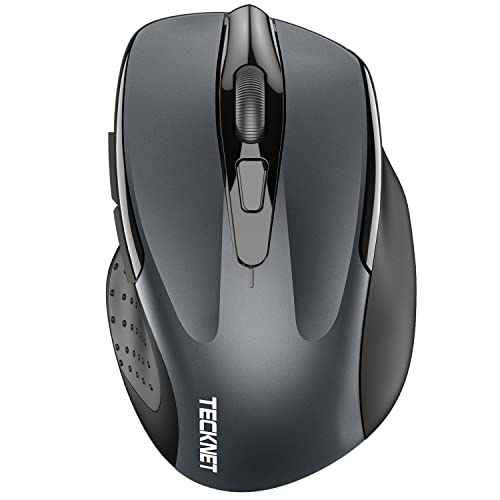
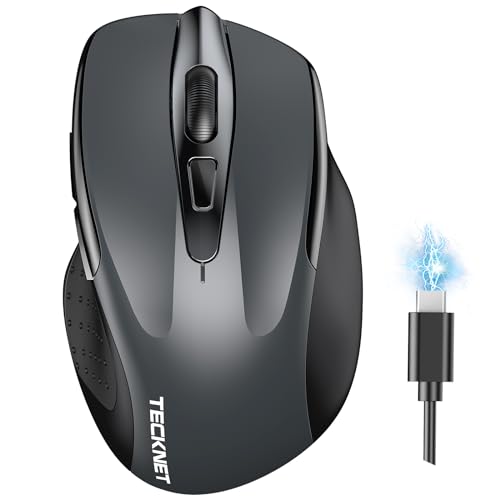
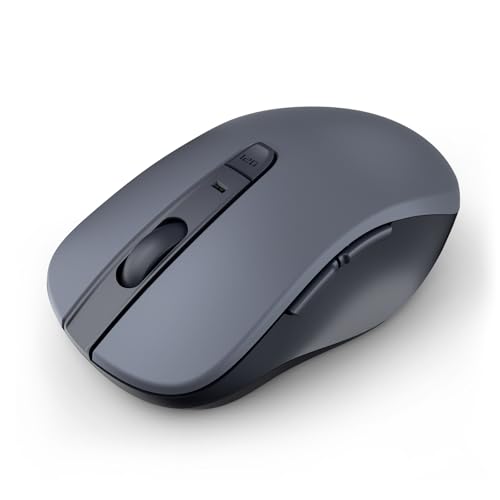
wegear Bluetooth Mouse Silent Wireless Mice, Cordless Computer Mouse-Grey
Disclosure: We may earn a commission when you buy through links on this page, at no extra cost to you. As an Amazon Associate I earn from qualifying purchases. Learn more
Highlights
- 【Ergonomic Bluetooth Mouse】Experience all-day comfort with a sculpted grip that conforms to your hand's natural contours, providing ergonomic support for extended periods of use. Effortlessly pair your device with Bluetooth 5.0 and Microsoft Swift Pair technology
- 【Quiet Mouse】 Enjoy seamless performance on various surfaces like wood, leather, fabric, paper, and resin. This bluetooth wireless mouse features silent left, right, and scroll wheel buttons, enabling quiet, efficient work without disturbing others
- 【6 Efficient Buttons】Forward and backward buttons of the bluetooth mouse for mac help to quickly switch between interfaces when browsing multiple web pages and enhance productivity. (Note: Forward/backward buttons are not recognized on Mac)
- 【3 Adjustable DPI Levels for Precision】 With 800 DPI, 1200 DPI, and 1600 DPI optical tracking, this bluetooth mouse for laptop offers three adjustable DPI levels. Switch effortlessly between DPI settings using the “DPI” button, ensuring smooth and accurate movement for different tasks, from browsing to detailed work
- 【Long Battery Life】Enjoy up to 24 months of use on a single AA battery (not included). The wireless mouse battery powered conserves energy by entering sleep mode after 30s of inactivity and wake up when you move
- 【Durable Click】 Our full size wireless mouse built to withstand extensive use, the left and right buttons are engineered to last up to 3 million clicks. The scroll wheel is designed to endure up to 300,000 cycles, ensuring long-lasting durability and consistent performance
- 【Wide Compatibility】wegear wireless mouse with side buttons is compatible with Windows 8/10/11 and later, macOS 10.10 and later, Chrome OS 11 and later, Android 5.0 and later. Fits for desktop, laptop, PC, Macbook
Why You'll Love It
- Muffled left, right, and scroll clicks prevent distraction in quiet offices or shared spaces
- Pair directly to computers via Bluetooth 5.0 without taking up a USB port
- Switch between three optical tracking speeds to suit basic navigation or precise pointer tasks
- Run up to two full years on a single standard AA battery
- Ergonomic full-size sculpted shape provides steady hand support during long working hours
- Reliable tracking across multiple materials including wood, paper, fabric, and leather
Pros
- +Silent buttons and scroll wheel
- +Up to 24-month battery life
- +Three selectable DPI tracking speeds
- +Swift Pair support on Windows
- +Works across multiple surface materials
Cons
- -AA battery not included
- -Side buttons unsupported on macOS
- -No USB receiver included
Detailed Review
The wegear Bluetooth Mouse Silent Wireless Mice in grey is a full-size cordless pointing device designed for daily computer work across laptops, desktops, and tablets. It addresses the common nuisance of sharp clicking sounds in shared offices, study halls, or quiet home workspaces by combining silent switches with cordless Bluetooth connectivity. For general productivity, web browsing, and document editing, it offers a functional balance of quiet performance, ergonomic contouring, and extended battery life.
Daily usability centers around its silent switches. The left, right, and scroll wheel buttons are built to keep noise down so you can click repeatedly without distracting people nearby. The optical sensor tracks across diverse work surfaces such as wood, leather, fabric, paper, and resin, meaning you do not necessarily need a specialized mouse pad on your desk. Connecting the mouse relies on Bluetooth 5.0, with support for Microsoft Swift Pair on compatible Windows computers to streamline the pairing process without requiring an external USB receiver.
For cursor control and interface navigation, the mouse features six total buttons and three adjustable sensitivity settings. By pressing the dedicated DPI button, you can cycle between 800 DPI, 1200 DPI, and 1600 DPI to match your preferred cursor speed, whether you are highlighting text or working across wide screens. The body includes forward and backward side buttons intended to speed up web browsing. Internally, the primary left and right buttons are rated for up to 3 million clicks, while the scroll wheel is engineered to endure up to 300,000 cycles.
There are a few trade-offs to keep in mind before choosing this mouse. The side forward and backward buttons do not work on macOS, limiting Mac users to standard pointing, clicking, and scrolling functions. Power comes from a single AA battery that is not included in the package, so you must supply your own before initial setup. In addition, the listing focuses exclusively on Bluetooth connectivity and does not mention a 2.4 GHz USB dongle, meaning your host device must have built-in Bluetooth hardware to communicate with the mouse.
Verdict: The wegear Silent Bluetooth Mouse is a solid choice for Windows, Chrome OS, and Android users who need a quiet, comfortable pointing device for quiet offices and shared rooms. If you want multi-surface tracking, dependable battery longevity, and silent switches without plugging in a USB adapter, this mouse fits everyday computing needs well.
Specifications
- Connectivity: Bluetooth 5.0, Microsoft Swift Pair
- Optical Sensor Resolution: 800 DPI, 1200 DPI, 1600 DPI
- Button Count: 6 buttons (including forward, backward, DPI switch)
- Power Source: 1 x AA battery (not included)
- Battery Life: Up to 24 months
- Power Saving: Sleep mode after 30 seconds of inactivity
- Button Durability: Left and right buttons rated for 3 million clicks
- Scroll Wheel Durability: Rated for 300,000 cycles
- Supported Operating Systems: Windows 8/10/11 and later, macOS 10.10 and later, Chrome OS 11 and later, Android 5.0 and later
Who Should Buy It
A great fit if you:
- Work in shared quiet spaces like open offices, bedrooms, or libraries where clicking sounds cause unnecessary distraction.
- Use a Windows 10 or 11 laptop and want quick setup using Microsoft Swift Pair without occupying a USB port.
- Need a full-size sculpted mouse that supports your hand during prolonged daily desktop sessions.
- Frequently work at desks made of wood, resin, or leather without carrying a dedicated mouse pad.
- Want a low-maintenance mouse that can run up to two years before needing a fresh battery.
Consider something else if you:
- Rely heavily on side forward and backward thumb buttons on a Mac computer, where those specific buttons are not recognized.
- Own an older computer without native Bluetooth support and require a 2.4 GHz USB dongle to connect peripherals.
Before You Buy
Confirm on the listing:
- Check whether your host computer or tablet has native Bluetooth hardware enabled, since no USB receiver is mentioned.
- Check whether your operating system meets the minimum requirements, specifically Windows 8 or later, macOS 10.10 or later, Chrome OS 11 or later, or Android 5.0 or later.
- Verify that you have a fresh AA battery on hand, as the required battery is not included in the package.
- Confirm the exact dimensions on the product page if you have specific preferences for small travel mice versus full-size mice.
How to compare your options: When shopping for an everyday cordless mouse, key criteria include connection type, button noise levels, battery longevity, and hand ergonomics. This model relies entirely on Bluetooth 5.0 rather than proprietary dongles, which saves port space on modern laptops. Compare its 24-month battery life and silent switches against your priority for quiet operation versus advanced gaming features or rechargeable batteries.
Getting the Most From It
Getting optimal performance from this cordless mouse involves a few practical habits during setup and ongoing use:
- Insert a quality AA alkaline battery securely into the battery compartment before attempting initial Bluetooth pairing.
- If using a compatible Windows system, bring the mouse close to your computer to take advantage of Microsoft Swift Pair prompts for direct pairing.
- Test the DPI button to cycle through 800, 1200, and 1600 DPI to determine which cursor tracking speed feels most accurate for your display resolution.
- Remember that the mouse enters energy-saving sleep mode after 30 seconds of inactivity; simply move the mouse to wake it up and resume working.
- Keep the optical sensor lens underneath clean by gently wiping away dust or lint as recommended by standard electronic care routines.
- If tracking performance slows down or connection drops after prolonged use, replace the AA battery with a fresh cell.
FAQ
Does this mouse come with a battery in the box?
No, the mouse requires a single AA battery that is not included. You will need to supply an AA battery before using it.
Do the side forward and backward buttons work on a Mac?
The listing notes that the forward and backward buttons are not recognized on macOS. The standard left click, right click, and scroll wheel will still function normally on macOS 10.10 and later.
How does the power-saving feature work?
The mouse conserves power by automatically entering sleep mode after 30 seconds of inactivity. Moving the mouse wakes it back up immediately for normal tracking.
Can I use this mouse without a mouse pad?
Yes, the optical tracking is designed to function across various everyday materials, including wood, leather, fabric, paper, and resin surfaces.
Does this mouse require a USB receiver plug to connect?
The data mentions connectivity via Bluetooth 5.0 and Microsoft Swift Pair, with no mention of a USB receiver. Your computer must have Bluetooth capability to pair with the mouse.
Product Details
| Brand | wegear |
| ASIN | B0G7D8DY91 |