TP-Link
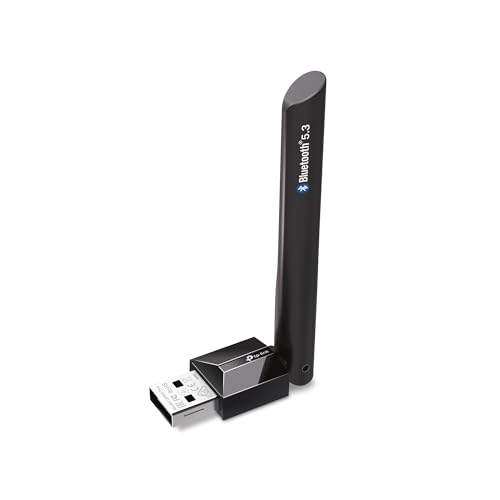
TP-Link USB Bluetooth Adapter for PC - Bluetooth 5.4 USB Dongle Receiver
Disclosure: We may earn a commission when you buy through links on this page, at no extra cost to you. As an Amazon Associate I earn from qualifying purchases. Learn more
Highlights
- Bluetooth 5.4 + Broad Compatibility - Provides Bluetooth 5.4 plus EDR technology and is backward compatible with Bluetooth V5.3/5.0/4.2/4.0/3.0/2.1/2.0/1.1.
- Faster Speed, Extended Range - Get up to 2x faster data transfer and 4x broader coverage compared to Bluetooth 4.0 — perfect for smooth audio streaming and stable connections.
- EDR and BLE Technology - This Bluetooth dongle is quipped with enhanced data rate and Bluetooth low energy, UB500 has greatly improved data transfer speed and operates at the optimal rate of power consumption
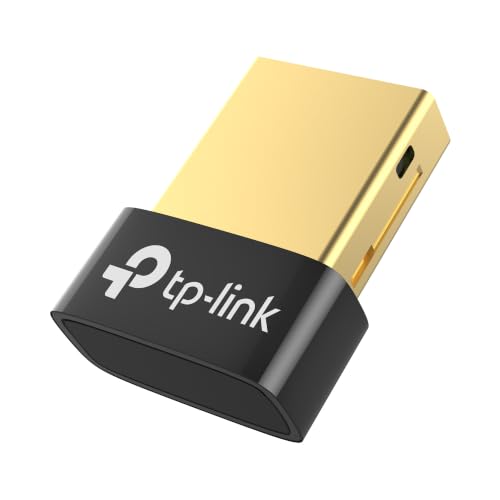
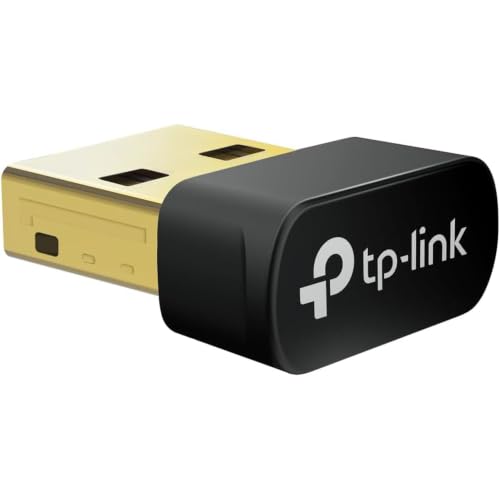
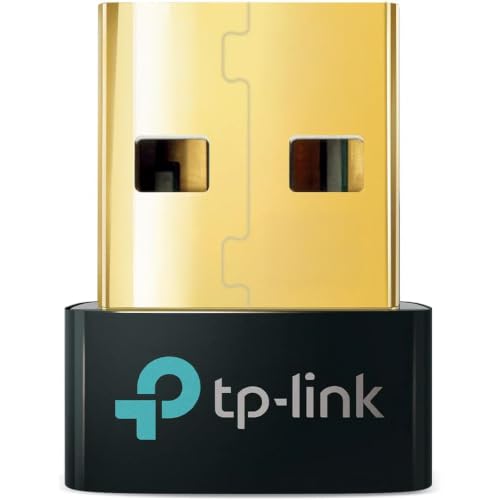
- Nano-Sized - A sleek, ultra-small design means you can insert the Nano Bluetooth receiver into any USB port and simply keep it there regardless of whether you are traveling or at home
- Plug & Play with Free Driver Support - Plug and play for Windows 8.1/10/11 (internet required). Supports Win7 (driver required and can be downloaded from website for free). Download the latest driver from TP-Link website to utilize Bluetooth 5.4
- Reliable Multi-Device Support - Enables wireless communication with Bluetooth-enabled desktop, printers, phones and headsets. Utilizes Bluetooth low energy technology for energy-saving wireless connectivity
- Compatibility NOTE: UB500 is for Windows PCs only and does not support macOS, Linux, TVs, or Windows 8. Not for direct console use (PS5/PS4/Xbox), but controllers can be connected via PC. Two UB500 cannot pair with each other
- Setup Tip - Disable any existing internal Bluetooth in Device Manager before using UB500 to avoid driver conflicts.
Why You'll Love It
- Adds Bluetooth 5.4 wireless connectivity to your Windows desktop or laptop
- Delivers up to double the transfer speed and four times the range of Bluetooth 4.0
- Compact nano design stays plugged into your USB port without getting in the way
- Connects multiple wireless accessories at once, including headsets, controllers, phones, and printers
- Works instantly via plug and play on Windows 8.1, 10, and 11 systems
- Maintains backward compatibility with earlier Bluetooth standards down to version 1.1
Pros
- +Ultra-compact nano USB design
- +Fast Bluetooth 5.4 with EDR and BLE
- +Simple plug and play on Windows 8.1 through 11
- +Wide backward compatibility with older devices
Cons
- -Not compatible with macOS, Linux, or TVs
- -Windows 8 is unsupported and Windows 7 requires driver download
- -No direct connection to gaming consoles
Detailed Review
The TP-Link UB500 is a nano-sized USB adapter designed to bring Bluetooth 5.4 capability to desktop and laptop computers lacking wireless support. It provides an easy solution for anyone wanting to link wireless peripherals, stream audio, or transfer files between a PC and external devices without running cables across a desk.
Equipped with modern Bluetooth 5.4 plus Enhanced Data Rate (EDR) and Bluetooth Low Energy (BLE), this dongle provides up to twice the data transfer speed and four times the coverage area of legacy Bluetooth 4.0 hardware. The updated standard helps maintain energy-saving power consumption while supporting reliable links to wireless headphones, phones, printers, and desktop accessories. The ultra-small form factor means you can leave it permanently plugged into any standard USB port without blocking neighboring slots or snagging during transit.
Setup is straightforward for modern operating systems. It functions as a plug and play device on Windows 8.1, 10, and 11 when an internet connection is active, though getting full Bluetooth 5.4 functionality requires downloading the latest driver from the TP-Link website. Windows 7 users will also need to download a free driver. If your PC has an existing internal Bluetooth receiver, you will need to disable it in Device Manager prior to installation to avoid driver conflicts.
Platform compatibility is strictly limited to Windows systems. The UB500 does not work with macOS, Linux, smart TVs, or Windows 8. Additionally, it cannot be plugged directly into game consoles such as the PS5, PS4, or Xbox, although console controllers can be paired to your PC through the adapter. Two UB500 adapters also cannot link directly to one another.
Verdict: The TP-Link UB500 is an effective, low-profile upgrade for Windows desktop and laptop users who need to connect wireless accessories. As long as you are running a supported Windows operating system, it provides a stable and modern Bluetooth connection in a tiny form factor.
Who Should Buy It
A great fit if you:
- Need to add Bluetooth connectivity to a Windows 11, 10, 8.1, or 7 computer
- Want to pair wireless headsets, controllers, phones, or printers to your desktop
- Prefer a tiny USB receiver that can stay plugged in permanently
- Want faster transfer speeds and longer range than older Bluetooth 4.0 adapters provide
Consider something else if you:
- Use a Mac, Linux machine, or Windows 8 operating system
- Need a direct USB Bluetooth adapter for a TV, Xbox, PS4, or PS5 console
FAQ
Does this adapter work with Mac or Linux computers?
No, the UB500 is designed for Windows PCs only and does not support macOS or Linux operating systems.
Can I plug this into a PlayStation or Xbox console?
No, it is not built for direct console use. However, you can use it on a PC to connect gaming controllers wirelessly.
Do I need to install drivers to use this adapter?
It is plug and play for Windows 8.1, 10, and 11 if you have an internet connection, though downloading the latest TP-Link driver is required to enable Bluetooth 5.4. Windows 7 requires downloading a free driver from the official website.
What should I do if my PC already has built-in Bluetooth?
You should disable the existing internal Bluetooth in your PC Device Manager before using the UB500 to prevent driver conflicts.
Product Details
| Brand | TP-Link |
| ASIN | B09DMP6T22 |