
Best E-Readers: A Complete Buying Guide for Every Reader
Disclosure: We may earn a commission when you buy through links on this page, at no extra cost to you. As an Amazon Associate I earn from qualifying purchases. Learn more
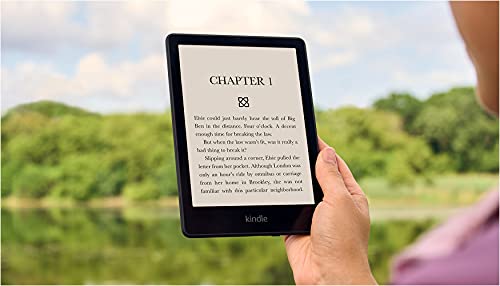
Somewhere between a stack of paperbacks you haven't finished and a phone screen that keeps you up half the night, there's a reading device built to solve both problems. A dedicated e-reader is small, easy on the eyes, and made for one job: getting you through book after book without email or social media pulling at your attention. Picking the best e-readers for your habits comes down to a handful of features that matter far more than the size of the box on the shelf. This guide walks through what actually separates a good e-reader from one you'll regret, how much storage and battery life you realistically need, and how to get books onto the device once it's in your hands.


What Makes E-Ink Different from a Reading Tablet
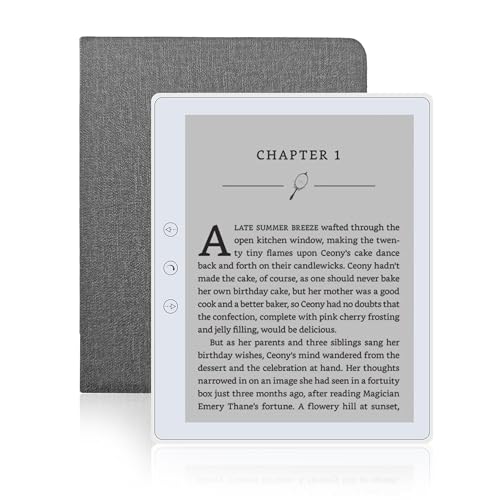
Before comparing specs, it helps to understand why e-readers exist at all when phones and tablets can already display a book. The screen technology is the whole point. E-ink panels reflect ambient light the way a printed page does, instead of shining light directly into your eyes the way an LCD screen does. That's why reading on an e-reader in direct sunlight is effortless, while a tablet screen washes out and forces you to squint or cup your hand over it.
Why the Screen Feels Different on Your Eyes
Most readers who switch from a phone or tablet notice fewer headaches and less fatigue during long sessions, since there's no flicker or backlight glare competing with the page. The tradeoff is refresh speed. E-ink pixels take a fraction of a second to redraw, which is unnoticeable when you're turning pages but makes these devices unsuitable for video, fast scrolling, or general web browsing.
What You're Giving Up Compared to a Tablet
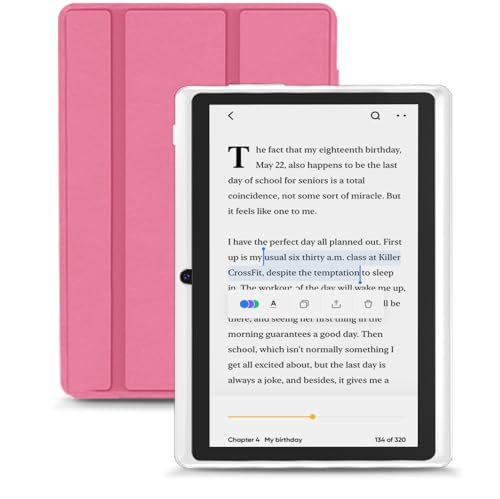
An e-reader won't replace a tablet for email, streaming, or apps, and most models display in shades of gray rather than full color. If you want a single device for everything, a tablet is the better fit. If you want a device that exists purely to make reading more comfortable, that narrow focus is exactly the appeal.
The Screen and Lighting Features Worth Paying For
Once you've decided an e-reader is the right category of device, the next step is figuring out which features actually separate the best e-readers from mediocre ones, instead of just adding to the price tag.
Screen Size and Resolution
Most e-readers land between 6 and 7 inches, which mirrors the size of a small paperback and fits comfortably in one hand. Larger screens around 7.8 inches show more text per page and reduce how often you tap to turn pages, but the device becomes noticeably heavier for one-handed reading in bed. Resolution matters mainly for font clarity, and anything in the higher-density range renders crisp text even at small font sizes.
Adjustable Warm Light
A built-in front light is close to essential at this point, since it lets you read in a dark room without a separate lamp. The more useful feature is a warm light that shifts from cool white to an amber tone, which is easier on the eyes at night and doesn't disrupt sleep the way a blue-toned screen can. Look for a light you can adjust manually rather than one locked to a single brightness.
Battery Life and Charging
Because e-ink only draws power when the page actually changes, most e-readers last for weeks of normal reading on a single charge rather than hours. Frequent wifi use for downloading books or browsing a store will drain the battery faster than reading with wifi turned off. If you travel often and don't want to hunt for an outlet, keeping a compact portable charger in your bag is an easy way to top off the battery on a long trip.
How Much Storage You Actually Need
Storage confusion is one of the most common reasons shoppers either overpay for the best e-readers on the market or end up frustrated with their device. If you mainly read standard text-based novels, you need far less space than the marketing numbers suggest. A typical ebook takes up only a few megabytes, so even a modest amount of onboard storage can hold thousands of books.
Text Readers vs. Comic and Manga Fans
The calculation changes completely if you read comics, manga, or heavily illustrated books, since image-based files can be many times larger than plain text. Someone who wants an entire manga series or a handful of graphic novels available offline should look for a higher-capacity model rather than the base storage tier. If you mostly read novels and lean on cloud storage or a library app to manage your collection, the entry-level storage option is usually more than enough.
Waterproofing and Durability for Real-World Reading
Reading rarely happens only at a desk. People read in the bathtub, by the pool, and on the beach, which is exactly where a device without water resistance gets ruined. An IPX8 rating generally means the device can survive accidental submersion in fresh water for a set period of time, which covers most realistic accidents like a splash or a drop into the tub.
Fresh water resistance doesn't always extend to salt water or chlorinated pool water, so it's worth checking the manufacturer's specific guidance before you bring a device into the ocean. This is one of the specs that quietly separates the best e-readers for outdoor and bathroom use from ones that won't survive an accident. If beach trips are a regular part of your reading routine, pairing your e-reader with a beach backpack that has a padded, sand-resistant compartment adds another layer of protection beyond the device's own rating.
Getting Books Onto Your Device: Stores, Libraries, and File Formats
How you actually load books onto the device is just as important as the hardware, and it depends heavily on the ecosystem a device is built around. Devices tied closely to a single retailer's store make buying new releases simple, but they can limit you to that one source and its supported file formats. More open, Android-based e-ink devices tend to let you install multiple reading apps side by side, which means access to several bookstores and library systems on one screen instead of being locked into a single ecosystem.
Library borrowing is a major factor for a lot of readers, since apps that connect to services like Overdrive or Libby let you check out digital titles from your local library for free. Before buying, confirm the device supports the library app you'd actually use, since not every e-reader handles this the same way. Downloading books, whether from a store or a library app, also depends on a decent internet connection at home, so a dependable wifi router makes the process noticeably smoother, especially if your reading corner is on the far end of the house from your modem.
Frequently Asked Questions
What is the difference between an e-reader and a tablet?
An e-reader uses an e-ink display built specifically for reading text, with no backlight glare and much longer battery life. A tablet uses a backlit LCD screen and can run apps, video, and browsing, but it's heavier on the eyes for long reading sessions and needs charging far more often.
How much storage do I need on an e-reader?
If you mainly read text-based novels, a base storage tier holds thousands of books and is plenty for most people. If you read comics, manga, or other image-heavy formats, look for a higher-capacity model since those files are much larger.
Are e-readers waterproof?
Many modern e-readers carry a water resistance rating that protects against accidental splashes or brief submersion in fresh water. That protection typically doesn't cover salt water or extended exposure, so check the specific rating before using one near the ocean or a pool.
Can I borrow library books on an e-reader?
Yes, as long as the device supports a library lending app such as the ones used by Overdrive or Libby. Support varies by device and ecosystem, so it's worth confirming compatibility before you buy if library borrowing is a priority.
How long does an e-reader battery last?
Most e-readers last several weeks on a single charge under normal reading habits, since the screen only uses power when a page turns. Heavy wifi use for downloading or browsing a store will shorten that significantly.
Can you read comics or manga comfortably on an e-reader?
It's possible, but the experience is better on larger screens with higher resolution, since image-heavy pages need more detail and don't reflow the way plain text does. A smaller, lower-resolution screen can make panels feel cramped.
Is a warm light front light necessary?
It's not strictly necessary, but it makes a real difference for evening reading. A warm, adjustable light reduces eye strain in the dark and avoids the sleep-disrupting effect of a cooler, blue-toned screen.
Making Your Decision
The best e-readers aren't defined by the longest spec sheet, they're the ones that match how and where you actually read. Someone who reads mostly at night in bed should prioritize a comfortable warm light and manageable weight, while someone who reads by the pool or on long trips should weigh water resistance and battery life more heavily. Once you've matched the screen, lighting, storage, and ecosystem to your own habits, almost any well-reviewed model in that category will serve you well for years.