Best Clear PC Cases: A First Time Buyer's Guide for 2026
Disclosure: We may earn a commission when you buy through links on this page, at no extra cost to you. As an Amazon Associate I earn from qualifying purchases. Learn more

New to clear cases? Compare the best clear pc cases by panel type, airflow, size, and GPU fit, and learn how to avoid common first build mistakes.
Shopping for best clear pc cases for your first build is exciting, because the case is the one part you will look at every single day. A clear panel turns neat parts and tidy cables into something worth showing, but looks alone will not keep a graphics card cool or make a long card fit.
This guide walks you through the basics in plain English, from panel materials and sizes to clearance numbers and airflow. Use the comparison table below for a quick side by side look at your options, then read on to learn what each spec actually means for your build.
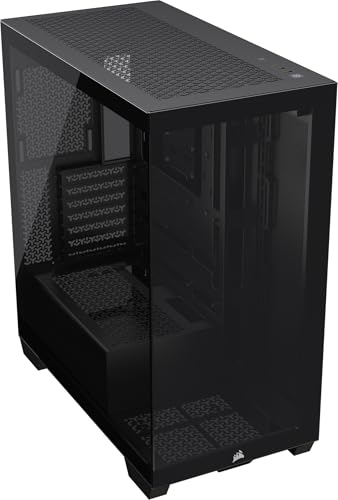


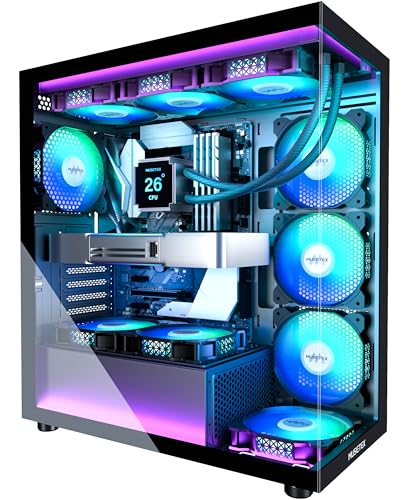


Clear PC Cases 101: The Basics for New Builders
A clear PC case is a normal computer enclosure built around one or more see through panels. The frame is usually steel or aluminum, while the windows are tempered glass or acrylic. Most models pair a clear side panel with a clear front panel, so fans and lighting show from two angles.
Under the glass, the buying logic is the same as any other case. You still match the case to your motherboard size, check that your graphics card and cooler fit, and make sure air can move in and out. The clear panels simply raise the stakes, because messy cables, dust, and crooked parts stay visible instead of hiding behind solid metal.
For design context, you can also see our guide to the best pc cases of all time and note which shapes stayed popular and why.
Who Should Buy a Clear PC Case?
The groups below will help you decide whether the extra visibility fits your parts, your desk, and your habits.
Builders Who Want Their Parts on Display
If you picked parts with matching colors or lighting, a glass side panel lets that effort show every day. This is the classic appeal for custom built pcs, where the interior is part of the fun. You will enjoy a clear case most if you are willing to route cables neatly and wipe the glass now and then, since every shortcut stays on view.
Gamers Who Want Cooling and Looks Together
Gamers running a strong GPU at 1440p often want a showcase build that still breathes well. A clear case with a ventilated top and room for several fans can do both jobs. Your frame rate comes from your graphics card and processor, but a case that traps heat makes fans louder during long sessions.
Builders With Small Desks and Compact Parts
A clear case does not have to be huge. Compact models for small form factor pcs use a vertical window or a glass side on a small frame, so the build still shows without eating your whole desk. Space is tight inside, so planning matters more. If small is your priority, you can see our guide to the best itx pc cases for the smallest board format.
Key Specs Explained in Plain English
Spec sheets look intimidating at first, but each line answers a simple question about fit, cooling, or daily use. Start with the product table above to narrow your list by size, then work through the five points below. Most clear cases worth considering cost under $200.
GPU Length and CPU Cooler Height
Every case lists a maximum GPU length and a maximum CPU cooler height, both in millimeters. Measure your graphics card from its bracket to its far end, then compare that number with the case limit and leave a little room for power cables. Cards built for smooth 1440p play tend to be long and thick, so this check matters. Tall air coolers face the same check against the side panel, while an AIO cooler shifts the question to radiator space instead.
Noise Levels With Glass Panels
Glass is a hard, flat surface, so it reflects sound rather than soaking it up. Fan noise and any coil whine from your graphics card under load will stay easy to hear in a quiet room. You cannot fix whine with a case, but you can keep fan noise down with larger fans spinning slowly and a sensible fan curve in your settings. If quiet matters to you, you can see our guide to the best pc case fans for what to pair with the case.
Build Quality, Cable Management, and Support
Good build quality shows in small ways. Panels should sit flush with no wide gaps, the frame should feel stiff when you lift it, and the glass should have a slight tint or clean edges rather than a flimsy feel. Behind the motherboard tray, look for wide cable channels, rubber grommets, and hook and loop straps, because a clear build shows every loose wire. Most cases carry a warranty of about 1 to 3 years, and responsive support matters if a panel arrives cracked.
Case Size, Airflow, and Looks
Case size follows motherboard size. ATX is the roomy standard, mATX is a step smaller, and ITX is the compact option, and your board must match the mounts inside. Airflow is the second half of this choice. A solid glass front looks striking, yet it needs side or bottom intake gaps to feed the fans, while a perforated front breathes more freely. If the middle size sounds right for your desk, you can see our guide to the best matx pc cases for more on that format.
Drive Space, Memory Clearance, and Power Supply Room
Storage has moved onto the motherboard for most new builds, since an NVMe SSD mounts directly on the board and needs no drive bay at all. That frees case makers to drop bulky drive cages, so check only that you get a couple of 2.5 inch mounts if you own older drives. Memory height matters when a top mounted radiator sits close to the board, and the power supply bay needs enough length for your unit plus its cables, whether it is a standard model or an 80+ Gold unit.
Rookie Mistakes to Avoid
Most first build problems come from ordering with your eyes first and a tape measure second.
- Choosing a case for its looks without checking GPU length, so the card will not fit or its cables press hard against the glass.
- Picking a sealed glass front with weak intake gaps, so your parts run hot and your fans spin loud to compensate.
- Ordering a case that does not match your motherboard size, so the board will not mount on the standoffs inside.
- Bolting the glass panels on before routing your cables, so loose wires stay visible and the panel bulges against them.
- Peeling the protective film off the glass before the build is done, so fingerprints and small scratches end up on full display.
Getting Started: Setup and First Use
Unpack the case on a soft surface such as a towel or carpet, and keep the panel screws in a small bowl so none roll away. Work with the case on its side, remove both panels, and set the glass one down flat somewhere safe. Install the power supply first, then the motherboard with its standoffs, then the graphics card and storage, routing each cable through the nearest channel as you go.
Fan direction confuses many new builders. As a rule, front and bottom fans pull air in, while rear and top fans push air out. Fit any dust filters the case includes before your first boot, and leave the protective film on the glass until the build is finished. Once the system starts, update your GPU drivers, and update the BIOS only when a fix or a new part calls for it, following the board maker instructions with care.
Keeping the glass clear is simple upkeep. Wipe tempered glass with a soft microfiber cloth and a little water, and treat acrylic more gently, since it marks far more easily and harsh cleaners can cloud it. Clean the dust filters on a regular schedule, let them dry fully, and refit them the same day. Every few months, check that the panel screws and fan screws are still snug, because vibration slowly loosens them.
Frequently Asked Questions
Do clear PC cases run hotter than mesh front cases?
Clear PC cases can run a few degrees warmer when the front is solid glass, because the fans must pull air through side gaps instead of a wide open face. The gap is small for most gaming builds and rarely changes performance. If your parts run hot, a quick first fix is adding one rear exhaust fan or raising fan speed slightly during long sessions, before you think about replacing the case.
Is tempered glass or acrylic better for a clear PC case panel?
Tempered glass is the better panel for most people, because it resists scratches and looks clearer over time. Acrylic is lighter and less likely to shatter, which can help if you move your PC to events or between rooms often. Acrylic also flexes a little and can bow on large panels, so glass is the safer default for a big window you plan to keep for years.
What size clear PC case should a first time builder choose?
A mid size ATX case is the easiest starting point among the best clear pc cases for a first build. You get extra room for your hands, gentler cable bends, and wider cooler choices than a compact case allows. Measure your desk depth before ordering, and remember that a glass case invites you to leave a little space around it, so the view and the intake vents both stay unblocked.
Can a clear PC case fit an AIO cooler and a long GPU at the same time?
Yes, a clear PC case can often fit both, but you must do the combined math before you buy. A front mounted radiator plus its fans takes space away from the stated GPU length limit, sometimes by 50 mm or more. Mounting the radiator in the top of the case usually preserves full card length, so check the top mount support first if your graphics card is long.
How often should you clean the dust filters on a clear PC case?
You should clean the dust filters on a clear PC case about every 3 months in a typical home. Homes with shedding pets or carpeted rooms may need a monthly rhythm, since fur and lint clog intake filters fast. Put a reminder on your phone for the first weekend of each season, and check the glass at the same time for dust lines forming inside.
Are clear PC cases a good choice for a bedroom gaming PC?
Clear PC cases can work well in a bedroom if you plan for light and sound at night. Most lighting can be dimmed or switched off in software, so a glowing build does not have to light the room while you sleep. Placing the case on the floor beside your desk, rather than at ear height on top of it, also softens fan sound during late sessions.
Final Thoughts
For a first build, three checks matter more than any styling detail. Pick a panel material you can live with, confirm that your graphics card and cooler truly fit, and choose a layout that lets air move. Everything else, from tinted glass to extra lighting, is a bonus you can judge with your eyes.
Go back to the comparison table above with those three checks in mind, and the right choice usually becomes obvious. The best clear pc cases for you are the ones that fit your parts, your desk, and your patience for tidy cables. Take your time with the routing, and your first build will look as good as it runs.