
Best Chairs for Remote Work Made Simple: A Clear Buying Guide for 2026
Disclosure: We may earn a commission when you buy through links on this page, at no extra cost to you. As an Amazon Associate I earn from qualifying purchases. Learn more
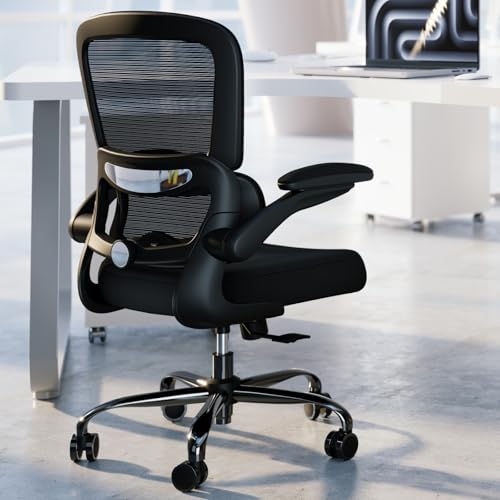
New to buying the best chairs for remote work? This clear first buyer guide explains the basic terms, the specs that matter, and the mistakes to avoid.
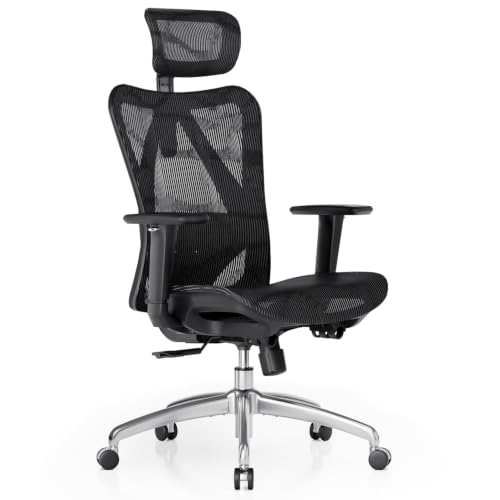
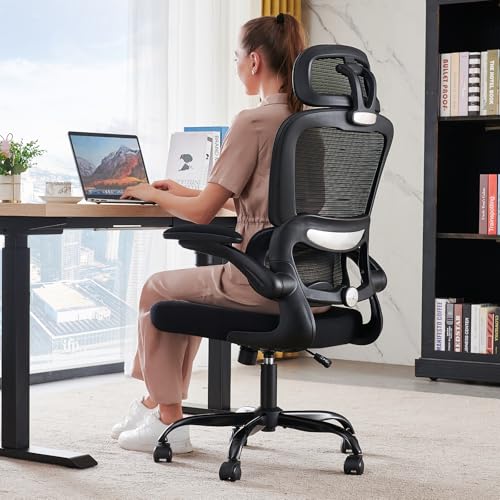
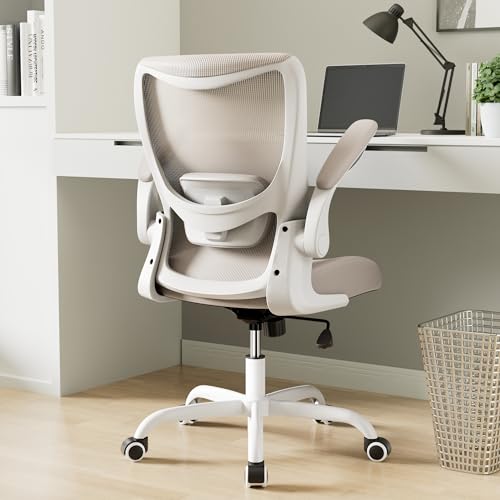
Working from a dining chair or the end of the couch works for a week, then your back files a complaint. Buying your first real work chair means learning a few terms and a handful of numbers, nothing more. This guide explains the best chairs for remote work in plain language, from what the parts are called to how to set the chair up on day one. The comparison table below shows the main types side by side.
You do not need the priciest chair in the store. You need one that fits your body, fits your room, and supports the way you actually work at home. The sections below take those checks in order, in the same order you would use them in a shop.


Chairs 101: The Basics
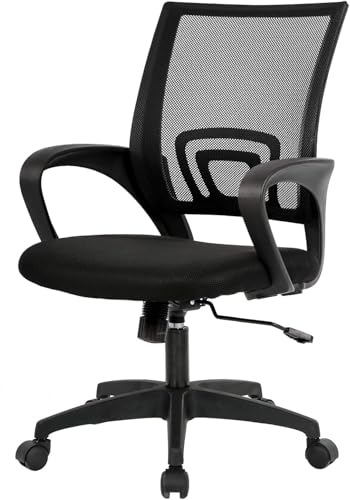
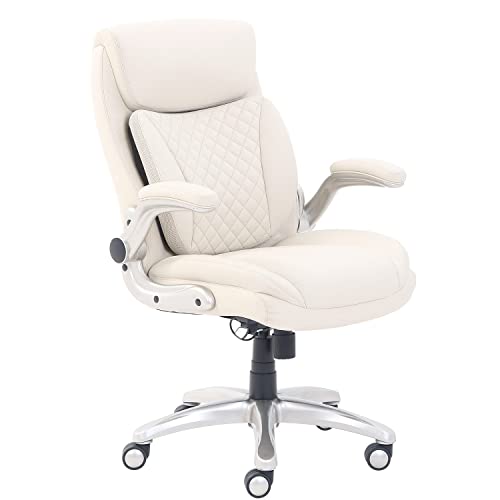
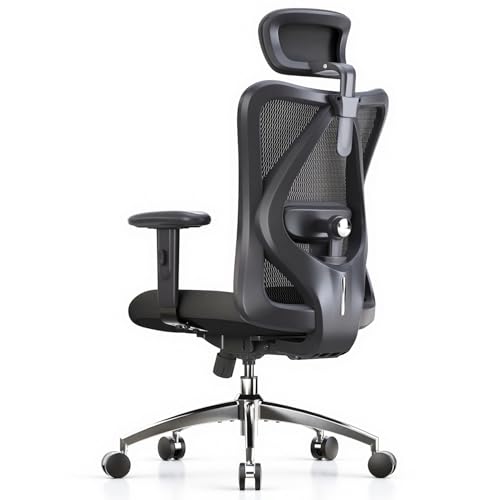
Home work chairs fall into four broad types. Task chairs are the plain all rounders built for a desk. Ergonomic chairs add more adjustments to the same idea. Executive chairs are larger and more padded, styled for presence.
Compact chairs shrink the footprint for small rooms and shared spaces.
Most remote workers end up with a task or ergonomic model, and many listings blur the labels, so judge by adjustments and dimensions rather than the type name. Dedicated office models are rounded up separately in our guide to best office chairs for remote work.
A few terms unlock every listing. The gas lift is the cylinder that sets seat height. Casters are the wheels, the five point base keeps the chair stable, and tilt describes how the backrest leans.
Readers comparing general task models can also browse best work chairs for the wider category. Executive styled chairs are a separate class chosen mainly for looks, which is worth knowing before you pay extra for the styling.
Key Specs Explained in Plain English
Features That Matter for Remote Work
Fit is the spec that decides everything else, and you read it from three numbers. Seat height sets whether your feet rest flat with knees near a right angle. Seat depth sets whether the seat supports your thighs without pressing behind your knees. Arm height sets whether your shoulders can relax while you type.
Remote work adds two twists: you sit in this chair for your whole workday, and it lives in your home the rest of the time, so it must fit both the desk and the room.
Ergonomics and Adjustability
Ergonomic mostly means adjustable. Look for a lumbar support that moves up and down, a tilt lock that holds a slight recline, and armrests that adjust at least in height. Be clear about what these do: they help you hold a supported working position and change it through the day.
No chair corrects your posture for you, and guides to best work chairs for posture are best read with that limit in mind. If pain keeps returning, a physiotherapist can check your setup in person.
Size, Dimensions, and Weight Capacity
Read the chair against the room it must live in. Measure the gap under your desk, because chair arms that sit higher than that gap will not tuck away. Check the doorway width if the chair arrives assembled, and leave space behind the chair to lean back and roll.
Then confirm the stated weight capacity covers you with margin, since that rating reflects the lift, base, and frame working together. A chair that fits the room gets used properly; one that does not becomes an obstacle you work around.
Materials and Upholstery
Mesh backs breathe and suit warm rooms or anyone who runs hot. Fabric seats feel soft and grip clothing, which helps you stay put, but they hold crumbs and pet hair. PU leather wipes clean, a real plus with kids or coffee nearby, though it can feel sticky in summer and peel with age. At home, pick the material that matches your household habits, not the one that photographs best.
Assembly and Delivery
Most home work chairs arrive in a flat box and take about 15 to 30 minutes to build with the included tool. The base and lift go together first, then the seat, back, and arms. Keep the box and packaging until you have sat through a full workday, because returns are far easier with the original packing. Tighten every bolt again after the first week, once the parts have settled.
Rookie Mistakes to Avoid
- Buying by looks alone, because a handsome chair with the wrong seat depth still leaves you shifting and slumping by lunch.
- Skipping the desk measurement, because arms that cannot slide under the desk force you to sit too far from your screen.
- Choosing the biggest chair in the shop, because oversized frames swallow small rooms and crowd out everything else at home.
- Ignoring the return policy, because ten minutes in a showroom cannot predict a full workday at your own desk.
- Setting the height once and forgetting it, because new shoes, a cushion, or a different desk all change the right height.
Getting Started: Setup and First Use
Unbox on a clear floor and build in the order the leaflet gives. Sit down and set the seat height so your feet rest flat and your thighs sit roughly level. Raise the screen so its top sits near eye level; a stack of books works until a stand arrives, and our guide to best laptops for remote work covers the screen side of the setup in more depth. Slide the chair in until your elbows rest near a right angle at the keyboard.
Then build the habit that no chair can sell you. Remote work removes the natural walks of an office day, so stand up, stretch, and get water about every half hour. A standing break is part of home work, not a pause in it. If your back still aches after two weeks of honest setup and regular breaks, talk with a doctor or physiotherapist rather than buying a second chair on guesswork.
Remote Work Chair FAQs
What features matter most in chairs for remote work?
Seat height adjustment, a supportive backrest, and the right seat depth matter most, because together they decide your working position. After those, look at arm adjustability and a base that rolls well on your floor type. One feature new buyers underrate is the return policy: a chair you can send back after a trial week is worth more than a small discount on one you cannot.
What features matter most for long hours?
For long hours, the winning features are the ones that let you change position: a tilt that moves with you, lumbar support that stays in contact, and a seat edge that does not press behind the knees. Breathable backs help if your room runs warm. Pair the chair with a simple timer for stand up breaks, since moving regularly protects comfort better than any single feature.
Is an expensive chair worth it?
For a full time remote worker, a midrange to premium chair often pays back through durability and better adjustments. The jump from budget to midrange buys the most; the jump to premium mostly buys finer materials and longer warranties. If your budget is tight, a sound midrange chair today beats saving for a flagship while you keep working from the couch.
How long should a good chair last?
A decent home work chair should last about five to eight years of daily use. The gas lift and casters usually wear first and are cheap to replace. Foam slowly softens, so a chair that felt firm in year one may feel flat by year five. Wiping dust from the lift column and keeping casters clear of hair stretches that lifespan noticeably.
How do I choose the right size?
Start with your own measurements: lower leg length for seat height and thigh length for seat depth. Your feet should rest flat with a small gap behind the knees when your back touches the backrest. Then measure your space, including the height under the desk where the arms must slide. Match all three numbers to the stated seat dimensions, not the overall size in the product title.
Wrapping Up
For a first chair, keep the order simple: measure yourself, measure the room, then compare adjustments within your budget. The product table above collects the current options worth a look. Pick the best chairs for remote work candidate that fits both your body and your home, set it up carefully, and give yourself two weeks of breaks and small tweaks before you judge it.


