
Best Chairs for Drawing: Budget, Midrange, and Premium Picks for 2026
Disclosure: We may earn a commission when you buy through links on this page, at no extra cost to you. As an Amazon Associate I earn from qualifying purchases. Learn more

Best chairs for drawing sorted by budget, midrange and premium, with notes on seat height, lumbar support and arm clearance for sketching.
Drawing asks more of a chair than ordinary desk work does. You lean in, sit back to judge a page, and shift as you reach for pencils. The best chairs for drawing support that changing posture without forcing you to perch on the seat edge or hunch over the desk.
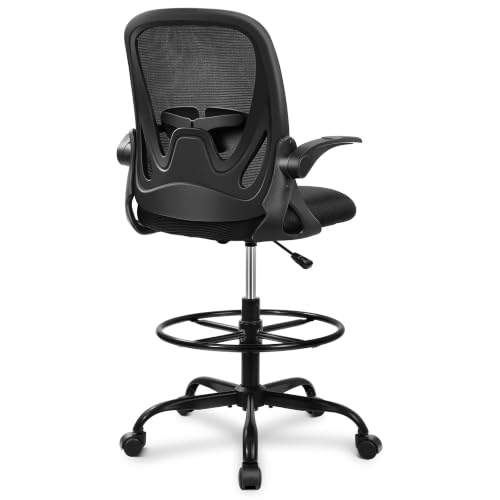
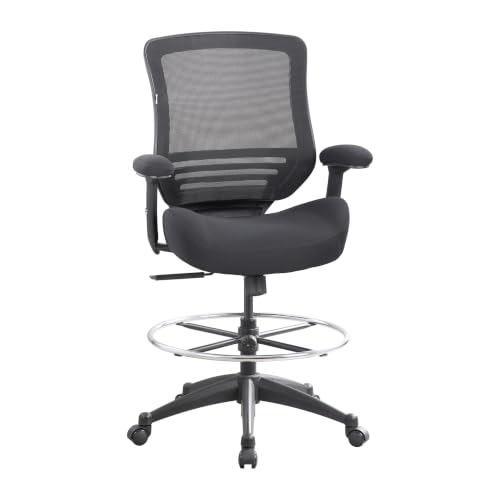
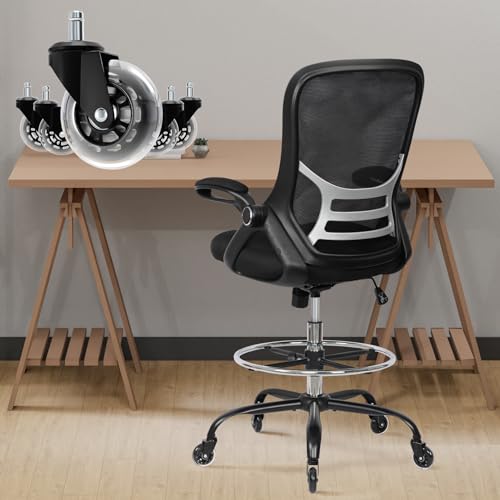
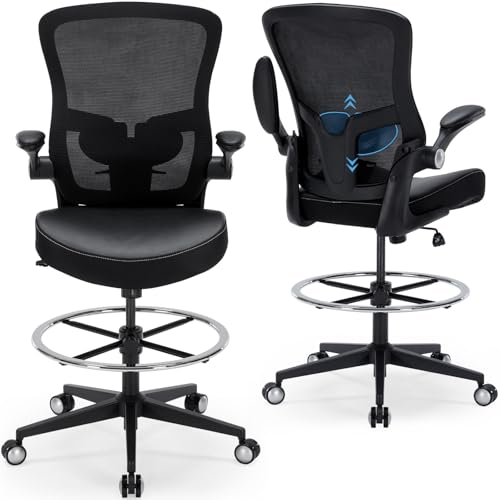
Prices vary widely, and a higher price does not always buy the comfort you need. This guide explains what each tier delivers, which adjustments matter for sketching, and where you can save. Start with the comparison table below, then narrow your choice by budget and desk height.

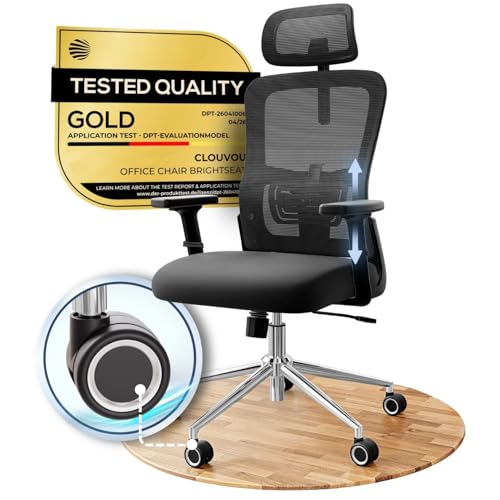



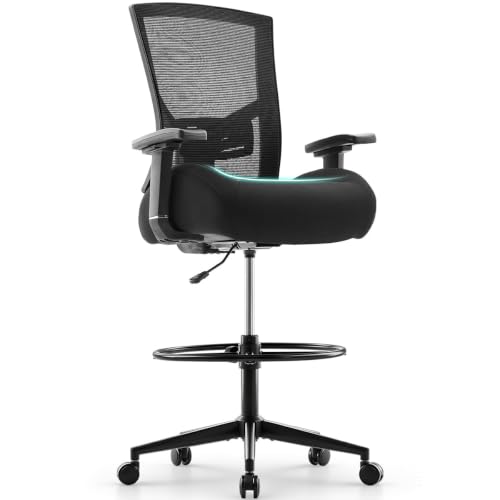
How to Choose by Budget Without Wasting Money
Before you compare prices, picture a normal drawing session. Note how long you sit and whether you work flat on a desk or at a tilted board. Those habits tell you whether you need basic support for short sessions or a chair built for daily hours.
Start With How You Actually Draw
If you sketch for thirty minutes at a time, a simple padded chair may be enough. If you ink, paint digitally, or draft for several hours, small discomforts grow fast. A tight seat edge or armrests that block your elbow can break your focus and change the lines you make. Buy for your longest typical session, not your shortest one.
Match Your Budget to Your Hours at the Desk
Budget models suit occasional drawing or a second seat in a studio corner. Midrange chairs make more sense when you draw most days, because you gain better foam, smoother height adjustment, and a back that moves with you. Premium chairs earn their cost when drawing is your job and you sit for long stretches almost daily, when finer adjustments and stronger parts matter more than a low price.
What to Check Before You Spend More
Before moving up a tier, check the basics that no upgrade can fix later. Confirm the seat height fits your desk, the seat depth leaves space behind your knees, and the weight capacity suits you with a margin. Then check the return window and warranty terms. A chair that fits and can be returned easily is safer than a costly chair whose dimensions fight your desk.
What Your Money Gets You at Each Price Tier
The product table above makes price gaps easy to see, but price alone does not explain what changes. The tiers below describe what you can generally expect and which tradeoffs are normal at each level.
Budget Tier: What to Expect
Budget models are often under $200 and focus on the essentials. Expect a foam seat, a simply adjustable back, basic lumbar support shaping, and fixed or lift up armrests. Height adjustment is standard, but the range may be narrow. The tradeoff is durability under heavy daily use, so check frame material and weight capacity here.
Midrange Tier: Where Comfort Improves Most
Midrange chairs, often about $200 to $400, usually bring the biggest step up in comfort. You are more likely to find high density foam, a mesh back that lets air move, tilt lock at more than one angle, and adjustable armrests. Lumbar support may adjust in height or firmness, so you can place it at your lower back rather than wherever a fixed pillow lands. For most regular artists, this tier balances cost and service life well.
Premium Tier: Finer Adjustments and Longer Service
Premium chairs, often about $400 and up, refine fit rather than reinvent it. Seat depth may slide, armrests may move in several directions, and tilt tension may adjust smoothly to your weight. Materials improve too, with denser foam, stronger mesh, and metal bases. If you are comparing long lasting build quality here, see our guide to the best quality chairs for context on frames and finishes.
Features Worth Paying For and Ones to Skip
Not every feature helps you draw better. Some protect your back and focus during long work, while others add cost without improving a single session.
Materials and Upholstery
A mesh back suits warm rooms and long sessions because air passes through it and it flexes as you shift. Fabric seats feel soft and grip clothing, helping you stay put when you lean toward a board. Smooth synthetic covers wipe clean after graphite or ink accidents, but they can feel warm. Real comfort comes from what sits under the cover. High density foam holds its shape and spreads pressure, while thin foam flattens fast and leaves you on the hard seat pan.
Size, Dimensions, and Weight Capacity
Measure before you buy. Record desk height, the space under the desk, and the floor area where the chair must roll. Seat height should let your feet rest flat with knees near a right angle, or rest fully on a footrest at a tall drafting table. A seat that is too deep pushes against the back of your knees, while a narrow seat can pinch your hips. Choose a weight capacity rated above your weight so the lift and base are not working at their limit.
Ergonomics and Adjustability
An ergonomic drawing chair should let you change position without fighting it. Look for smooth height adjustment, a back that reclines slightly with tilt lock, and lumbar support you can place where your back curves. Adjustable armrests help when you want support for one arm while the drawing arm stays free. If your drawing desk doubles as a writing desk, see our guide to the best office task chairs to compare seating for mixed desk work. Skip fixed tall armrests if your desk has a low apron, because they can stop the chair sliding close.
Assembly and Delivery
Most drawing chairs arrive in a large box with the base, casters, lift, seat, back, and hardware packed separately. Assembly means fitting casters, placing the lift, and bolting the back and armrests to the seat. Keep every bolt loose until all holes line up, then tighten in stages.
Features That Matter for Drawing
Drawing needs a stable seat that still lets you move. A chair that rocks too freely can shift your arm mid line, so look for tilt tension you can firm up and casters suited to your floor. You also need freedom for your drawing arm, which is why lower or removable armrests often beat wide padded ones. A tall racing style back can push your shoulders forward at a desk. See our guide to the best video game chairs and compare its posture with the upright, mobile posture drawing needs.
Picking the Right Chair for Different Drawing Setups
Your surface changes what the chair must do. A desk, drafting table, and easel each place your arms at a different height, so match the chair to the setup you use most.
Best Chairs for Drawing on a Desk: Where Your Money Goes
For desk work, seat height range and armrest clearance matter most. Your forearm should reach the page without lifting your shoulders, and the chair should slide close so you are not reaching from the seat edge. A compact back helps in small rooms, which is why space saving models appeal to apartment studios. Spend first on height range, seat depth, and lumbar support, and last on a headrest you will rarely use while leaning toward a page.
At a drafting table or easel, you may sit higher and rest your feet on a ring instead of the floor. Look for taller lift options and a stable base that will not roll away when you press firmly with a pencil. Formal studios sometimes favor a traditional look, and if that matters, see our guide to the best officer chairs for classic styles.
Long Term Costs to Factor In
The purchase price is only part of the cost. Casters can wear on hard floors, gas lifts can lose height, and covers can thin where clothing rubs. A floor mat may be a smart extra if you roll often. Read what the warranty covers, since a long frame warranty but a short one on foam still leaves common wear costs with you.
Total cost also includes your time. A chair that squeaks, needs constant readjustment, or makes your back ache can slow your work and push you to replace it early. Spending more for better foam and replaceable parts often costs less over time than buying a second budget chair sooner than planned.
Common Mistakes to Avoid
- Choosing by looks alone, so the chair clashes with your desk height and leaves your feet dangling.
- Ignoring seat depth, so a deep seat forces you to sit forward without back support for most of the session.
- Buying fixed armrests that hit the desk, so you cannot pull close and end up reaching with raised shoulders.
- Skipping the weight capacity check, so the gas lift sinks and the base wears out faster than it should.
- Picking a deep recline for drawing, so your hips slide forward and your lower back loses support while you work.
- Forgetting your floor type, so hard casters scratch wood floors or soft casters drag and strain on thick carpet.
How to Make Your Drawing Chair Last Longer
Dust the base and casters often, because hair and eraser crumbs collect around the wheels and make rolling rough. Wipe mesh with a soft cloth and mild soap when needed, and blot covers promptly after a spill so pigment does not set. Keep the chair out of strong direct sun, since heat and light can fade covers.
Every few months, check the bolts under the seat and at the back and armrests. Tighten any loose bolt gently, taking care to avoid overtightening, which can strip threads or crack plastic covers. If the chair sinks on its own or shows a crack in the base or back frame, stop using it until the part is repaired or replaced, because a sudden failure while you lean can cause a fall.
FAQs About Drawing Chairs
What features matter most in chairs for drawing?
The features that matter most are seat height range, seat depth, and lumbar support you can position well. Together they decide whether you can reach the page with relaxed shoulders and a supported back. After fit, look at armrests that move aside for your drawing arm. Match the wheels to your floor before you order, a detail many buyers miss.
What features matter most for long hours in a drawing chair?
For long hours, foam quality and back movement matter most, because pressure and stiffness build slowly. Choose high density foam, a back that lets you change angle, and a seat edge that does not press into your thighs. Plan short standing breaks as well, since no chair removes the need to move.
How do I choose the right size drawing chair for my desk?
Choose the size by matching three numbers: desk height, lower leg length, and the space under the desk. Your feet should rest flat or on a support, your knees should not be forced upward, and the armrests should clear the desk. If two sizes seem close, favor the one whose seat depth leaves a small gap behind your knees.
Is an expensive drawing chair worth the extra cost?
An expensive drawing chair is worth it only when its extra adjustments solve a real fit problem for you. Pay more for sliding seat depth, better lumbar adjustment, or a higher weight capacity if you need them. Do not pay more only for a thicker look. Name the discomfort in your current chair first, then pay only for the feature that addresses it.
How long should a good drawing chair last with daily use?
A good drawing chair should last several years of daily use when it is sized correctly and cared for as described above. Foam and covers usually show wear before the frame does, and casters or a lift may need replacement sooner on rough floors. Keep the exact lift size from your manual, because replacements must match those fittings. Replace the chair when the frame cracks or the back no longer holds its angle.
Final Thoughts
Start with fit, then budget, then extras. Measure your desk, confirm seat height and depth, and choose lumbar support and armrests that let your drawing arm move freely. Use the product table above to compare tiers, and pay more only for adjustments you will feel every session. With those basics right, the best chairs for drawing become much easier to spot.


