
Best Chairs for Coding: Our 2026 Checklist and Buying Guide
Disclosure: We may earn a commission when you buy through links on this page, at no extra cost to you. As an Amazon Associate I earn from qualifying purchases. Learn more

Run through this buyer checklist for the best chairs for coding: lumbar support, seat fit, materials, and build quality for long hours at your desk.
Coding asks more of a chair than most desk work. You sit still for long stretches, lean in during focus sessions, and shift posture dozens of times a day, so small fit problems turn into sore shoulders and a stiff lower back by evening. This guide walks you through a simple checklist for choosing best chairs for coding that hold up to that routine, covering support, sizing, materials, and build quality in plain terms.
Use the checklist as you scan the comparison table below, and you will spot weak options quickly. If your work mixes shorter tasks with a few long coding sessions, our guide to the best office task chairs is a useful comparison point for lighter duty seating.

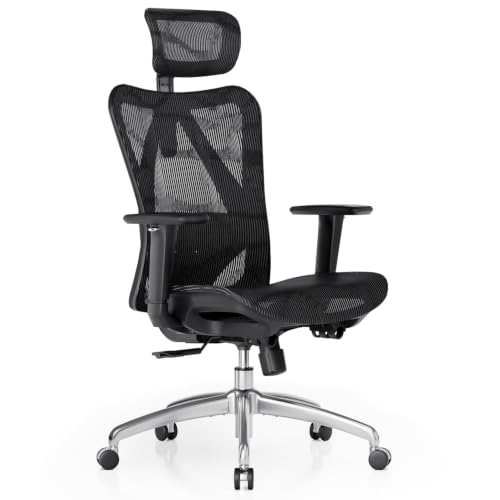
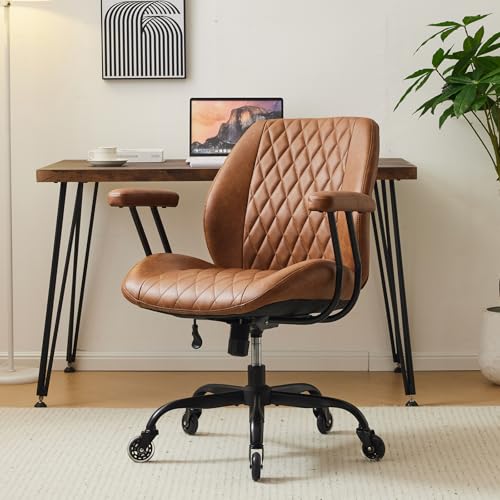


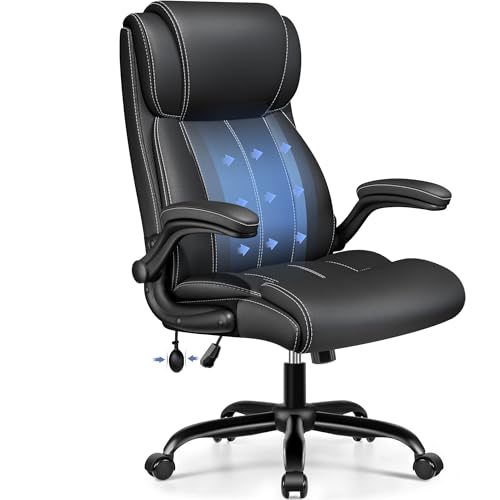
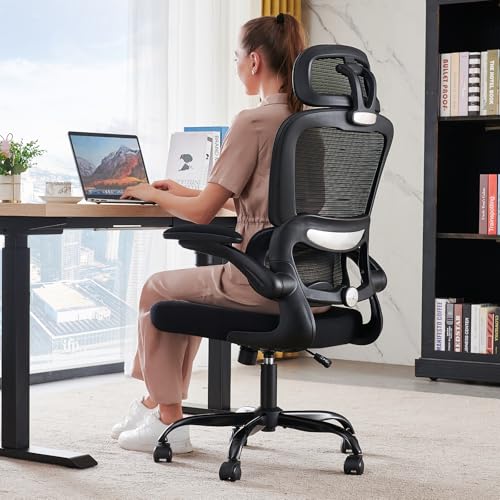
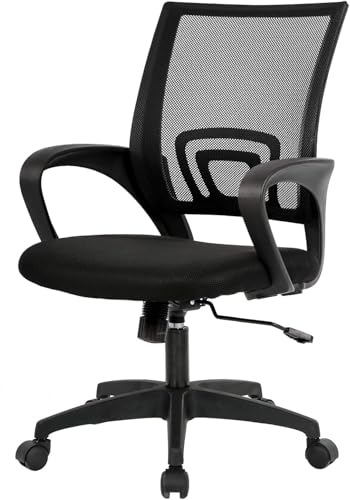
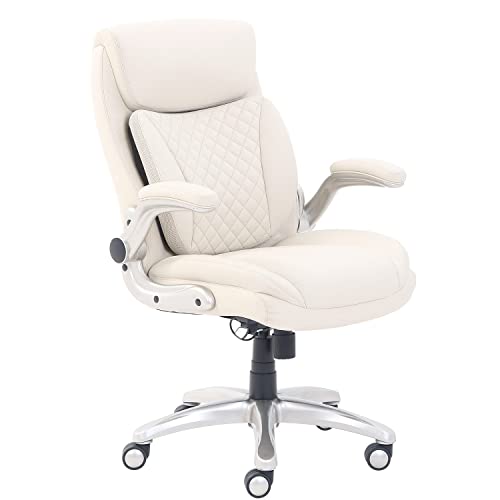
A Buyer Checklist for Evaluating Coding Chairs
Instead of chasing marketing labels, score each chair against the criteria in this section. A chair that passes most of them will feel right on day one and still feel right after months of daily use. A chair that fails two or three usually ends up replaced within a year, which costs more than buying well once.
Features That Matter for Coding
Coding involves long, mostly still sitting with your hands forward on a keyboard, so the features that matter are the ones that support a neutral posture for hours. Look for a seat that lets you sit back fully while your feet rest flat, a backrest tall enough to support your shoulder blades, and a recline you can set and forget. Chairs for coding also benefit from a waterfall seat edge, the rounded front lip that reduces pressure behind your knees and helps circulation during long sessions. Skip racing style shells with fixed side bolsters if you like to shift position or sit cross legged, because the wings limit how you can move.
Ergonomics and Adjustability
An ergonomic chair earns the label through adjustments you can actually use. Seat height should let your elbows rest near desk height with relaxed shoulders. Lumbar support should be adjustable in height at minimum, and ideally in depth, so it meets the curve of your lower back instead of pushing at a fixed spot.
Adjustable armrests that move up and down, and preferably forward, back, and side to side, keep your forearms supported without lifting your shoulders. A tilt lock lets you fix a slight recline for thinking through a problem, then return upright for typing. If back or neck pain keeps returning despite a well adjusted chair, talk with your clinician about your setup and personal needs.
Size, Dimensions, and Weight Capacity
Measure before you buy. Note your room layout, the clearance under your desk, and the space behind you for reclining. Then match the chair to your body: seat width should leave about an inch of room on each side of your hips, and seat depth should leave two to three fingers of space behind your knees when your back touches the backrest.
Check the stated weight capacity and choose a chair rated comfortably above your weight, because a gas lift and base working near their limit wear out faster and feel less stable. Taller users should confirm the backrest height and the top of the seat height range, while shorter users should confirm the lowest setting still lets their feet rest flat.
Materials and Upholstery
The upholstery decides how the chair feels across a full workday and across seasons. A mesh back breathes well and suits warm rooms or anyone who runs hot during long sessions. Fabric seats feel soft and grip slightly, which helps you stay put, but they absorb spills and need more cleaning.
Bonded leather and PU leather look sharp at first yet can crack and peel with heavy daily use, so treat them as a style choice rather than a durability upgrade. Solid wood accents and metal trim look premium, but what touches your body matters more: check stitching quality and whether the cover can be cleaned with a damp cloth.
Build Quality and Frame
Under the padding, the frame decides how long the chair lasts. A steel or aluminum frame with a five point base in metal or reinforced nylon feels planted when you lean back, while thin plastic bases flex and creak. Look for a class 4 gas lift, the stronger rating commonly used in chairs built for daily office use, and smooth casters matched to your floor: soft wheels for hard floors, standard wheels for carpet. If you want a deeper read on construction standards across price levels, see our guide to the best quality chairs for how frame materials and hardware compare.
Warranty and Return Policy
Warranty terms reveal how much confidence a maker has in its own chair. Strong coverage protects the frame and gas lift for several years, while foam and fabric usually carry shorter terms, so read which parts get which period. A warranty of only one year on the lift or base is a warning sign for a chair you plan to use eight hours a day.
Just as important, confirm the return window and who pays return shipping. Chairs are bulky, and a free or low cost return matters if the fit feels wrong after a week of real work at your desk.
Comfort and Cushioning
Comfort over ten minutes in a showroom differs from comfort at hour six. High density foam holds its shape and supports your weight evenly, while soft low density foam feels plush at first and then flattens, leaving you sitting on the hard seat pan. Molded foam generally keeps its contour longer than loose cut foam slabs.
A slightly firm seat is usually the better long term choice for coding, because your posture stays consistent instead of sinking lower through the day. If you often work in a warm room, pair a foam seat with a mesh back so you get support below and airflow behind you.
Matching a Chair to Your Coding Setup and Budget
The product table above groups chairs by price and style, but the right pick depends on how you work. Use the profiles below to narrow the field before you compare individual listings.
Full Time Developers in a Home Office
If coding is your job and your chair sees eight or more hours a day, spend on adjustability first. Prioritize adjustable lumbar support, armrests that move in several directions, and a synchro tilt that keeps your feet planted as you recline. Premium and executive models often add thicker molded foam and metal bases at about $300 to $600, and that money buys daily comfort rather than looks. If you prefer a taller back and a more formal style for video calls, compare our guide to the best officer chairs for executive style seating with similar support goals.
Students and Small Room Setups
Compact and space saving models suit dorm rooms, shared apartments, and desks tucked into a bedroom corner. Look for a smaller footprint base, flip up armrests that let the chair slide fully under the desk, and a seat depth at the shorter end of the range. Many capable options sit under $200, and the smart trade is accepting simpler armrests while keeping decent foam and a class 4 lift. Measure your doorway and desk clearance before ordering, because a chair that cannot roll under the desk eats floor space all day.
Bigger Frames and Heavy Daily Use
If you are tall, broad, or simply hard on furniture, filter by numbers rather than style labels. Choose a weight capacity with real headroom, a wider seat, and a reinforced metal base, and favor chairs that list steel frame construction in the specifications. Wider gaming style chairs can fit bigger frames well, and our guide to the best video game chairs covers that category if the look appeals to you. Expect to pay about $250 to $500 for this class, and weigh warranty length heavily, because replacement parts matter when a chair works this hard.
Quick Buyer Checklist
Before you order one of the best chairs for coding, answer each question below. A chair that earns a yes on nearly every line is a safe buy.
- Can you adjust the seat height so your feet rest flat and your elbows sit near desk height?
- Does the lumbar support adjust to meet the curve of your lower back?
- Do the armrests move enough to support your forearms without raising your shoulders?
- Does the seat depth leave a small gap behind your knees when you sit fully back?
- Is the weight capacity comfortably above your own weight?
- Does the tilt lock hold a slight recline without drifting?
- Are the casters suited to your floor type?
- Does the warranty cover the frame and gas lift for at least a few years?
Red Flags to Watch For
Some warning signs show up again and again on chairs that disappoint. Keep an eye out for these before you spend.
- Vague specifications with no stated weight capacity, foam type, or gas lift class, which usually means the maker is hiding weak hardware.
- A total warranty of one year or less on a chair marketed for full time desk work.
- Bonded leather sold as genuine leather, a swap that leads to peeling surfaces within a couple of years.
- Review patterns that praise delivery speed and packaging but say nothing about comfort after a month of use.
- Fixed armrests and a fixed lumbar pillow on a chair priced like a fully adjustable model.
Care and Maintenance Tips
A few small habits keep a coding chair comfortable and quiet for years. Tighten the base and armrest bolts every few months, because daily movement slowly works them loose and causes wobble and creaks. Vacuum fabric upholstery weekly and wipe mesh and leather look surfaces with a damp cloth, since dust and skin oils break materials down over time.
Keep the gas lift shaft clean and avoid sitting on the front edge of the seat, which strains the lift and the seat pan. Finally, readjust your settings after any desk or monitor change, because chair fit depends on the whole workstation, not the chair alone.
Frequently Asked Questions
What features matter most in a chair for coding?
Adjustable lumbar support, the right seat depth, and armrests that keep your shoulders relaxed matter most in a chair for coding. One point many buyers miss is seat height range: if you use a thick desk mat or a keyboard tray, you may sit higher or lower than standard, so confirm the range covers your setup. A headrest only helps if it meets the back of your head when you recline, so treat it as optional rather than essential.
How do I choose the right size coding chair?
Choose the right size coding chair by matching seat width, seat depth, and backrest height to your body measurements. Sit against a wall and measure from the wall to the back of your knees, then pick a seat depth about two inches shorter than that number. Also check the chair footprint against your room: a wide base in a tight corner limits how far you can roll back from the desk during breaks.
How long should a good coding chair last?
A good coding chair should last about seven to ten years of daily use before major parts wear out. The gas lift and casters usually age first, and many makers sell replacements, so a chair with available spare parts can outlast a cheaper chair that must be replaced whole. Foam that stays flat after you stand up is an early sign the seat is nearing the end of its useful life.
Is an expensive coding chair worth the money?
An expensive coding chair is worth the money when the price buys adjustments and parts you will actually use for years. The jump from about $150 to $350 usually brings better foam, a stronger lift, and longer warranty coverage. Spending beyond that often pays for design, brand, and finish instead of support, so compare specifications line by line rather than assuming a higher price means a better fit for your body.
What features matter most in a coding chair for long hours?
For long hours, a coding chair needs steady lumbar support, breathable materials, and a recline you can lock at a slight angle. Heat buildup becomes a real factor after hour four, so a mesh back or breathable fabric helps more than extra padding. Also plan short standing breaks into your routine, because no chair, however well fitted, replaces regular movement during a long day of coding.
Final Thoughts on Chairs for Coding
Start with fit, then support, then materials. A chair that matches your body, holds your lower back, and uses durable foam and hardware will serve you through years of daily coding, while style extras can wait. Work through the checklist above, compare it against the product table above, and shortlist two or three options that pass every line. Among the best chairs for coding, the right choice is the one whose adjustments match your posture and your room, so take your measurements, check the warranty, and order with confidence.


