
Best Chairs for Anterior Pelvic Tilt: A Checklist for 2026
Disclosure: We may earn a commission when you buy through links on this page, at no extra cost to you. As an Amazon Associate I earn from qualifying purchases. Learn more

Use this checklist to compare the best chairs for anterior pelvic tilt by seat angle, depth, and lumbar support, and learn the red flags to avoid.
Sitting with an anterior pelvic tilt means your pelvis rolls forward as you sit, and the wrong seat can quietly hold that rolled position for hours. The best chairs for anterior pelvic tilt share a short list of traits: a seat you can level or tip back slightly, depth you can set, and support that adjusts instead of one fixed curve. This guide turns those traits into a checklist you can apply to any chair in the comparison table below.
One note before the checklist itself: a chair supports a sitting position, and it does not correct pelvic alignment or treat back pain. If pain persists, keeps worsening, or travels down a leg, talk with a clinician or physical therapist before you shop. The sections below start with the seat, then cover support, fit, and price bands. Every section below is written for the best chairs for anterior pelvic tilt, so you can jump to the part that matches your situation.
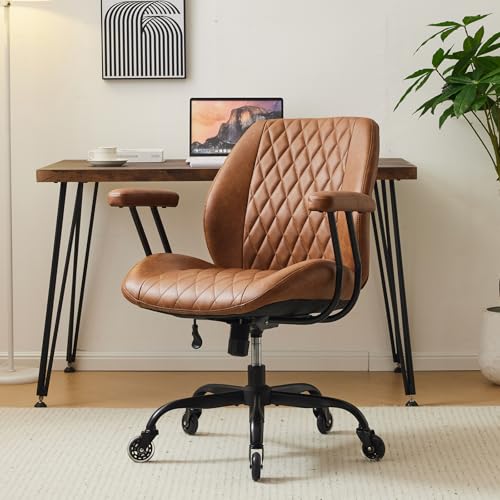



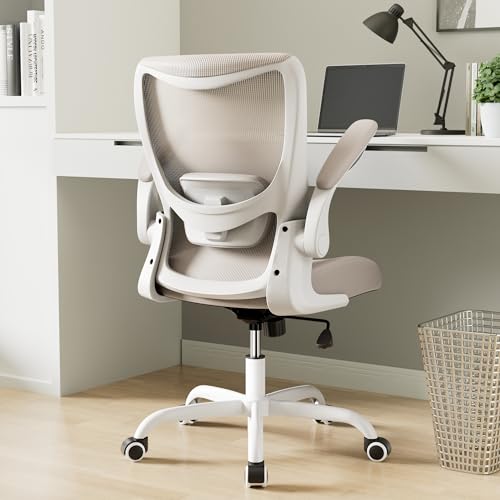

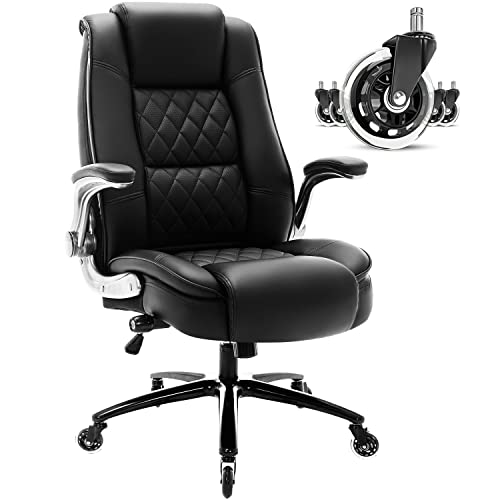
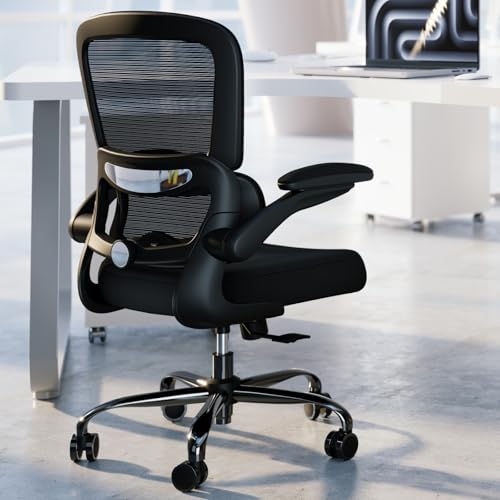
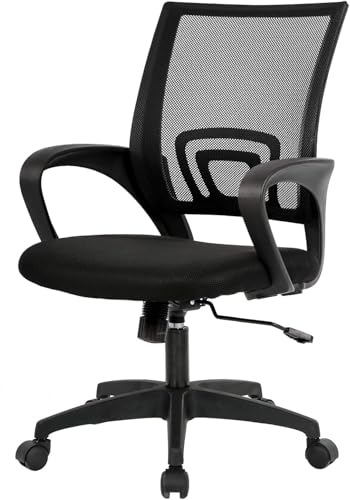
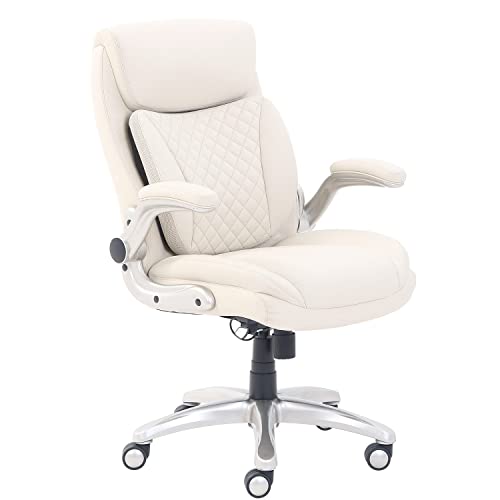
The Checklist: Features That Matter Most
Work through these points in order. The seat comes first, because no backrest feature can undo a seat that puts your pelvis in the wrong place.
Features That Matter for Anterior Pelvic Tilt
Start with the seat pan, because seat angle and seat depth govern how your pelvis rests once you sit down. A seat that slopes down toward the front can push the pelvis into a deeper forward roll, while a level seat, or one you can tilt back a degree or two, lets the pelvis settle nearer to neutral. Depth matters just as much: when the edge presses behind your knees, you slide forward and the pelvis rolls with you. Look for depth you can set so that two or three fingers fit between the seat edge and the back of your calf.
Ergonomics and Adjustability
Adjustable lumbar support is a comfort feature, and it should be read that way: it fills the space behind your lower back so sitting feels supported, but it fixes no tilt and changes no alignment on its own. Height adjustment matters more than firmness, because support placed too high pushes on the ribs instead. A tilt lock and a synchro mechanism let the seat and backrest move together, and our guide to best synchro tilt chairs explains how that paired motion works. Armrests that adjust in height and width keep your shoulders from creeping upward.
Seat Height, Feet, and Screen Position
Seat height is set by your feet, not by your desk. At the right height, both feet rest flat on the floor and your knees sit near a right angle, and that flat base keeps the pelvis from sliding toward the seat edge. If your feet dangle, a footrest beats a thicker cushion, which only raises you further from the backrest curve. Screen height completes the picture: with the top of the screen near eye level, you stop the slow lean forward that drags your sitting position with it.
Materials and Upholstery
Mesh backs breathe well and hold a gentle curve, while padded fabric seats spread pressure across a longer sit. High density foam keeps its shape; thin foam packs down within months and leaves you sitting on the frame. A waterfall front edge reduces pressure behind the thighs and helps you stay back in the seat. No material changes pelvic position by itself, so treat upholstery as a comfort and durability choice, not a posture fix.
Size, Dimensions, and Weight Capacity
Match seat width and depth to your body rather than to the room. A seat depth of about 17 to 20 inches suits most adults, and shorter sitters do better near the low end so the edge stays clear of the knees. Choose a chair rated comfortably above your weight, because a lift and frame working near their limit wear faster and feel less stable. Measure desk height too, so the armrests clear the top.
Warranty and Return Policy
A long frame warranty signals a chair built for daily use, and separate coverage for the gas lift and upholstery matters because those parts wear first. A return window of at least 30 days matters more than any showroom sit, since pelvic comfort only shows up after full workdays. Our roundup of best quality chairs shows how coverage and build quality tend to line up across price levels.
Price Bands That Pass the Same Checklist
Price buys adjustment range and durability, not a corrected pelvis. Each band can pass the checklist; what changes is the fine tuning and the years of daily use it is built for.
Under About $250: A Level Seat and Simple Controls
At this level, spend on the seat first: a lockable tilt, a pan you can set level, and a separate lumbar pillow you can move or remove. You will usually give up a seat depth slider, so check the fixed depth against your leg length first. Frames and lifts are lighter duty here, fine for a few hours a day. What you should not accept at any price is a seat molded into a forward slope with no way to change it.
About $250 to $500: Depth and Lumbar You Can Dial In
This band is where the checklist gets easier to pass: seat depth sliders appear, lumbar support gains height and sometimes depth adjustment, and tilt mechanisms feel smoother under weight. Foam quality improves as well, so the seat in month six feels much like the one from week one. For desk workers sitting six or more hours a day, comfort per dollar usually peaks here, so prioritize the depth slider over extras like a headrest if you must choose.
Above About $500: Built for All Day, Every Day
Higher prices buy finer adjustment, stronger frames, and longer warranties rather than a different sitting position. Expect multi way armrests, polished tilt tension control, and parts that can be replaced instead of a chair that gets discarded. If you sit ten hours a day or share the chair between two people of different sizes, the wider adjustment ranges earn their cost. If your day is shorter, the band below will serve you just as well.
Quick Buyer Checklist
- Can the seat be locked level or tilted slightly back?
- Can you set the seat depth so the edge clears the back of your knees?
- Does the lumbar support adjust in height, not just in firmness?
- Do your feet rest flat with the seat at working height?
- Is the chair rated above your body weight with room to spare?
- Does the return window cover at least a few full workweeks of sitting?
- Is the foam described as high density rather than left vague?
Red Flags to Watch For
- A fixed seat that slopes forward, with no tilt lock to level it.
- Marketing that promises to fix, cure, or reverse pelvic tilt, since no chair can do that.
- No stated seat dimensions or weight capacity anywhere in the listing.
- A frame warranty under one year on a chair sold for daily desk use.
- Lumbar support molded in one fixed position, with no way to move or remove it.
Picking the Right Chair for Different Uses
Best Computer Chairs for Anterior Pelvic Tilt
Computer work adds two demands: hours of near still sitting and a screen that pulls you forward. Prioritize a seat depth slider, because desk sitters rarely shift enough to reset a bad seat edge, and choose a tilt range that lets you unlock the backrest and rock gently between tasks. A headrest matters less than armrests that drop low enough for a keyboard tray. Pair the chair with the screen at eye level, since the best seat setup loses its effect when you lean toward a low monitor all day.
How to Make Your Chair Last Longer
Tighten the armrest and base bolts every few months, because small wobbles grow into cracked mounts. Vacuum mesh backs and wipe fabric or leather look surfaces weekly so grit does not grind into the material. Keep the gas lift shaft clean, raise the seat gently rather than dropping into it, and roll the chair instead of dragging it sideways, which bends casters over time.
Chairs: Your Questions Answered
What features matter most in chairs for anterior pelvic tilt?
The seat comes first: a level or slightly back tilted pan with depth you can set, then lumbar support you can place at the right height. A quick home check helps more than any spec sheet: sit through one full meeting and notice whether you keep sliding forward or bracing your feet to stay put. If you slide, the seat angle or depth is wrong for you, no matter how good the backrest feels during the first five minutes.
How long should a good chair last?
A good chair should last about five to eight years of daily use before the foam softens or the lift starts to sink. The frame usually outlives both, which is why replaceable parts matter: casters, lifts, and arm pads are sold separately for better chairs and can add years for a small cost. If a listing hides its parts and warranty details, assume the chair is built to be replaced whole. Keep the receipt and warranty terms together so a claim takes minutes.
Is an expensive chair worth it?
An expensive chair is worth it only when you sit most of the day, every day, and use the extra adjustments it offers. Spread the price across its working life: a chair used for eight years costs a few cents per sitting hour even at the top band. For a couple of hours of evening use, the same money buys little you will feel. The honest check is adjustment range and warranty length, so compare those before prices.
What features matter most for long hours?
For long hours, movement matters most: a backrest that unlocks so you can change position without standing, and a seat that stays level while you do it. Heat builds up over a long sit as well, so a mesh back or breathable fabric earns its place by hour six. Set a simple rhythm of standing or walking for a few minutes every half hour, because no feature fully replaces getting up. A chair supports the sitting parts of your day; it cannot make stillness harmless.
How do I choose the right size?
Choose the size from two measurements: the length of your thigh and the height of your lower leg. Sit on a hard chair with your feet flat and measure from the back of your knee to the seat back; the chair depth should be about one to two inches shorter. Then check that the lowest seat height lets your feet rest flat while wearing your usual indoor shoes. If you fall between sizes, pick the shallower seat: a small cushion can fill a gap, but nothing shortens a seat that is too deep.
Final Thoughts on Chairs for Anterior Pelvic Tilt
Run every candidate through the same three checks: a seat you can level, depth that clears the back of your knees, and lumbar support you can place where your back actually curves. The product table above lets you compare those points side by side before you spend. Chosen with those checks in mind, the best chairs for anterior pelvic tilt make a neutral sitting position the easy default, and that daily ease is the real prize.

