
Best Chairs for Animators in 2026: Matching the Right Model to Your Routine
Disclosure: We may earn a commission when you buy through links on this page, at no extra cost to you. As an Amazon Associate I earn from qualifying purchases. Learn more

Compare chairs for animators by routine, with guidance on lumbar support, armrests, cushion depth, tilt and fit for long drawing and editing sessions.
There is no single chair that suits every animator, because your day changes your posture. You lean forward to draw, sit upright to edit, and lean back to watch a scene play through. The best chairs for animators match the routine you repeat most, and you can compare features in the comparison table below.
Start by naming your main task and how many hours you stay seated at one stretch. A tablet on a slanted stand asks for different support than two monitors and a keyboard. The sections below sort those needs first, then cover fit and care.


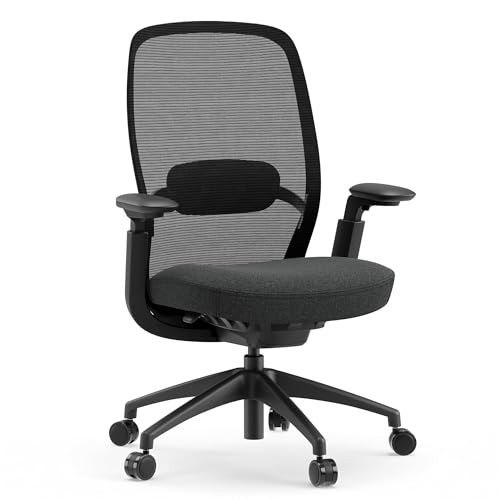
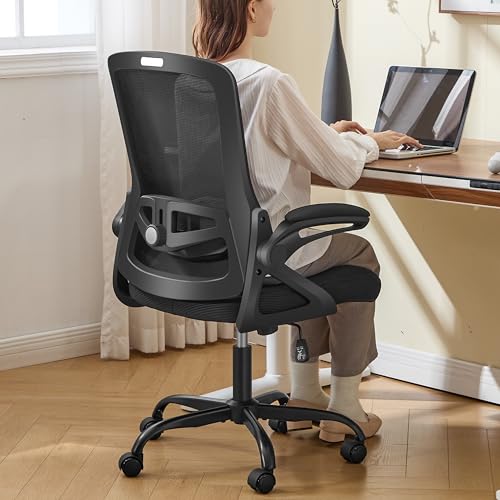

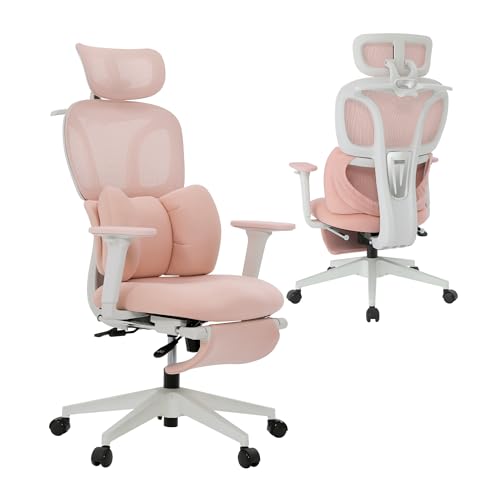

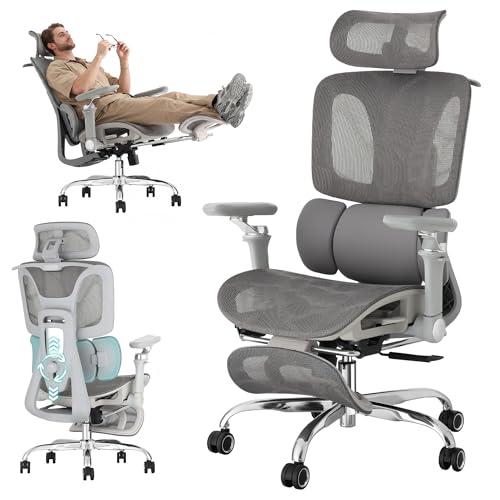
Who Should Buy Which Chairs for Animators?
Choose by the posture you hold longest, not by the chair that looks most impressive in a photo. Your drawing surface and room size will narrow the field faster than price will.
Animators Who Draw at a Tablet for Hours
You lean in and make small, repeated hand movements while your shoulders stay tense. Prioritize a back that supports a slight forward tilt, armrests that drop low or swing away, and a seat edge that does not press behind your knees. A compact chair that slides close to the desk helps, because reaching forward all day strains your neck.
Animators Who Edit and Review on Screens
You sit upright for timelines and then lean back to judge timing in a full playback. Look for steady lumbar support in both positions, a tilt lock set at a mild recline, and a headrest only if it meets your head without pushing it forward. Breathable support matters here.
Storyboard Artists Who Perch and Shift Often
You move between sketching and checking references, so you sit on the front half of the seat and stand many times a day. Choose a firmer cushion that does not trap you in a deep bowl, a stable five point base, and casters that roll without catching. A lighter chair turns more easily toward a second desk.
Animators Working in Small Home Studios
Your chair shares space with a desk, storage, and often a door swing. Measure the footprint first and favor space saving models with a narrower back, flip up armrests, and a base that tucks under the desk. A mesh back lets air move in a small, warm space. Budget models can work well here if the fit is right.
Key Features to Compare
Compare each factor against your routine. A feature only earns its cost if it solves a problem you feel in a normal session.
Lumbar Support and Back Height for Animation Work
Lumbar support should fill the curve of your lower back without forcing an arch. Adjustable depth or height is valuable because your back angle changes between drawing and playback, and a pad that suits one angle can poke in the other. A taller back spreads support across your shoulder blades when you lean back, while a mid height back lets you rotate more freely. If support is fixed, check whether the curve lands at belt level, where you need it most.
Seat Cushion, Depth, and High Density Foam
The cushion carries your weight for hours, so foam quality matters more than softness on first sit. High density foam holds its shape and keeps your hips level, while thin, soft foam bottoms out and tilts your pelvis. Seat depth should leave about two to three finger widths between the edge and the back of your knees. If you are shorter, a sliding seat prevents edge pressure that makes you perch and lose back support.
Adjustable Armrests That Clear a Drawing Tablet
Armrests should support your elbows without lifting your shoulders, and for animators they must also get out of the way. Height adjustment helps at a keyboard, but width and pivot adjustment, or rests that fold back, let you bring a tablet close without bumping your drawing arm. Padded tops suit long editing days. If a rest cannot drop below your desk edge, the chair will not tuck in and you will sit too far from your work.
Tilt, Tilt Lock, and Recline Tension
Tilt decides how your chair follows you between tasks. A tilt lock holds a set angle for steady drawing, while free tilt lets you rock gently during playback and shift pressure off your hips. Tension control should match your body weight, so a lighter animator is not forced upright. A forward tilt option, where offered, keeps your back against the backrest while you draw, instead of leaving a gap you slump into.
Seat Height, Weight Capacity, and Base Stability
Seat height should let your feet rest flat with your knees near a right angle, typically in a range of about 17 to 21 inches. Check the stated weight capacity and leave a margin, since animators shift and perch, which loads the base unevenly. A metal base usually feels steadier on carpet. Hard floor casters protect wood and tile, while standard casters grip carpet better.
Mesh Back, Fabric, and Upholstery Choices
A mesh back breathes during long sessions and flexes as you move, but it offers firmer, more even pressure that some artists find less plush. Fabric cushions grip clothing, stay cooler than smooth covers, and hide wear well. Smooth synthetic covers wipe clean after graphite smudges, yet they can feel warm in summer. Judge an animator chair by its frame, foam, and adjustments rather than its finish.
How to Set Up a Chair for Drawing and Screen Work
Set the chair before you judge it, because a good chair at the wrong height still hurts by noon. Raise the seat until your feet are flat and your thighs are level. Then set your drawing surface just below elbow height, so your shoulders can drop while your hand works.
Bring the work to you rather than leaning to it. Angle a tablet so your wrist stays straight, and keep your main screen at about arm length. When you shop for best chairs for animators, test each setting in this order, since seat height changes where armrests and lumbar support land.
Your wider setup matters too. If you split time between a desk and meetings, see our guide to the best office task chairs for general desk seating, and our guide to the best officer chairs for a formal room. Animators who also play at the same desk may compare our guide to the best video game chairs, though those seats often fix the back angle more than drawing allows.
Common Mistakes to Avoid
- Buying by price alone leaves you with thin foam that flattens within months of long sessions.
- Choosing armrests that cannot move forces your drawing arm outward and tires your shoulder.
- Ignoring seat depth makes shorter animators perch and lose all lower back support.
- Skipping the room measurement leaves a wide base that will not tuck under a small desk.
- Overlooking weight capacity and warranty terms leaves a wobbling chair with no remedy.
Care and Maintenance Tips for Animator Chairs
Adjust seat height so your feet rest flat each time you change desks or footwear, since a small change alters your knee angle all day. Tighten bolts every few months, especially under the armrests, because constant shifting loosens them. Check casters for hair and thread, which make rolling uneven.
Vacuum or wipe upholstery regularly, since graphite dust and skin oils break down covers over time. Clean mesh with a soft brush and mild soap, then let it dry fully. If a gas lift starts to sink, replace the cylinder rather than propping the seat. Persistent back, neck, or wrist pain is a sign to see a doctor, and you should talk with your clinician about personal needs rather than relying on a chair change alone.
Frequently Asked Questions
What features matter most in a chair for an animator who draws at a tablet?
Armrests that move out of the way matter most for a tablet animator. Your drawing arm needs room to travel without striking a fixed rest, and your elbow should stay close to your side. Also check desk clearance, since a chair that slides fully under the desk keeps your eyes at a steady distance from the tablet during fine line work.
How should an animator choose a chair for long render and review waits?
Choose a chair that makes changing position easy during long waits. Renders tempt you to stay still, so a back that reclines smoothly helps you shift without standing every few minutes. Set a timer to stand while files process, since no chair offsets a full day without movement, and use the wait to look across the room.
How long should a good chair for animators last?
A good chair for animators should last about five to eight years of daily use. Foam and casters usually wear first, while a sound frame can serve longer if parts are replaceable. Ask whether the maker sells new cushions and cylinders before you buy, since a chair you can refresh often outlasts a cheaper chair you must replace whole.
How do I choose the right chair size for animation work?
Choose chair size from your leg length and desk height together, not from height alone. Sit with your feet flat, then check that the seat edge clears the back of your knees while the backrest meets your lower back. If both cannot happen, the seat is too deep. Also measure your desk opening, since a chair that fits your body but not your room creates daily friction.
Is an expensive chair worth it for animators?
An expensive chair is worth it for animators only when the extra cost buys adjustments you will actually use. More settings help if you share the chair or switch tasks often. It is not worth paying for racing styling, speakers, or lights for drawing work. List your top two discomforts and pay only for features that address them. For build quality across price bands, see our guide to the best quality chairs.
Our Verdict
Match the chair to your longest posture first, then check cushion depth, armrest clearance, and room fit. Those points decide comfort more than styling. Use the product table above to compare height ranges, capacity, and back type against your desk.
Chosen that way, the best chairs for animators support your drawing hand by supporting everything else, so you focus on the scene, not your back.


