
Best Cameras for Beginning Youtubers by Budget for 2026
Disclosure: We may earn a commission when you buy through links on this page, at no extra cost to you. As an Amazon Associate I earn from qualifying purchases. Learn more

Compare the best cameras for beginning youtubers by budget, with plain guidance on autofocus, flip screens, audio inputs, lenses and total ownership cost.
Camera prices for a new channel run from under $200 to well over $1,000, and price alone says little about solo filming. The best cameras for beginning youtubers share traits that matter more than raw specs: autofocus you can trust, a screen you can see while filming yourself, and clear sound. Use the comparison table below to match those traits to your budget.
Start with your first fifty videos. A desk setup, a kitchen demo, and a walk outside ask for different strengths, and many beginners overspend on image quality while underspending on audio and light.

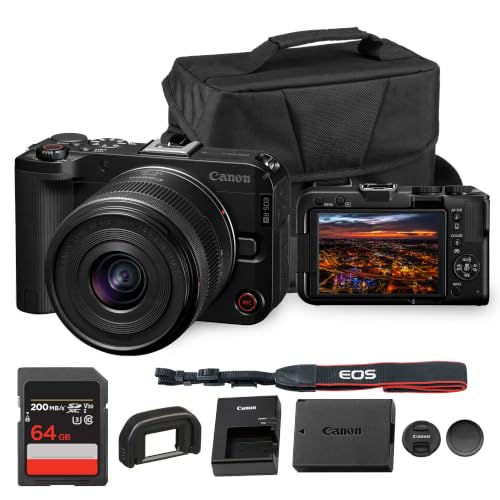



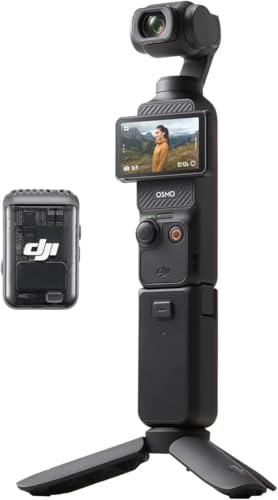

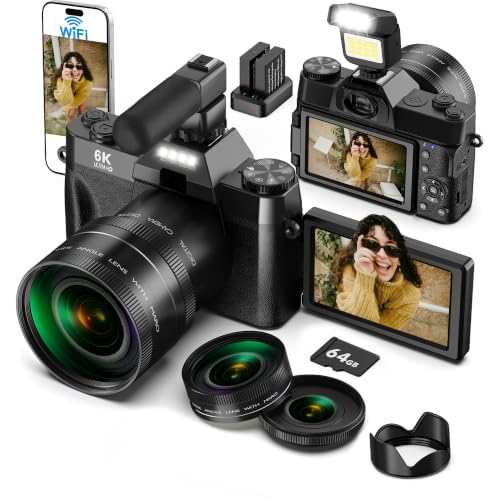


Who Should Buy Which Type of Camera for a First Channel?
Your filming style should choose the camera type before your budget does. Simple controls and reliable autofocus matter for each group below.
Desk Creators Who Film Themselves Alone
You record tutorials or commentary from one spot, usually with nobody behind the camera. Choose a compact or mirrorless camera with a screen that flips to face you, face tracking autofocus, and a microphone input. A fixed lens is fine here, and a steady tripod matters more than zoom.
Beginners Who Vlog While Walking and Traveling
You film in streets, parks, and shops, so size and steadiness shape every clip. Action cameras and small compact models suit you because they are light, wide, and quick to start. Strong image stabilization keeps walking footage watchable, and a weatherproof body helps in light rain.
New Creators Who Plan to Grow Into New Subjects
You expect to add interviews, products, or events once the channel finds its footing. A mirrorless camera with interchangeable lenses gives you room to grow, because you can add a wider or brighter lens later instead of replacing the body.
First Channel Camera Prices: What Each Tier Adds
When you compare best cameras for beginning youtubers by tier, one pattern holds: higher prices buy easier filming in poor light and more control, not a different kind of video. Judge each tier by how often its limits would stop a shoot.
Starter Tier for Learning the Basics
Cameras at about $200 to $400 usually offer 4K video or sharp 1080p video, a fixed lens, and basic autofocus that can hunt when you move quickly. Screens may tilt up rather than flip fully sideways, and low light clips often look grainy. This tier suits a desk creator in a bright room, at low risk while you learn.
Middle Tier for Easier Solo Filming
Cameras at about $400 to $800 are where solo filming gets much easier. Expect autofocus that follows your face and eyes, a screen that turns fully toward you, a microphone input, and stronger image stabilization. Many models here are mirrorless cameras with a starter zoom lens included.
Upper Tier for Difficult Light and Long Plans
Cameras at about $800 to $1,500 add larger sensors, cleaner footage in dim rooms, and brighter lens choices. You also gain headphone monitoring and sturdier bodies. This tier pays off if you film at night or record long events. It does not fix poor lighting or weak sound on its own.
Features Worth Paying For and Ones to Skip
Pay first for features that protect a take you cannot repeat, and skip extras that only impress on a spec sheet.
Autofocus That Tracks Faces and Eyes
Autofocus is the feature a solo creator leans on most, because nobody stands behind the camera to correct focus while you talk. Face and eye detection holds focus as you lean, gesture, or hold an object toward the lens. Test any camera by walking toward it and turning sideways, since weak systems lose a face at an angle. Reliable tracking at 1080p beats shaky focus at a higher resolution.
A Screen You Can See While Filming Yourself
A flip screen lets you check framing, focus warnings, and the recording light without walking around the tripod. Screens that rotate sideways keep a microphone or light on top of the camera from blocking your view once accessories are added. Brightness matters outdoors, where glare can hide warnings. Without a moving screen you must frame with a phone app or a small monitor, which adds a step to every shoot.
Sensor Size, 4K Video, and Low Light Results
Sensor size shapes how clean footage looks away from bright windows. Small sensors in compact and action cameras do well outdoors but show grain in dim rooms, while APS C and full frame sensors keep evening footage cleaner and blur backgrounds more easily. 4K video adds cropping room in editing, yet it makes larger files and can heat some bodies until recording stops. Megapixels matter little for video, so skip paying for photo resolution you will not use.
Lens Choice and Optical Zoom Range
The lens decides your framing more than the body does. A kit zoom from wide to short telephoto views handles desks, rooms, and outdoor scenes in one purchase, and optical zoom keeps detail because it uses glass rather than cropping the image. Digital zoom and bold magnification claims simply enlarge pixels, so treat them as minor extras. In a small room, width matters most.
Audio Inputs and Image Stabilization
Viewers forgive soft video sooner than harsh sound, so a microphone input is worth paying for early. It lets you place a mic near your mouth, which improves clarity more than a costly camera upgrade. A headphone jack on pricier bodies lets you catch buzzing or silence early. Image stabilization helps in two forms: body or lens stabilization smooths handheld clips, while electronic stabilization in action cameras crops slightly to steady walking shots.
Ongoing Costs of Filming a Channel Every Week
The body is only the first purchase. Memory cards fast enough for 4K video, a tripod, a microphone, and basic lighting often add about $100 to $300 to a starter setup. If still photography interests you alongside video, see our guide to the best beginning photography cameras for bodies chosen around photo skills.
Batteries belong in that budget too. Video drains a charge in about an hour on many compact models, so price a spare battery and prefer USB C charging that lets you top up from a laptop or run on USB power at a desk. Readers curious about studio setups can see our guide to the best cameras youtubers use, and those comparing broader models can see our guide to the best digital cameras.
Common Mistakes to Avoid
- Buying the largest sensor available leaves no budget for a microphone, so room echo spoils clean video.
- Choosing a camera without a flip screen means bad framing is discovered only after the take ends.
- Trusting digital zoom figures makes distant subjects look soft, because the camera crops instead of magnifying with glass.
- Recording long 4K sessions on a slow memory card causes dropped frames or a sudden stop.
- Ignoring recording time limits leads to a camera that pauses during a lesson you cannot restart.
- Copying a studio setup from an established channel overspends on gear matched to a room you lack.
Care and Maintenance for a Camera Used Every Week
Clean the lens with a soft microfiber cloth and a blower, never a shirt or tissue that can drag grit across the glass. Keep the cap on between shoots, and store the camera in a padded bag away from steam, sand, and heat. If you also shoot stills outdoors, see our guide to the best cameras for photography for models picked around photo outings.
Format memory cards in the camera once files are safely backed up, and retire any card that produces errors. Charge batteries before they sit empty for months, install maker software updates, and check the tripod mount and strap lugs for looseness each month.
Frequently Asked Questions
Is a smartphone enough for a beginning YouTuber instead of a camera?
A smartphone is enough for your first videos, and its autofocus and stabilization are often excellent. Start there if money is tight, and spend first on a small microphone and a steady tripod. Move to a dedicated camera when you need longer recording without phone interruptions or cleaner footage in dim rooms. Many later keep the phone as a second angle.
How much should a beginning YouTuber spend on a first camera?
About $400 to $800 covers the first camera for most beginning youtubers, including a starter lens on mirrorless models. Below that range you give up reliable face tracking or a microphone input, and above it the gains help experienced users more. Keep a fifth of your budget outside the camera for cards and sound gear.
Which camera type handles low light best for beginning youtubers?
A mirrorless camera with an APS C or full frame sensor handles low light best, because the larger sensor gathers more light per frame. A bright lens with a low f number helps as much, letting you use lower sensitivity settings that keep grain down. Action cameras sit at the other end, since their small sensors struggle indoors. One lamp near your face helps more cheaply than a body upgrade.
Do beginning youtubers need interchangeable lenses on a first camera?
No, beginning youtubers do not need interchangeable lenses on a first camera. A fixed lens compact removes decisions and keeps the kit small, which helps you publish often. Choose interchangeable lenses only when you already know a second view you need, such as a wider room shot or a blurred background for interviews.
Can beginning youtubers use a camera as a webcam for live videos?
Yes, many recent cameras work as a webcam over USB or through clean HDMI output to a capture device. Check the maker software list before buying, because some bodies limit webcam resolution or need a power adapter for long streams. A desk setup also rewards a lens that stays wide at close distance. Test the full chain before a scheduled live video.
The Bottom Line
Match the camera type to how you film, let your tier set the sensor and lens options, and protect the budget for sound and light. The product table above lets you check screens, inputs, and recording limits side by side.
Chosen that way, the best cameras for beginning youtubers are simply the ones you can operate alone with confidence. Upgrade only when a real limit slows your publishing.


