Best Bluetooth Headsets for TV: A Buying Guide for 2026
Disclosure: We may earn a commission when you buy through links on this page, at no extra cost to you. As an Amazon Associate I earn from qualifying purchases. Learn more

Quiet late night viewing starts with the best bluetooth headsets for tv: compare latency, fit, battery life, and connection options before you buy.
Watching television late at night, or at a volume that suits only you, is much easier when sound goes straight to your ears instead of filling the room. Choosing best bluetooth headsets for tv starts with how the headset connects to your television, how well voices stay in sync with lips on screen, and how comfortable it feels during a full film. This guide explains those choices in plain terms.
You will learn which connection method fits your television, which features matter most for dialogue and long sessions, and what to check before you buy. The product table can help you compare the picks, and the type comparison later in the guide narrows the options by style and budget.
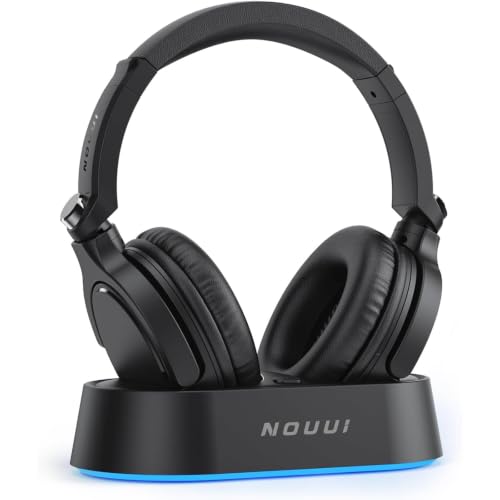
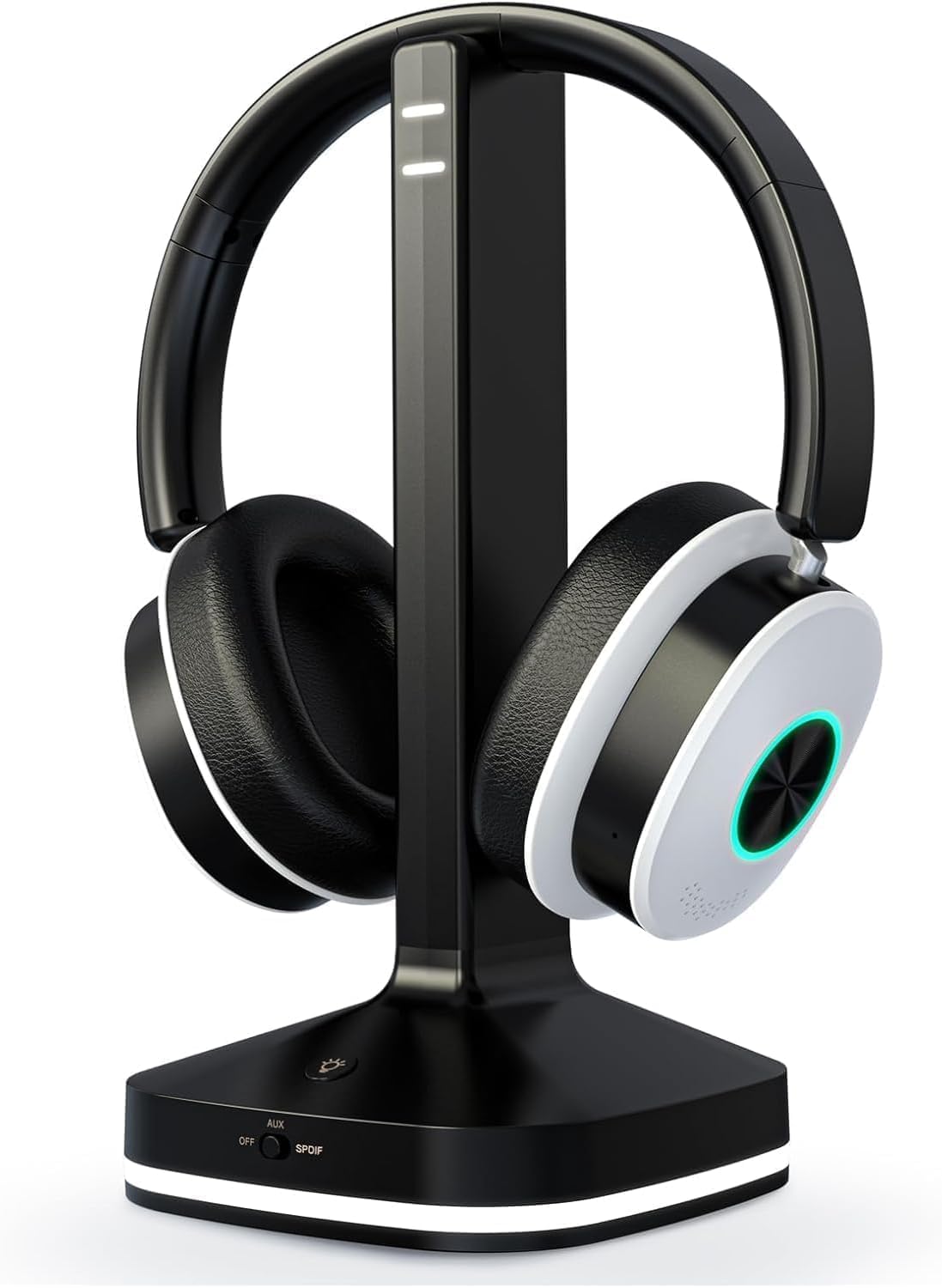
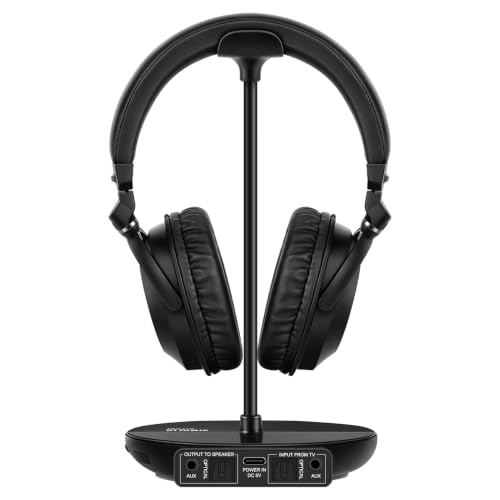
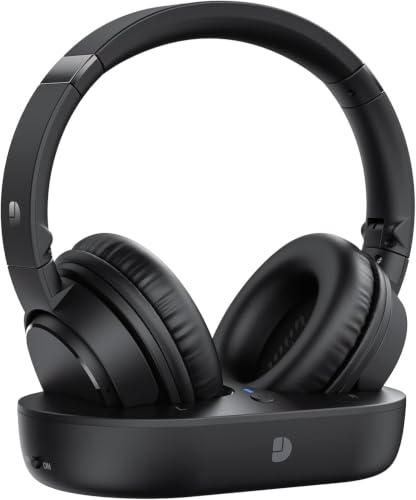
Who Should Buy Which TV Headset?
Television listening differs from music listening on a phone, because the headset must stay connected to a television across the room and keep dialogue clear. The right choice depends on who else is in the room, how long you watch, and whether you also take calls with the same headset.
Late Night Viewers Who Share a Home
If you watch after others have gone to bed, a closed over ear design is usually the most practical choice. It keeps sound in, so dialogue stays private, and it blocks some household noise. Look for volume controls you can find by touch in a dark room.
Viewers Who Struggle to Hear Dialogue Clearly
If voices sound muffled when they compete with music or sound effects, focus on clarity rather than bass power. A balanced sound profile, a clear midrange, and a dialogue emphasis setting can make speech easier to follow. A secure and comfortable fit also matters, because a headset that slips or presses too hard becomes distracting during long scenes.
People Who Want One Headset for TV and Everyday Use
If you plan to use the same headset for calls, music, and television, choose one that pairs with more than one device and switches between them without a long setup routine. A built in microphone is useful for calls, while a folding design helps when you travel. Check that the television connection still works well, because a phone headset may need an extra transmitter.
Typical Spending Levels
Rather than ranking individual models, it helps to think in spending levels. At a modest price, around $30 to $70, you can usually find a comfortable wireless headset with solid battery life, although lip sync control and premium materials may be limited. In the middle range, about $70 to $150, you are more likely to find lower latency support, better padding, and longer range.
Above that range, about $150 to $300, headsets often add stronger noise isolation, more refined sound tuning, and multipoint pairing. Spending more does not guarantee a better match for your television, so always check compatibility first. A midrange headset that connects cleanly and fits well will serve you better than a costly headset that feels heavy after an hour.
Key Features to Compare
The features below matter specifically for television use. A feature that looks impressive for gaming or music may not help when you are watching dialogue driven shows, so weigh each one against how you actually watch.
Latency and Lip Sync
Latency is the delay between sound leaving the television and reaching your ears, and it matters more for television than for music because you can see lips move. A delay of a fraction of a second can make dialogue feel out of step, especially in close up scenes. Look for low latency support in the headset, transmitter, and television, and check whether the television offers an audio delay setting you can adjust.
How the Headset Connects to Your Television
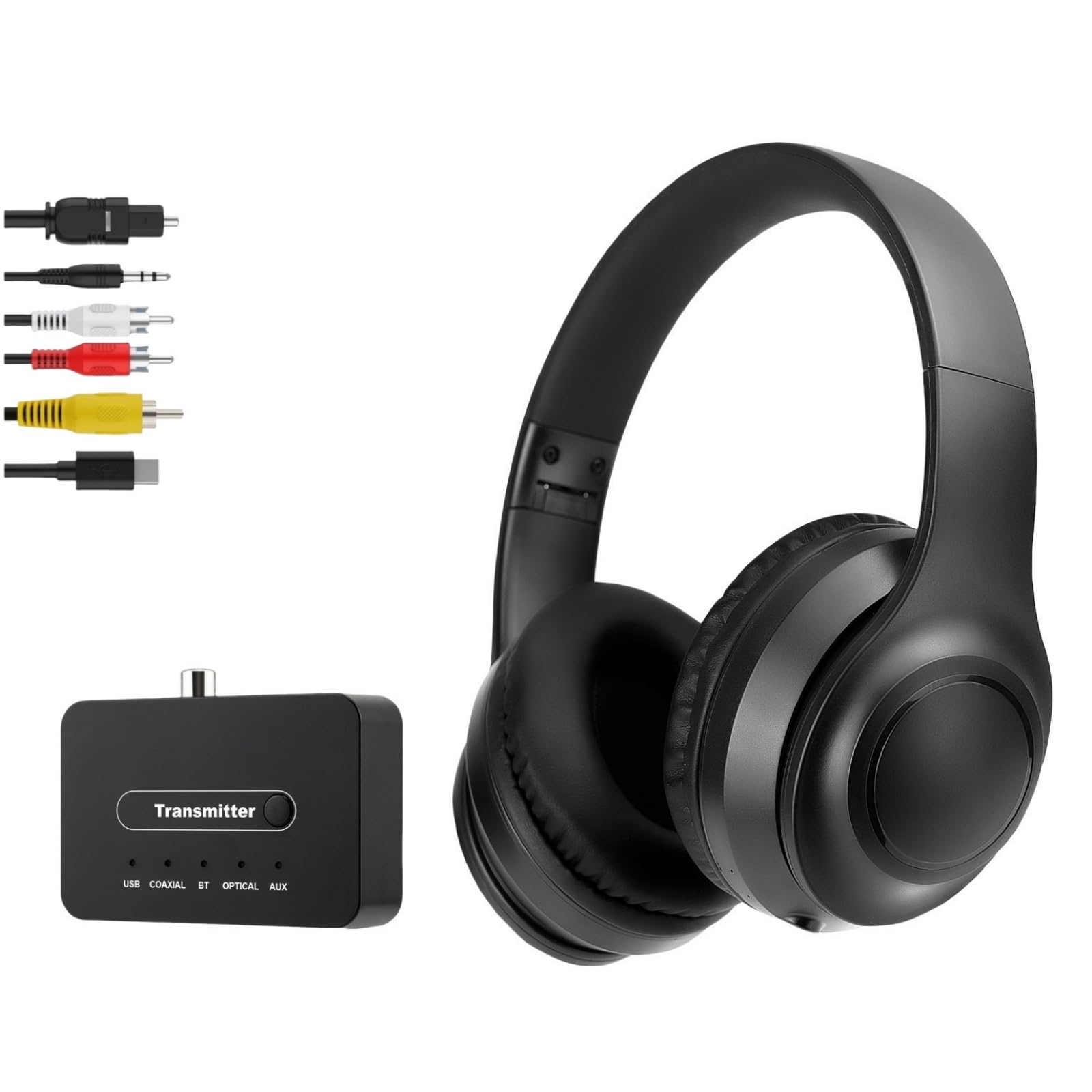
Some televisions send Bluetooth audio directly, while others need a separate transmitter that plugs into a headphone jack, optical audio output, or USB port. A direct connection is simplest, but a transmitter can improve range and latency and can let two headsets listen at once. Before you buy, check which audio outputs your television has, whether it can send sound to a headset and speakers at the same time, and whether it remembers a paired headset after you switch it off.
Fit, Weight, and Comfort for Long Sessions
Television sessions often last two hours or more, so comfort deserves as much attention as sound. Over ear cushions spread pressure around the ears, while on ear cushions press directly on the ears and may feel tight over time. Weight matters too, because a heavy headset can press on the head during a film. Adjustable headbands and replaceable ear cushions are worth checking, especially if you wear glasses.
Battery Life and Charging Habits
Battery life should cover your longest viewing habit with room to spare, because a headset that dies halfway through a film breaks the experience. Many wireless headsets offer about 20 to 40 hours of listening, which is enough for several evenings, but real life use depends on volume and features such as noise cancelling. A charging dock makes regular charging easier, and a quick charge feature can rescue an evening when you forgot to charge the night before.
Controls, Range, and Everyday Ease
Controls should be easy to use without looking, because you will adjust volume or pause in the dark. Large buttons and a clear power switch help, as does a tone that confirms pairing. Range matters if you move around the room during a break, since walls and furniture can shorten the practical distance. Multipoint pairing is useful if you switch between a television and a phone, but it should not weaken a stable television connection.
Sound Balance for Dialogue
For television, a balanced sound profile usually beats heavy bass, because dialogue sits in the middle frequencies. If a headset boosts bass too much, voices can sound muddy and you may turn the volume higher than needed. Some headsets offer preset sound modes or tone controls, which can help you lift dialogue without raising overall volume. Moderate volume is also kinder to your hearing over long sessions, so choose a headset that sounds clear at a comfortable level and take regular breaks.
Best Bluetooth Headsets for TV by Type
Headset shape changes comfort, sound isolation, and how easy it is to wear for hours. The comparison below covers the main types, with the tradeoffs that matter for sofa viewing.
| Type | Best For | Strengths | Drawbacks | Typical Price |
|---|---|---|---|---|
| Over ear closed | Long films and shared homes | Strong isolation, full sound, long comfort | Heavier, warmer in summer | About $50 to $200 |
| On ear lightweight | Shorter sessions and smaller heads | Light, compact, easy to store | Less isolation, ear pressure over time | About $30 to $120 |
| Neckband with earbuds | Light viewing and moving around | Very light, easy to keep nearby | Less immersive sound, fit varies | About $30 to $100 |
| Single ear headset | Staying aware of the room | One ear free, simple controls | Not immersive, less balanced sound | About $40 to $120 |
Over Ear Closed Headsets
Over ear closed headsets cover the whole ear with a cushion, which helps block room noise and keeps television sound private. They usually offer the fullest sound and the most even comfort for long films, although they can feel warm in a heated room.
On Ear Lightweight Headsets
On ear headsets rest on the ears rather than around them, which makes them lighter and easier to store. They suit shorter sessions and viewers who dislike the enclosed feeling of over ear cushions. The tradeoff is weaker isolation and more pressure on the ears, so check cushion softness before committing to long nightly use.
Neckband and Earbud Styles
A neckband style keeps the electronics around your neck and uses small earbuds, which some viewers prefer for light use. This style is easy to wear while moving around the house, but sound isolation and dialogue fullness are usually weaker than with over ear designs. It suits casual viewing more than long cinematic sessions.
Single Ear Headsets
A single ear headset leaves one ear open, which helps if you need to hear children, a doorbell, or a partner while watching. The sound is naturally less immersive, and stereo effects are lost, so this type suits background viewing or news more than films.
Common Mistakes to Avoid
- Buying before checking whether your television sends Bluetooth audio, which can leave you needing an unplanned transmitter.
- Ignoring latency, which can make dialogue feel out of sync even when sound quality is good.
- Choosing the heaviest headset for the best sound, then finding it uncomfortable halfway through a film.
- Assuming a headset and speakers can play at the same time, when many televisions allow only one audio output at once.
- Turning the volume very high to hear dialogue, instead of choosing a clearer sound balance.
- Forgetting to check battery life against your viewing habits, so the headset runs out during a long evening.
Setup and Care Tips
Good setup makes nightly use simple. Pair the headset once, check lip sync with a dialogue heavy scene, and adjust the television audio delay if voices lag behind lips. Store the headset on a stand or hook rather than tossing it on a sofa. Clean ear cushions with a dry or slightly damp cloth, and avoid harsh cleaners that can crack cushion material.
Charge on a regular routine, and avoid leaving a headset plugged in for days when it is already full. If your television uses a transmitter, keep it in a spot with a clear path to your seat, and check its input setting after a software update. See our guide to best headsets for tv to compare wired and wireless television listening. For a television that already supports wireless audio, see our guide to best tvs with bluetooth before you choose a connection method.
When sound quality is your main concern, see our guide to best quality bluetooth headsets for the features that separate clearer models from basic ones. If other people in the room still want sound from speakers, see our guide to best bluetooth speakers for tv as a possible companion setup.
Frequently Asked Questions
What features matter most in Bluetooth headsets for TV?
Connection compatibility, latency, comfort, and dialogue clarity matter most for television use. Start by confirming how the headset connects to your television, then check low latency support so voices stay in sync with lips. After that, weigh fit and weight for long sessions, because even excellent sound becomes tiresome if the headset presses or slips.
Can a Bluetooth headset work with any television?
Not every television sends Bluetooth audio on its own, but most televisions can work with a headset through a separate transmitter. A transmitter plugs into a headphone jack, optical audio output, or USB port, depending on the model. Before buying, check your television audio outputs and whether it can output to a headset and speakers at the same time. If you plan to use two headsets, confirm that the transmitter supports dual listening.
Why does dialogue sometimes lag behind lips on screen?
Dialogue lag usually comes from latency in the wireless connection, especially when the headset, transmitter, and television do not share the same low latency support. Television processing, such as motion smoothing, can add further delay. Turning off extra processing or adjusting the television audio delay setting can often bring voices back into sync.
How long should a TV headset battery last?
A battery that covers about 20 hours or more usually suits several evenings of viewing without frequent charging. Shorter battery life can still work if you charge after each session, but it becomes inconvenient during long films. Battery estimates assume moderate volume, so features such as noise cancelling can shorten real life use. A charging dock on a side table makes it easier to keep the headset ready.
Are over ear or on ear headsets better for television?
Over ear headsets usually suit long television sessions better, because their cushions spread pressure around the ears and block more room noise. On ear headsets are lighter and easier to store, which suits shorter sessions or smaller heads. The best choice depends on how long you watch and how warm your room feels, since over ear cushions can trap heat.
Should I keep the volume low when watching for hours?
Yes, a comfortable volume is kinder to your hearing and usually improves dialogue clarity as well. Very high volume can make bass overwhelm voices, which tempts you to turn it up further. A clearer sound balance or a dialogue setting often helps more than extra volume. Take short breaks during long sessions, and ask your doctor for advice if you have any concerns about your hearing.
Final Thoughts
The right television headset connects cleanly to your television, keeps dialogue in sync, and stays comfortable through a whole evening. Check compatibility and latency before sound extras, choose a fit that suits your viewing length, and pick a spending level that matches the features you will actually use. The product table can help you compare those tradeoffs. With a careful match, best bluetooth headsets for tv can turn late night viewing into a quiet and private habit.