
Best Black and White Laser Printers for Home Use 2026
Disclosure: We may earn a commission when you buy through links on this page, at no extra cost to you. As an Amazon Associate I earn from qualifying purchases. Learn more

Compare mono laser printers for home use by print speed, running costs, connectivity, and size, so everyday documents stay cheap and reliable.
A black and white laser printer is the quiet workhorse of a home: it prints sharp text quickly, the toner does not dry out between uses, and the cost per page is low. Choosing the best black and white laser printers for home use comes down to how much you print, who shares the machine, and whether you also need to scan or copy.
The product table below gives a quick overview of the main options. The sections that follow explain who each type suits, which features are worth paying for, and which mistakes to avoid.


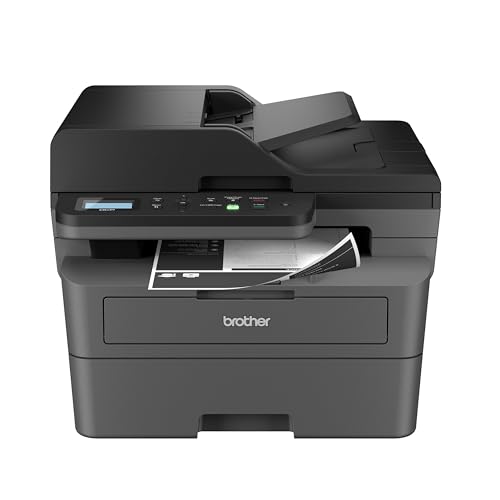

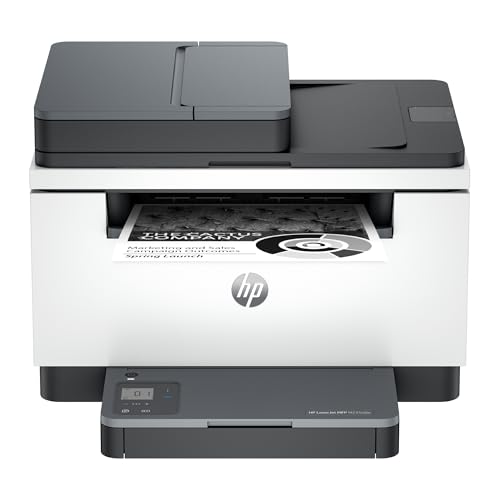
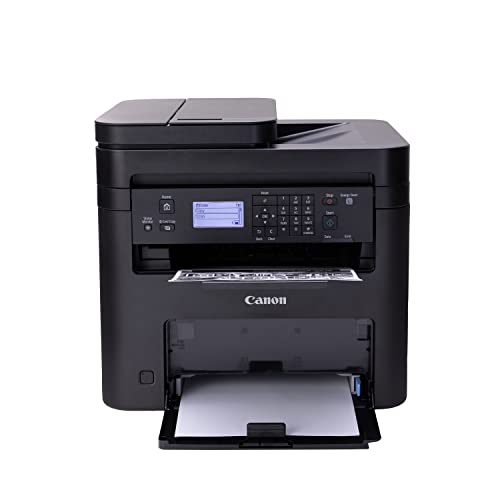


Who Should Buy a Black and White Laser Printer at Home?
Home Offices
Home workers print documents, forms, and reports daily, so reliability and low running costs matter most. A mono laser printer produces sharp text quickly and does not clog from sitting idle. Look for a paper tray that suits your weekly volume and automatic duplex printing to save paper.
Students and Families
Families print homework, permission slips, and occasional reports, often in bursts. A printer that wakes quickly and prints the first page fast saves frustration. Wireless printing from phones and laptops helps when several people share one printer.
Document Heavy Households
Households that print contracts, tax forms, or manuscripts need consistent text quality and a duty cycle that matches their volume. A higher yield toner cartridge costs more upfront but lowers cost per page, so check toner prices before you buy, not only the printer price.
Key Features of the Best Black and White Laser Printers for Home Use
Print Speed and First Page Time
Print speed is measured in pages per minute, but first page time matters more for short jobs. A printer that prints 30 pages per minute but takes 20 seconds to wake feels slow for one page jobs. Compare both numbers.
Running Costs and Toner
Toner cost per page decides long term expense more than printer price. Divide the cartridge price by its rated yield for a fair comparison. High yield cartridges usually cost less per page. Third party toner may save money but can affect quality and warranty, so weigh the trade off.
Connectivity
Wi-Fi, mobile printing, and USB each suit different setups. Wi-Fi lets every device print without cables, while USB suits a single computer desk. Check that mobile printing works with your phone before buying, and place the printer where the signal is strong.
Size and Paper Handling
A compact printer fits a small desk but may hold less paper. Check tray capacity, manual feed for envelopes, and whether duplex printing is automatic. Automatic duplex saves paper and time on long documents.
Types of Home Laser Printers Compared
Compact Print Only Printers
Compact print only models suit small desks and light printing, with small trays and lower duty cycles. They cost less upfront and suit occasional home printing well.
Mid Range Home Office Printers
Mid range models add faster printing, larger trays, and automatic duplex. They suit daily home office use and balance price with running costs.
Multifunction Mono Laser Printers
Multifunction models add scanning and copying, which suits households that also digitize documents. They take more desk space, and the scan quality is worth checking if you scan photos or detailed forms.
Common Mistakes to Avoid
- Judging by printer price alone. A cheap printer with costly toner becomes expensive quickly, so compare cost per page.
- Ignoring duty cycle. A printer rated for light use wears fast under heavy printing. Match the rating to your monthly volume.
- Forgetting mobile printing. If family members print from phones, weak mobile support frustrates everyone.
- Placing it far from the router. Weak Wi-Fi causes failed prints. Move the printer closer or use USB or a wired connection.
Planning for Everyday Use
Keep the printer on a stable surface with ventilation, and use it regularly so the toner stays evenly distributed. Clean paper dust from the tray area now and then and use paper suited to laser printing. Store spare toner in a cool, dry place, and recycle used cartridges through maker programs where offered.
Related guides cover the best black and white printers for home use, the best laser jet printers for home use, and, if you need color, the best color laser printers for home use.
Quick Buyer Checklist
Before you order, run through these points with the product table beside you.
- Is the printer wireless, and does it support printing from your phone and laptop?
- Does it print on both sides automatically, or only manually?
- Is the starter toner a full cartridge, and what does a replacement cost per page?
- Does the paper tray hold enough sheets for a normal week without refilling?
- Do you need scanning and copying, or is a print only model enough?
- Will it fit the desk or shelf where it will live, with room to open the cover and tray?
Compact print only models often cost around $100 to $180, home office models with duplex and Wi-Fi around $150 to $250, and multifunction models with scanning around $200 to $400. Spending a little more on a model with cheaper toner usually pays off if you print every week, while a basic model is fine if you print a few pages a month. Keep the receipt and the return window in mind, and test printing, duplex, and your phone connection in the first days so any problem is easy to fix.
It also helps to think about where the printer will sit. Laser printers give off a little heat and need airflow, so avoid closed cabinets, and leave space behind and above for paper and toner access. Quiet hours matter in a small flat, where a printer in the living room can be noticed more than one in a separate study. Finally, plan the paper supply: a ream lasts a long time at home, but running out the evening before a deadline is a classic annoyance, so keep one spare ream beside the printer.
Frequently Asked Questions
Are laser printers better than inkjet for documents?
For black text documents, laser printers usually print sharper text faster and cheaper per page, and toner does not dry out. Inkjet printers suit color photos better. For document heavy homes, mono laser is usually the better choice.
How much does toner cost per page?
It varies by cartridge yield and price, but mono laser printing often costs a few cents per page with standard cartridges and less with high yield ones. Divide the cartridge price by its rated yield for a fair comparison.
Do I need color printing at home?
Many households print mostly black documents and occasional color at a shop or library. If color is rare, a mono laser printer plus occasional outside printing saves money. If you print color weekly, consider a color printer instead.
What is duplex printing?
Duplex printing prints on both sides of the paper automatically, saving paper and filing space. It is worth having for long documents. Check whether duplex is automatic or manual on the model you consider.
How long do laser printers last?
With moderate use and occasional cleaning, a home laser printer lasts many years. Toner and drum replacements are the main running costs. Keep firmware updated and use the printer regularly to avoid paper feed issues.
Final Thoughts
Compare the types in the product table above and choose the option that fits your routine rather than the one with the longest feature list. The best black and white laser printers for home use are the ones with sharp text, low cost per page, and a connection that works for everyone in the house.


