Best Bike Monitors in 2026: Speed, GPS and Setup Guide
Disclosure: We may earn a commission when you buy through links on this page, at no extra cost to you. As an Amazon Associate I earn from qualifying purchases. Learn more
Compare bike monitors by speed accuracy, GPS, sensor pairing, screen readability, mount fit and battery life, with a setup checklist for every ride.
A bike monitor is the small computer on your handlebar or stem that records speed, distance, ride time and trip totals. The best bike monitors give you numbers you can trust at a glance, without menus that distract you from traffic or the trail. This guide walks through the features that change accuracy and daily use, so you can read the comparison table below with clear priorities.
Start with how you ride. A commuter may only need speed, distance and a clock, while a training rider may want cadence, heart rate pairing and recorded routes. The sections below match each style to the sensors, screen, mount and battery that suit it.


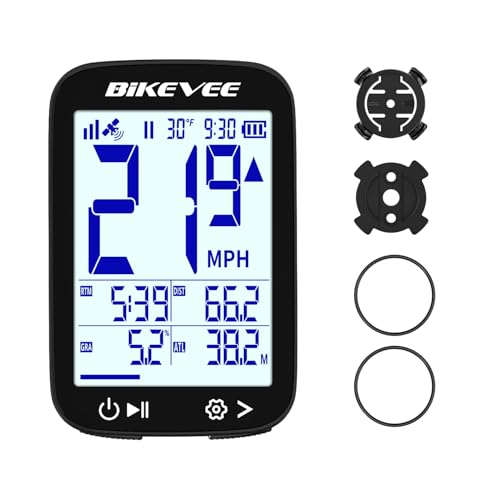


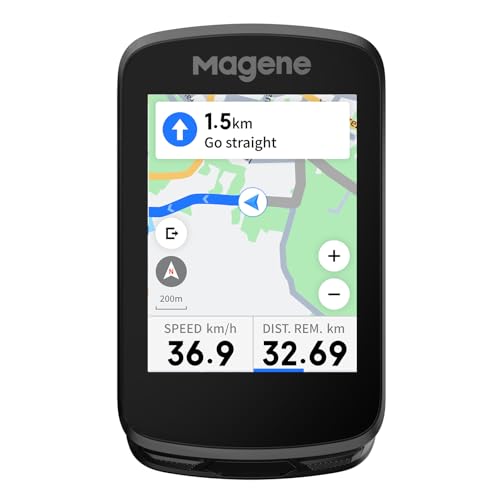
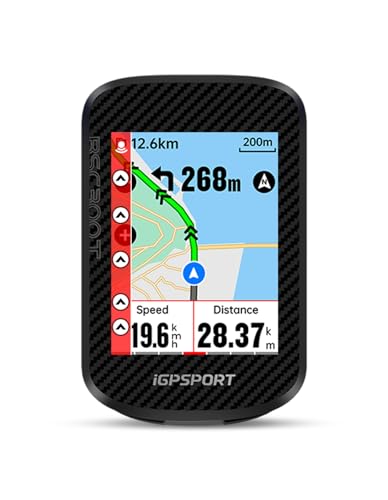
Who Should Buy Which Bike Monitors?
Road Riders Who Track Pace and Distance
You ride the same routes often and judge progress by average speed and weekly mileage. Choose a monitor with a large speed readout, an accurate odometer and cadence pairing if you train by pedaling rate. A GPS model earns its price here, because recorded routes let you compare the same climb or loop across weeks.
Trail Riders Who Need Recorded Routes and a Firm Mount
You ride where phone signal fades and surfaces shake the bar. Choose GPS tracking for route records, a mount that locks the unit in place and a case rated for rain and mud splashes. Big buttons you can press with gloves matter more than a slim shape, because changing a screen on rough ground should take one press.
Commuters and Fitness Riders Who Want Simple Daily Stats
You ride to work or for exercise and mainly want speed, trip distance and total miles. A basic sensor model covers those needs for around $25 to $60 and runs for months on one small battery. Automatic start and stop helps you most, because it pauses the timer at lights and restarts as you roll, so your average speed stays honest.
Key Features to Compare
Compare in a fixed order: accuracy first, then pairing, screen, mount and battery, because spec sheets for best bike monitors lead with long lists and a cheap unit with wrong numbers helps nobody.
Speed and Distance Accuracy and Wheel Calibration
Sensor models count wheel rotations and turn them into speed and distance using the wheel size you enter during setup. Enter the exact circumference for your tire and the readings stay close to real road distance, while a wrong entry skews every ride by the same share. GPS models measure movement from satellite signals instead, so they need no wheel entry but can drift slightly in dense trees.
GPS Tracking Versus Sensor Based Tracking
GPS tracking records where you rode, which lets you save routes, check elevation gain and share a ride file. It also works when you swap the monitor between bikes, since nothing attaches to the wheel. A spoke sensor gives steadier instant speed in tunnels and thick tree cover, where satellite signals weaken. Many training riders pair a wheel sensor with a GPS unit for steady speed plus a saved route.
Sensor Pairing for Cadence and Heart Rate
Wireless monitors can pair with cadence sensors on the crank and heart rate straps on the chest, usually through Bluetooth or ANT+ connections. Pairing adds data that speed alone cannot show, such as whether you climbed in a steady rhythm or spiked your effort early. Check that the monitor and your sensors share the same connection type before you buy, because a unit built for one protocol cannot hear sensors built for the other.
Screen Size, Readability and Backlight
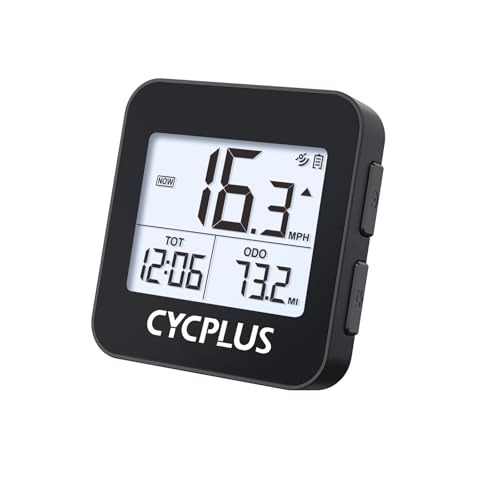
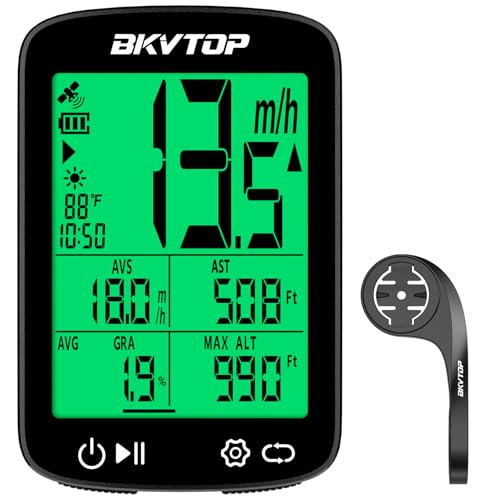
The screen decides whether your speed is a glance or a squint. Digits for current speed should be the largest item on the display, with trip distance and time smaller below. A matte finish cuts glare in bright sun, and a backlight matters if you commute before dawn. Crowded screens shrink every number, so choose a layout that shows three or four fields clearly.
Mount Fit and Handlebar Compatibility
Most monitors clamp to the handlebar or sit on the stem with a quarter turn mount. Measure your bar diameter before ordering, because common road and mountain bars differ and a loose clamp will rotate on rough ground. Place the monitor where your thumb can reach its buttons without leaving the grip, and where a bar bag will not block the screen.
Battery Life and Charging Style
Basic sensor models run on a small replaceable cell that often lasts about a year of regular riding, which suits riders who hate charging. GPS models use a rechargeable battery that may give about 15 to 40 hours per charge, depending on brightness and connected sensors. If you ride multi day tours, carry a small power bank, because a dead monitor records nothing.
How to Set Up a Bike Monitor and Calibrate It
Setup takes about fifteen minutes and decides how accurate every later ride will be. Fit the mount first and tighten it until the unit stays put. If your model uses a spoke magnet, fix the magnet opposite the sensor and leave a gap of about 3 to 5 mm between them.
Next, enter your wheel size. The most accurate method is a rollout test: mark the tire and the ground, roll one full turn with your weight on the bike, then measure that distance and enter it.
Finish with a short test ride on a street you know. Check that speed responds the moment you pedal and pauses when you stop. Adjust the magnet gap or wheel entry now if the numbers lag, because small setup errors repeat on every ride until you fix them.
Quick Buyer Checklist for Bike Monitors
Answer these before you order, and treat any no as a reason to look at another model.
- Does it track every stat you plan to use, and nothing costly you will ignore?
- Does its mount match your handlebar or stem diameter?
- Can it pair with the sensors you already own?
- Can you read its largest digits at arm's length in bright light?
- Does its battery style fit your routine?
- Is it rated for rain on your usual routes?
- Can it move to a second bike without a second full kit?
Common Mistakes to Avoid
- Entering a guessed wheel size gives you speed and distance figures that are wrong on every single ride.
- Mounting the sensor too far from the spoke magnet causes missed counts and speed drops to zero while you pedal.
- Buying a GPS only monitor for indoor trainer sessions leaves you with no speed data, because the bike never moves.
- Choosing the smallest screen to save weight forces you to squint at speed when you should watch the road.
- Skipping a rain rating for a year round commute risks a unit that fogs or fails in the first wet week.
- Leaving the mount loose lets the monitor swing out of view and can drop it at the first pothole.
Care and Maintenance of Bike Monitors
Wipe the screen with a soft dry cloth after dusty or muddy rides, and use only a slightly damp cloth for dried dirt so grit does not scratch the surface. Check the mount and sensor alignment once a month, because a slipped magnet explains most sudden reading errors. Bring the unit indoors during hard freezes.
For rechargeable models, top up the battery before it sits empty for weeks, since long storage at zero charge shortens battery life. Replace a fading coin cell at the first sign of a dim screen. Rinse mud from the mount with plain water and dry it before the next ride.
FAQ
Does a bike monitor need GPS to track speed and distance?
No, a bike monitor does not need GPS to track speed and distance, because a wheel sensor counts rotations and converts them with your wheel size entry. GPS earns its place when you want a saved map rather than just totals. One point riders miss is file export: GPS models usually save each ride as a file, while basic sensor models may show only totals on the screen.
How accurate is a bike monitor after wheel calibration?
A bike monitor is usually accurate within about one or two percent after a careful rollout calibration. Accuracy slips when tire pressure drops a long way, because a softer tire rolls a slightly shorter distance per turn. Recheck the rollout after fitting a different tire model or width, since the outer circumference changes with the tire.
Can one bike monitor move between two bikes?
Yes, one bike monitor can move between two bikes, and GPS models make this easiest because they need no wheel sensor. Sensor models need a magnet and sensor fitted to each bike, plus the matching wheel size stored for each one. Many units save two bike profiles, so note which profile belongs to which bike before a swapped ride.
How long does a bike monitor battery last on regular rides?
A bike monitor battery lasts from about 15 hours to about a year, depending on the type of unit. GPS models need charging every week or two for daily riders, while basic sensor models often keep their original cell through a full season. Cold weather shortens both kinds, so a unit that seems weak in winter may recover some life in spring.
Will a bike monitor keep working in the rain?
Yes, most bike monitors keep working in the rain if their water resistance rating covers splashes and steady showers. Problems usually start at the charging port, where a loose cover lets water sit against the contacts. Shake off standing water, open the port cover to dry the area, and never charge a unit that still feels wet.
The Bottom Line
Match the monitor to your riding: simple sensor models serve commuters, GPS models suit riders who save routes, and pairing matters most for training data. Then check mount fit and battery style, because those decide daily ease. Use the product table above to confirm the features on your short list.
When you judge best bike monitors by accuracy, readability and fit for your bar, the right choice is the one whose numbers you trust without thinking about the device itself. Set it up once and let it record while you ride.