Best Back and Neck Support Office Chairs in 2026: A Buyer Checklist That Starts With Fit
Disclosure: We may earn a commission when you buy through links on this page, at no extra cost to you. As an Amazon Associate I earn from qualifying purchases. Learn more
Use this checklist to compare the best back and neck support office chairs by lumbar fit, headrest position, seat depth, armrests, recline and value.
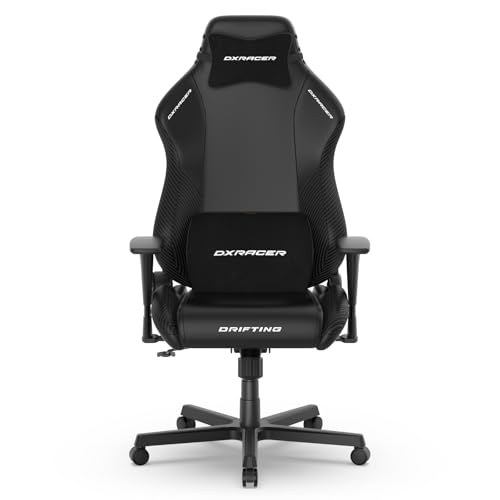
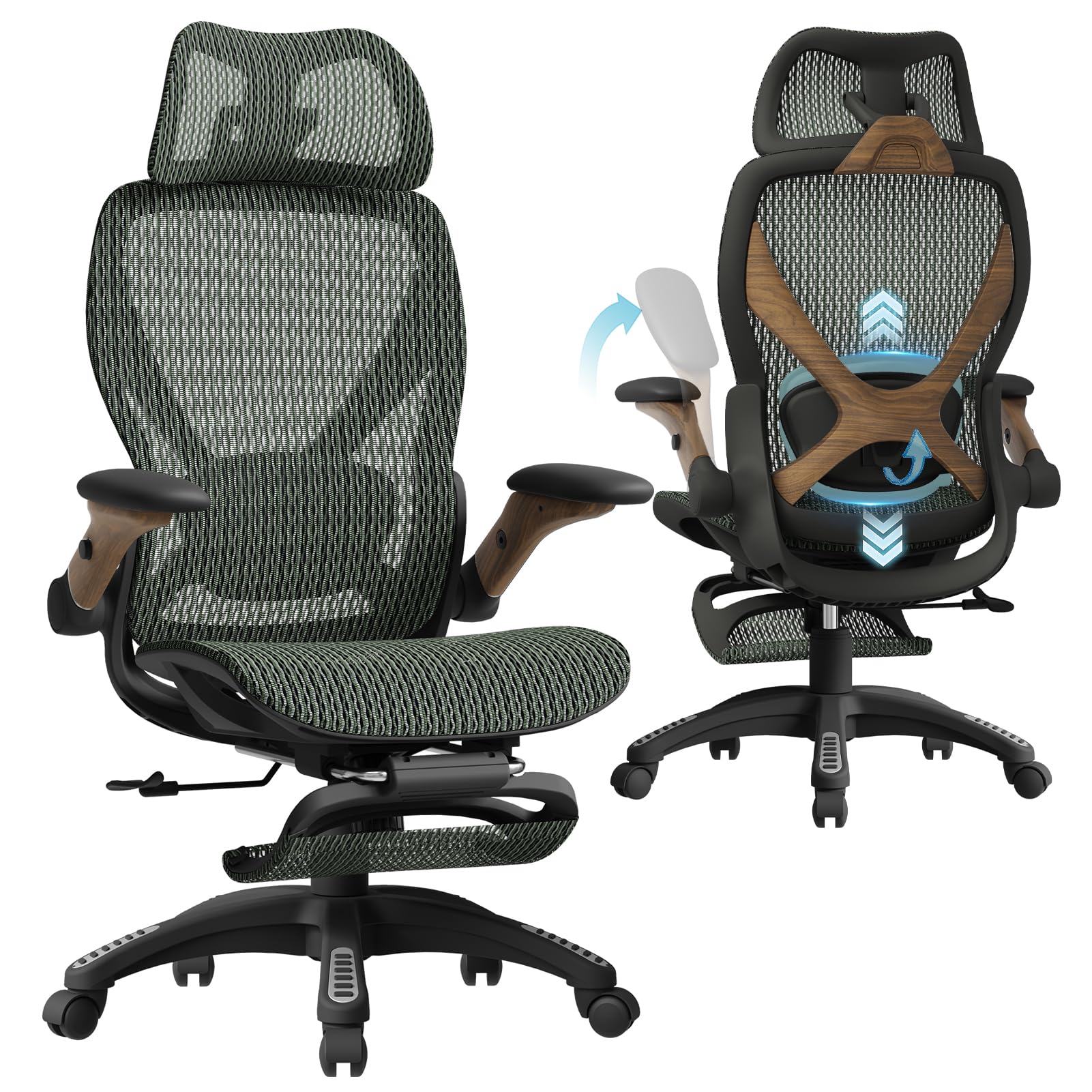
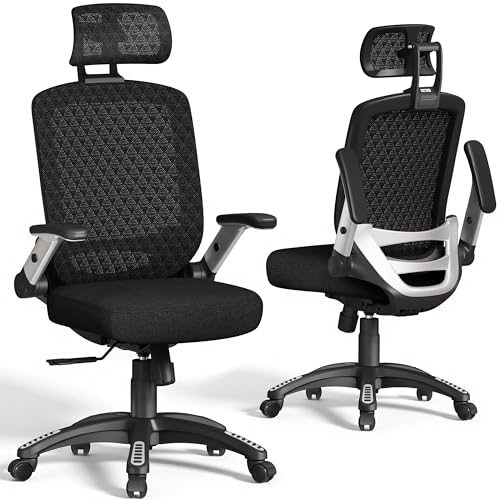
A chair can look supportive in a photo and still leave your neck aching by lunch. What matters is how the backrest, headrest and seat work together once you sit down for real work. The best back and neck support office chairs share one trait: each support point adjusts to your body instead of forcing your body to adjust to it. Use the comparison table below to check those points side by side.
This guide turns the shopping list into a short checklist. You will learn who gains most from stronger neck support and which settings change comfort during long hours. Price comes last, because a low price on a poor fit is not a saving.

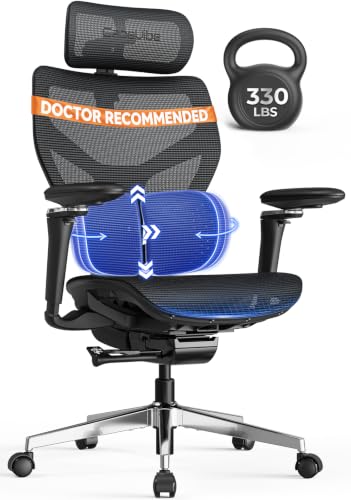
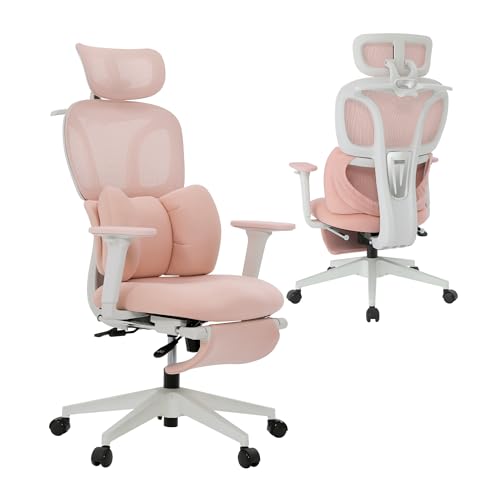

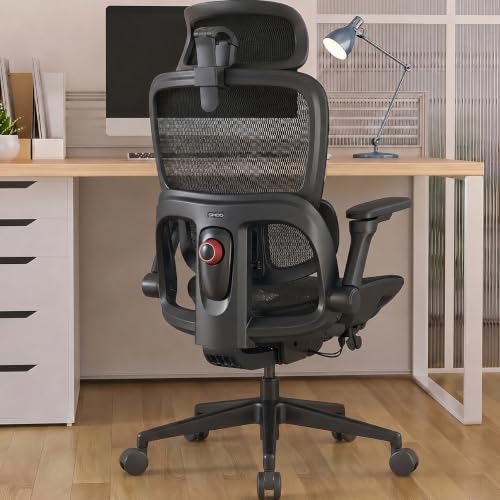
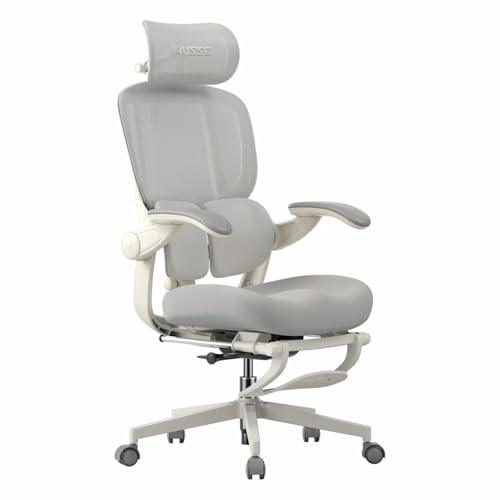
Who Should Buy a Back and Neck Support Office Chair?
Start with the ache you notice most and the hours you sit. The groups below show where your money does the most good.
Desk Workers Whose Necks Feel Stiff by Late Afternoon
You sit for six to nine hours, often leaning toward a screen for calls and documents. Choose a tall backrest and a headrest you can raise, lower and tilt, so support meets the curve of your neck instead of pushing your head forward. For a closer look at headrest shapes, see our guide to the best chairs for back and neck support.
Sitters With Lower Back Ache That Builds During the Day
Your discomfort starts low and spreads upward through the day, often because the seat lets your pelvis roll back. Look for firm, height adjustable lumbar support and a cushion that stays supportive at the edge. A chair cannot treat a back condition, so take numbness, tingling, weakness or pain that travels into an arm or leg as signs to see a doctor promptly, and talk with your clinician about your personal needs. See our guide to the best office chairs for back and neck pain.
Taller, Shorter and Broader Sitters Who Miss Standard Sizing
Standard chairs assume an average body, and you feel the gaps fast. If you are tall, check that the headrest rises behind your head and that seat depth suits long legs. If you are petite, confirm the lowest seat height lets your feet rest flat. Broader sitters should check seat width and weight capacity first.
Key Features to Compare
Judge each chair with the same six checks. Fit settings come first, then materials, then strength, because comfort you cannot adjust will not last. For a broader shortlist, see our guide to the best office chairs for back support.
Lumbar Support Height, Depth and Firmness
Lumbar support should press gently into the curve above your belt line, not into your ribs or your tailbone. Better designs let you move the pad up and down and change how far it pushes forward; simpler chairs use a fixed curve or a tension knob. A separate pad on a mesh back usually offers finer control than a pad buried in foam. If your back tires by evening, see our guide to the best office chairs for lower back support.
Headrest Height, Angle and Width for Neck Support
A headrest only helps when it meets the back of your head as you recline slightly, not when it sits at your shoulders. Look for height and angle adjustment, plus enough width to turn your head during calls without hitting a hard edge. Fixed rests are a gamble unless the chair matches your torso length closely.
Recline Range, Tilt Tension and Tilt Lock
Recline lets your spine change angle through the day, which spreads load instead of holding one posture for hours. Most chairs recline to about 110 to 135 degrees, and a tilt lock holds the angle you choose. Tilt tension should match your weight, so light sitters are not forced upright and heavier sitters do not fall back.
Seat Depth and Cushion Choice, Foam or Mesh
Seat depth decides whether the cushion supports your thighs without pressing behind your knees. Leave about two to three fingers of space between the seat edge and the back of your knee when you sit fully back. High density foam holds its shape well for heavier users, while a mesh seat feels cooler but can sag sooner. A sliding seat is the safest pick for shared chairs.
Adjustable Armrests That Take Load Off Your Shoulders
Armrests should hold your forearms level with your desk while your shoulders stay relaxed and down. Height adjustment is the minimum. Better adjustable armrests also move forward, back and sideways, and some pivot inward for typing. Pads set too wide push your elbows out and strain your neck, while pads set too low offer no help. Check that raised arms still slide under your desk.
Frame, Gas Lift Class and Weight Capacity
The frame carries every adjustment, so look for a steel or reinforced nylon base with smooth casters for your floor type. A class 4 gas lift is the stronger common option and suits daily use by heavier sitters. Weight capacity on most office chairs runs about 250 to 350 pounds, so stay well under the limit to keep the lift and tilt calm. A long frame warranty signals replaceable parts.
Quick Buyer Checklist Before You Order
Run through these questions at your desk before you pay, with a tape measure in hand. Shoppers comparing best back and neck support office chairs often skip these checks and judge only the first sit. A no on a fit question matters more than a yes on extras.
- Does the lowest seat height let your feet rest flat on the floor?
- Does the headrest rise to the middle of the back of your head?
- Can you move the lumbar pad into the curve above your belt line?
- Will the base roll freely and the arms fit around your desk?
- Does the stated weight capacity leave a clear margin above your weight?
- Can you return the chair after a week of real sitting?
Once the chair arrives, set seat height first, then lumbar height, then headrest angle, and set arm height last to meet your desk. Work in the chair for an hour before judging the fit, since first impressions in a new seat are often unreliable.
Common Mistakes to Avoid
Most regrets come from buying for the showroom moment instead of the sixth hour of sitting.
- Buying a tall headrest chair without checking torso length leaves the rest pushing your head forward all day.
- Choosing soft foam that feels plush lets your hips sink and your lower back round within an hour.
- Locking the backrest upright for every task holds one posture too long and leaves your neck stiff by evening.
- Setting armrests above desk height lifts your shoulders toward your ears and builds tension across your neck.
- Ignoring the return window keeps you stuck with a chair whose fit flaws appear only after long sitting.
- Trusting a listing with no stated weight capacity or lift class risks a chair that wobbles and sinks within months.
How to Make Your Back and Neck Support Office Chair Last Longer
Dust and grit wear mesh and fabric faster than sitting does, so vacuum the backrest and seat each week with a soft brush tool. Wipe padded rests with a damp cloth and mild soap, then let them dry fully before use. Keep the chair out of strong sun, since heat dries foam and fades fabric.
Tighten the arm and backrest bolts every few months, because daily recline slowly loosens hardware. Raise and lower the seat to keep the gas lift moving, and replace worn casters before they scratch the floor. If the seat starts to sink on its own, the lift is failing and needs a replacement part.
Frequently Asked Questions
How long should a good back and neck support office chair last?
A good chair should last about seven to ten years with daily use, and longer with light use. The calendar matters less than your daily hours, since a chair used ten hours a day wears its lift and foam sooner than one used for weekend email. Replaceable pads, casters and lifts can add years to that span.
Is an expensive back and neck support office chair worth the cost?
It can be worth the cost when the extra money buys adjustments you will use daily, such as a moving lumbar pad and a headrest that truly fits. Over years of work, a chair at about $400 to $700 can cost less per year than budget models at about $150 to $250 that need early replacement.
How do I choose the right size for a back and neck support office chair?
Choose size from two measurements: your lower leg length and your seat depth need. Sit on a hard chair with feet flat and measure from the floor to the crease behind your knee; your seat height should sit at or just below that number. If books under your feet feel better during the test, the seat is too high for you.
What features matter most for long hours in a back and neck support office chair?
For long hours, the screen setup outside the chair matters as much as the chair itself. Raise your monitor so the top third sits near eye level, because a low screen pulls your head forward no matter how good the headrest is. Change recline angle every hour or so, stand briefly between calls, and add a small foot support if your feet dangle.
Can I add a headrest to a back and neck support office chair later?
You can add a clamp on headrest to some chairs, but results vary more than with a built in rest. Clamp designs grip the top of the backrest, so they suit straight firm frames and tend to slip on curved mesh backs when you lean. If neck support is your main reason to buy, choose a chair with the rest included.
Final Thoughts
Buy for adjustability first: lumbar movement, a headrest that meets your head, and a seat depth that fits your legs. The product table above lets you confirm each point quickly.
When the fit is right, the best back and neck support office chairs stop asking your body to adapt and start adapting to you. Choose the simplest model that passes every check on your list.