Best Audio Quality Headsets: What Actually Matters Before You Buy in 2026
Disclosure: We may earn a commission when you buy through links on this page, at no extra cost to you. As an Amazon Associate I earn from qualifying purchases. Learn more

Learn what shapes the best audio quality headsets, from drivers and tuning to codecs and noise control, with a simple checklist.
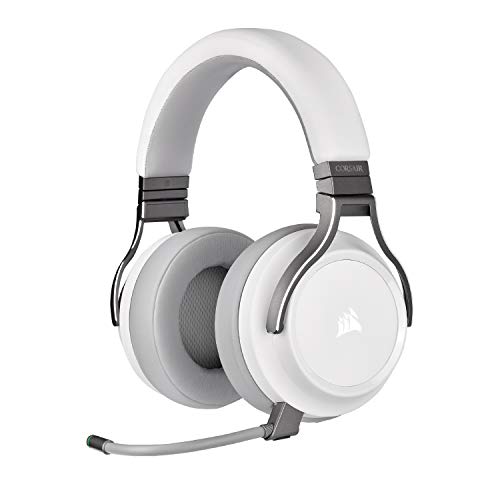
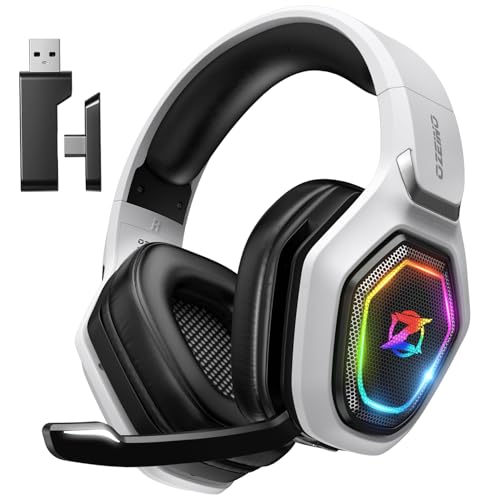
Good sound is not one specification, so the best audio quality headsets for you depend on tuning, fit, connection type and the places where you listen. A headset that sounds rich at home can feel dull on a noisy train, and a model tuned for bass heavy music may hide voices in calls. The product table gives a quick overview, while the checklist in this guide helps you judge each factor before you buy.
Work through the checklist in order: sound tuning first, then fit, then microphone quality, noise control, battery life and price. That order keeps you from paying for extras while missing the basics that shape daily listening. Keep volume moderate during long sessions, and give your ears regular breaks.





Key Features to Compare
Use the criteria below as your buying checklist. Each one explains what to listen for and what to check on the spec sheet, so you can compare models without relying on vague claims.
Sound Quality and Tuning
Driver size alone does not decide sound quality, since tuning, enclosure design and fit shape the result just as much. Frequency response charts show how loud each pitch range plays, but they do not tell you whether the tuning suits your taste. A neutral tuning keeps voices and instruments balanced, while a bass heavy tuning adds weight to drums and low notes at the cost of clarity elsewhere. Listen, where possible, to music you know well, and pay attention to whether voices stay clear when bass and treble play together.
Ecosystem and App Features
Companion apps let you adjust equalizer settings, update firmware and change controls, which can turn an average sounding headset into a good one for your taste. Check whether the app works on your phone system and whether key settings stay on the headset when the app is closed. Some features, such as custom controls or multipoint pairing with two devices, only work inside one maker's ecosystem. Decide which app features you will actually use, since a long feature list adds little if you never open the app after setup.
Microphone Quality
Microphone quality matters for calls, meetings and team voice chat, and it is easy to overlook when shopping for sound. A good microphone keeps your voice clear and steady while reducing keyboard clicks, fan noise and room echo. Boom microphones usually capture voices more cleanly than microphones built into an ear cup, though they add bulk. If you take calls in noisy rooms, look for beamforming or noise reduction on the microphone side, and try a call early so you can return a model that makes you hard to hear.
Fit, Placement, and Comfort
Fit shapes both comfort and sound, because a poor seal lets bass leak out and lets outside noise leak in. Over ear cups should surround your ears without pressing hard on the jaw or the top of the head, while on ear models rest lighter but isolate less. Check headband padding, ear cup depth and clamp force, and think about glasses, since thick frames can break the seal. A headset that hurts after an hour will not sound good in practice, no matter how strong its drivers are on paper.
Noise Cancellation and Isolation
Active noise cancelling uses microphones and processing to reduce steady sounds such as engine hum and office air noise, while passive isolation relies on the ear cup seal alone. Active cancelling helps most on planes and in open offices, but it adds cost and battery use, and it does little for sudden sharp sounds. If you mostly listen at home, strong passive isolation may be enough and saves money. For a closer look at this feature, see our guide to the best noise cancelling headsets before you decide how much to spend on it.
Battery Life and Charging
Battery ratings assume moderate volume and often assume noise cancelling is off, so real life results run shorter. Look at both the headset battery and, for wireless models, the case or total listening time if one applies. Fast charging can rescue a busy day, giving several hours of playback from a short charge, but check whether that figure assumes the same settings you use. Wired listening avoids battery worries entirely and often gives a cleaner signal, which suits desk use and long sessions.
Spending Levels Instead of Picks
At lower prices, expect solid sound with basic noise control, simpler materials and fewer app features. The best value models in this range usually get tuning and fit right while skipping extras such as advanced codecs or long range wireless. In the middle range, you gain better noise cancelling, longer battery life, stronger microphones and more refined tuning.
At higher prices, you pay for premium materials, top tier noise control, high quality codecs and polished apps. Spend more only when you will use those extras daily, since a well tuned midrange headset often sounds better than a costly model with a poor fit.
For recording and voice work, our guide to the best headsets for recording audio covers microphone focused models, while our guide to the best 3d audio headsets explains spatial sound in more depth. Broader sound quality discussion appears in our guide to the best audio quality and in our guide to the best quality headsets, which help you compare general sound focused models with the headsets in this guide.
Quick Buyer Checklist
- Does the tuning suit your music and calls, with clear voices and controlled bass?
- Does the fit seal well and stay comfortable for a full listening session?
- Is the microphone clear enough for your calls and meetings?
- Do you need active noise cancelling, or is passive isolation enough?
- Does battery life cover your longest day at your usual volume?
- Does the connection type suit your devices, wired, wireless or both?
- Are controls easy to reach and use without looking?
- Does the warranty and return policy give you time to try the fit?
Red Flags to Watch For
- Vague specifications with no driver, battery or codec detail at all.
- No clear warranty terms or support contact from the maker.
- Claims of perfect sound or total silence, which no headset can deliver.
- Very short battery ratings that suggest weak power management.
- User comments that read as copied text or that never mention fit or comfort.
Best Audio Quality Headsets for Gaming
Gaming adds demands that music listening alone does not: clear team voice, low latency and comfort across long sessions. A gaming focused headset should keep your voice intelligible during fast play, offer a stable wireless link or a wired option, and stay comfortable with a boom microphone in place. Spatial sound can help you place footsteps and direction cues, but it should not muddy voices or music. Keep volume moderate during long gaming sessions, take breaks, and check that the headset works with your console or PC before you commit.
Care and Maintenance Tips
Keep firmware updated, since updates can fix connection drops and improve sound processing. Store the headset in a case when you travel, because drops and pressure can damage drivers and hinges. Clean ear tips and pads regularly with a dry or slightly damp cloth, and let them dry fully before use.
Avoid wrapping cables tightly around the headset, since repeated sharp bends weaken wires over time. Replace worn pads when the seal weakens, because fresh pads often restore bass and comfort at low cost.
Audio Headsets: Your Questions Answered
Is ANC worth the extra cost on audio headsets?
ANC is worth the extra cost if you listen in noisy places such as planes, trains or open offices, where steady background sound masks music. At home or in quiet rooms, the benefit shrinks, and a well sealed passive headset may sound just as good for less money. ANC also uses battery power and can add slight pressure or hiss on some models, so try it before you buy when possible. Weigh your noisiest listening spot, not the quietest one, when you decide.
Wired or wireless: which sounds better on audio headsets?
Wired listening usually sounds cleaner because it avoids wireless compression and battery limits, and it works with any device that has a headphone jack. Wireless listening wins on convenience, letting you move freely and switch between devices without cables. Modern wireless codecs have narrowed the gap for most listeners, though trained ears may still notice a difference on complex music. Choose wired for critical listening at a desk, and wireless when freedom of movement matters more.
What IP rating do I need for outdoor use on audio headsets?
For light rain and sweat, a basic splash resistant rating is usually enough, while heavy workouts and wet weather call for a stronger rating. The first digit covers dust and the second covers water, so a higher second digit means better rain resistance. Follow the manufacturer's instructions, and do not assume any headset is suited to swimming unless the maker states that use clearly. Check the rating in the spec sheet rather than trusting vague words such as water friendly, and dry the headset after wet use.
How long does the battery last on audio headsets?
Most wireless headsets last from about 20 to 60 hours on a charge, depending on volume, noise cancelling and codec use. Higher volume and active cancelling drain the battery faster, so maker figures measured at low volume often overstate daily results. Fast charging can add several hours from a short plug in, which helps on travel days. If you listen all day, charge overnight and keep a wired option handy for days when the battery runs low.
Do I need a special codec for audio headsets?
You need a codec that both your headset and your source device support, or the connection falls back to a basic codec. A high quality codec can improve wireless sound, but only when your phone or computer also supports it. For most listeners, fit, tuning and a stable connection matter more than the codec label alone. Check your device settings first, then choose a headset whose supported codecs match, rather than paying extra for a codec your devices cannot use.
Final Thoughts
Start with tuning and fit, then add microphone quality, noise control and battery life in the order that matches your daily use. A headset that seals well, keeps voices clear and feels comfortable after hours will beat a flashier model that misses those basics. The best audio quality headsets are the ones you reach for every day without thinking about them. Check the product table once more, try the fit early, and keep the volume at a level that lets you enjoy music for years to come.