
Best Architect Laptops 2026: A Professional Guide
Disclosure: We may earn a commission when you buy through links on this page, at no extra cost to you. As an Amazon Associate I earn from qualifying purchases. Learn more

Architect laptops must handle large models, renders and detailed drawings. Learn the processor, graphics, memory and screen specs that matter.
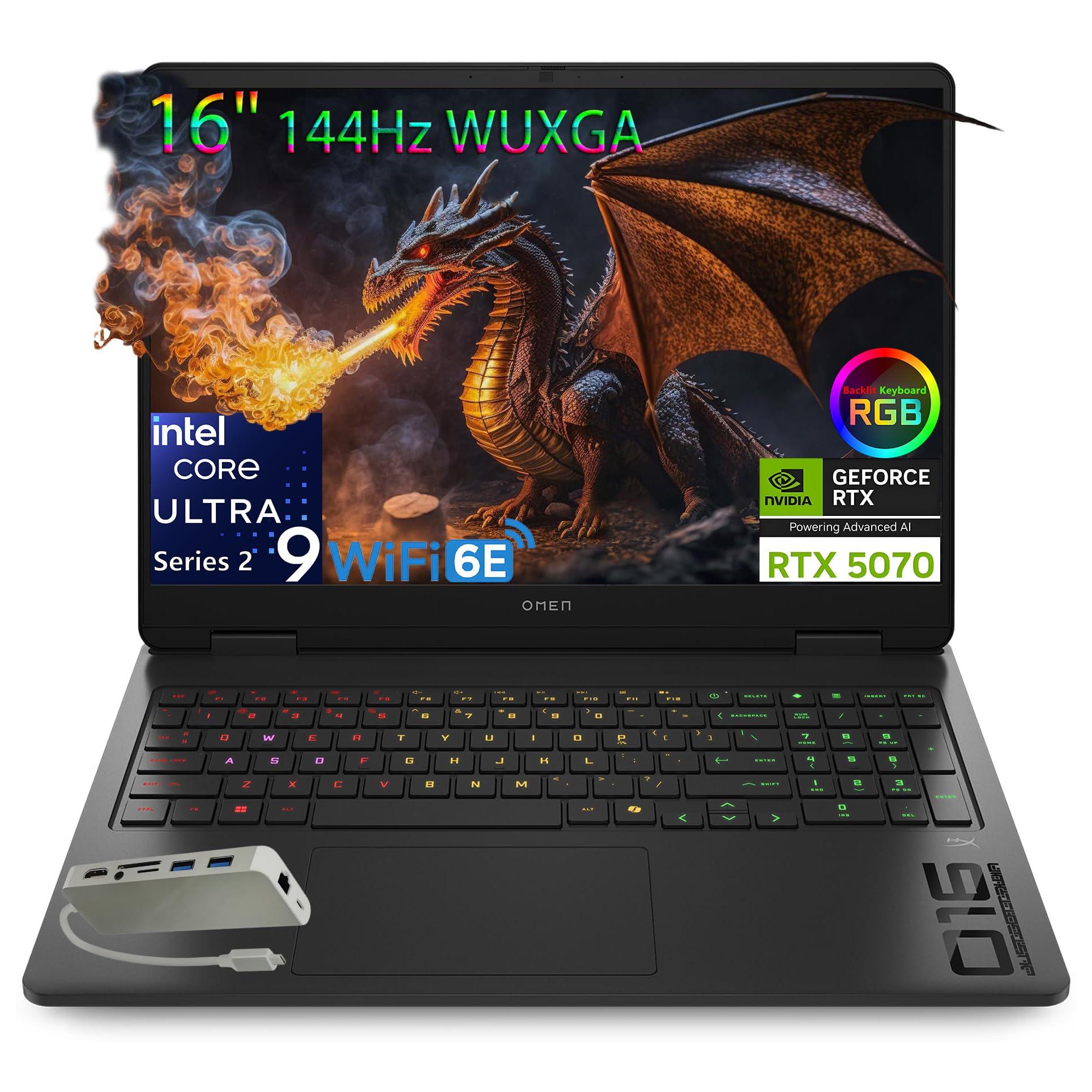
Architecture work mixes large 3D models, detailed drawings, rendering, and site visits, and a laptop that handles documents well can still choke on a complex model. The best architect laptops balance processor power, graphics, memory, and screen accuracy, so you can model, render, and present without constant waiting. Use the product table below to compare processor, graphics, memory, and screen details, then match a machine to your software and workflow.
This guide explains the key choices in plain language and helps you avoid common mistakes. Prices for capable machines run from roughly $1,000 for a solid student setup to well over $2,000 for a workstation-class laptop with a bright, color-accurate screen.







What the Best Architect Laptops Need to Do
Start from the software you actually use. Modeling tools, rendering engines, and BIM platforms stress hardware differently, and a laptop tuned for one task may lag on another. Check recommended specs for your main tools, not just minimum specs, and prioritize the component that limits your current work. A laptop that renders quickly but shows colors inaccurately can cause costly mistakes on presentation day.
The sections below explain each feature in plain language, with practical levels to look for and trade offs to weigh. Use them as a checklist while you compare options, and note which features matter most for your own routine.
Key Features to Compare
Processor and Multitasking Power
Modern multi core processors handle modeling, background rendering, and multitasking far better than older low power chips. Look for a current generation processor with strong single core speed for modeling responsiveness and enough cores for rendering. Thermal design matters, since a thin laptop may throttle under sustained load. Check sustained performance results, not just burst speeds, for heavy work.
Graphics Card for Modeling and Rendering
A dedicated graphics card accelerates 3D viewports, real time rendering, and GPU based render engines. Professional graphics cards offer certified drivers for some tools, while gaming graphics cards offer strong performance per dollar for others. Check which card type your software favors, and how much video memory large models need. Integrated graphics suit 2D drafting but struggle with complex 3D scenes.
Memory and Storage for Large Projects
Architecture projects include large models, textures, and drawing sets that consume memory quickly. At least 32 GB of memory suits serious modeling and rendering, while 16 GB can feel tight with several large files open. Fast solid state storage speeds file opening and saving, and at least 1 TB suits project libraries. Keep active projects on fast internal storage and archives on external drives.
Screen Accuracy, Size, and Resolution
A color accurate screen matters for presentations, material choices, and client reviews. Look for wide color coverage, good brightness, and a matte or low glare finish for varied lighting. A 15 or 16 inch screen offers room for tool palettes and drawings, while a smaller screen travels better but crowds the workspace. An external monitor at the desk complements a portable laptop well.
Ports, Docking, and Site Work
Architects connect to external monitors, printers, plotters, and site equipment, so ports matter. Check for high speed USB, video outputs, and card readers you use, and plan for a dock at the desk if the laptop is thin. Battery life matters for site visits and client meetings, but heavy modeling drains batteries fast, so carry a charger. A durable build helps a laptop that travels to sites regularly.
Cooling, Noise, and Long Term Reliability
Sustained rendering heats a laptop, and poor cooling causes throttling, fan noise, and long term wear. Look for dual fan cooling, good vent placement, and a chassis that stays comfortable on the lap. Quiet operation matters for meetings and libraries. A laptop with accessible memory and storage upgrades lasts longer, since you can expand it as projects grow.
Who Should Buy This Type
Architect laptops suit practicing architects, students in advanced studios, and designers who model and render regularly. They suit professionals who present to clients and work across office and site. They are less suited to casual users who mainly browse and write, since the extra power and cost go unused. If your work is mostly 2D drafting, a mid range laptop with a good screen may serve you better.
If the description above matches your routine, the features in the comparison table above will help you narrow the choice. If it does not match, a related guide may suit you better, and the related guides near the end of this article point to useful comparisons.
Mistakes to Avoid
- Buying on processor name alone without checking graphics and memory.
- Choosing a small, dim screen that hides color and detail errors.
- Skimping on memory, then facing slowdowns with large models open.
- Ignoring cooling and discovering throttling during long renders.
- Forgetting ports and docking needs until the first client presentation.
Care and Upkeep Over Time
Keep drivers updated for your graphics card and modeling software, and back up projects to both local and cloud storage. Clean vents and fans periodically to maintain cooling, and avoid blocking vents on soft surfaces during renders. Use a padded bag for site travel, and calibrate the screen occasionally if color accuracy matters for client work. Store large archives externally to keep internal storage fast.
Matching a Laptop to Your Software and Budget
Check the recommended hardware list for the programs you use most, such as a BIM tool, a 3D modeling program or a rendering engine, and buy to the recommended level rather than the minimum. A student working mostly in 2D and light 3D can often do well with 16 GB of memory, a modern processor and a mid-range dedicated graphics card. A professional with large models, heavy rendering and client presentations should aim for 32 GB or more, a strong dedicated graphics card and a bright, color-accurate display.
Set a budget before you shop and decide in advance which spec you would trade first if prices climb. Memory and storage are worth prioritizing when the laptop cannot be upgraded later, while a larger screen can be added through an external monitor at the desk. Confirm what the price includes, such as the charger size, warranty and return terms, before you order.
Related Buying Guides
For a closer look at specific roles, see best laptops for architects and designers, best laptops for engineers and architects and best gaming laptops for architects.
Frequently Asked Questions
How much memory does an architect need?
Serious modeling and rendering benefit from at least 32 GB of memory, especially with large BIM models and several applications open. Students and light 2D users may manage with 16 GB, but multitasking suffers as projects grow. If the laptop allows memory upgrades, you can start smaller, but sealed designs demand buying enough memory at purchase.
Do architects need a professional graphics card?
Professional graphics cards offer certified drivers and support for some architecture tools, while gaming graphics cards offer strong raw performance for others. Check your software's recommended hardware list before choosing. For many users, a strong gaming graphics card handles modeling and rendering well, while certified cards matter more for specific professional workflows.
Is a Mac or Windows laptop better for architects?
The answer depends on your software, since some architecture tools run only on Windows or run best there, while others work well on either platform. Check compatibility for every tool you rely on, including plugins and rendering engines. Choose the platform that runs your full workflow without workarounds, then compare hardware within that platform.
What screen size is best for architecture work?
A 15 or 16 inch screen balances workspace and portability for most architects, offering room for drawings and tool palettes. Smaller screens travel better but feel cramped for detailed work. Pair a portable laptop with a large external monitor at the desk for the best of both worlds, and prioritize color accuracy over extreme resolution alone.
How important is battery life for an architect laptop?
Battery life matters for site visits, client meetings, and travel, but heavy modeling and rendering drain batteries quickly on any laptop. Expect shorter life under load and plan to carry a charger for intensive work. For light tasks such as email, drawings review, and presentations, a larger battery makes a real difference across a workday.
Final Thoughts
Match processor, graphics, memory, and screen to the software you use most, then check cooling and ports for real work. The comparison table above shortlists strong machines, but your project files should set the specs. A laptop that models smoothly, renders reliably, and shows true colors pays for itself in saved time. The best architect laptops are tools for professional work, so buy for the projects ahead, not just today's files.


