
Best Analog Headsets 2026: Types Compared and How to Choose
Disclosure: We may earn a commission when you buy through links on this page, at no extra cost to you. As an Amazon Associate I earn from qualifying purchases. Learn more

The best analog headsets match your device jack and voice needs. Compare connector, microphone, fit and cable length before you buy.
Analog headsets all end in a simple plug, yet they vary a lot in sound, microphone style, fit and cable length. The best analog headsets are the ones that match your device and your voice needs. This guide compares each type in plain terms, so you can read the comparison table below and know which details deserve your money.
Start with two questions. Will you talk often, or mainly listen? And does your device have a single combined jack, separate jacks for sound and microphone, or no jack at all? Your answers narrow the field fast, because connector fit rules out more models than driver size ever will.
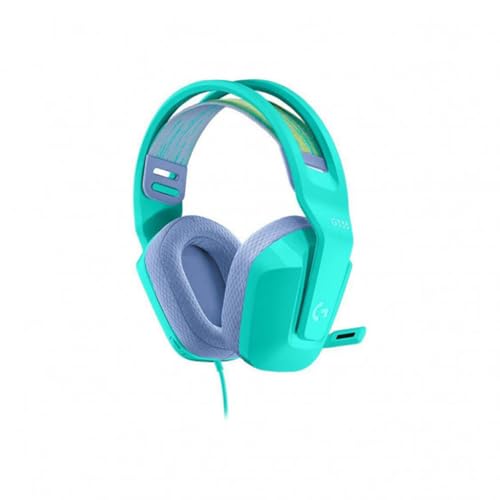


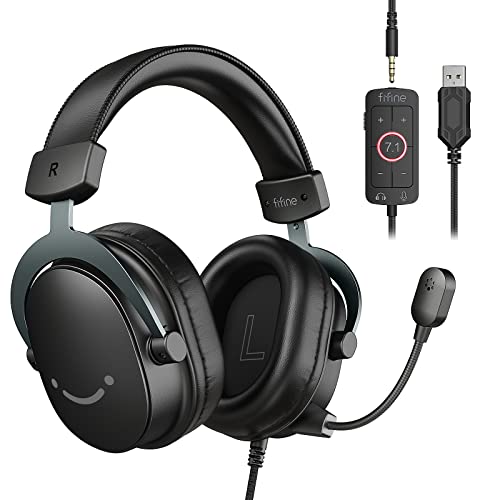
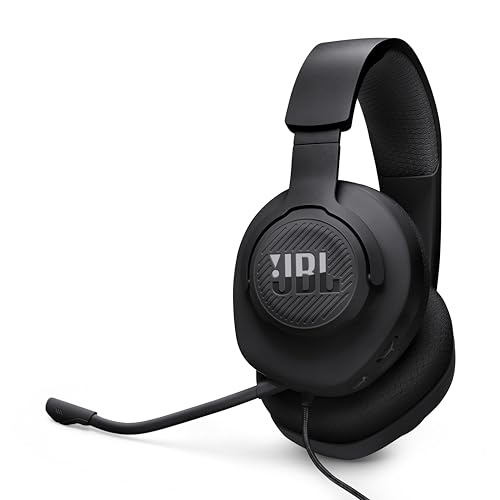
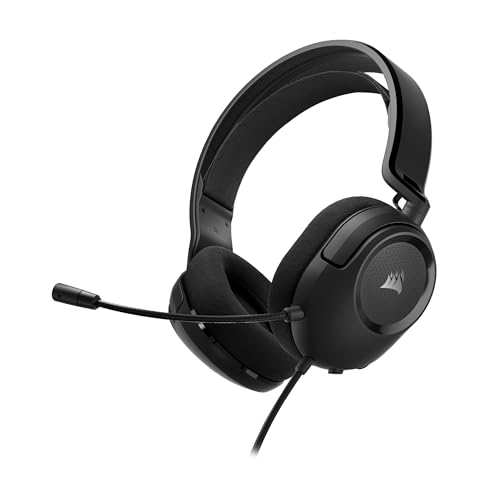


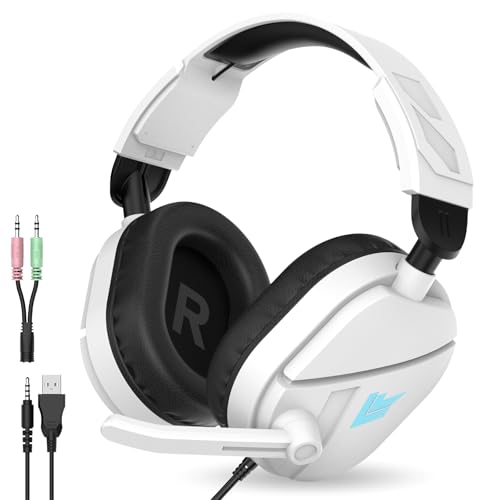
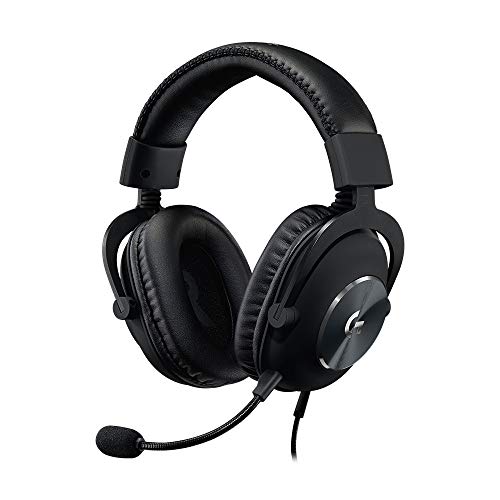
Types of Analog Headsets Compared
The three groups below overlap more than their names suggest. A gaming model is still a wired analog headset, and a plain wired model can handle calls well if its microphone suits your room. Compare them by the job each one does best, then check price. Basic models often cost around $20 to $50, gaming models about $50 to $150, and travel models about $40 to $120.
Gaming Models With a Boom Microphone
Gaming models pair large ear cups with a boom microphone close to your mouth, so your voice stays clear even when you speak quietly. Many add a mute switch and a volume wheel on the cable or ear cup. The trade off is size, since these headsets are bulky for travel. Choose this type if you join voice chat daily.
Wired Models for Music and Everyday Calls
General wired models focus on listening first. Most use a smaller inline microphone on the cable, which is fine for short calls in a quiet room but picks up more room noise than a boom. Tuning varies widely, from bass heavy models for films to flatter models for study. Choose this type if you split your time between music, video and occasional calls, and want a lighter headset for your laptop bag.
Compact and Rugged Models for Travel
Compact models use smaller on ear cups or folding over ear cups and shorter cables, so they fit in a bag and survive daily handling. Padding is thinner, and smaller cups seal out less noise. Choose this type for commuting and classes where you put the headset on and off often. For training first use, where a cable can snag on equipment, see our guide to the best headsets for gym before you decide.
Gaming Models vs General Wired Models: Which Should You Choose?
The clearest difference is the microphone. A boom microphone near your mouth gives clearer voice chat and better rejection of keyboard noise, while an inline microphone is smaller and less visible on camera. Gaming models also place mute within quick reach, while general models keep one simple set of controls.
Comfort and sound come next. Gaming cups tend to be larger and heavier, with tuning that stresses footsteps and dialogue. General models are lighter and often tuned for music balance. If powered cancelling matters more than a simple cable, see our guide to the best noise cancelling headsets for that different approach. Otherwise, pick gaming for voice first use and general wired for listening first use.
How to Choose the Right Analog Headset
Work through the factors below in order, starting with whether the plug fits your device at all. When you compare best analog headsets on paper, connector and microphone mismatches cause most returns, while small driver differences rarely change daily use. You can also see our guide to the best quality headsets for a broader view of build standards.
Connector Type and Device Compatibility
Most analog headsets use a 3.5 mm plug. A four pole plug carries stereo sound plus a microphone on one jack, which suits laptops, controllers and older phones. A three pole plug carries sound only. Some desktop computers use two separate jacks, one for sound and one for a microphone, so a four pole headset needs a splitter cable there. Check the plug drawing against your ports before you order, and confirm whether a splitter is included.
Sound Quality, Drivers and Tuning
Drivers turn the signal into sound, and over ear models commonly use drivers of about 40 to 50 mm. Size alone does not promise clarity, though. Look at frequency response, often listed as about 20 Hz to 20,000 Hz, and at tuning. Extra bass suits films and action games, while a flatter balance suits podcasts and study. Models around 32 ohms run easily from laptops and controllers, while higher impedance models may sound quiet without a stronger source.
Microphone Style and Inline Controls
Choose the microphone for your room, not only your voice. A boom microphone, fixed or detachable, keeps a steady distance from your mouth and usually gives the clearest calls. An inline microphone is lighter and fine for quiet rooms, but it rubs on clothing and catches more background sound. Useful controls include a mute switch you can find by touch.
Fit, Ear Pads and Weight for Long Sessions
Over ear cups surround your ears and spread pressure, which most people find easiest for sessions over an hour. On ear cups rest on the ear itself, so they feel cooler but can ache sooner. Note the listed weight, since a few ounces matter by the third hour. Soft pads with a gentle clamp suit glasses wearers, while a firmer clamp seals better and keeps bass steady.
Cable Length, Strength and Replaceable Parts
Cable length should match your seat. A cable of about 4 feet suits a laptop on a desk, while about 6 to 10 feet suits a desktop tower under the desk. A detachable cable is worth paying for, because the cable is the part most likely to fail first and a swap costs far less than a new headset. Look for a reinforced plug base, and check whether ear pads are sold as replacements.
Common Mistakes to Avoid
- Buying a four pole plug for a desktop with separate jacks, without a splitter, leaves your microphone silent.
- Choosing a bass heavy tuning for voice work makes dialogue sound muddy and tiring.
- Ignoring impedance leads to a headset that plays too quietly from a laptop or controller.
- Wrapping the cable tightly around the cups strains the wires near the plug and causes sound to cut out.
- Picking the largest gaming model for travel fills your bag and makes short sessions feel like a chore.
- Judging comfort from pad softness alone misses clamp pressure, which is what usually aches after an hour.
Setup and Care Tips for Analog Headsets
Setup takes a minute and prevents most false alarms. Push the plug in until it seats fully, then select the headset as both the output and the input in your device sound settings. Play a short voice recording to confirm the microphone level before your first call or game. If your computer has two jacks, fit the splitter first and match the marked plugs to the marked ports.
For care, store the cable in a loose loop and never pull the plug out by the cord. Wipe ear pads with a slightly damp cloth and let them dry fully before storage. Keep cups away from direct heat, which can crack pad coverings. If sound cuts out on one side, test the headset on a second device first, because a worn cable and a loose jack can look like the same fault.
Analog Headsets: Your Questions Answered
Can an analog headset work with a phone that has no headphone jack?
Yes, an analog headset can work with such a phone through an adapter that converts the phone port to a 3.5 mm jack. The adapter must contain its own conversion chip, because a plain shaped adapter with no chip passes nothing. Check the adapter listing against your exact phone family before buying, since support varies by maker. Keep the adapter attached to the cable so it does not get lost in a bag.
When should ear pads on an analog headset be replaced?
Ear pads on an analog headset should be replaced when the covering cracks, the foam stays flat, or the seal feels loose. Worn pads change the sound as well as the comfort, because escaping air weakens bass and lets in more room noise. Many pads twist or pull off by hand. Match the pad shape and diameter to your cup size, since small pads tear during fitting.
Can I replace the cable on an analog headset when sound cuts out on one side?
Yes, you can replace the cable on an analog headset if the model uses a detachable cable with a standard plug at the cup. One sided cutting out that changes when you gently move the cable near the plug points to cable wear rather than a failed driver. Match the replacement plug size and pole count to the original. On fixed cable models, repair is rarely worth the cost.
Do analog headsets work for voice chat on game controllers?
Yes, most analog headsets work for voice chat on game controllers with a 3.5 mm combined jack. Plug in before you join a party, then set chat audio to the headset in the console menu, since some systems keep chat on the television until you change it. If friends hear an echo, lower the volume first, because loud cups can leak sound back into the microphone.
Are bigger drivers always better in an analog headset?
No, bigger drivers are not always better in an analog headset. A larger driver can move more air for bass, but tuning, cup seal and pad fit shape what you hear just as much. A well tuned 40 mm driver in a cup that seals well can sound fuller than a 50 mm driver in a loose cup. Use driver size as a rough guide to cup size, not as a score.
Our Verdict
Choose the connector first, the microphone second and the tuning third, and most other details fall into place. A boom model serves voice heavy days, a lighter wired model serves mixed listening, and a compact model serves travel. Use the product table above to confirm plug type, cable length and price.
Treated as a simple tool, the best analog headsets ask little of you and work with almost everything you own. Pick the type that fits your busiest day.


