Best Air Flow PC Cases: A First Time Buyer Guide for 2026
Disclosure: We may earn a commission when you buy through links on this page, at no extra cost to you. As an Amazon Associate I earn from qualifying purchases. Learn more

A first buyer guide to the best air flow pc cases covering fit, mesh fronts, fans, dust filters, noise and build safety in plain clear language.
A case is the one part new builders often pick by looks alone, then struggle with for years. If this is your first build and you are comparing best air flow pc cases, start with fit, then airflow, then appearance. That order prevents the classic surprise of a graphics card or cooler that simply does not fit the box you loved.
This guide explains the basic terms in plain language and gives you measurements to check before any money moves. Use the product table for sizes and included fans, then work through the fit and airflow sections with your parts list open beside you.

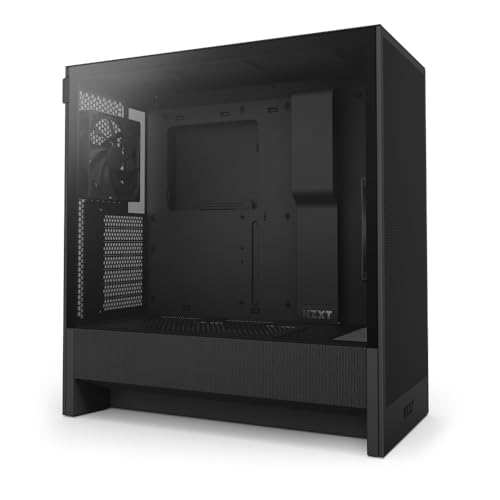
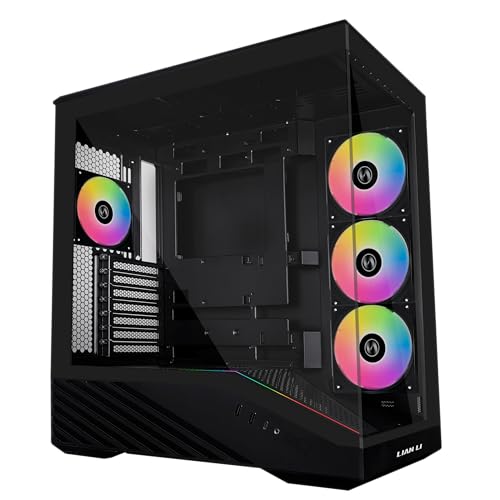

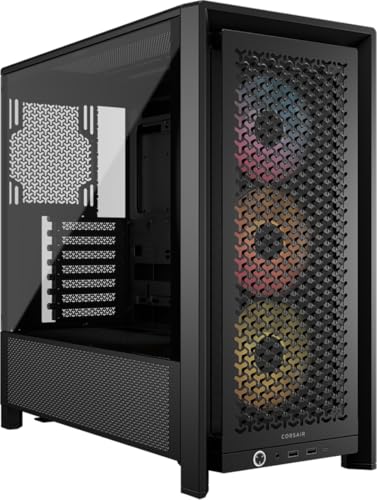
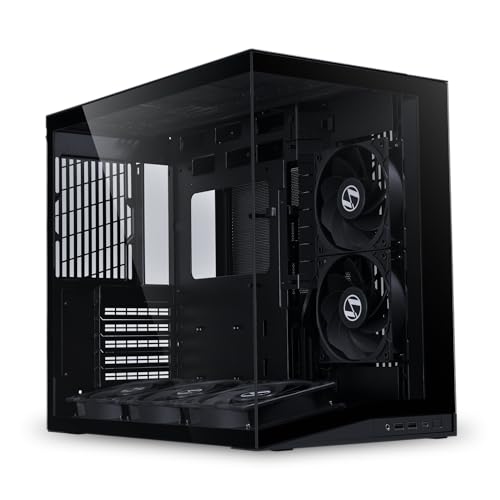


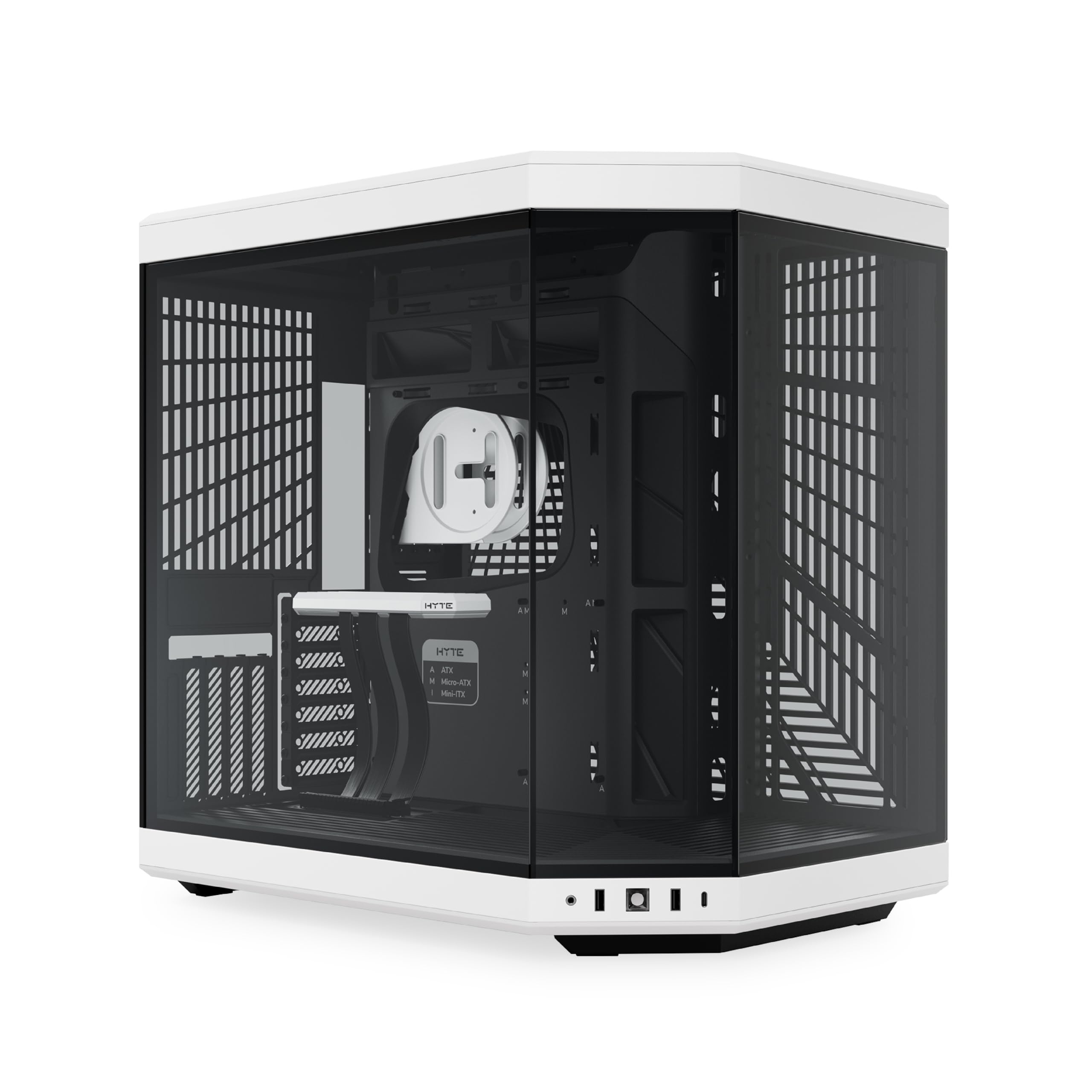
Starting From Zero: What Makes the Best Air Flow PC Cases Work
Airflow describes how easily cool room air enters a case, passes over warm parts, and leaves as heated air. Processors and graphics cards make heat whenever they work, and that heat must exit or temperatures rise until the parts slow themselves down. A case built for airflow uses open panels, usually a mesh front, plus fan mounts that move air in a clear path from front to back or bottom to top.
No case creates cooling on its own, and that honesty matters for a first purchase. The case permits or blocks the cooling your fans and coolers try to provide, nothing more. A sealed box with strong parts inside will still run hot, while an open case with a sensible fan layout lets modest parts stay calm. Think of the case as the road network and the fans as the traffic moving along it.
Listings use a few terms again and again. Intake fans pull cool air in, exhaust fans push warm air out, and a radiator is the finned block used by liquid coolers to shed heat into the air. Keep those three ideas in mind and the rest of this guide will read easily.
Fit Comes Before Style, Always
Every case lists compatibility numbers, and those numbers are the purchase. Measure and compare them before you consider colors, windows, or lighting. The product table can start the list, but the maker specification page for your exact case is the final authority on clearances.
Motherboard Form Classes Set the Case Size
Motherboards come in size classes, and the case must match or exceed the class of your board. The smallest common class suits compact builds with limited expansion room, and shoppers set on that route can study best itx pc cases for the space trade offs involved. The middle class balances room and footprint for most first builds, which is why guides to best matx pc cases draw so many new builders. The full size class adds expansion slots and board room, and readers planning several drives or cards can compare best atx pc cases against their desk space.
A larger case accepts smaller boards, but a smaller case never accepts a larger board. Standoff positions and rear openings are fixed at the factory, so there is no workaround worth attempting. When in doubt, choose the case class that matches your board exactly and enjoy the neater cable runs that follow.
Graphics Card Length and Cooler Height in Millimeters
Graphics cards state their length in millimeters, and cases state a maximum card length, so compare those two numbers directly. Leave a margin beyond the bare fit, because power cables need room to bend at the end of many cards. Tower air coolers state a height, and cases state a maximum cooler height measured from the board to the side panel. Radiator space is listed by size and position, such as top or front, and a radiator plus its fans is thicker than the radiator alone.
Power Supply, Drives, and Cable Room
Power supplies follow standard sizes in most cases, but long units can crowd cables in compact designs, so check the stated limit. Count your storage drives before buying, since many airflow designs trade drive bays for open front intake space. Cable room behind the motherboard tray is easy to overlook and hard to forgive, because a side panel that will not close makes a build feel unfinished. Look for stated clearance back there plus cutouts with rubber covers near where cables naturally pass.
How Air Moves Through the Case You Pick
With fit settled, airflow quality decides how cool and how loud your finished computer runs. Four ideas cover nearly everything a first buyer needs. None of them requires advanced math, just honest reading of what a listing actually promises.
Mesh Front Versus Glass Front Is the Honest Fork
A mesh front lets intake fans draw air straight through thousands of small holes with little resistance. A solid glass front looks clean and chokes intake unless the design vents around its edges with wide gaps and strong fans. Some glass designs do breathe acceptably through side vents, but many budget ones prize silence of appearance over air supply. If your parts include a warm graphics card, mesh is the safer first choice and the difference shows under long gaming or rendering loads. That is why the best air flow pc cases almost always pair a mesh front with clear fan paths.
Intake, Exhaust, and a Simple Air Path
A common layout pulls air in at the front and pushes it out at the rear and top, following the natural rise of warm air. Slightly more intake than exhaust keeps a gentle positive pressure, which tends to push dust out through gaps instead of pulling it in. Fans should not fight each other, so check arrows on fan frames during the build to confirm direction. One rear exhaust fan near the processor cooler does more for temperatures than decorative fans placed far from any heat.
Fan Counts on Listings Do Not Equal Airflow
Listings advertise the number of fans fitted, but that count says nothing by itself about airflow achieved. Fan size, speed range, blade design, and how open the panel in front of each fan is all change the result. Two unobstructed 140 mm intake fans can move more air, more quietly, than four small fans trapped behind glass. Readers comparing best pc case fans later will find that stated airflow drops once a filter or grille sits in the way, which is normal and worth planning around.
Dust Filters Are a Maintenance Class of Their Own
Filters slow dust buildup on fans and heatsinks, which keeps cooling steady between cleanings. The useful question is how each filter removes, because a front filter that slides out in seconds gets cleaned and a buried one gets ignored. Magnetic and slide out filters suit beginners best, while fixed mesh panels still help if you own a small vacuum or soft brush. A filtered intake only works when the intake fans draw mainly through that filter, not through unfiltered gaps.
Noise, Desk Placement, and Daily Living
More open cases can be louder at the desk, because mesh that passes air also passes fan and coil noise straight to your ears. That trade is not a flaw, but it should be chosen knowingly. Fan curves in software do the real quieting, since they let fans spin slowly during light work and rise only when temperatures demand it. The case badge, whatever it promises, cannot silence a fan curve set to full speed at all times.
Placement changes noise and temperatures together. A computer tucked into a closed cabinet starves for air and recycles its own heat, undoing the point of an airflow case. Leave open space in front of intake panels and behind exhausts, and keep the case off thick carpet that can block bottom intakes. Raising a floor placed case on a simple stand often improves bottom airflow and reduces dust intake at once.
Build Safety and a Calm First Assembly
Build with the power supply unplugged from the wall, and press the case power button once after unplugging to drain leftover charge. Touch a metal part of the case often while handling boards, which helps equalize static before it can jump. Stamped steel edges inside budget cases can cut fingers, so move slowly, feel edges before pulling cables through, and consider thin gloves for tight reaches. Tempered glass panels break if dropped or overtightened, so lay them flat on a soft surface, loosen screws evenly, and never force a panel that resists.
Work on a clear table with small containers for screws, because case, board, and cooler screws all look alike at a glance. Keep the manuals open, since front panel wires differ between boards and a wrong pin only shows up at the first power on. Build outside the case first if you feel unsure, with board, processor, cooler, memory, and power supply connected on the board box. A system that starts on the table is far easier to trust once it moves inside.
Rookie Mistakes to Avoid
- Choosing a case by its photo before checking graphics card length, cooler height, and radiator space in millimeters.
- Buying a glass front case for warm parts, then blaming the cooler when temperatures stay high under load.
- Counting included fans as proof of airflow, without asking whether the panels in front of them are open.
- Mixing motherboard and case size classes, then discovering the board physically cannot mount inside.
- Filling every fan mount at once, which adds noise and cost before you know what your parts actually need.
- Placing the finished computer inside a closed cabinet or flat on carpet, blocking the airflow you paid for.
Cleaning and Upkeep for Steady Cooling
Check dust filters about every three months, or monthly in homes with pets or dusty rooms, and clean them gently with air or water as the maker allows. Wipe intake areas and peek inside for dust mats forming on the graphics card and processor cooler. A soft brush and short bursts of air clear most buildup, and holding fan blades still while you blow prevents them spinning faster than designed. Schedule a deeper check once or twice a year, including cable shifts that can creep into fan paths after upgrades.
Keep a short note of the temperatures you see during a familiar game or task, taken once the build is clean and new. That simple record becomes your comparison point months later, when dust or a failing fan quietly pushes readings upward. A rise of several degrees on the same workload tells you cleaning or a fan check is due before any alarm sounds. Note the room temperature too, since a hot afternoon raises every reading without anything being wrong inside the case at all.
First Buyer FAQ
How many fans does a first airflow build actually need?
Most first builds need about two intake fans and one exhaust fan to run cool and reasonably quiet. That layout feeds a typical processor and graphics card pairing without filling every mount in the case. Add fans only if temperatures under your longest real workload still climb, since each extra fan adds noise as well as air. A fan controller or motherboard fan headers with curves matter more than raw fan count.
Is a bigger case always cooler than a smaller one?
A bigger case is not always cooler, because airflow path matters more than empty volume. A compact case with a direct mesh intake aimed at the graphics card can beat a large case with a sealed front panel. Large cases do make building easier and forgive cable mistakes, which beginners may value more than a degree or two. Choose size for fit and workspace first, then judge each design by how open its intake path is.
Can a glass front case still cool warm parts well?
A glass front case can cool acceptably when its side vents are wide and its fans are strong enough to pull air around the panel. The margin for error is smaller, though, and dust on those narrow vents cuts intake faster than on open mesh. If you love the look, pair it with modest parts or plan higher fan speeds and accept more noise. For a hot graphics card in a warm room, mesh remains the lower risk route.
Should a beginner choose air cooling or liquid cooling?
A beginner should usually choose air cooling, because a tower cooler has no pump, no tubes, and nothing to leak. Good air coolers handle most processors well inside an open case, and they cost less at equal cooling strength. Liquid cooling earns its place with very warm processors, tight spaces above the board, or a look you strongly prefer. If you do choose liquid, confirm radiator size and position in the case before ordering anything.
How can a new builder make an open case quieter?
Set gentle fan curves so fans stay slow until temperatures actually rise, which removes most idle and light use noise. Larger fans at lower speed move the same air more quietly than small fans spinning fast, so prefer 140 mm mounts where offered. Keep the case a little farther from your ears and off the desk surface if it vibrates. Closing software you are not using also helps, since parts that do less work make less heat and demand less fan speed.
Final Thoughts
Fit first, open panels second, and looks last will steer a first build well. Use the product table to compare clearances and filter designs side by side, and measure your own parts before you commit. Chosen with that patience, best air flow pc cases give new builders a cool, quiet starting point that welcomes upgrades for years.