Best Affordable PC Cases Made Simple: A Clear Buying Guide for 2026
Disclosure: We may earn a commission when you buy through links on this page, at no extra cost to you. As an Amazon Associate I earn from qualifying purchases. Learn more

A plain English guide to the best affordable pc cases: board sizes, airflow, clearances and fan layouts explained so a first build goes together smoothly.
A PC case looks like the simplest part of a new build, just a metal box that holds everything else. In practice, the case decides which parts fit, how cool those parts run, and how much fan noise reaches your ears while you work or play. This guide explains the best affordable pc cases in plain language, starting with size and fit, then airflow and cooling, then the small details that separate a smart buy from a frustrating one. The product table shows a range of cases side by side, so you can see where your budget lands before reading on.
Affordable does not have to mean flimsy or short lived. Under about $100, many cases offer a steel frame, a mesh or glass front, and room for long graphics cards, as long as you check three numbers before ordering: the board size, the card length, and the cooler height. Work through the sections below in order and you will know exactly what to measure, what to skip, and where the money in a budget case actually goes.


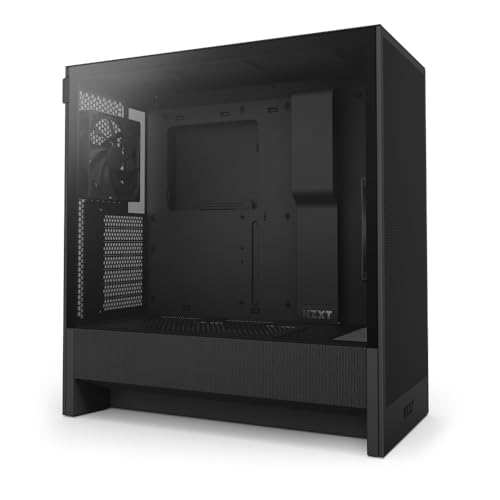
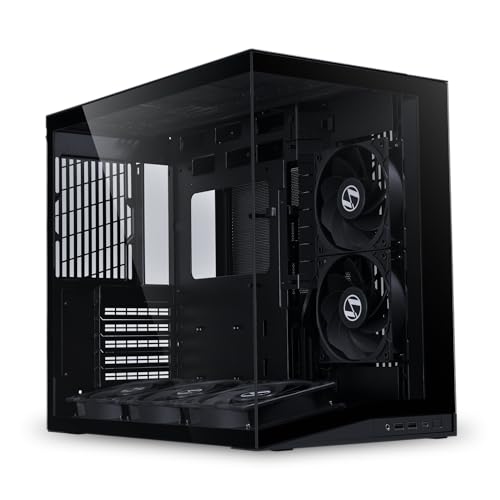

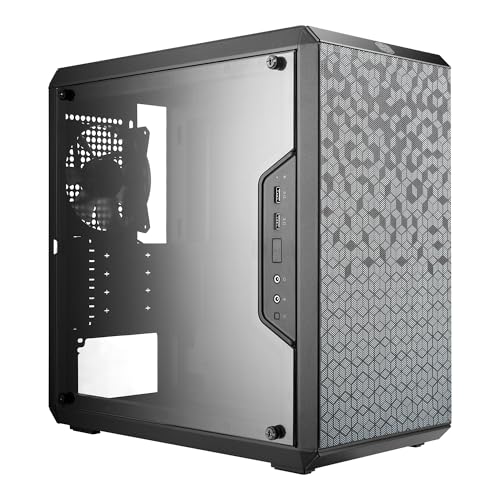
PC Cases 101: The Basics
A PC case is the enclosure that holds a computer together. The motherboard mounts on a tray inside it, the power supply sits in its own bay or shroud, and storage drives slide into cages or screw onto flat panels behind the tray. Slots at the back line up with the ports and expansion cards on the board, and the front panel carries the power button, indicator lights, and USB ports you touch every day.
A case is only the shell, not a working computer, so it arrives empty and every part inside it is a separate purchase. That sets it apart from ready to run devices such as the ones covered in our guide to the best pc tablets, which combine a screen and computer in one body. With a case, you choose each component yourself, and the case simply has to give all of them room, power routing, and moving air.
Cases also control how a build sounds and feels day to day. Thick steel panels and closed fronts dull fan noise, while open mesh fronts let fans spin slower for the same cooling. Buttons, dust filters, and cable channels sound minor on a spec sheet, yet they decide whether a first build feels simple or fiddly once the parts are on your desk.
Key Specs Explained in Plain English
Five checks decide nearly every budget case purchase: the size class, the price band, the two clearance numbers, the front panel, and the cooling layout. A sixth check, standard parts, decides whether the case still works for your next build. Take them in this order, compare each one with the product table, and the rest of the spec sheet becomes easy to read.
Start With Case Size and Board Fit
The first check is also the simplest: the size class of your motherboard decides the size class of the case. Full size ATX boards need a case that lists ATX support, smaller micro ATX boards fit in both micro ATX and ATX cases, and tiny mini ITX boards fit almost anywhere but waste space in a large tower. Most first builds belong in a mid tower, the middle class that holds an ATX board, several drives, and a long graphics card without dominating the desk.
Shoppers who want the smallest footprint possible step down to the compact enclosures in our guide to the best itx pc cases, where every millimeter of clearance matters and parts must be planned in a strict order. Pick the board first, then filter cases by that size class, and everything left on your shortlist will physically fit.
What You Can Realistically Get on a Budget
Set honest expectations before comparing listings. Between about $40 and $70, the best affordable pc cases pair a basic steel frame with one or two included fans, simple cable routing, and either a steel or acrylic side panel. Between about $70 and $100, the same money adds a mesh front panel, three or four fans, a tempered glass side panel, and tidier channels for hiding cables.
What gets cut at this level is decoration and convenience: lighting controllers, hinged doors, and thick sound padding. Never economize on the frame itself or on front intake space, because a flexing case rattles and a sealed front panel starves every part inside of cool air. Spend on structure and airflow first, and let appearance take whatever budget remains.
Card Length and Cooler Height: The Two Clearance Checks
Cases list two clearance numbers, and both are measured facts rather than opinions. The first is maximum graphics card length, usually somewhere between 280 and 400 mm in a mid tower, so compare it with the length on your card spec sheet and leave a small margin. The second number is maximum CPU cooler height, which matters if you plan a tall air tower, and the case figure must clear the cooler figure or the side panel simply will not close. A front mounted radiator eats into the card space, so subtract it before trusting the headline number.
Front Panels and Airflow
Think of a case as an air path: cool air enters at the front or bottom, passes over the board and graphics card, and leaves through the back and top. A mesh front panel feeds that path freely, while a solid glass or plastic front forces fans to pull air through narrow side gaps. On a tight budget, a mesh front with two intake fans cools better than a sealed front with four fans trapped behind it.
Glass still has a place on the side panel, where it shows the build without blocking the intake. Buyers planning a lighting heavy build often start with our guide to the best affordable gaming pc cases, which sorts this same budget field by glass panels and included fan bundles. Whichever style you choose, confirm the front can actually breathe before you pay extra for more fans behind it.
Cooling Options: Air Towers and Liquid Radiators
Most budget builds cool the processor with an air tower, and any mid tower with decent intake handles that job well. Liquid all in one coolers need a mounting point sized for their radiator, commonly 240 mm or 280 mm at the top of the case, or 360 mm at the front. Check the case spec sheet for radiator support before ordering a liquid kit, because a radiator that mounts nowhere is an expensive paperweight. Dust filters over the intakes complete the picture, catching hair and grit before they coat the fins and fans inside.
Upgradability and Standard Parts
A good budget case outlives the parts inside it. Standard ATX power supplies, standard board mounting holes, and seven expansion slots on a mid tower mean your next board, card, and supply drop in without adapters or drilling. Some very cheap cases cut corners with fixed drive cages in odd spots or power supply bays that only accept one small size, and those limits surface the day you upgrade.
That staying power explains why a few roomy designs keep showing up in roundups of the best pc cases of all time: plain standard layouts age slowly, while one off shapes tied to a single fashion age fast. Check the front panel ports too, since a case with a USB C port and two USB A ports stays useful longer than one with a single aging socket.
Rookie Mistakes to Avoid
Most first build problems trace back to the case, and most of them are visible before you spend anything.
- Choosing the case before the motherboard, then finding the board size class has no matching mounting holes in the tower.
- Picking a sealed glass front for a powerful graphics card, which traps heat and forces the fans to run loud.
- Skipping the card length figure, so a new graphics card arrives and stops a few millimeters short of fitting.
- Mounting every fan as an exhaust, which pulls dust in through every gap instead of pushing filtered air out.
- Paying for lighting strips and controllers while the frame flexes, because decoration cannot fix a weak structure.
Getting Started: Setup and First Use
Start by fitting the power supply and its cables before the motherboard goes in, because the supply corner gets crowded once the board is seated. Set the brass standoffs to match your board holes exactly, since an extra standoff in the wrong place can short the board. Route the main cables through the channels behind the tray as you go, and leave the side panels off until the machine first powers on.
After the build, case care is simple and quick. Slide out the dust filters every few months, rinse or brush them clean, and let them dry fully before refitting. A soft cloth keeps glass panels clear, and a rattling panel usually means a loose thumb screw rather than a fault. Remember that the case is only one line of the budget: the display is a separate purchase with its own checks, such as the screens covered in our guide to the best affordable pc monitors.
PC Case Questions Answered
Does an affordable PC case come with fans already installed?
Most budget cases include at least one or two fans, and many in the upper budget band include three or four. Check the listing for the exact count and size before ordering, because some cases ship with a single rear fan only. One point listings rarely mention: a bundle of fans often connects through plugs that share one header style, so confirm your motherboard has enough fan headers or plan on an inexpensive splitter cable.
Will a micro ATX motherboard fit inside a mid tower ATX case?
Yes, a micro ATX board fits in a mid tower ATX case, because the smaller board uses a subset of the same mounting holes. You will have empty space below the board, which harms nothing and actually makes cable routing easier for a first build. Just move the standoffs to the holes marked for micro ATX before seating the board, and keep the removed standoffs in case a full size board comes later.
How can I tell whether a long graphics card will fit my case?
Compare the card length on its spec sheet with the maximum card length in the case specifications, and keep at least 10 mm spare. A removable drive cage is the hidden detail here: some cases quote the long figure only with the cage removed, so read the note beside the number. If you plan a front radiator later, subtract its thickness plus a fan from the quoted space before deciding.
Is a mesh front panel louder than a solid front panel?
Not usually, because a mesh front lets fans move the same air at lower speeds, and fan speed is what you actually hear. A solid panel can sound quieter at idle yet louder under load, when its fans spin up to pull air through narrow gaps. Room placement matters too: a case under a desk sounds softer than the same case beside your monitor, whatever its front panel is made of.
How often should I clean the dust filters in a PC case?
Every two to three months suits most homes, and monthly cleaning suits homes with shedding pets or carpeted rooms. Magnetic filters lift off by hand, while sliding filters pull out from under the front or bottom of the case. A clogged filter raises temperatures slowly, so if your fans sound busier than they used to at the same workload, treat that as your reminder rather than waiting for a fixed date.
Final Thoughts
A simple order of checks makes this purchase easy: board size first, clearance numbers second, airflow third, and decoration last. Work through the product table with those checks beside you, and the right case class for your parts and your room will stand out quickly. For most first builds, the best affordable pc cases are the plain mesh front mid towers in the middle of the budget band, because they fit standard parts, cool them quietly, and stay useful when the parts inside them change.