ist computers
Dell Latitude 5550 Laptop, 15.6" FHD, Ultra 5 125U, 16GB DDR5, 512GB SSD
Disclosure: We may earn a commission when you buy through links on this page, at no extra cost to you. As an Amazon Associate I earn from qualifying purchases. Learn more
Highlights
- PORTABLE POWER FOR PROFESSIONALS - The Dell Latitude 5550 Laptop combines robust performance with a slim, lightweight design, making it ideal for productivity at the office, home, or on the go. Dell Latitude 5550 is the direct, next-generation successor to the Latitude 3550, featuring a higher-tier 5000 series positioning. With up to 11 hours of battery life, you can confidently tackle your daily tasks without interruption.
- POWERFUL PERFORMANCE - Powered by an Intel Core Ultra 5 125U Processor with 12-cores for superior efficiency and speed, 16GB of 5600MHz DDR5 RAM for seamless multitasking, and a 512GB PCIe NVMe M.2 SSD for fast storage and reduced load times, ensuring smooth and responsive performance for all your tasks.
- CRISP DISPLAY & PRIVACY - The FHD HDR RGB webcam with privacy shutter ensures clear video calls and enhanced privacy, while the 15.6" FHD (1920 x 1080) IPS Anti-Glare display with Intel graphics delivers crisp visuals, supported by the ability to connect 2 external monitors via HDMI and Thunderbolt ports at 4K (3840x2160) @60Hz.
- VERSATILE CONNECTIVITY - Features a backlit keyboard for enhanced productivity. Equipped with 2 x Thunderbolt 4 (40 Gbps) ports, 2 x USB 3.2 Gen 1 Type-A ports, HDMI 2.1, Ethernet (RJ-45), a combo audio jack, and a microSD card slot for versatile connectivity. Includes Intel Wi-Fi 6E (802.11ax) and Bluetooth 5.3 for fast, reliable wireless connectivity.
- OPERATING SYSTEM - Windows 11 Professional 64-bit, with AI-powered Copilot, offers intelligent assistance for a variety of tasks. Ideal for School Education, Designers, Professionals, Small Business, Programmers, Casual Gaming, Streaming, Online Class, Remote Learning, Zoom Meeting, Video Conference, etc.
- DISCLOSURE - Brand New Computer has been resealed to upgrade the Memory/SSD. Three-year warranty from Issaquah Highlands Tech on upgraded Memory/SSD. One-year warranty from manufacturer on remaining components.
Why You'll Love It
- The Intel Core Ultra 5 125U processor and 16GB DDR5 memory support multitasking across everyday work applications
- A 512GB SSD provides storage for work files, documents, applications, and other digital content
- The 15.6-inch Full HD anti-glare display gives spreadsheets, documents, and video calls a dedicated viewing area
- Two Thunderbolt 4 ports, HDMI, Ethernet, and USB Type-A simplify connections to compatible workplace equipment
- Windows 11 Pro and a webcam privacy shutter support professional workflows and more deliberate camera privacy
- A backlit keyboard, Wi-Fi 6E, and Bluetooth 5.3 support flexible work across different environments
Pros
- +Intel Core Ultra 5 processor
- +16GB DDR5 memory and 512GB SSD
- +Full HD anti-glare IPS display
- +Broad wired and wireless connectivity
- +Windows 11 Pro included
Cons
- -Integrated Intel graphics rather than dedicated graphics
- -15.6-inch display may not suit compact workspaces
- -Resealed after memory and SSD upgrades
Detailed Review
The Dell Latitude 5550 laptop is aimed at people who need a capable Windows computer for professional tasks, remote meetings, schoolwork, and everyday office productivity. Its Intel Core Ultra 5 125U processor, 16GB of DDR5 memory, and 512GB SSD create a practical starting point for juggling documents, browser activity, communication tools, and other routine applications. The 15.6-inch screen also gives work a dedicated viewing area, making this configuration worth considering for a home office, business desk, or study space.
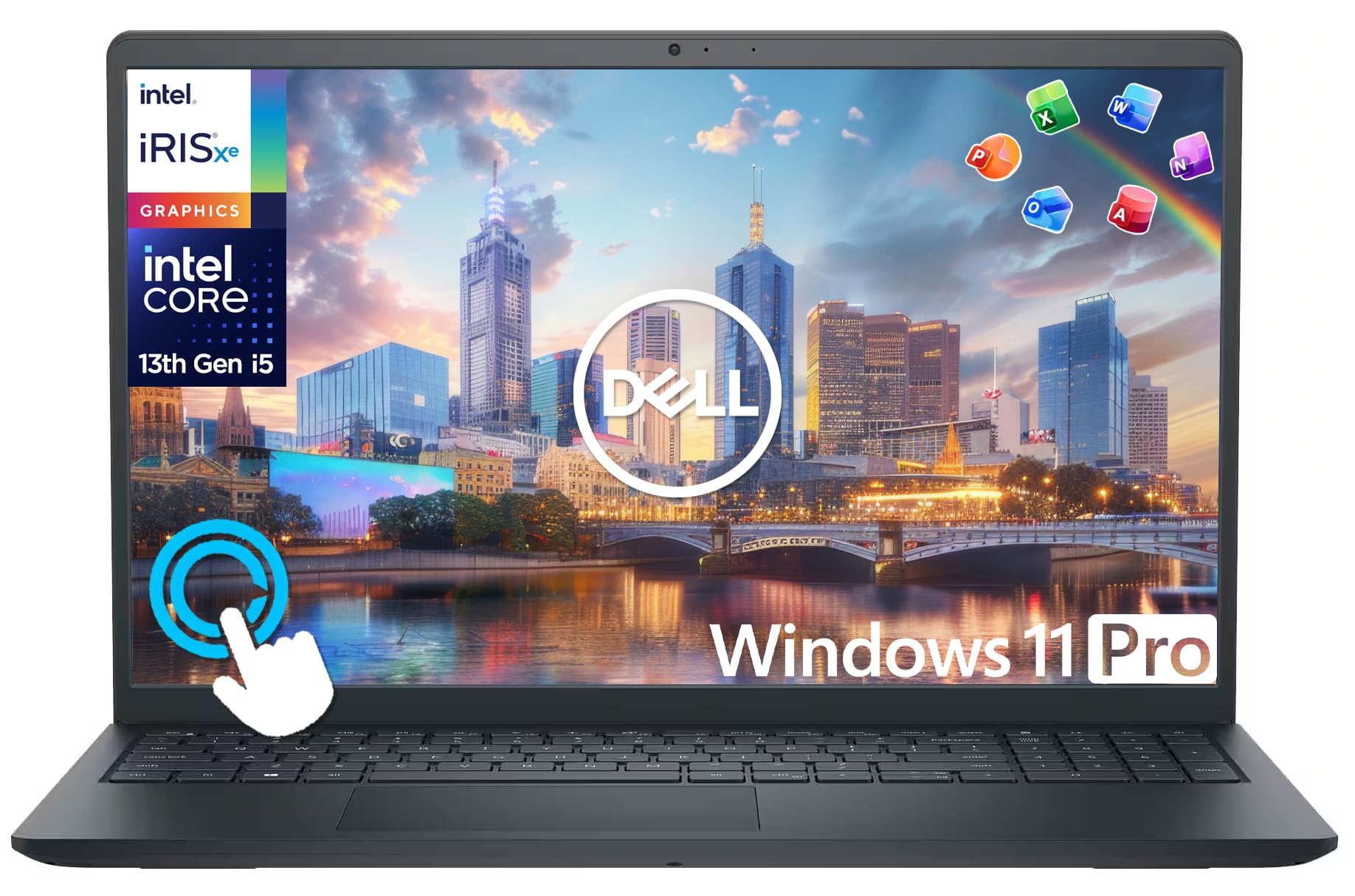
The display measures 15.6 inches and uses an IPS panel with Full HD resolution of 1920 by 1080, anti-glare treatment, and Intel graphics. That combination is suited to viewing documents, working through spreadsheets, attending online classes, and watching streamed content. For meetings, the FHD HDR RGB webcam includes a privacy shutter, giving users a physical way to cover the camera when they want it closed. The backlit keyboard is another useful detail for people who work in different lighting conditions.
Connectivity is a notable part of the package. Two Thunderbolt 4 ports support data transfer speeds of up to 40 Gbps, while two USB 3.2 Gen 1 Type-A ports accommodate compatible peripherals. HDMI 2.1, Ethernet, a combo audio jack, and a microSD card slot add further options. The seller also states that two external monitors can be connected through HDMI and Thunderbolt at 4K resolution and 60Hz. Wi-Fi 6E and Bluetooth 5.3 cover wireless connections, while Windows 11 Pro provides the operating system and includes Copilot.
There are trade-offs to weigh before choosing this configuration. Intel graphics are listed rather than dedicated graphics, so buyers prioritizing graphics-intensive work should compare the graphics requirements of their intended applications before purchasing. The 15.6-inch format may also be less suitable for someone whose main priority is a particularly compact computer. The seller advertises up to 11 hours of battery life, but actual runtime will depend on use. One purchasing detail deserves attention: the new computer has been resealed for memory and SSD upgrades, with separate warranty coverage for those upgraded components and the remaining hardware.
Verdict: This laptop is a sensible candidate for professionals, students, and small business users who value Windows 11 Pro, useful port selection, multitasking memory, and a Full HD display. Choose it if those practical work features match your routine, but consider a laptop with graphics capabilities better aligned to your needs if specialized visual workloads are central to your plans.
Specifications
- Model: Dell Latitude 5550
- Processor: Intel Core Ultra 5 125U, 12 cores
- Memory: 16GB DDR5 at 5600MHz
- Storage: 512GB PCIe NVMe M.2 SSD
- Display: 15.6-inch FHD IPS anti-glare
- Display resolution: 1920 x 1080
- Graphics: Intel graphics
- Operating system: Windows 11 Professional 64-bit
- Webcam: FHD HDR RGB with privacy shutter
- Thunderbolt: 2 Thunderbolt 4 ports, up to 40 Gbps
- USB: 2 USB 3.2 Gen 1 Type-A ports
- Video output: HDMI 2.1
- Other connections: Ethernet RJ-45, combo audio jack, microSD card slot
- Wireless: Intel Wi-Fi 6E and Bluetooth 5.3
- Keyboard: Backlit
- Advertised battery life: Up to 11 hours
- External displays: Up to 2 monitors at 4K resolution and 60Hz through HDMI and Thunderbolt
Who Should Buy It
A great fit if you:
- Need a Windows computer for office documents, business communication, spreadsheets, and everyday productivity across multiple applications.
- Attend remote meetings or online classes regularly and want a webcam with a privacy shutter.
- Prefer a larger laptop display for reading documents, reviewing spreadsheets, and keeping work visible on screen.
- Connect compatible external monitors, wired networks, storage devices, or other peripherals as part of your normal routine.
- Want Windows 11 Pro and a combination of wireless and wired connectivity for professional or educational tasks.
Consider something else if you:
- Need graphics capabilities for demanding visual applications, and would benefit from a laptop with dedicated graphics suited to those workloads.
- Prioritize a compact computer above a larger display, and would prefer a smaller laptop designed around that need.
Before You Buy
Confirm on the listing:
- Check the exact configuration and confirm that the delivered computer has the advertised 16GB memory and 512GB SSD, since the seller states that the new computer has been resealed for these upgrades.
- Review the warranty terms for the upgraded memory and SSD, including the three-year coverage from Issaquah Highlands Tech, and distinguish that from the manufacturer's one-year coverage on remaining components.
- Check whether your existing monitors and peripherals use compatible connections, particularly HDMI, Thunderbolt, USB Type-A, Ethernet, Bluetooth, or the microSD slot.
- Confirm what is included in the box and whether the laptop's dimensions and power arrangements suit your desk, study area, or intended work location.
How to compare your options: Start with processor, memory, storage, display, and graphics requirements rather than relying on the model name alone. This configuration pairs a 12-core Intel Core Ultra 5 125U processor with 16GB DDR5 memory, a 512GB SSD, and a Full HD IPS screen. Next, compare the connections you actually use, the need for external monitors, and whether Windows 11 Pro fits your workflow. Treat the advertised battery life as a reference when deciding how much unplugged use matters to you.
Getting the Most From It
Start by setting up Windows 11 Pro for your intended work. Organize your applications, documents, and frequently used tools around the tasks you perform most often, whether that means school assignments, business administration, programming, or video meetings.
Make the most of the available connections by matching each peripheral to a compatible port. If your workspace includes external monitors, check their connection options and use the HDMI or Thunderbolt connections as appropriate. Ethernet is another option when your setup calls for a wired network, while Wi-Fi 6E and Bluetooth 5.3 support compatible wireless devices.
For online meetings, position the screen so the webcam captures the view you want to share, and close its privacy shutter when you want the camera covered. Use the backlit keyboard when its illumination helps with your working conditions, and adjust your display and application layout to keep important information easy to access.
Keep files organized within the available SSD storage and review your storage needs as projects accumulate. Follow the computer's supplied care guidance if available, and retain the purchase and warranty information for the upgraded memory and SSD. Keeping those details accessible can help you distinguish the coverage that applies to upgraded components from the coverage for the remaining hardware.
FAQ
Is the Dell Latitude 5550 suitable for office work and school?
Yes, it is positioned for productivity, school education, online classes, remote learning, and business use. Its processor, 16GB memory, SSD storage, and Windows 11 Pro support a broad range of everyday computing tasks.
Can I connect two external monitors?
Yes, the seller states that two external monitors can connect through HDMI and Thunderbolt at 4K resolution and 60Hz. Check that your monitors and cables support the connections you intend to use.
Does this laptop have a webcam privacy cover?
Yes, its FHD HDR RGB webcam includes a privacy shutter. This lets you cover the camera when you do not want it available for a meeting.
What warranty comes with the upgraded configuration?
The upgraded memory and SSD have a three-year warranty from Issaquah Highlands Tech, while the remaining components have a one-year manufacturer warranty. Review the seller's warranty terms to understand the applicable coverage.
Does it have dedicated graphics, and how long does the battery last?
The listed graphics are Intel graphics, and the seller advertises up to 11 hours of battery life. The listing does not identify dedicated graphics, so check the full configuration if your applications require specific graphics capabilities. Actual battery runtime can vary with how you use the laptop.
Product Details
| Brand | ist computers |
| ASIN | B0DR2PSZFD |