Alienware
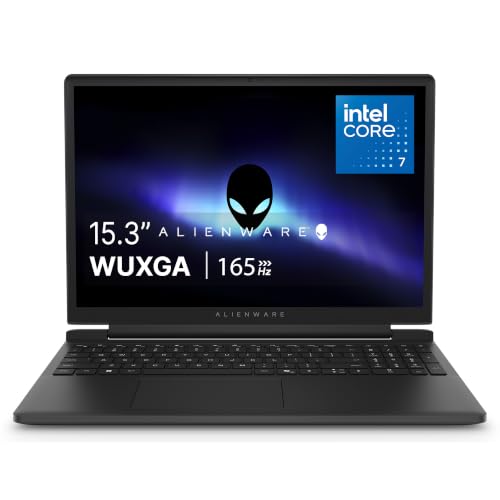
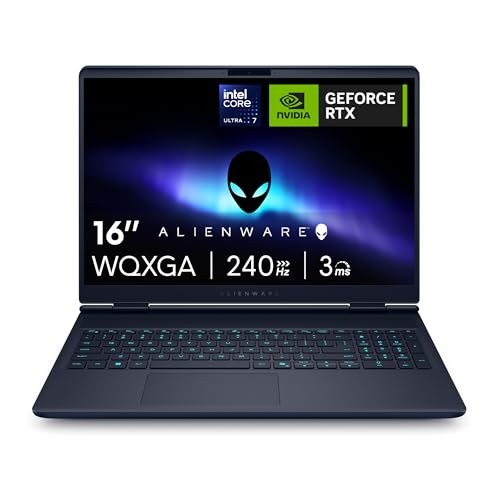
Alienware 16 Aurora Gaming Laptop, RTX 5050, Intel Core 7 240H | WQXGA 120Hz Display, 16GB DDR5 RAM, 1TB SSD, NVIDIA GeForce, Wi‑Fi 7, Windows 11 Home, Blue
Disclosure: We may earn a commission when you buy through links on this page, at no extra cost to you. As an Amazon Associate I earn from qualifying purchases. Learn more
Highlights
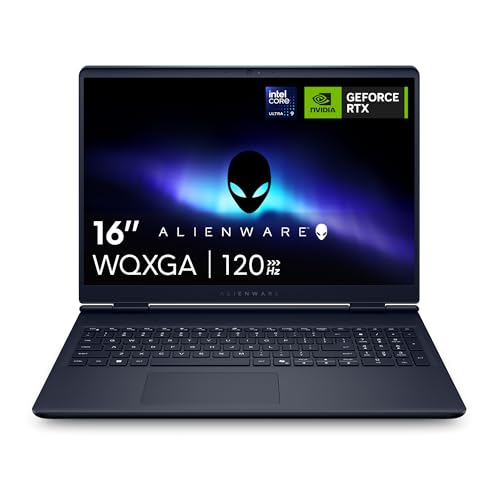
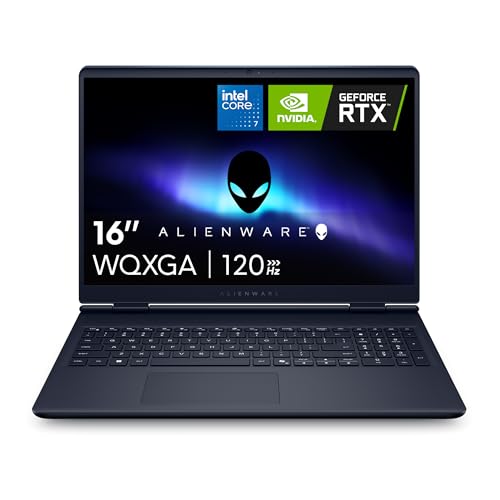
- Brilliant display: Go deeper into games with a 16” WQXGA 120Hz display with 300 nits brightness.
- Game changing graphics: Step into the future of gaming and creation with NVIDIA GeForce RTX 5050 Laptop GPUs, powered by NVIDIA Blackwell and AI.
- Innovative cooling: A newly designed Cryo-Chamber structure focuses airflow to the core components, where it matters most.
- Comfort focused design: Alienware 16 Aurora’s streamlined design offers advanced thermal support without the need for a rear thermal shelf.
- Dell Services: 1 Year Onsite Service provides support when and where you need it. Dell will come to your home, office, or location of choice, if an issue covered by Limited Hardware Warranty cannot be resolved remotely.
Why You'll Love It
- The 16-inch WQXGA display pairs 120Hz refresh with 300 nits brightness for detailed on-screen gaming
- NVIDIA GeForce RTX 5050 Laptop graphics bring Blackwell architecture and AI capabilities to gaming and creative work
- Intel Core 7 240H, 16GB DDR5 RAM, and a 1TB SSD provide a clearly defined hardware configuration
- The Cryo-Chamber cooling design directs airflow toward core components to support the laptop's thermal management
- Wi-Fi 7 and Windows 11 Home round out the configuration for everyday computing and gaming
- Included one-year onsite service offers in-person support for eligible hardware issues that cannot be resolved remotely
Pros
- +16-inch WQXGA display with 120Hz refresh
- +NVIDIA GeForce RTX 5050 Laptop GPU
- +16GB DDR5 RAM and 1TB SSD
- +Purpose-designed Cryo-Chamber cooling structure
- +One-year onsite service included
Cons
- -300 nits brightness may not suit every viewing environment
- -16GB RAM may not meet every demanding workload
- -Dedicated gaming hardware may be unnecessary for basic computing
Detailed Review
The Alienware 16 Aurora gaming laptop is aimed at buyers who want dedicated graphics, a high-resolution display, and a substantial amount of built-in storage in one Windows computer. Its combination of an Intel Core 7 240H processor, NVIDIA GeForce RTX 5050 Laptop GPU, 16GB of DDR5 RAM, and a 1TB SSD establishes a clear starting point for gaming and creative work. Rather than focusing on a single specification, this configuration brings together the screen, graphics hardware, memory, and storage that shape the overall computing experience.
The 16-inch WQXGA display has a 120Hz refresh rate and 300 nits brightness. WQXGA resolution gives the screen a defined high-resolution specification, while the refresh rate is particularly relevant to shoppers who value how frequently a display can refresh its image. Brightness is another practical consideration because the screen's 300-nit rating may influence whether it suits your preferred room and lighting conditions. Consider all three display details together instead of choosing based on resolution alone.
Graphics are handled by an NVIDIA GeForce RTX 5050 Laptop GPU built on NVIDIA Blackwell, with AI capabilities highlighted for gaming and creation. Cooling also receives specific attention through Alienware's Cryo-Chamber structure, which focuses airflow toward core components. The streamlined chassis design provides thermal support without a rear thermal shelf. These features make graphics capability and heat management central parts of the design, although they should not be treated as guarantees of a particular frame rate or sustained performance in every game or application.
The trade-offs are mainly about matching the configuration to your actual needs. The 16GB of DDR5 RAM and 1TB SSD are concrete specifications to assess against the games, projects, and files you expect to handle. The 16-inch display also makes screen size an important part of the purchasing decision, and its 300-nit brightness will not suit every viewing preference. Wi-Fi 7 and Windows 11 Home complete the stated setup, while the included one-year onsite service provides an additional support option for eligible hardware issues that cannot be resolved remotely.
Verdict: This gaming laptop makes sense for shoppers who want an Alienware system with dedicated RTX 5050 graphics, a WQXGA 120Hz display, and a 1TB SSD for gaming and creative tasks. Consider another configuration if your work requires different memory or graphics specifications, or if the screen's size and brightness do not fit your setup.
Specifications
- Brand: Alienware
- Model: 16 Aurora
- Product type: Gaming laptop
- Processor: Intel Core 7 240H
- Graphics: NVIDIA GeForce RTX 5050 Laptop GPU
- Graphics architecture: NVIDIA Blackwell
- Display size: 16 inches
- Display resolution category: WQXGA
- Display refresh rate: 120Hz
- Display brightness: 300 nits
- Memory: 16GB DDR5 RAM
- Storage: 1TB SSD
- Wireless connectivity: Wi-Fi 7
- Operating system: Windows 11 Home
- Cooling design: Cryo-Chamber structure
- Color: Blue
- Support: One-year onsite service for eligible hardware issues that cannot be resolved remotely
Who Should Buy It
A great fit if you:
- Want a gaming computer with dedicated NVIDIA graphics and a high-resolution display for your preferred games.
- Prefer a 16-inch screen with a 120Hz refresh rate as a central part of your gaming setup.
- Need a Windows laptop with a defined combination of processor, memory, and storage for gaming and creative projects.
- Value a cooling design that specifically directs airflow toward core components rather than relying on a rear thermal shelf.
- Appreciate having onsite support available for eligible hardware issues that cannot be resolved remotely.
Consider something else if you:
- Primarily handle basic everyday tasks and would prefer a simpler laptop without dedicated gaming graphics.
- Need a different memory, graphics, or display configuration and would be better served by a laptop tailored to those requirements.
Before You Buy
Confirm on the listing:
- Check that the selected configuration includes the Intel Core 7 240H, RTX 5050 Laptop GPU, 16GB DDR5 RAM, and 1TB SSD.
- Review the display specifications carefully, including the 16-inch size, WQXGA resolution, 120Hz refresh rate, and 300 nits brightness, to make sure they suit your setup.
- Check which accessories and other items are included in the box, and whether you need anything additional for your intended setup.
- Confirm the terms and coverage of the one-year onsite service, including how eligible hardware issues are handled when remote resolution is unsuccessful.
How to compare your options: Start with the games and creative applications you intend to use, then compare graphics hardware, processor, memory, and storage against their requirements. Next, consider screen resolution, refresh rate, and brightness together, since each addresses a different part of the display experience. Finally, weigh the cooling design, wireless connectivity, operating system, and support arrangements against your priorities rather than selecting a laptop on its graphics name alone.
Getting the Most From It
Start by reviewing the Windows 11 Home setup instructions and completing the initial configuration for your intended use. Organize your games, creative applications, and personal files so the 1TB SSD can serve the needs you consider most important. Before installing large applications, check their requirements against the laptop's listed processor, graphics, and memory specifications.
Adjust your display settings to match your preferences and the applications you use. Keep the 120Hz refresh rate, WQXGA resolution, and 300 nits brightness in mind when deciding how you want the screen configured. If an application offers its own graphics or display options, review those settings alongside the laptop's capabilities rather than assuming every program will use the same configuration.
Give the Cryo-Chamber cooling design appropriate consideration when arranging your workspace. Follow Alienware's instructions for placement, ventilation, and routine care, and avoid making assumptions about maintenance procedures that are not in the supplied guidance. If the computer develops an issue, consult the support documentation and check whether it falls within the included onsite service terms.
For wireless use, confirm that your network setup supports the connectivity you want from Wi-Fi 7. Keep track of your available storage as your library and creative files grow, and periodically review which applications and files deserve space on the SSD.
FAQ
Is the Alienware 16 Aurora suitable for gaming?
Yes, it is configured as a gaming laptop with an NVIDIA GeForce RTX 5050 Laptop GPU and an Intel Core 7 240H processor. Its 16-inch WQXGA display also supports a 120Hz refresh rate.
What display does this laptop have?
It has a 16-inch WQXGA display with 120Hz refresh and 300 nits brightness. Compare these specifications with your preferred resolution, refresh rate, and viewing environment before choosing it.
How much memory and storage does it include?
It comes with 16GB of DDR5 RAM and a 1TB SSD. Consider the memory and storage requirements of your games, applications, and creative projects when deciding whether this configuration fits.
Does it include onsite support?
Yes, the stated package includes one year of onsite service. Dell provides support at your home, office, or another chosen location when an eligible hardware issue cannot be resolved remotely under the Limited Hardware Warranty.
What comes in the box, and can the memory be upgraded?
The supplied listing does not establish the complete box contents or memory upgrade options. Check the selected configuration's included items and official specifications before purchasing if either detail is essential to your decision.
Product Details
| Brand | Alienware |
| ASIN | B0BXFKXG6N |