Acer
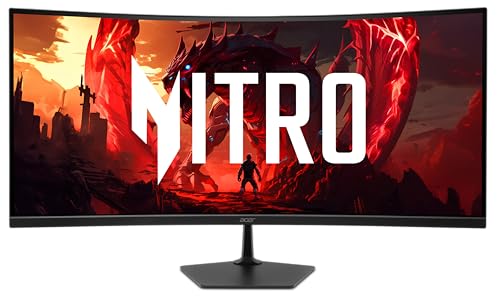
Acer Nitro 34in WQHD 3440x1440 Curved 200Hz Gaming Monitor EDA340CUR X0biip | 0.5ms, AMD FreeSync Premium, sRGB 99%, 2xHDMI 2.1, DisplayPort, 1500R Curve, VESA Mountable, Bluelight Filter
Disclosure: We may earn a commission when you buy through links on this page, at no extra cost to you. As an Amazon Associate I earn from qualifying purchases. Learn more
9.2/10
Highlights
- Vibrant Images: The Nitro EDA340CUR 34" Curved Display with QHD (3440 x 1440) resolution offers the sharpest picture quality and provides a perfect picture with a broader view. The zero-frame design does away with the thick frames found on conventional monitors freeing up precious screen space, so you have more to look at from edge to edge.
- AMD FreeSync Premium Technology: Say “goodbye” to stuttering and tearing. With AMD FreeSync Premium, the monitor’s frames are synced with the graphics card’s frames, which eliminates screen tearing and provide the smoothest gaming experience.
- 200Hz Refresh Rate: The 200Hz refresh rate speeds up the frames per second to deliver an ultra-smooth 2D motion scene. With a rapid refresh rate of 200Hz, Acer Gaming Monitors shorten the time it takes for frame rendering, lower input lag and provide gamers an excellent in-game experience.
- Responsive!!: Up to 0.5ms GTG (Gray to Gray) response time enhanced gamers’ in-game experience. No matter the fast-moving action or any dramatic transitions will be all rendered smoothly without the annoying effects of smearing or ghosting with EDA340CUR Gaming Monitor.
- Curved Screen: The 1500R curved 21:9 display wraps you in a world of entertainment with every corner of the screen at the same distance from your eyes for a uniform viewing experience without blind spots. Tilt the screen -5 to 20 degrees for the most comfortable view.
Product Details
| Brand | Acer |
| ASIN | B0GLQC7NF9 |