
Best External Storage Hard Drives: Budget, Midrange, and Premium Picks
Disclosure: We may earn a commission when you buy through links on this page, at no extra cost to you. As an Amazon Associate I earn from qualifying purchases. Learn more

The best external storage hard drives by budget: portable HDDs, fast SSDs and big desktop drives compared.
External drives are the simplest way to add storage, back up a computer or carry large files between devices. Prices range from about $40 for a small portable hard drive to $800 for a 20TB desktop drive, with fast portable SSDs somewhere in between. The right choice depends on how much you need to store, how fast you need to move it and whether the drive will sit on a desk or travel in a bag. This guide to the best external storage hard drives sorts options by budget, so you know what each price tier delivers and where extra money is well spent.
We cover three picks, what to expect at each price level, the features worth paying for, a note on buying at warehouse clubs, long term costs and common questions. Every drive in the table above is sold new on Amazon US.





Top 3 Picks by Budget
Our picks are the WD 2TB Elements Portable for budget backups, the Samsung T7 1TB portable SSD for most people who want speed in a pocket sized drive and the Samsung T9 2TB as a premium choice for creators who move large video files.
We compared capacity, drive type, interface speed, size, durability features and software, along with the overall pattern in owner feedback. We did not run these drives ourselves; the notes reflect maker specifications.
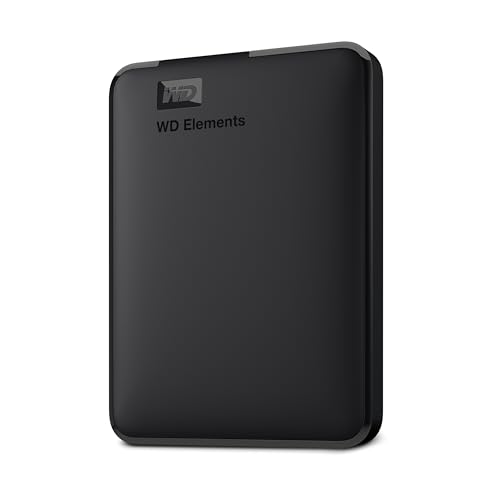
Best Budget Pick: WD 2TB Elements Portable
The WD Elements Portable suits anyone who needs simple, affordable backup space, at around $132 for the 2TB model. It is a small, lightweight hard drive that connects over SuperSpeed USB 3.2 Gen 1 (5Gbps) and works plug and play with Windows PCs, and it can be reformatted for Mac.
Two strengths stand out: generous capacity for photos, documents and music in a pocketable enclosure, and a range that scales up to 6TB if you need more space later. It needs no separate power adapter, drawing power from the USB port. The limitation is speed, since a spinning hard drive is much slower than an SSD and more sensitive to drops. Skip it if you edit video directly from the drive or carry it around daily in a busy bag.

Best Midrange Pick: Samsung T7 Portable SSD 1TB
The Samsung T7 is for students, gamers and professionals who want fast, durable storage that fits in a pocket, at around $245 for 1TB. It uses PCIe NVMe technology with read and write speeds up to 1,050 and 1,000 MB/s over USB 3.2 Gen 2, which Samsung says is almost twice as fast as the older T5.
Its strengths are speed and toughness: the solid aluminum unibody is built for shock resistance and drops up to 6 feet, and it can record 4K 60fps video directly from supported cameras and phones, including iPhone 15 Pro ProRes recording. The trade off is cost per terabyte, since SSDs cost much more than hard drives at the same capacity. Skip it if you need several terabytes for archive backups on a tight budget.

Best Premium Pick: Samsung T9 Portable SSD 2TB
The Samsung T9 suits creators and power users who move huge files, at around $437 for 2TB. It supports USB 3.2 Gen 2x2 with sustained read and write speeds up to 2,000 MB/s on compatible ports, and Samsung's Dynamic Thermal Guard is designed to keep it cool during long transfers.
The appeal is sustained performance for video editing, large photo libraries and game libraries, plus Samsung Magician software for firmware updates, encryption and drive health monitoring. It works with desktops, cameras and gaming consoles. The limitation is that top speeds require a USB 3.2 Gen 2x2 port, which many computers lack, and the price is high. Skip it if your computer only has older USB ports or you simply need backup space.

What Your Money Gets You at Each Price Tier
External storage falls into three broad price bands. Prices change often, so compare cost per terabyte when you shop.
Budget Tier: What to Expect
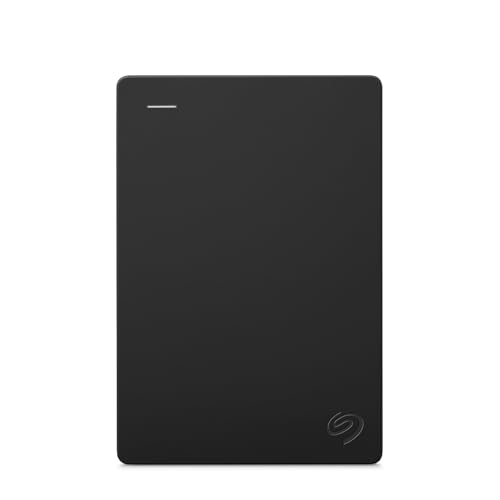
Under around $140, you find portable hard drives from WD, Seagate, UnionSine and YOTUO in capacities from 500GB to 2TB, plus small SSDs like the SSK 500GB. Portable hard drives offer the most space for the money, with transfer speeds around 100 to 140 MB/s typical for spinning drives.
The trade offs are speed and durability. Hard drives have moving parts, so drops can damage them, and they feel slow with large video files. Budget drives suit document and photo backups, extra space for older laptops and console game storage.
Some budget drives include USB C cables or adapters, which makes them easier to use with newer laptops. Check the included cable before buying, since a missing USB C cable adds a small extra cost.
Midrange Tier: The Sweet Spot for Most Buyers
Between around $140 and $300, you can choose larger hard drives, such as the Seagate Portable 4TB and 5TB or WD 6TB Elements Portable, or fast 1TB to 2TB portable SSDs like the Samsung T7 and SanDisk Extreme. SanDisk's Extreme 2TB lists IP65 water and dust resistance and speeds up to 1,050 MB/s.
This tier suits most buyers because it lets you choose between lots of space and real speed. Students and travelers usually prefer an SSD, while families backing up years of photos often prefer a large hard drive.
Premium Tier: When Spending More Pays Off
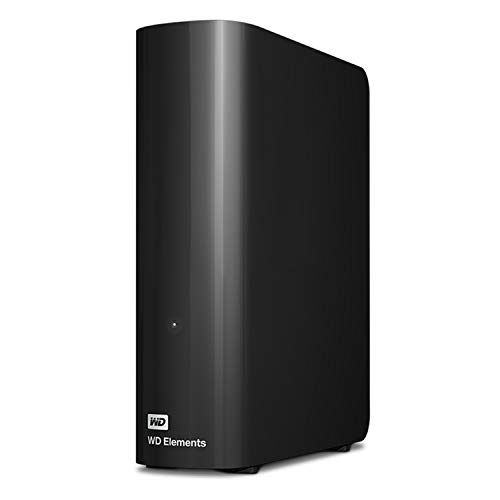
Above around $300, options include very fast SSDs like the Samsung T9 and large desktop drives like the WD 8TB, 18TB and 20TB Elements Desktop. Desktop drives need a power adapter and stay on a desk, but they offer huge capacity for media libraries and whole system backups.
Spending more pays off for video creators, photographers and anyone storing large libraries. For basic backups, the extra speed of premium SSDs is not necessary.
Features Worth Paying For (and Ones to Skip)
Drive type, interface speed, durability and the right capacity are worth paying for. Bundled software and flashy designs are optional. Here is how to weigh each one.
Drive Type: HDD vs SSD
Hard drives (HDDs) store data on spinning platters, which makes them inexpensive per terabyte but slower and more fragile. Solid state drives (SSDs) use flash memory with no moving parts, so they are many times faster, lighter and more resistant to bumps.
Choose an HDD for large, low cost backups that stay at home. Choose an SSD if you travel, edit files directly from the drive or want fast transfers. Many people use both: an SSD for daily work and an HDD for backups.
Interface and Transfer Speed
The connection limits speed. USB 3.2 Gen 1 (5Gbps) suits hard drives, USB 3.2 Gen 2 (10Gbps) lets SSDs reach about 1,050 MB/s and USB 3.2 Gen 2x2 (20Gbps) enables around 2,000 MB/s. Thunderbolt and USB4 drives go faster still but cost far more.
Check which ports your computer has. A fast drive on a slow port runs at the port's speed, so paying for Gen 2x2 makes sense only if your computer supports it.
Cables matter as well. Use the cable that came with the drive or a quality cable rated for the same USB speed, since a cheap or long cable can limit transfers or cause disconnects. USB C to USB A adapters work, but they may reduce speed if the port is older.
Durability and Build Quality
Portable drives get dropped, so durability matters. Look for drop ratings, like the Samsung T7's protection up to 6 feet, and water and dust resistance, like SanDisk Extreme's IP65 rating. Aluminum bodies dissipate heat better than plastic.
For hard drives, rubberized cases and careful handling help. Never move a hard drive while it is writing data.
Heat is another durability factor. Fast SSDs warm up during long transfers, and some slow down to protect themselves. Drives with metal bodies and thermal management, like the Samsung T9, hold speed better during large copies. Keep drives out of hot cars and direct sun.
Capacity and Portable vs Desktop
Estimate how much you need, then add room to grow. A computer backup often needs a drive at least as large as your internal drive, ideally larger. Photos and videos fill space quickly, especially 4K footage.
Portable drives are bus powered and travel easily, with capacities up to about 6TB for HDDs and 4TB for SSDs. Desktop drives need wall power but offer much larger capacities, such as 18TB and 20TB.
A quick rule of thumb: 1TB holds roughly 200,000 typical phone photos or about 250 hours of HD video, while 4K video from modern cameras and phones fills space far faster. If you shoot a lot of video, lean toward 2TB or more.
Choosing External Storage Hard Drives for Your Situation
The right drive depends on where and how you buy and use it. Warehouse clubs are one common place to shop.
Best External Storage Hard Drives at Costco
Warehouse clubs such as Costco often stock popular external drives from major brands, sometimes in bundles or larger capacities, and their selection changes by season and location. When comparing a club deal with Amazon, check the exact model number, drive type (HDD or SSD), interface speed and warranty length, then compare cost per terabyte. Many of the same WD, Seagate, Samsung and SanDisk models appear on Amazon, often with more capacity options.
Long Term Costs to Factor In
Plan for more than one drive. A sound backup strategy keeps at least two copies of important files, ideally one stored away from home, so many people buy a second drive or pair a drive with cloud storage. Drives also wear out; hard drives commonly last several years, and SSDs have limited write endurance, though typical home use rarely reaches it.
Warranty length varies from one to five years, and some drives include data recovery services, such as Seagate's Rescue plans. Budget for replacing older drives before they fail, and copy data to a new drive every few years.
Encryption and security features can matter too. Some drives include hardware encryption or password software, which protects personal and work files if a drive is lost. Samsung's Magician software adds encryption options for the T7 and T9.
FAQs
Does it work with Mac and console?
Most external drives work with Mac, Windows and game consoles, but you may need to reformat them. Many drives ship formatted for Windows; Mac users can reformat with Disk Utility. PlayStation and Xbox consoles support external drives for game storage, so check the drive's listed compatibility before buying.
To share one drive between Mac and Windows, format it as exFAT, which both systems can read and write. Keep in mind that reformatting erases everything on the drive, so do it before copying files.
HDD or SSD: which is better?
SSDs are better for speed, portability and durability, while HDDs are better for low cost, high capacity storage. Choose an SSD for daily use and travel, and an HDD for large backups at home. Many people use both for the best balance.
How long do external drives last?
External hard drives often last three to five years with regular use, while SSDs can last longer since they have no moving parts. Lifespan depends on use, heat and handling. Keep important files backed up in more than one place, because any drive can fail.
Signs of a failing hard drive include clicking sounds, slow file access and frequent disconnects; copy your data off right away if you notice them.
Are external drives good for backups?
Yes, external drives are an affordable and simple way to back up computers. Use built in tools like Time Machine on Mac or File History on Windows to automate backups. For important files, keep a second copy in the cloud or on another drive stored elsewhere.
Restores matter as much as backups; occasionally open a few files from the drive to confirm they copied correctly.
Wrapping Up
The best external storage hard drives match your capacity needs, speed needs and budget. The WD 2TB Elements Portable is a reliable budget backup, the Samsung T7 offers fast, rugged midrange storage and the Samsung T9 delivers premium speed for creators. Choose HDDs for affordable capacity and SSDs for speed and portability, and always keep more than one copy of important files.
For more storage guides, see the best external hard drives for photo storage, the best hard drives for storage, the best external hard drives for long term storage and the best computer case. Then compare current prices in the product table above.